
 mvt-project/androidqf
androidqf (Android Quick Forensics) helps quickly gathering forensic evidence from Android devices, in order to identify potential traces of compromise.
androidqf (Android Quick Forensics) is a portable tool to simplify the acquisition of relevant forensic data from Android devices.
androidqf is intended to provide a simple and portable cross-platform utility to quickly acquire data from Android devices. It is similar in functionality to mvt-android. However, contrary to MVT, androidqf is designed to be easily run by non-tech savvy users as well. Data extracted by androidqf can be analyzed with MVT.
This repo is a fork of androidqf maintained by Amnesty International's Security Lab. The androidqf tool was originally developed by Claudio Guarnieri.
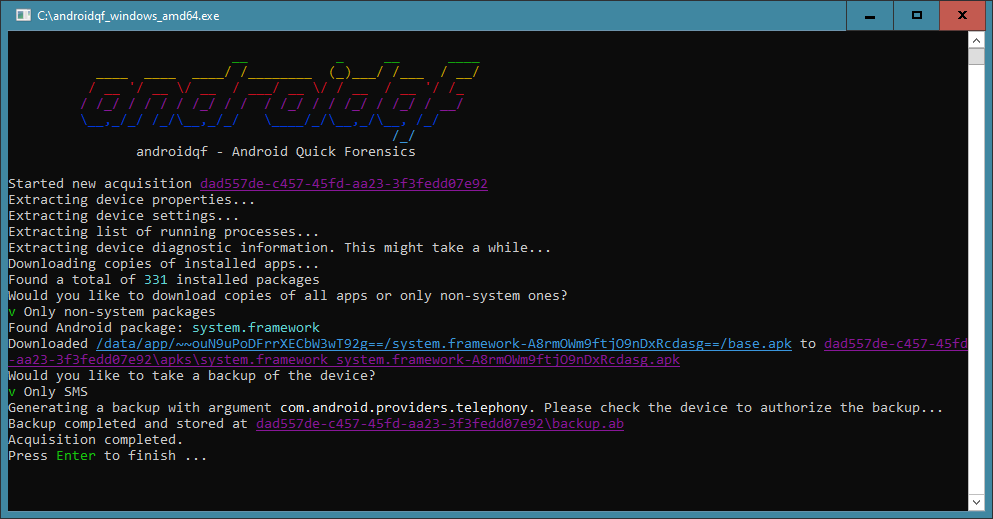
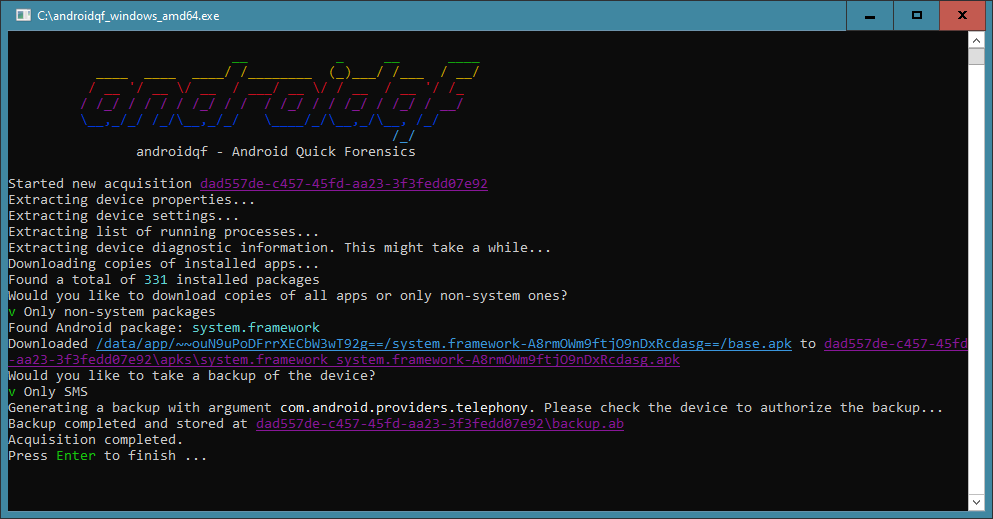
Executable binaries for Linux, Windows and Mac should be available in the latest release. In case you have issues running the binary you might want to build it by yourself.
This project uses GoReleaser for automated builds and releases. To build locally:
Install GoReleaser:
go install github.com/goreleaser/goreleaser/[email protected]
Run a snapshot build (no publishing):
./build_locally.sh
This will create binaries for all platforms in the dist/ directory, including a universal binary for macOS that works on both Intel and Apple Silicon.
You can still use the traditional Makefile approach. You will need Go 1.26.5+ installed, along with make, git, unzip and curl. AndroidQF includes a cross-compiled collector which runs on the target device to more reliably extract forensically relevant information.
First build the collector module:
make collector
Then compile AndroidQF for your platform of choice:
make linux
make darwin
make windows
These commands will generate binaries in a build/ folder.
Distribution packages can opt out of embedding the bundled ADB and collector
binaries by building with the unbundle build tag:
go build -tags unbundle -o build/
When this tag is enabled, androidqf expects:
adb to be available from the system PATH./usr/lib/androidqf/android-collector/ using the names expected by
androidqf, such as collector_arm and collector_arm64.Packagers may remove the bundled binary assets from assets/ before building,
but the assets/ package directory and its Go source files must remain present.
The unbundle build still imports the assets package, and the build will fail
if the whole assets/ directory is deleted.
The release container image is published to GitHub Container Registry:
docker pull ghcr.io/mvt-project/androidqf:latest
To collect from a USB-connected Android device on Linux, pass through the USB bus and mount an output directory:
docker run --rm -it --privileged \
  -v /dev/bus/usb:/dev/bus/usb \
  -v "$(pwd)/output:/output" \
  ghcr.io/mvt-project/androidqf:latest -fast -output /output
You can also build the image locally for a released version:
docker build --build-arg VERSION=1.8.3 -t androidqf .
[!TIP] See Acquisition archives for the archive format, integrity hashes, encryption and large-file handling. For a dictionary of collected files, see the third-party SocialTIC AndroidQF output file dictionary.
Before launching androidqf you need to have the target Android device connected to your computer via USB, and you will need to have enabled USB debugging. Please refer to the official documentation on how to do this, but also be mindful that Android phones from different manufacturers might require different navigation steps than the defaults.
Once USB debugging is enabled, you can proceed launching androidqf. It will first attempt to connect to the device over the USB bridge, which should result in the Android phone to prompt you to manually authorize the host keys. Make sure to authorize them, ideally permanently so that the prompt wouldn't appear again.
Now androidqf should be executing and creating an acquisition zip archive in your current working directory, or in the directory provided with -output. At some point in the execution, androidqf will prompt you some choices: these prompts will pause the acquisition until you provide a selection, so pay attention. Every prompt can also be answered ahead of time with a command-line flag, see Unattended acquisitions.
The following data can be extracted:
| Data | Optional? | Output path(s) |
|---|---|---|
| A full backup or backup of SMS and MMS messages. | ✅ | backup.ab |
| The output of the getprop shell command, providing build information and configuration parameters. | getprop.txt | |
| All system settings | settings_*.txt | |
| The output of the ps shell command, providing a list of all running processes. | processes.json when the collector is available, otherwise processes.txt | |
| The list of system's services. | services.txt | |
| A copy of all the logs from the system. | logs/, logcat.txt | |
| The output of the dumpsys shell command, providing diagnostic information about the device. | dumpsys.txt | |
| A list of all packages installed and related distribution files. | packages.json | |
| Copy of all installed APKs or of only those not marked as system apps. | ✅ | apks/* |
| APEX inventory and complete factory and installed APEX containers for offline analysis. | apex/* | |
| Intrusion Logging logs. Contains private data such as navigation history. | ✅ | intrusion_logs/* |
| Installed Magisk module metadata and state markers, when existing root access is available. | ✅ | magisk_modules/* |
Files in /system/etc/init.d, when existing root access is available. | init_scripts/* | |
| A list of files on the system, optionally including on-device hashes. | ✅ | files.json |
| A copy of the files available in temp folders. | tmp/* | |
| A bug report containing system and app-specific logs, with no private data included. | bugreport.zip | |
Existing bugreports and companion files from /bugreports/, collected before generating a new report. | bugreports/ |
Existing bugreport collection is limited to files accessible through /bugreports/
using the ADB shell's permissions. It follows that directory's symlink, but not
symlinks inside it. Exported copies in shared storage and vendor-specific locations
are not searched. Android may already have deleted older reports under its
retention policy, so an empty or missing directory does not mean no reports were
ever generated. Existing files are copied without deleting them from the device.
