
Skip to content
KitploitKITPLOIT
HerramientasExploitsBlog
Log in
Enviar
HerramientasExploitsBlog
Enviar

¡Herramientas de Hacking, PenTest y Ciberseguridad para tu Arsenal de Seguridad!

Kitploit es un directorio de herramientas de hacking, ciberseguridad y pentesting. Descubre las últimas actualizaciones de proyectos para encontrar vulnerabilidades, analizar sistemas, automatizar pruebas y fortalecer tu seguridad.

FeedsContactoPrivacidad© 2026 Kitploit

Directorio de Herramientas

Categorías

Ver todas las categorías
Loading categories
ogi — Open Source Link Analysis & OSINT Framework | Kitploit

Herramientas/GitHubGitHub/khashashin/ogi
OSINT (Open Source Intelligence)ReconnaissanceInformation GatheringWeb SecuritySocial EngineeringThreat IntelligenceEmail HarvestingLearning & EducationCrawlerDNS Analysis
GitHubkhashashin/ogi

ogi

Open Source Link Analysis & OSINT Framework
Ver RepositorioSitio web
2803748hace 1 díaRevisado por Kitploit
Compartir
Contenido no disponible en el idioma solicitado. Mostrando versión en inglés.
OGI Mascot

OpenGraph Intel (OGI)

Open-source visual link analysis and OSINT framework. Free, self-hostable, and community-driven.

License: AGPL v3 CI Docker Python 3.14+ TypeScript React FastAPI Version

Features • Screenshots • Quick Start • Docker • Transform Hub • Architecture • Contributing


Heads up: This project is actively evolving. It has solid core capabilities and test coverage, and we continue to improve documentation, hardening, and feature depth with each release. Contributions, bug reports, and feedback are very welcome.

Features

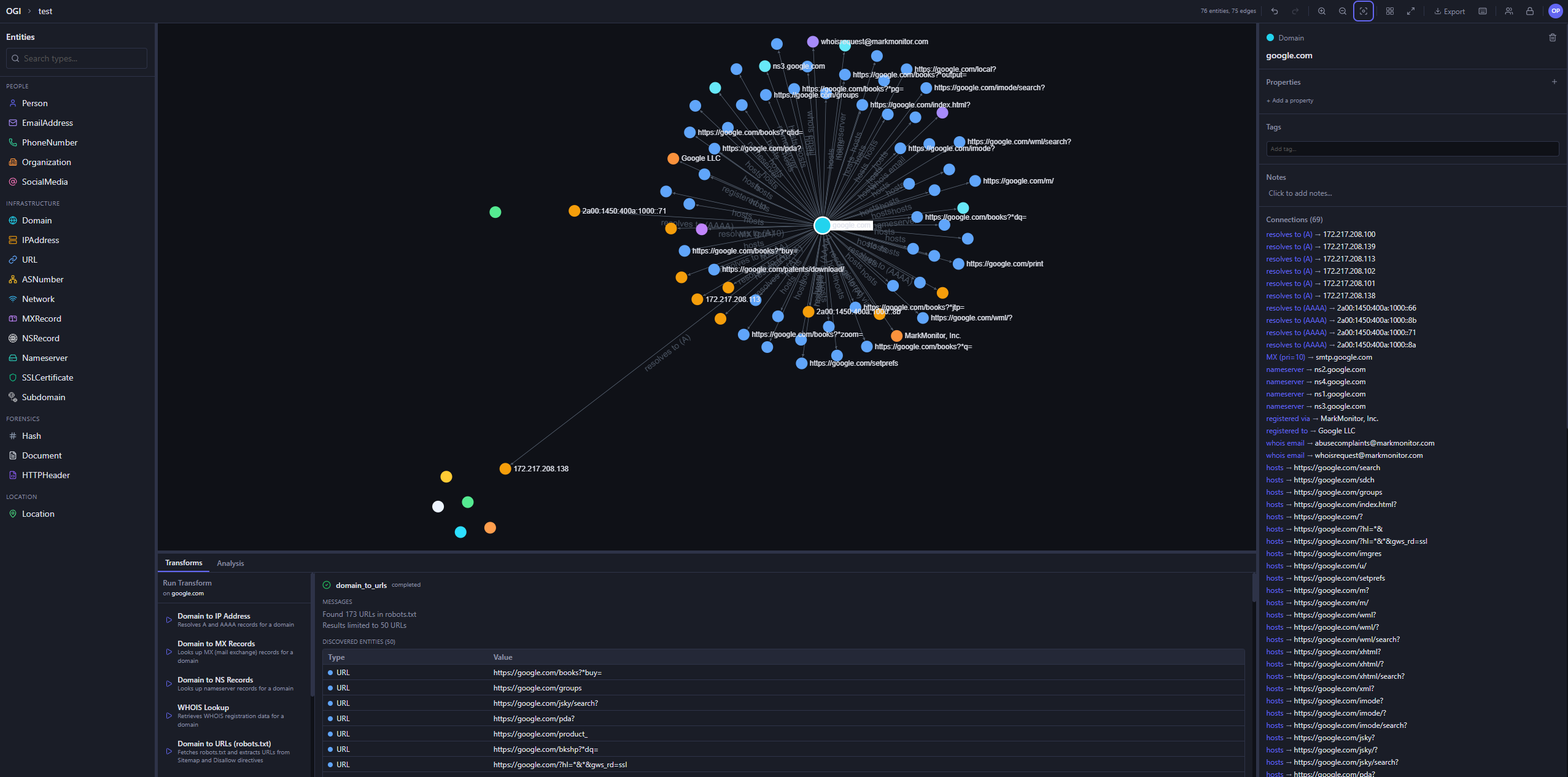
  • Visual graph investigation — drag-and-drop entities, explore connections interactively, 14 layout presets
  • 25+ built-in transforms — DNS, WHOIS, SSL certificates, geolocation, web, email, hash, people, and location enrichment
  • Transform Hub — browse and install community transforms from the registry
  • AI Investigator — prompt-driven agentic investigations that plan transform runs, stream progress live, and summarize findings with auditability
  • Map view — geolocated entities on an interactive map, with clustering and routes
  • Timeline and events — filter the graph by time window and review every transform run in the project's activity log
  • Import / Export — import JSON, CSV, GraphML, and MTGX; export JSON, CSV, GraphML, and PNG images of the graph
  • Graph analysis — degree, betweenness, and closeness centrality, PageRank, and connected components
  • Light and dark themes — pick dark, light, or follow your system setting
  • Real-time collaboration — projects, sharing, and live sync via Supabase Realtime
  • Async transform jobs — Redis/RQ queue with WebSocket progress updates
  • Plugin system — directory-based plugin discovery with YAML manifests
  • CLI tool — search, install, and manage transforms from the terminal
  • Runs anywhere — local SQLite mode (zero config) or PostgreSQL + Supabase for team/cloud setups
  • Docker ready — one-command deployment with docker compose up

Screenshots

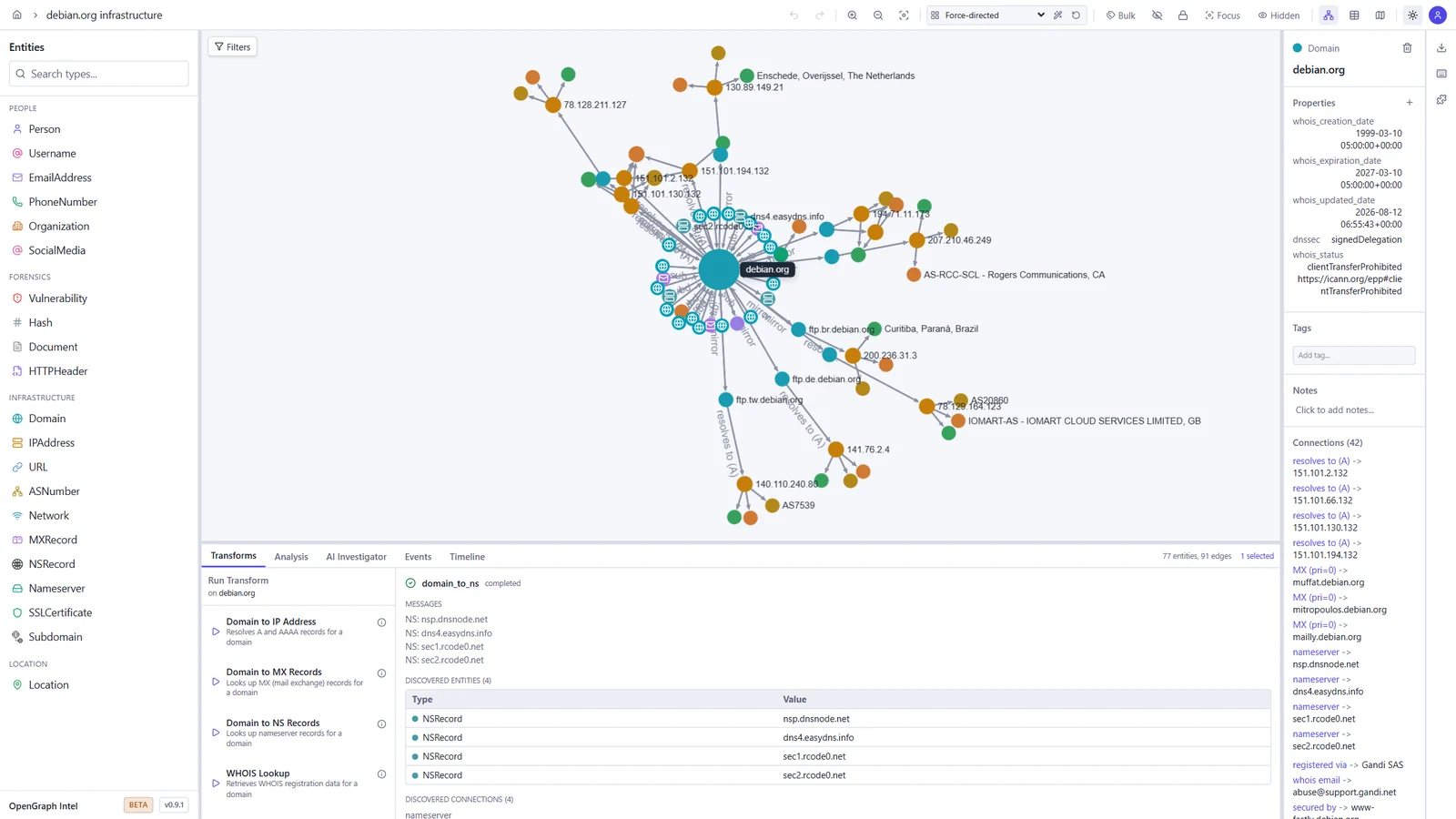
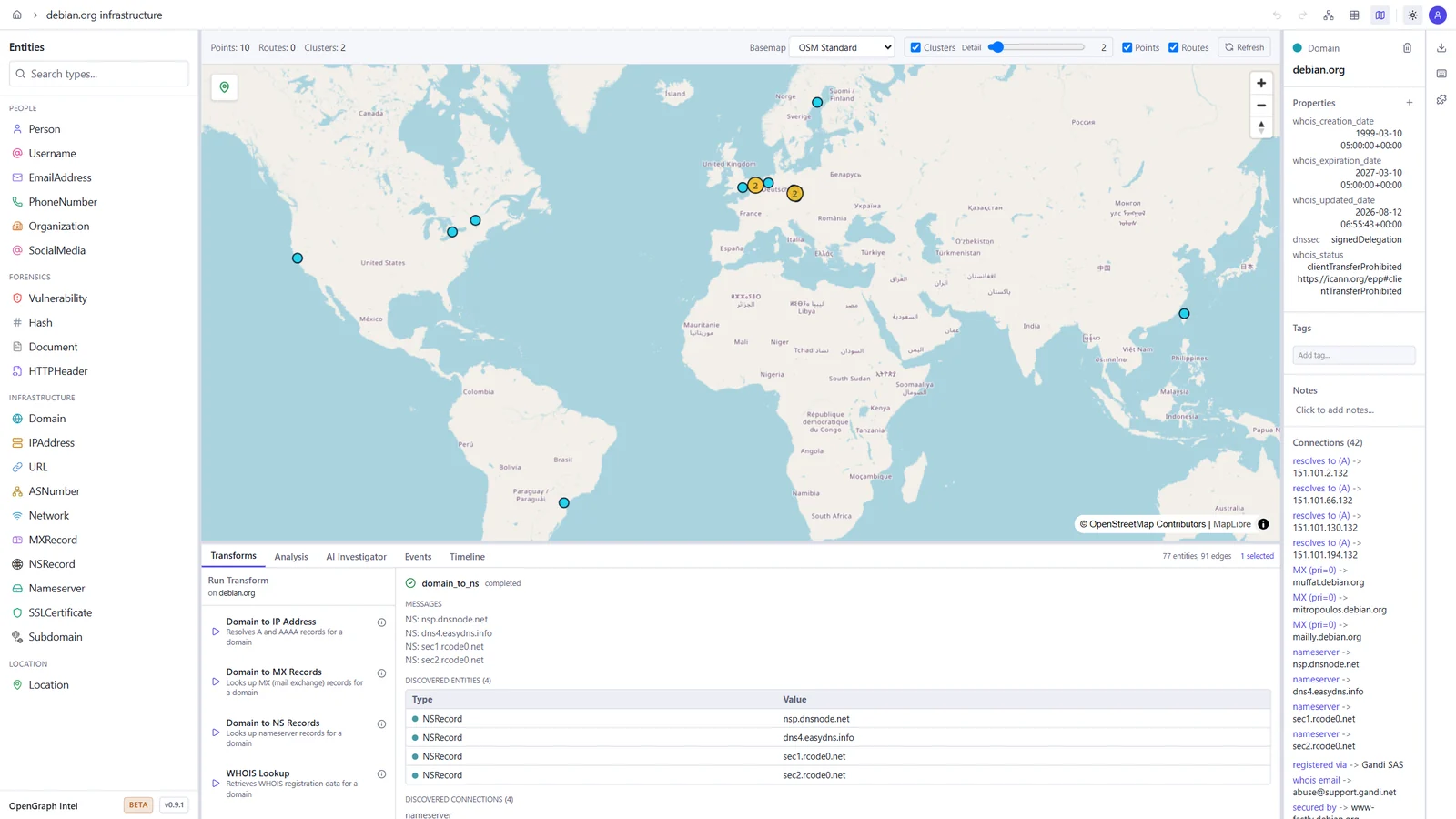
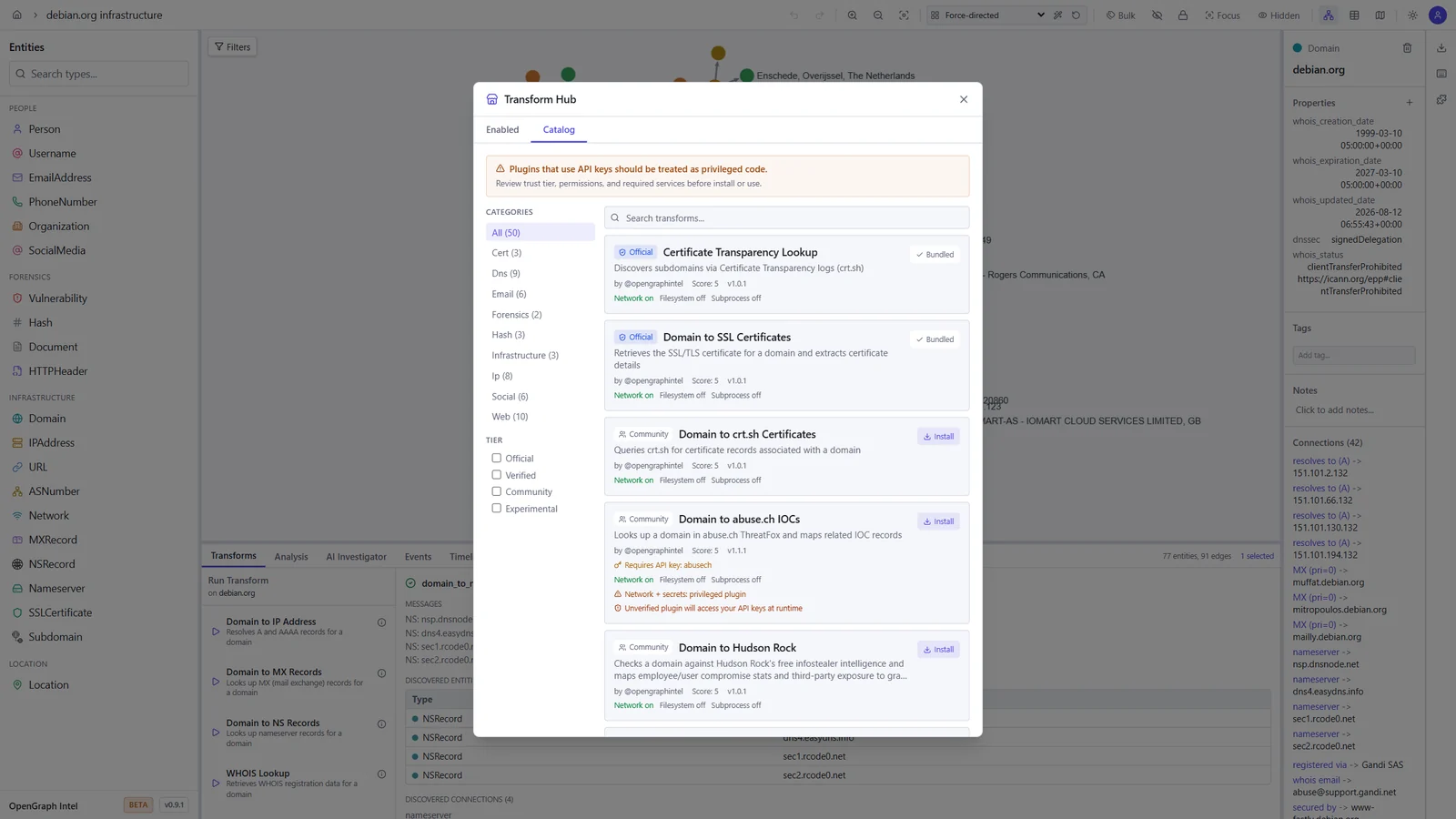
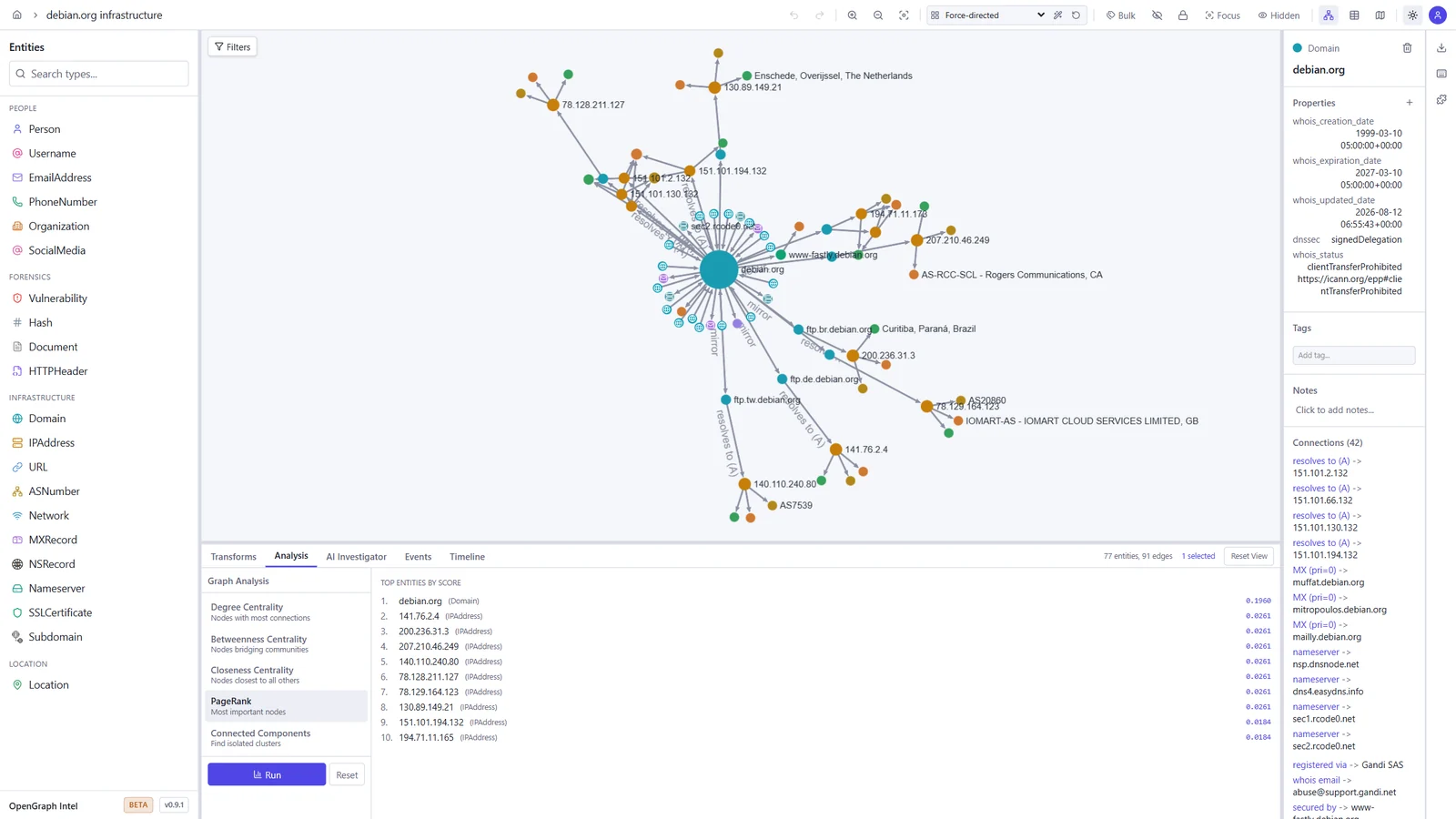
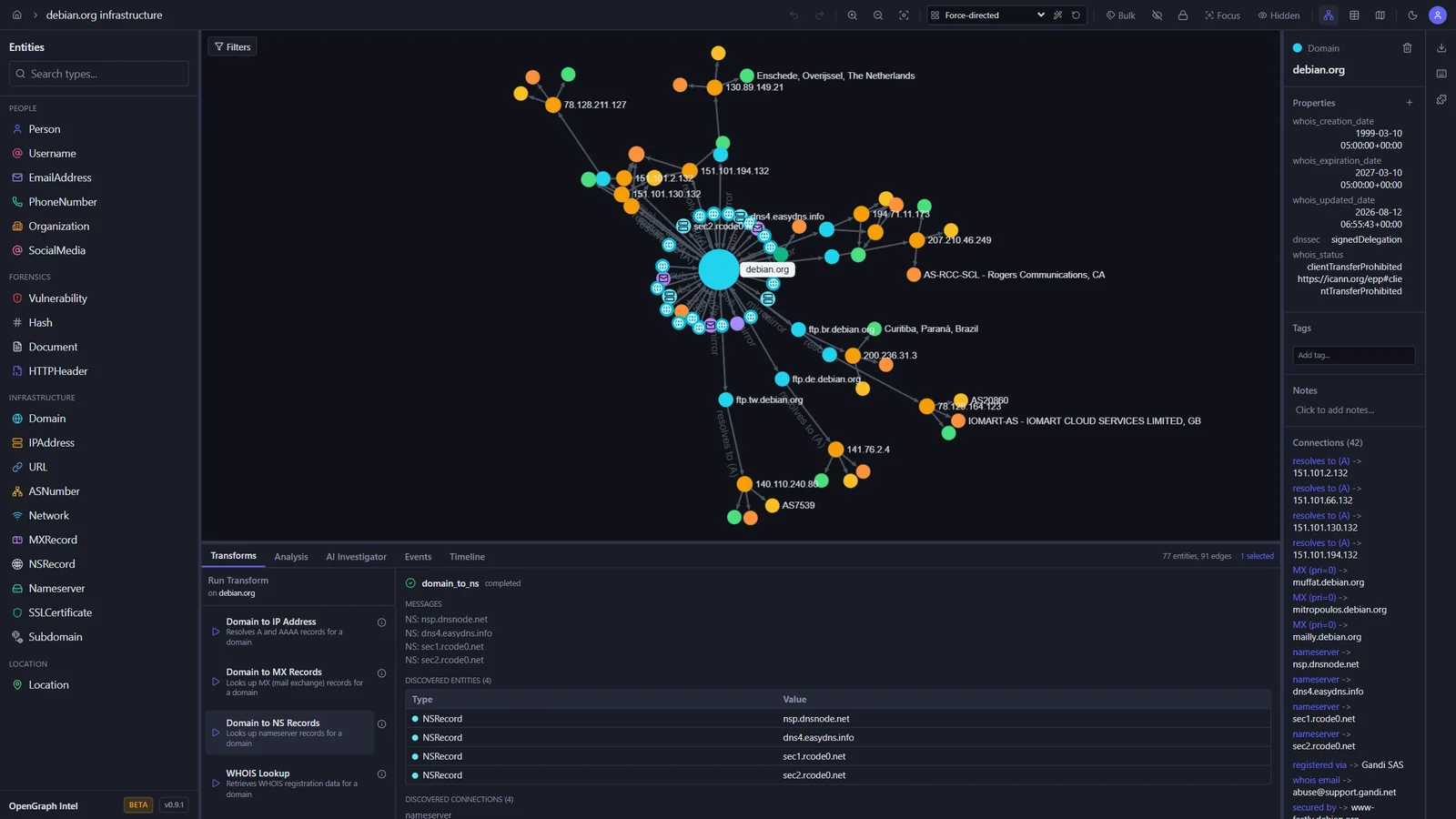
These screenshots show an investigation of the public debian.org infrastructure, built with the built-in transforms.

Graph investigation Map view
Graph of debian.org with its IP addresses, mail and name servers, subdomains, and mirrors, and the output of a DNS transform World map with the geolocated Debian mirror servers
Transform Hub Graph analysis
Transform Hub catalog with official and community transforms, trust tiers, and permissions PageRank results ranking the most important entities in the graph

Light and dark themes

The toggle in the toolbar switches between dark, light, and your system setting.

Dark Light
The graph workspace in the dark theme The graph workspace in the light theme

Quick Start

Prerequisites

ToolVersion
Python3.14+
uvlatest
Node.js24 LTS (22.22+ also works)
pnpm10.x

Backend

cd backend
uv sync
uv run uvicorn ogi.main:app --reload

The API will be available at http://localhost:8000.

For local transform execution, Redis and the transform worker must also be running. Redis alone is not enough.

Start Redis:

docker run -d --name ogi-redis -p 6379:6379 redis:7-alpine

Start the transform worker in a second terminal:

cd backend
uv run python -m ogi.worker.run_worker

If you see Job queue not available or Redis not available, verify that:

  • OGI_REDIS_URL points to redis://localhost:6379/0 for local host-based runs
  • the backend was restarted after Redis came up
  • the separate worker process is running
  • you are not using the Docker-only hostname redis outside Docker Compose

If you run the backend against PostgreSQL (OGI_USE_SQLITE=false), startup will automatically apply Alembic migrations before serving requests. Docker deployments do the same in the backend container entrypoint.

Descargar herramienta

Más Populares

Ver todos →

Descubre las herramientas más usadas por nuestra comunidad.

  • 1

    OsintHunter

    letox4/osinthunter

    🎯 El kit de herramientas OSINT definitivo: grafo de investigación, puntuación de confianza, familias de alias, mapa, línea de tiempo e informes. 49 módulos, más de 400 sitios, sin necesidad de claves API.

    540
  • 2

    ghostlock-app

    yukonga/ghostlock-app

    # Aplicación de Ejecución con un Solo Toque GhostLock (CVE-2026-43499)

    476
  • 3

    ARTEX

    baarai/artex

    Plataforma de pruebas de penetración autónoma multiagente basada en LLM con agentes planificadores/trabajadores, grafos de activos y de exploración, registro de tráfico MITM y reevaluación de vulnerabilidades.

    373
  • 4

    redforge

    cybersecurity91/redforge

    Kit de herramientas de red team del lado del navegador con 102 herramientas offline para reconocimiento, generación de payloads, ataques de credenciales, criptografía, codificación y elaboración de informes de compromiso.

    322
  • 5

    estorides

    grisuno/estorides

    Agrega más de 99 fuentes OSINT gratuitas en paralelo, resuelve entidades en un grafo de conocimiento y exporta STIX 2.1, MISP o GraphML con análisis asistido por LLM.

    278
  • 6

    CyberStrikeAI

    ed1s0nz/cyberstrikeai

    El sistema de acción para la ciberseguridad nativa de IA—donde la intención se convierte en ejecución gobernada, la evidencia se convierte en memoria operativa y cada operación mejora la siguiente.

    251

Explora todas las herramientas

Explora nuestra colección de herramientas

Ver todas las herramientas →