 dhondta/python-codext
Extensión de códecs de Python que incluye herramientas CLI para codificar/decodificar cualquier cosa









CodExt es una biblioteca (compatible con Python 2 y 3) que extiende la biblioteca nativa codecs (especialmente para agregar nuevas codificaciones y mapeos de caracteres personalizados) y proporciona más de 120 nuevos códecs, de ahí su nombre que combina CODecs EXTension. También cuenta con un modo de adivinación para decodificar múltiples capas de codificación y herramientas CLI para mayor comodidad.```sh
$ pip install codext
¿Quieres contribuir con un nuevo códec? | ¿Quieres contribuir con una nueva macro?
:----------------------------------:|:------------------------------------:
Consulta la [documentación](https://python-codext.readthedocs.io/en/latest/howto) primero<br>Luego [PR](https://github.com/dhondta/python-codext/pulls) tu nuevo códec | [PR](https://github.com/dhondta/python-codext/pulls) tu versión actualizada de [`macros.json`](https://github.com/dhondta/python-codext/blob/main/codext/macros.json)
## :mag: Demostraciones
<p align="center"><img src="https://assets.kitploit.com/production/public/readmes/4821/81514bb87e41cfa9d482c93830d7a2e579352988aae9b0934778095692265bde.gif" alt="Usando CodExt desde la línea de comandos"></p>
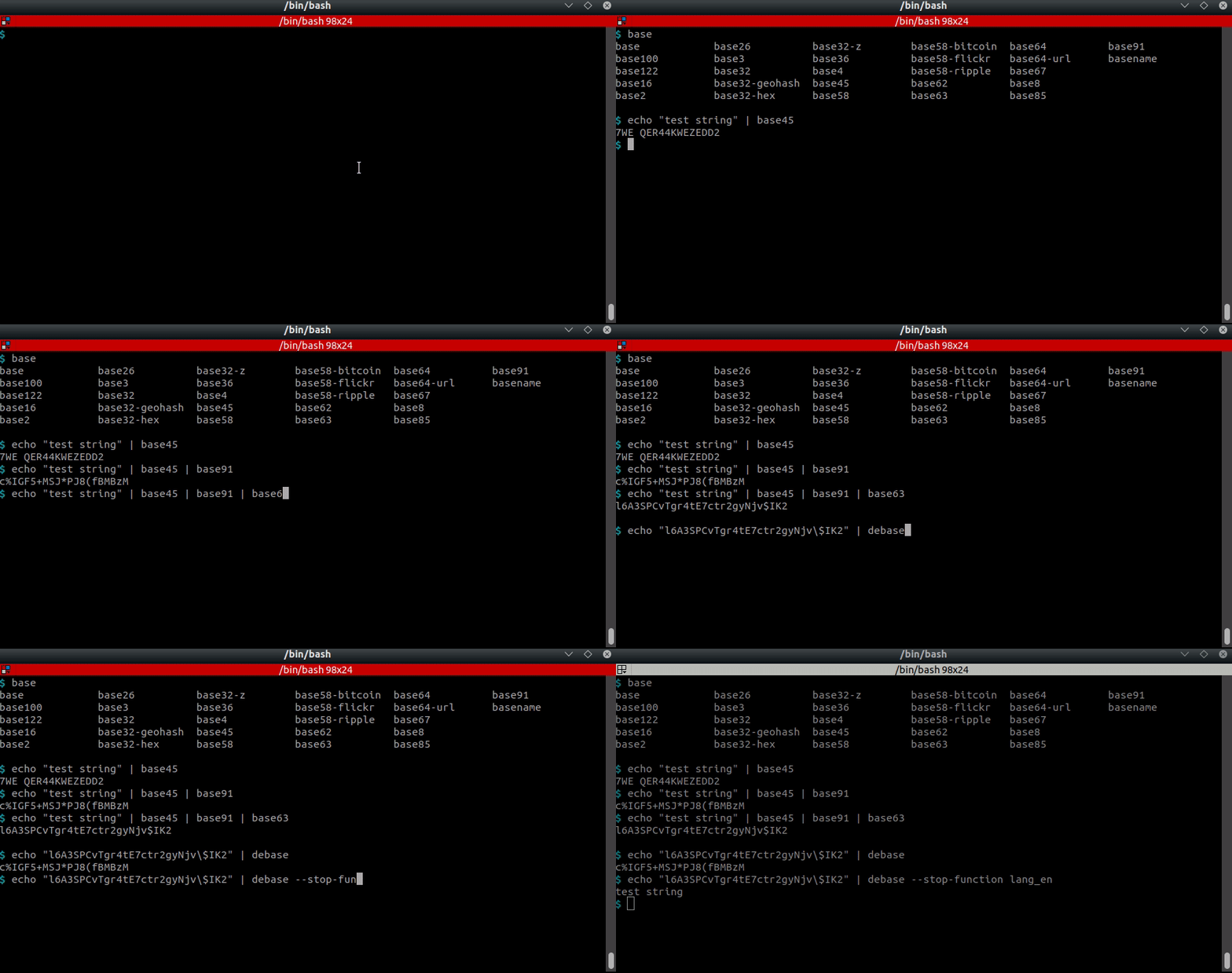
<p align="center"><img src="https://assets.kitploit.com/production/public/readmes/4821/fa4848c3f817288ed56845964755dbb4c4a0098c76af8a6ac6e5c89f849a8d5e.gif" alt="Usando las herramientas base desde la línea de comandos"></p>
<p align="center">Usando la herramienta unbase desde la línea de comandos</p>
## :computer: Uso (herramienta CLI principal) <a href="https://twitter.com/intent/tweet?text=CodExt%20-%20Encode%2Fdecode%20anything.%0D%0APython%20tool%20for%20encoding%20and%20decoding%20almost%20anything,%20including%20a%20guess%20feature%20based%20on%20AI.%0D%0Ahttps%3a%2f%2fgithub%2ecom%2fdhondta%2fpython-codext%0D%0A&hashtags=python,encodings,codecs,cryptography,morse,base,stegano,steganography,ctftools"><img src="https://img.shields.io/badge/Tweet%20(codext)--lightgrey?logo=twitter&style=social" alt="Tweet on codext" height="20"/></a>```session
$ codext -i test.txt encode dna-1
GTGAGCGGGTATGTGA
$ echo -en "test" | codext encode morse
- . ... -
$ echo -en "test" | codext encode braille
⠞⠑⠎⠞
$ echo -en "test" | codext encode base100
👫👜👪👫
$ echo -en "Test string" | codext encode reverse gnirts tseT
$ echo -en "Test string" | codext encode reverse morse --. -. .. .-. - ... / - ... . -
$ echo -en "Test string" | codext encode reverse morse dna-2 AGTCAGTCAGTGAGAAAGTCAGTGAGAAAGTGAGTGAGAAAGTGAGTCAGTGAGAAAGTCAGAAAGTGAGTGAGTGAGAAAGTTAGAAAGTCAGAAAGTGAGTGAGTGAGAAAGTGAGAAAGTC
$ echo -en "Test string" | codext encode reverse morse dna-2 octal 101107124103101107124103101107124107101107101101101107124103101107124107101107101101101107124107101107124107101107101101101107124107101107124103101107124107101107101101101107124103101107101101101107124107101107124107101107124107101107101101101107124124101107101101101107124103101107101101101107124107101107124107101107124107101107101101101107124107101107101101101107124103
$ echo -en "AGTCAGTCAGTGAGAAAGTCAGTGAGAAAGTGAGTGAGAAAGTGAGTCAGTGAGAAAGTCAGAAAGTGAGTGAGTGAGAAAGTTAGAAAGTCAGAAAGTGAGTGAGTGAGAAAGTGAGAAAGTC" | codext -d dna-2 morse reverse test string
### :twisted_rightwards_arrows: Usando macros```sh
$ codext add-macro my-encoding-chain gzip base63 lzma base64

$ codext list macros
example-macro, my-encoding-chain

$ echo -en "Test string" | codext encode my-encoding-chain
CQQFAF0AAIAAABuTgySPa7WaZC5Sunt6FS0ko71BdrYE8zHqg91qaqadZIR2LafUzpeYDBalvE///ug4AA==

$ codext remove-macro my-encoding-chain

$ codext list macros
example-macro
baseXX) --lightgrey?logo=twitter&style=social)
Jugando con codificaciones base.```session $ echo "Test string !" | base122 *.7!ft9�-f9Â
$ echo "Test string !" | base91 "ONK;WDZM%Z%xE7L
$ echo "Test string !" | base91 | base85 B2P|BJ6A+nO(j|-cttl%
$ echo "Test string !" | base91 | base85 | base36 | base58-flickr QVx5tvgjvCAkXaMSuKoQmCnjeCV1YyyR3WErUUErFf
$ echo "Test string !" | base91 | base85 | base36 | base58-flickr | base58-flickr -d | base36 -d | base85 -d | base91 -d Test string !
" and then a long "thinking" and then "```" etc. Wait, the input might be just the word "response"? No, the user message ends with "INPUT:" and then a blank line, and then the assistant's response begins? Actually, re-reading: The user says:

"Translate the following Kitploit tool content.
This is chunk 11 of 32 from a longer Markdown document being translated in sequence.
The source language is en.
Target language: es.
Content type: README chunk 11/32.

CHUNK-SPECIFIC RULES:
...
INPUT:"
