
Skip to content
KitploitKITPLOIT
HerramientasBlog
Enviar
HerramientasBlog
Enviar

¡Herramientas de Hacking, PenTest y Ciberseguridad para tu Arsenal de Seguridad!

Kitploit es un directorio de herramientas de hacking, ciberseguridad y pentesting. Descubre las últimas actualizaciones de proyectos para encontrar vulnerabilidades, analizar sistemas, automatizar pruebas y fortalecer tu seguridad.

··Feeds·Contacto·Privacidad·© 2026 Kitploit

Directorio de Herramientas

Categorías

Ver todas las categorías
Loading categories
awsEnum — Enumerar recursos de la nube de AWS basada en la credencial proporcionada. | Kitploit
Herramientas/GitHubGitHub/bassammaged/awsenum
Análisis de VulnerabilidadesRecopilación de InformaciónPruebas de PenetraciónSeguridad en la Nube
GitHubbassammaged/awsenum

awsEnum

Enumerar recursos de la nube de AWS basada en la credencial proporcionada.

Ver Repositorio
527hace 4 añosRevisado por Kitploit

Más Populares

Ver todos →

Descubre las herramientas más usadas por nuestra comunidad.

Explora todas las herramientas

Explora nuestra colección de herramientas

Ver todas las herramientas →
Compartir

awsEnum

Enumera servicios de AWS! sin ruidos

awsEnum es un script de Python que enumera servicios de AWS a través de la credencial proporcionada.
:book: Tabla de Contenidos

Tabla de Contenidos
  1. Captura de pantalla
  2. Descargo de responsabilidad
  3. Características
  4. Requisitos previos
  5. Cómo Instalar
  6. Resultados y Preguntas Frecuentes
  7. Por hacer

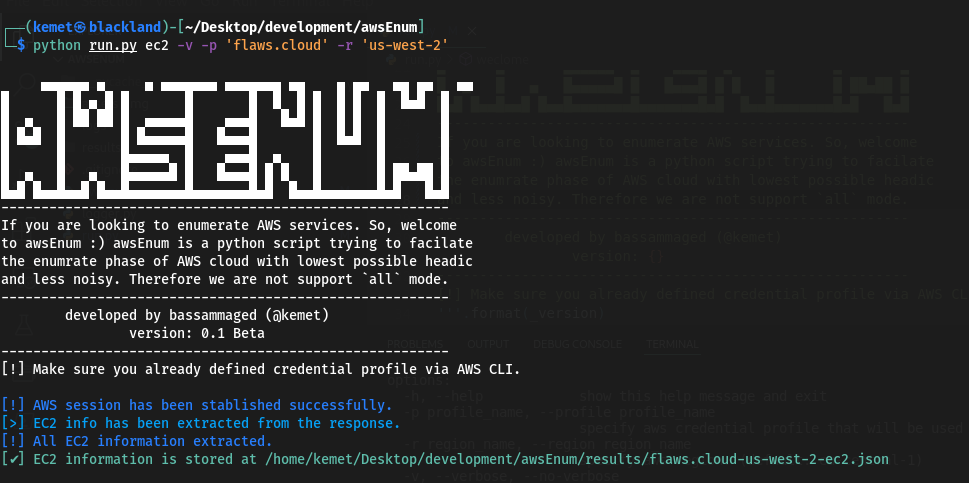
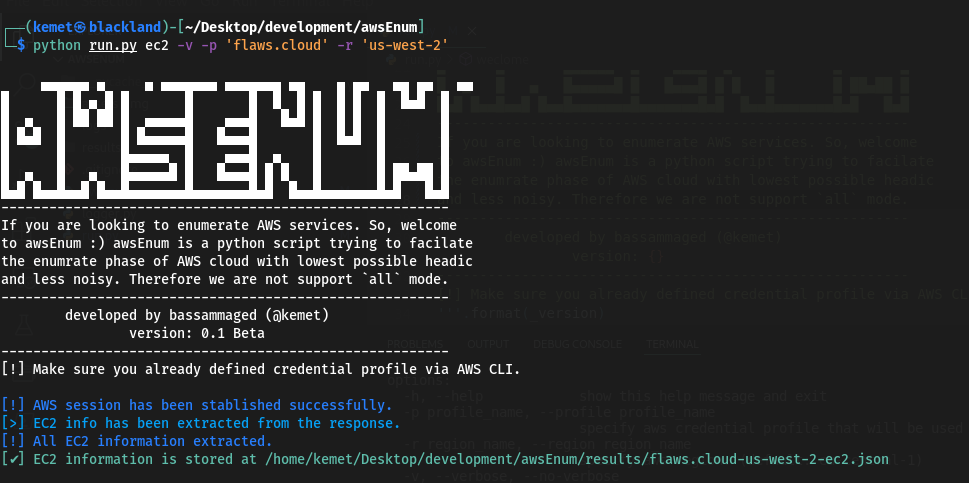
:clapper: Captura de pantalla

root@kitploit:~
     ▄▄▄▄▄▄ ▄     ▄ ▄▄▄▄▄▄▄ ▄▄▄▄▄▄▄ ▄▄    ▄ ▄▄   ▄▄ ▄▄   ▄▄ 
█      █ █ ▄ █ █       █       █  █  █ █  █ █  █  █▄█  █
█  ▄   █ ██ ██ █  ▄▄▄▄▄█    ▄▄▄█   █▄█ █  █ █  █       █
█ █▄█  █       █ █▄▄▄▄▄█   █▄▄▄█       █  █▄█  █       █
█      █       █▄▄▄▄▄  █    ▄▄▄█  ▄    █       █       █
█  ▄   █   ▄   █▄▄▄▄▄█ █   █▄▄▄█ █ █   █       █ ██▄██ █
█▄█ █▄▄█▄▄█ █▄▄█▄▄▄▄▄▄▄█▄▄▄▄▄▄▄█▄█  █▄▄█▄▄▄▄▄▄▄█▄█   █▄█
--------------------------------------------------------
If you are looking to enumerate AWS services. So, welcome
to awsEnum, awsEnum is a python script trying to facilitate 
the enumerate phase of AWS cloud with the lowest possible
headache and less noise. Therefore we are not supporting 
the `all` mode. ----------------------------------------
--------------------------------------------------------
        developed by bassammaged (@kemet)
                version: 0.1 Beta
--------------------------------------------------------
[!] Make sure you already defined credential profile via AWS CLI.

usage: run.py [-h] [-p profile_name] [-r region_name] [-v | --verbose | --no-verbose] [-t TRIES] aws_service_name

positional arguments:
  aws_service_name      Specify the aws service for enumration. Supported services are: ['ec2', 'iam', 's3'] (default: all)

options:
  -h, --help            show this help message and exit
  -p profile_name, --profile profile_name
                        specify aws credential profile that will be used through the enumeration. (default: default)
  -r region_name, --region region_name
                        specify aws region. (default: eu-central-1)
  -v, --verbose, --no-verbose
                        Allows the script to print out the message level start with debug. (default: False)
  -t TRIES, --tries TRIES
                        set maximum tries. (default: 1000)

:pencil: Descargo de responsabilidad

awsEnum está en versión beta y se supone que no tiene problemas, pero si se encuentra algún problema, por favor, reporte el ticket. awsEnum está codificado y publicado para ser utilizado en circunstancias particulares:

  1. Realizar actividades de pruebas de penetración.
  2. Realizar actividades de caza de bugs.
  3. Auditoría de seguridad en la nube de AWS.
  4. Cualquier otra actividad legal que ya haya sido aprobada por el propietario del activo.

awsEnum está creado para funcionar bajo el capó, lo que significa que no hay intención de soportar el modo all.

:fuelpump: Características

  • Conectarse al servicio de AWS a través de boto3, ¡en otras palabras! firmar la solicitud.
  • awsEnum permite al usuario establecer el número de solicitudes [Por defecto: 1000].
  • awsEnum guarda el resultado en un archivo json.
  • Mantiene las credenciales de AWS dentro de la configuración de awscli y solo pasa el profile_name a awsEnum.
  • Servicios compatibles: ec2, iam, s3.

:cd: Requisitos previos

  1. Python3
  2. gestor de paquetes pip
  3. python3 -m pip install requirements.txt
  4. Siéntase libre de usar awsEnum mediante el script run.py

:paperclip: Resultados y Preguntas Frecuentes

root@kitploit:~
[
    {
        "AmiLaunchIndex": 0,
        "ImageId": "ami-7c803d1c",
        "InstanceId": "i-05bef8a081f307783",
        "InstanceType": "t2.micro",
        "KeyName": "Default",
        "LaunchTime": "2017-02-12 22:29:24+00:00",
        "Monitoring": {
            "State": "disabled"
        },
        "Placement": {
            "AvailabilityZone": "us-west-2a",
            "GroupName": "",
            "Tenancy": "default"
        },
        "PrivateDnsName": "ip-172-31-41-84.us-west-2.compute.internal",
        "PrivateIpAddress": "172.31.41.84",
        "ProductCodes": [],
        "PublicDnsName": "ec2-35-165-182-7.us-west-2.compute.amazonaws.com",
        "PublicIpAddress": "35.165.182.7",
        "State": {
            "Code": 16,
            "Name": "running"
        },
        "StateTransitionReason": "",
        "SubnetId": "subnet-d962aa90",
        "VpcId": "vpc-1052ce77",
        "Architecture": "x86_64",
        "BlockDeviceMappings": [
            {
                "DeviceName": "/dev/sda1",
                "Ebs": {
                    "AttachTime": "2017-02-12 22:29:25+00:00",
                    "DeleteOnTermination": true,
                    "Status": "attached",
                    "VolumeId": "vol-04f1c039bc13ea950"
                }
            }
        ],
        "ClientToken": "kTOiC1486938563883",
        "EbsOptimized": false,
        "Hypervisor": "xen",
        "IamInstanceProfile": {
            "Arn": "arn:aws:iam::975426262029:instance-profile/flaws",
            "Id": "AIPAIK7LV6U6UXJXQQR3Q"
        },
        "NetworkInterfaces": [
            {
                "Association": {
                    "IpOwnerId": "amazon",
                    "PublicDnsName": "ec2-35-165-182-7.us-west-2.compute.amazonaws.com",
                    "PublicIp": "35.165.182.7"
                },
                "Attachment": {
                    "AttachTime": "2017-02-12 22:29:24+00:00",
                    "AttachmentId": "eni-attach-a4901fc2",
                    "DeleteOnTermination": true,
                    "DeviceIndex": 0,
                    "Status": "attached",
                    "NetworkCardIndex": 0
                },
                "Description": "",
                "Groups": [
                    {
                        "GroupName": "launch-wizard-1",
                        "GroupId": "sg-490f6631"
                    }
                ],
                "Ipv6Addresses": [],
                "MacAddress": "06:b0:7a:92:21:cf",
                "NetworkInterfaceId": "eni-c26ed780",
                "OwnerId": "975426262029",
                "PrivateDnsName": "ip-172-31-41-84.us-west-2.compute.internal",
                "PrivateIpAddress": "172.31.41.84",
                "PrivateIpAddresses": [
                    {
                        "Association": {
                            "IpOwnerId": "amazon",
                            "PublicDnsName": "ec2-35-165-182-7.us-west-2.compute.amazonaws.com",
                            "PublicIp": "35.165.182.7"
                        },
                        "Primary": true,
                        "PrivateDnsName": "ip-172-31-41-84.us-west-2.compute.internal",
                        "PrivateIpAddress": "172.31.41.84"
                    }
                ],
                "SourceDestCheck": true,
                "Status": "in-use",
                "SubnetId": "subnet-d962aa90",
                "VpcId": "vpc-1052ce77",
                "InterfaceType": "interface"
            }
        ],
        "RootDeviceName": "/dev/sda1",
        "RootDeviceType": "ebs",
        "SecurityGroups": [
            {
                "GroupName": "launch-wizard-1",
                "GroupId": "sg-490f6631"
            }
        ],
        "SourceDestCheck": true,
        "VirtualizationType": "hvm",
        "CpuOptions": {
            "CoreCount": 1,
            "ThreadsPerCore": 1
        },
        "CapacityReservationSpecification": {
            "CapacityReservationPreference": "open"
        },
        "HibernationOptions": {
            "Configured": false
        },
        "MetadataOptions": {
            "State": "applied",
            "HttpTokens": "optional",
            "HttpPutResponseHopLimit": 1,
            "HttpEndpoint": "enabled",
            "HttpProtocolIpv6": "disabled",
            "InstanceMetadataTags": "disabled"
        },
        "EnclaveOptions": {
            "Enabled": false
        },
        "PlatformDetails": "Linux/UNIX",
        "UsageOperation": "RunInstances",
        "UsageOperationUpdateTime": "2017-02-12 22:29:24+00:00",
        "PrivateDnsNameOptions": {},
        "MaintenanceOptions": {
            "AutoRecovery": "default"
        }
    }
]

:paperclip: Por hacer

  • Soporte para servicios s3.
  • Soporte para servicios iam.
Descargar herramienta