 titancsa/registryguard
Windows kernel registry filter SDK and native C++ UI for scoped application-key write audit/control. Altitude/signing pending; OEM integration: Discord titancsa.

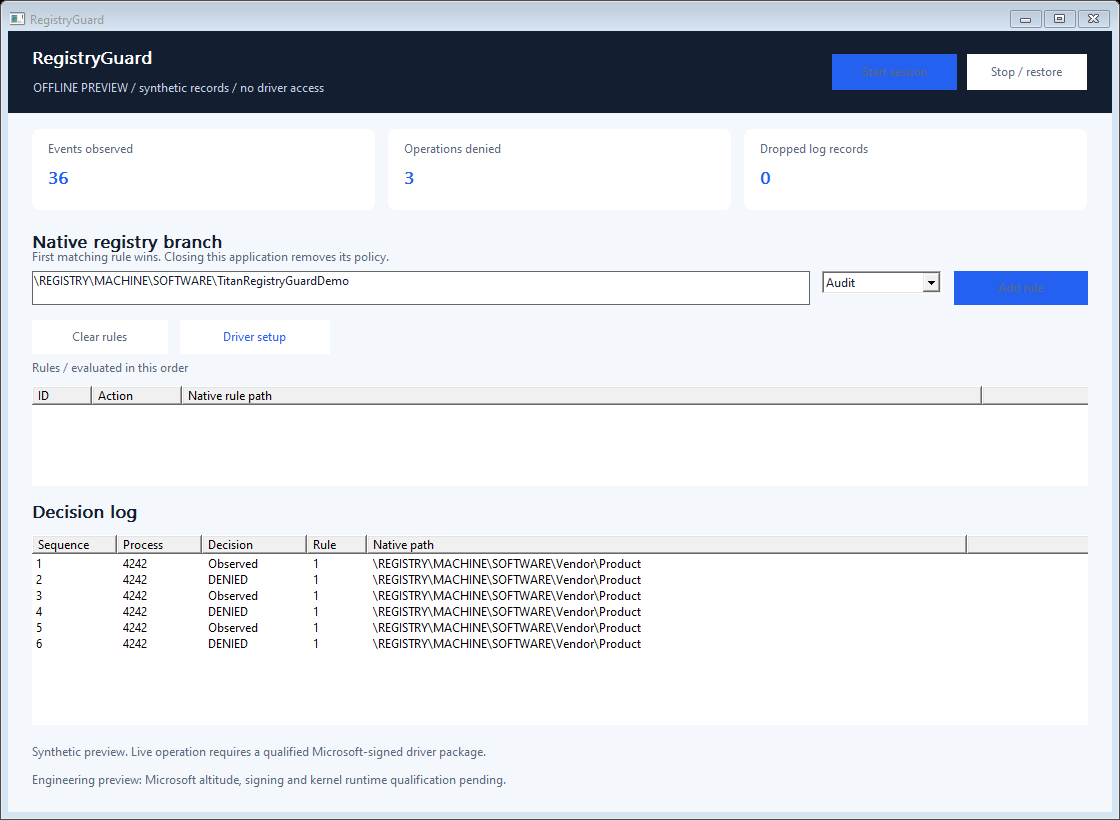
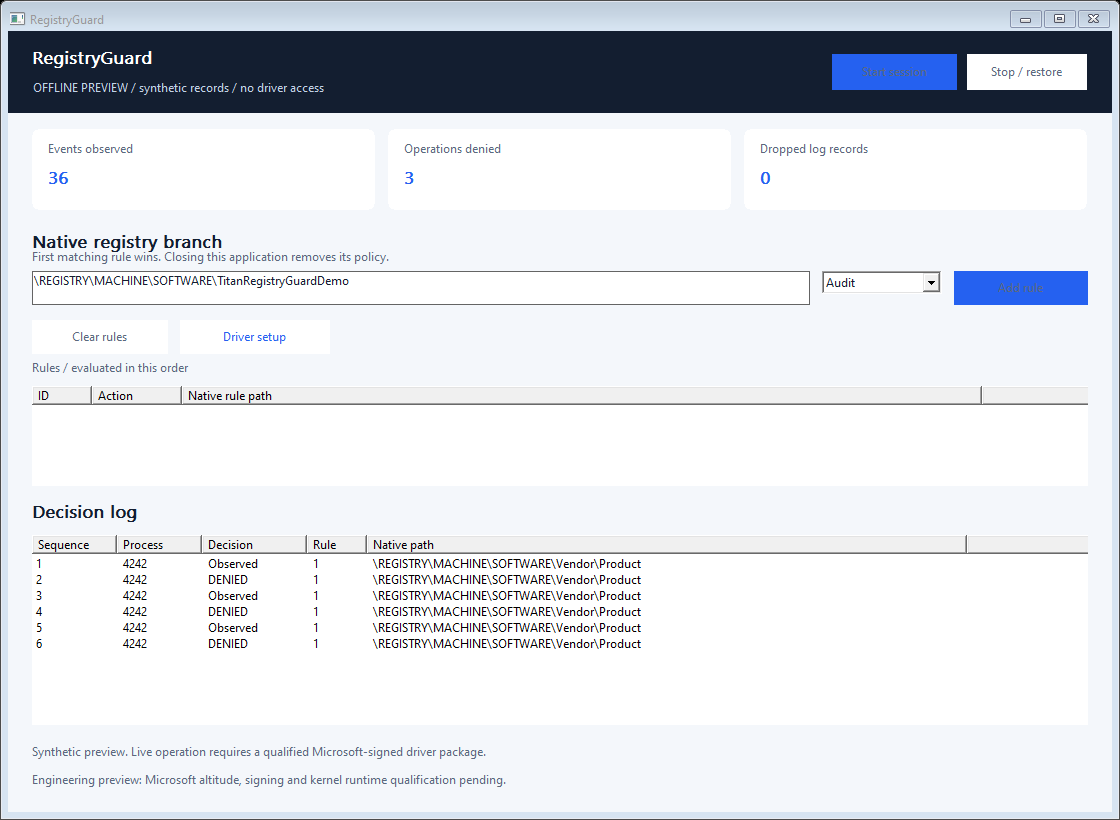
Native C++ rules for observing and denying selected registry writes under application-owned HKLM\SOFTWARE branches. A small desktop interface explains the matched rule and calling process.
[!IMPORTANT] Full version and commercial licensing
Discord username:
titancsaOpen Discord, choose Friends > Add Friend, enter
titancsa, then send a direct message. Mention RegistryGuard and ask about the full / production version, commercial use or OEM redistribution.Include your intended use and deployment size to discuss pricing, availability and the appropriate licensing / access instructions.
Engineering preview: application/SDK available; genuine Microsoft altitude allocation, signing and live kernel qualification are pending. No installable driver is published yet.
Vendor\Product does not also select Vendor\ProductOther.Use cases include application settings integrity tests, installer regression testing and an OEM policy component. The initial accepted scope is a native branch below \REGISTRY\MACHINE\SOFTWARE\; system-wide registry roots, SAM, SECURITY and SYSTEM are rejected. In 32-bit application scenarios, explicitly select the actual native key, including WOW6432Node where applicable.
This version does not cover key creation, hive loading/restoring/replacing, security descriptor changes, transactions, kernel-originated changes or every registry alias. Unknown/unresolvable or truncated names continue and are counted; there is no claim of tamper-proof registry isolation. Another trusted filter can influence the final result. Keep Windows ACLs and backups in place.
Download the complete Windows x64 ZIP from Releases. Extract the archive before starting the application.
Windows 10 version 2004+ / Windows 11 x64 are the build targets. See validation and deployment for the platforms actually exercised. A Microsoft signature alone is not proof of correctness, compatibility or Microsoft endorsement.
Compile SDK/RegistryGuard.cpp with your program and include SDK/RegistryGuard.h. Use C++17 and link setupapi.lib. No runtime service, cloud account or executable scripting engine is needed for policy decisions.
#include "RegistryGuard.h"

int main() {
    RegistryGuard::Session policy;
    policy.Start({RegistryGuard::Rule(1,
        L"\\REGISTRY\\MACHINE\\SOFTWARE\\Vendor\\Product",
        RegistryGuard::Action::Deny)});
    // Keep policy alive while your authorized application runs.
    // Call policy.Read() to inspect attributed decisions.
}
The scope must exist as intended on the target machine. Reads remain available. The tiny example returns immediately and therefore removes its policy; Examples/policy.cpp keeps the session open until Enter is pressed. No registry values are created or rewritten by the SDK itself.
| Function | Purpose |
|---|---|
Session::Start(rules) | Open the admin-only exclusive interface and atomically install up to 16 rules. |
Session::SetRules(rules) | Replace the complete active rule set; first matching rule wins. |
Session::Read() | Immediately drain at most 16 metadata records. An empty batch means no queued records. |
Session::Status() | Read policy generation, counters, ring occupancy and QPC frequency. |
Session::Stop() / destructor | Close the owner handle and remove its policy. |
Rule(id, path, action) | Build a bounded audit/deny rule. id must be unique and nonzero. |
Events include sequence, QPC time, process ID/start key, policy generation, operation, matched rule, decision and a bounded native path. The 256-record ring reports overflow instead of allocating without limit. The UI displays up to 400 records and refreshes every 200 ms; this display cadence does not delay kernel decisions. This is pre-operation policy attribution, not a complete audit of final outcomes or a hardware latency measurement. Calls on one Session are serialized; stop all callers before destroying it.
Install Visual Studio 2022 C++ tools, CMake and a Windows SDK. Run ./Build.ps1 in PowerShell. It builds the native app, console, example, installer sources and offline tests with a static C++ runtime. ./Build.ps1 -Asan adds user-mode AddressSanitizer checks. Offline checks do not load a driver. Installer source accepts an opaque signed package using -DriverPackageDirectory; unsigned or unrelated embedded packages are rejected at runtime.
App/        Native Windows UI and console
SDK/        RegistryGuard.h + RegistryGuard.cpp
Examples/   Small integration example
Installer/  UI/console setup source; kernel implementation excluded
Tests/      Offline protocol validation
docs/       Usage boundaries, validation and commercial integration
Public application, SDK and installer source are MIT-licensed. The separately delivered kernel implementation is private and is not covered by that source license. This engineering preview does not implement a trial timer, remote activation or an enforceable licensing quota.
For a scoped integration pilot, OEM redistribution rights, deployment qualification or maintenance, contact titancsa on Discord. See commercial options. Do not deploy the preview as your sole security control.
Use this software only on systems you own or are authorized to administer. It is intended for legitimate integration, diagnostics and application policy development. You remain responsible for your deployment and compliance with applicable law. The software is provided without warranty under its applicable license; no guarantee of loss prevention, immunity to bypass or liability exclusion beyond applicable law is made.
