 hackinglz/gibson
Network monitoring tool that maps process-to-network connections, identifies cloud providers, and detects beaconing activity

Network monitoring tool that maps process-to-network connections, identifies cloud providers, and generates firewall rules. Lightweight agent for collection, server for aggregation, parser for analysis.
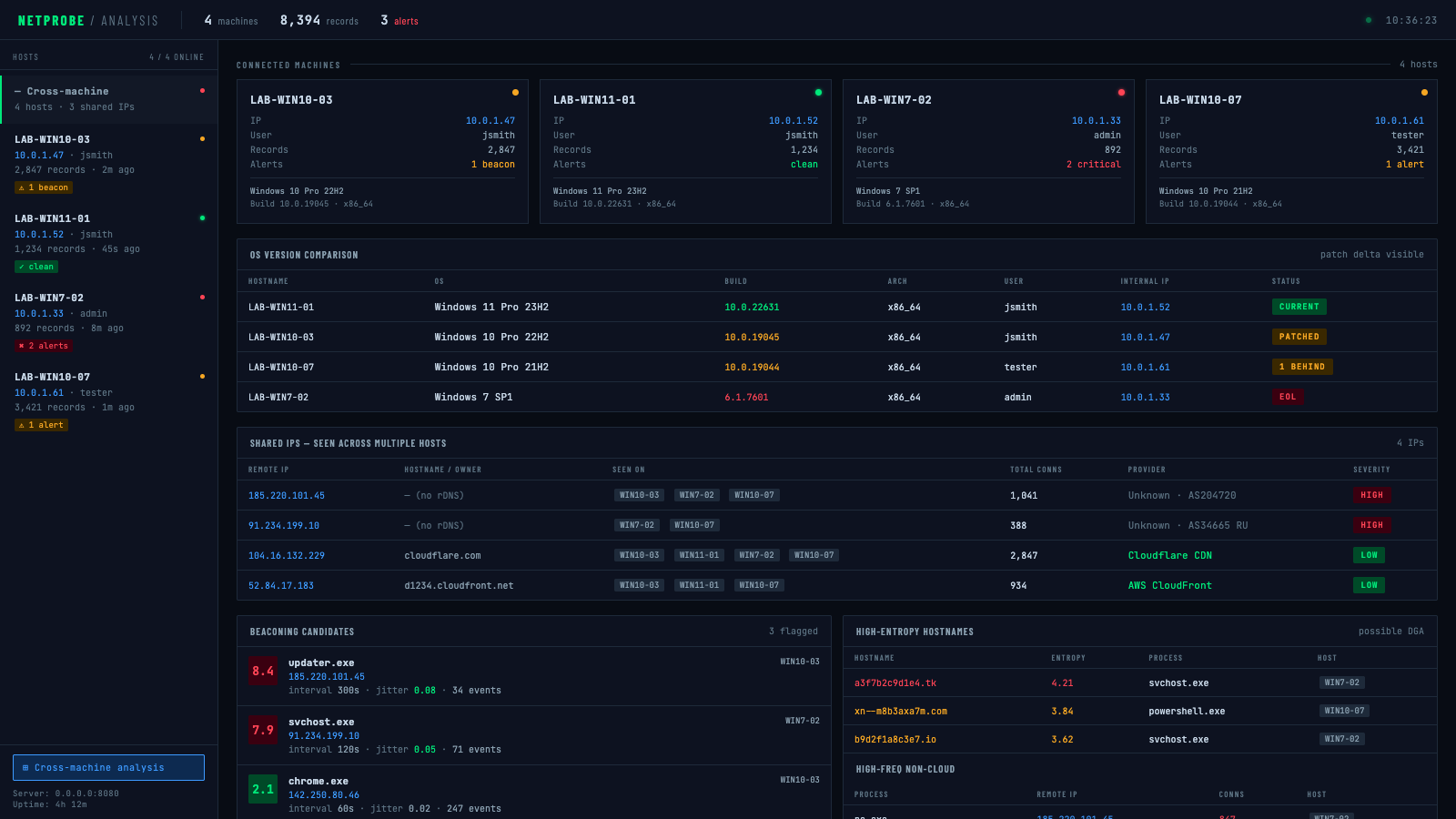
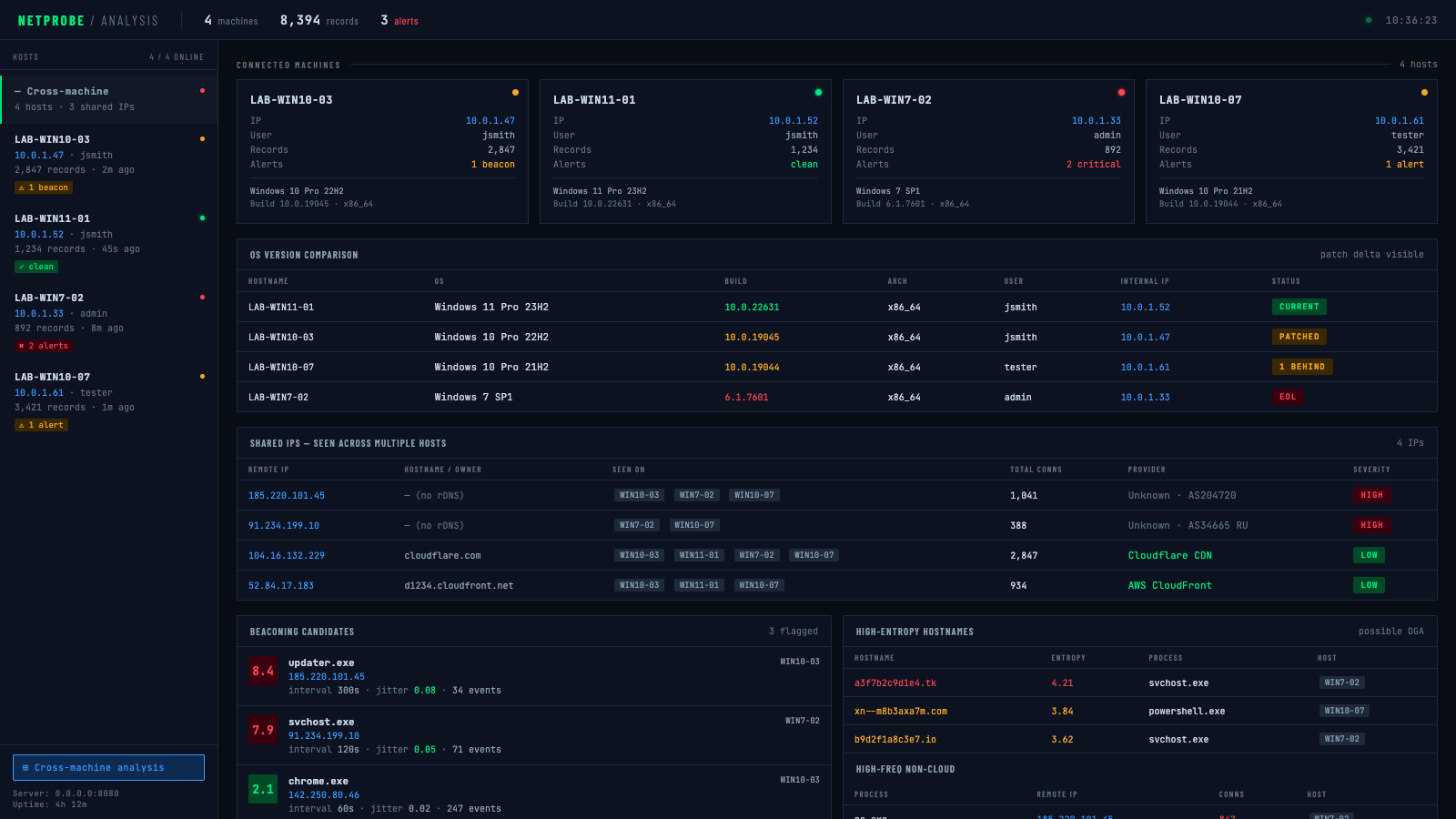
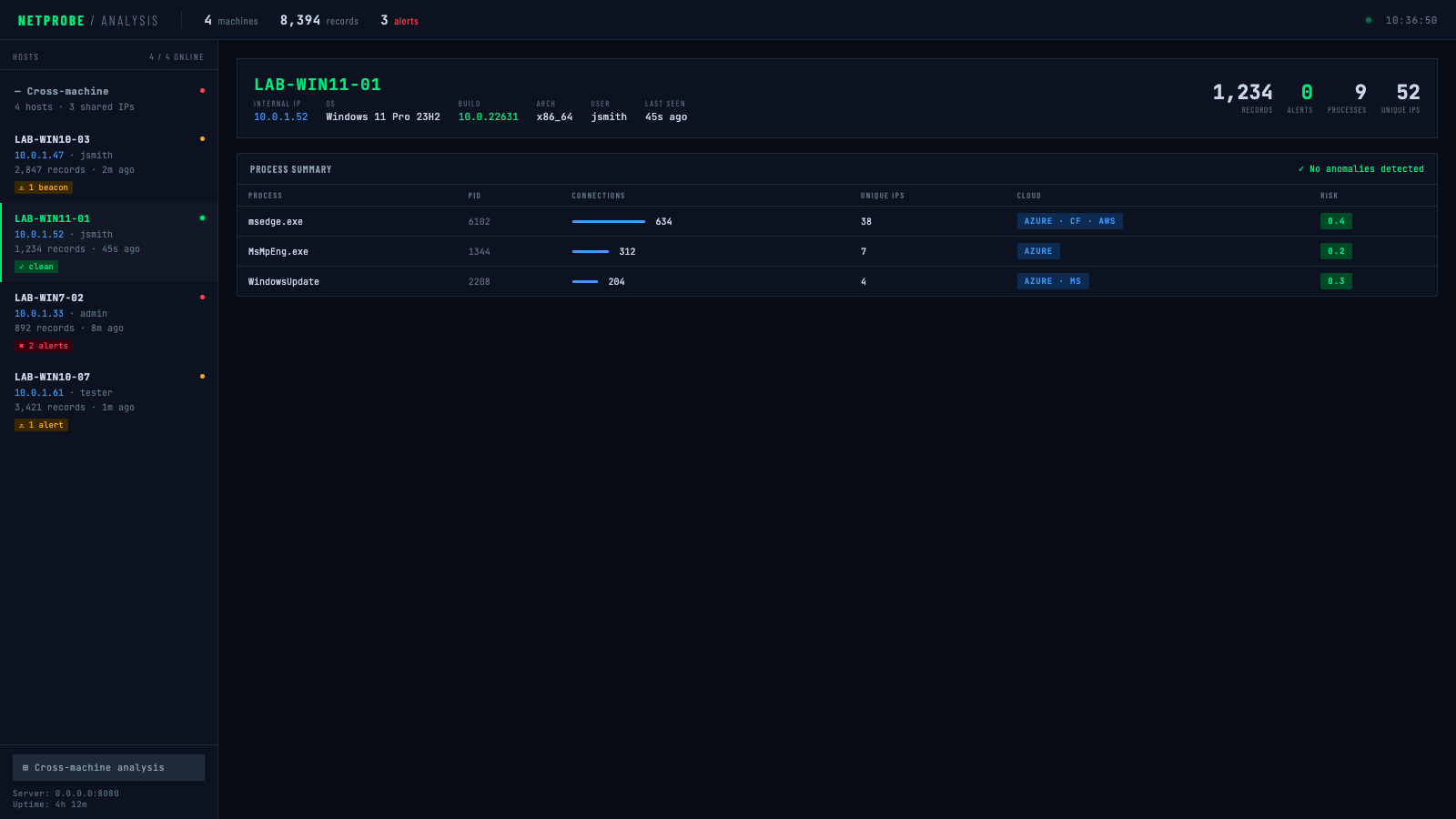
Cross-machine overview — OS version comparison, shared IP detection, beaconing candidates across all hosts:
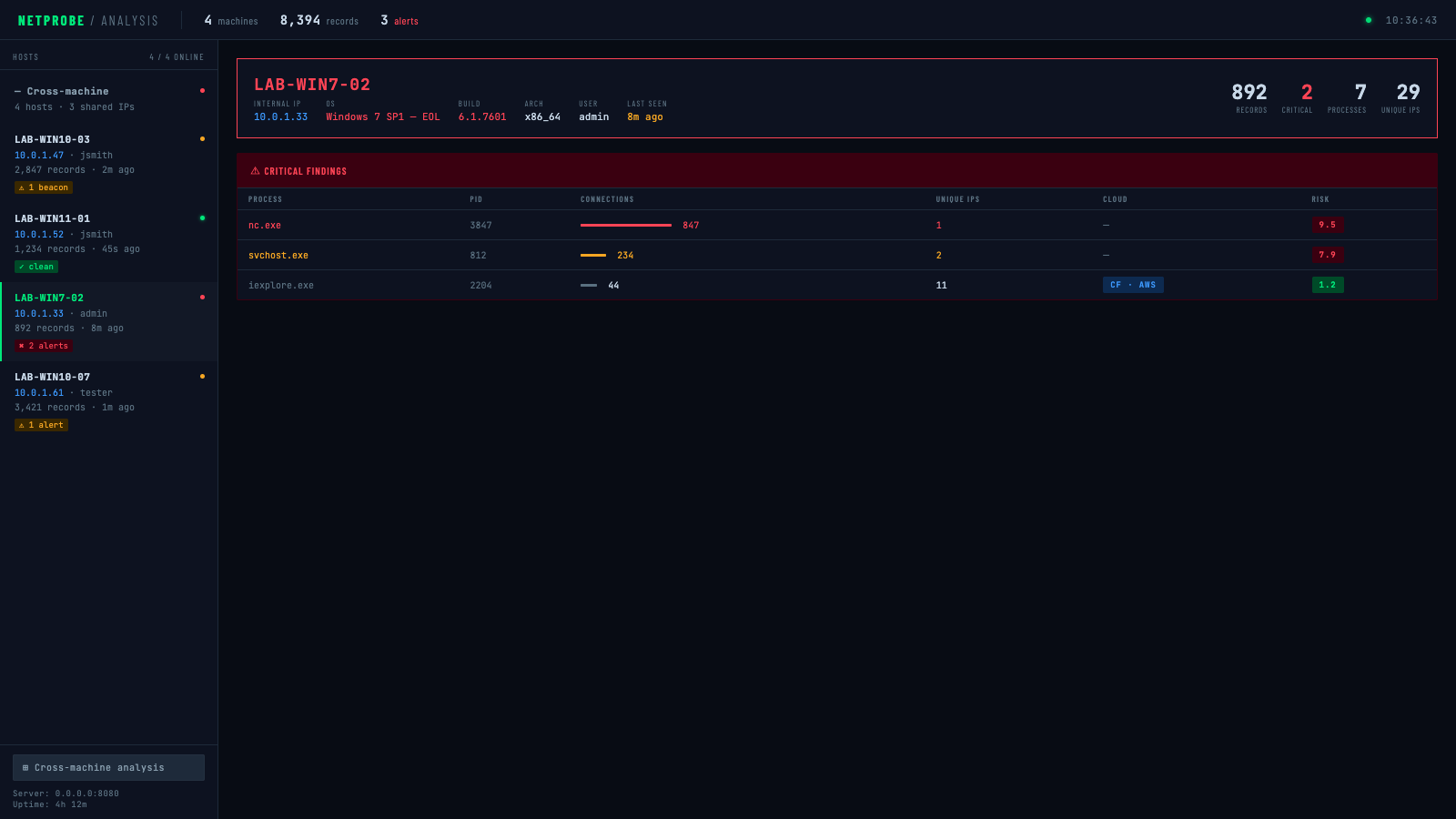
Per-host detail — critical alerts (EOL OS, nc.exe beaconing to unknown IP):
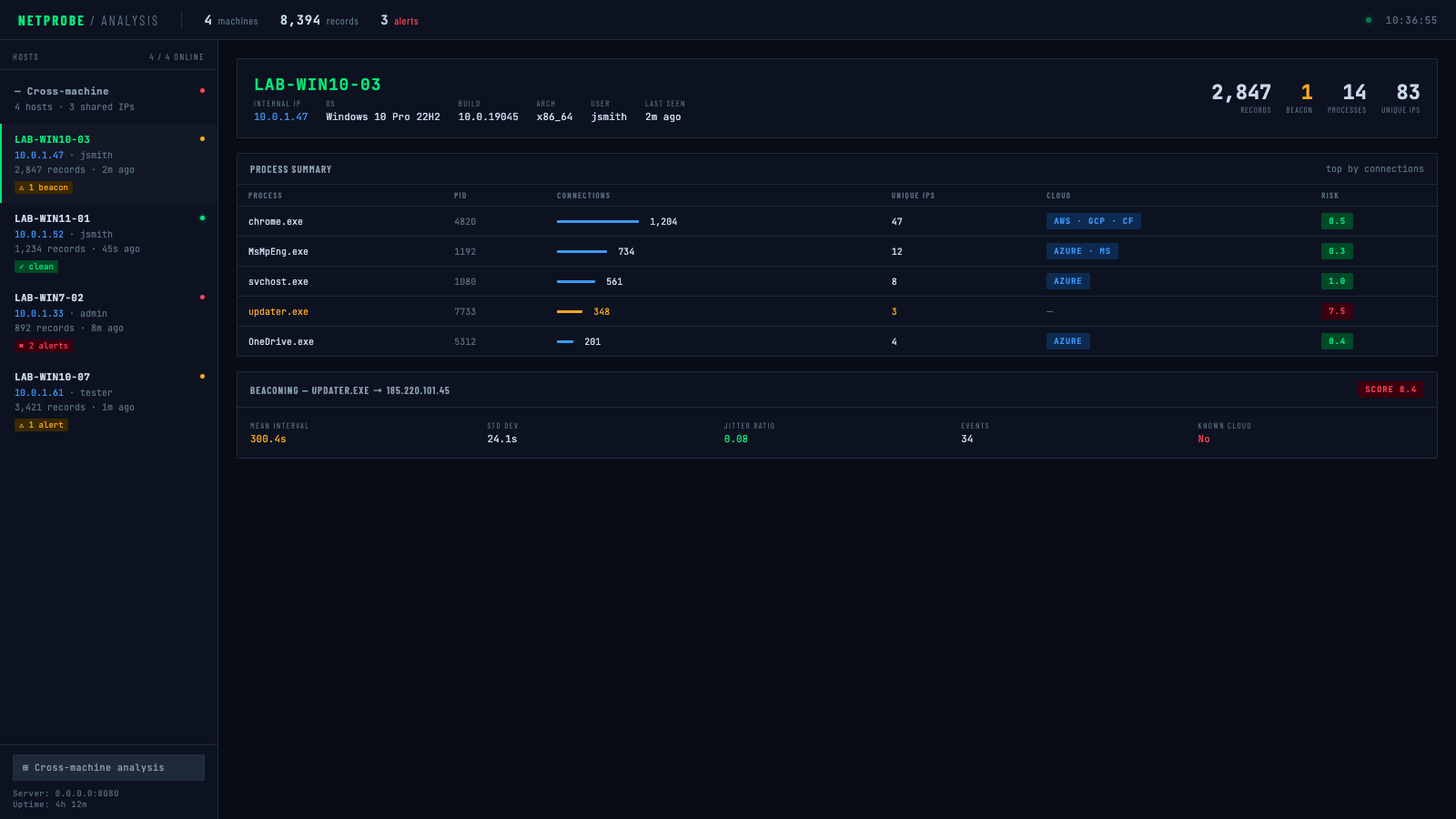
Per-host detail — warning (beacon candidate flagged):
Per-host detail — clean (no anomalies):
cargo build --release
# Simple collection
cargo run --release -- collect --duration-seconds 300

# With DNS lookups
cargo run --release -- collect --duration-seconds 300 --enable-dns

# With compression and encryption
cargo run --release -- collect \
  --duration-seconds 300 \
  --compress \
  --encrypt-key "your-secret-password"
# Generate all reports
cargo run --release -- parse \
  --input connections.jsonl \
  --process-summary processes.json \
  --cloud-analysis cloud.json \
  --firewall-rules-iptables firewall.sh \
  --database-export network.sql

# Offline ownership lookup with local ASN DB (no network calls)
cargo run --release -- parse \
  --input connections.jsonl \
  --cloud-analysis cloud.json \
  --asn-db ip2asn-v4.tsv

# Live ARIN lookup with persistent cache (re-run skips already-queried IPs)
cargo run --release -- parse \
  --input connections.jsonl \
  --cloud-analysis cloud.json \
  --arin-lookup \
  --arin-cache arin_cache.json
# Quick 5-minute analysis
cargo run --release -- monitor \
  --duration-seconds 300 \
  --output-dir ./analysis \
  --full-analysis
The agent binary is a minimal, zero-flag deployment target. All configuration is burned into the binary at compile time via environment variables — drop it on a target and run it with no arguments.
AGENT_SERVER="http://10.0.1.5:8080/upload" \
AGENT_KEY="labkey123" \
AGENT_INTERVAL="5" \
AGENT_BATCH="200" \
AGENT_DURATION="0" \
AGENT_DNS="false" \
AGENT_ENCRYPT_KEY="mysecretpassword" \
cargo build --release --bin agent
The resulting binary at target/release/agent has no external dependencies and requires no flags:
./agent
| Variable | Default | Description |
|---|---|---|
AGENT_SERVER | http://localhost:8080/upload | Upload endpoint URL |
AGENT_KEY | (none) | X-API-Key header value |
AGENT_INTERVAL | 5 | Socket poll interval in seconds |
AGENT_BATCH | 200 | Records per upload batch |
AGENT_DURATION | 0 | Run duration in seconds (0 = run forever) |
AGENT_DNS | false | Resolve IPs to hostnames |
AGENT_ESTABLISHED | true | ESTABLISHED connections only |
AGENT_LOCAL_COPY | false | Keep a local .jsonl copy alongside uploads |
AGENT_COMPRESS | false | Gzip compress before upload |
AGENT_ENCRYPT_KEY | (none) | AES-256-GCM encrypt payload (password or 64-char hex key) |
AGENT_UA | (reqwest default) | HTTP User-Agent header |
AGENT_SERVER="https://collector.internal/upload" \
AGENT_KEY="prod-api-key" \
AGENT_DURATION="0" \
AGENT_INTERVAL="30" \
AGENT_COMPRESS="true" \
AGENT_ENCRYPT_KEY="$(cat /etc/gibson/key)" \
cargo build --release --bin agent
cargo run --release -- collect \
  --duration-seconds 3600 \
  --interval-seconds 10 \
  --compress \
  --encrypt-key "your-32-char-hex-key-or-password" \
  --upload-url "https://your-server.com/api/upload" \
  --api-key "your-api-key" \
  --batch-size 50 \
  --delete-after-upload
cargo run --release -- collect \
  --duration-seconds 86400 \
  --interval-seconds 30 \
  --output connections_daily.jsonl \
  --enable-dns \
  --compress
The parser supports two mutually exclusive paths for identifying who owns unmatched IPs:
| Method | Flag | Speed | Network | Best for |
|---|---|---|---|---|
| Local ASN DB | --asn-db | Instant | None | Repeated analysis, air-gapped environments |
| Live ARIN RDAP | --arin-lookup | Slow (per-IP) | Yes | One-off lookups, no local DB available |
Download the ip2asn database (refresh weekly):
curl -O https://iptoasn.com/data/ip2asn-v4.tsv.gz && gunzip ip2asn-v4.tsv.gz
When --asn-db is provided, --arin-lookup is ignored. Use --arin-cache to persist ARIN results to disk so re-runs skip already-queried IPs.
# Parse with cloud detection focus
cargo run --release -- parse \
  --input connections.jsonl \
  --cloud-analysis cloud_report.json \
  --min-connections 5 \
  --whitelist-processes "chrome,firefox,safari,edge"
Create collector_server.py:
from flask import Flask, request, jsonify
import os
import json
import base64
from datetime import datetime
from Crypto.Cipher import AES
import gzip

app = Flask(__name__)

# Configuration
UPLOAD_DIR = "./collected_data"
API_KEY = "your-secure-api-key"
ENCRYPTION_KEY = bytes.fromhex("your-32-byte-hex-key")  # Optional

os.makedirs(UPLOAD_DIR, exist_ok=True)

def decrypt_data(encrypted_data, key):
    """Decrypt AES-256-GCM encrypted data"""
    decoded = base64.b64decode(encrypted_data)
    nonce = decoded[:12]
    ciphertext = decoded[12:]

    cipher = AES.new(key, AES.MODE_GCM, nonce=nonce)
    plaintext = cipher.decrypt_and_verify(ciphertext[:-16], ciphertext[-16:])
    return plaintext
