 xsanflip/nyawit
Converts DuckyScript and Bash Bunny payloads into optimized Flipper Zero BadUSB injection scripts with keyboard layout selection, AV obfuscation, and multiple execution strategies.

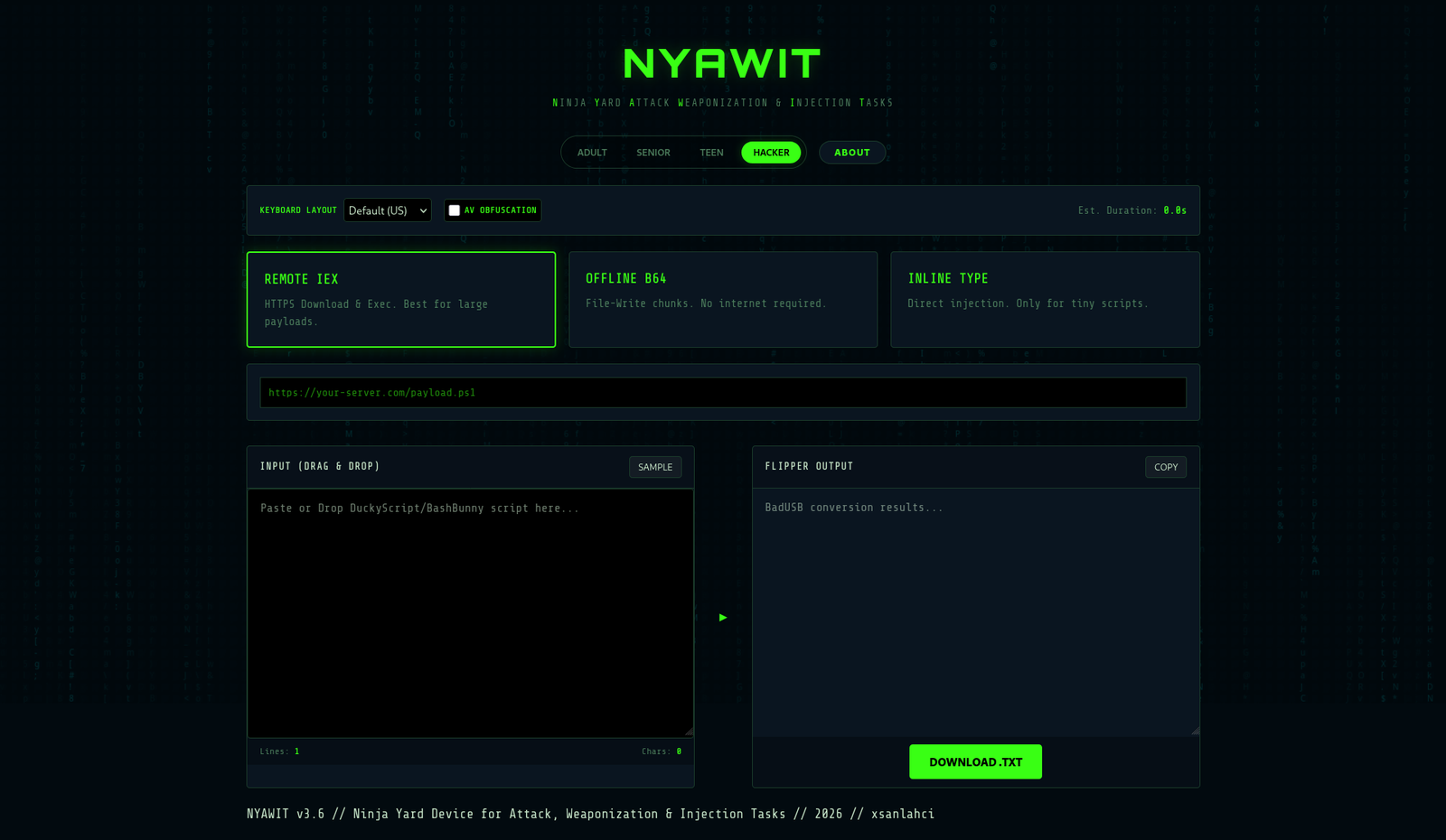
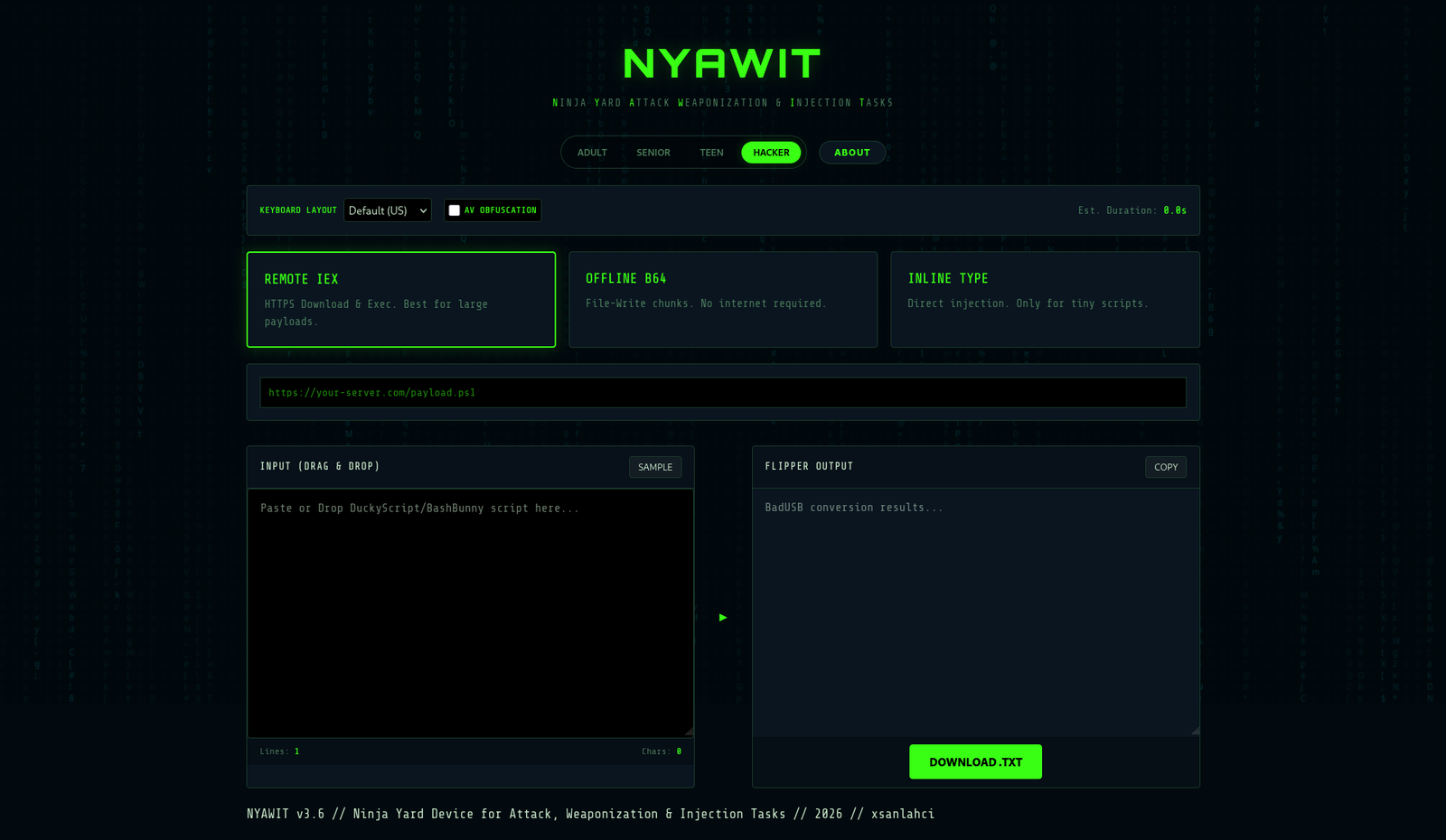
NYAWIT is a professional-grade web utility designed to bridge the gap between HAK5 Bash Bunny payloads and Flipper Zero BadUSB devices. This tool converts DuckyScript/BashBunny logic into highly optimized Flipper Zero .txt injection scripts with intelligent execution strategies.
Keyboard Layout Selector: Automatically injects the correct ID command for US, UK, DE, FR, and more to ensure injection success across different regions.
AV Obfuscator (Antivirus Bypass): Applies character-level obfuscation (using empty quotes/backticks) for PowerShell strings to evade static analysis from Windows Defender and EDRs.
Execution Time Estimator: Real-time calculation of attack duration based on character count and DELAY commands, critical for field operations.
Live Syntax Highlighting: A built-in code editor that color-codes DuckyScript commands for rapid debugging and typo prevention.
Choose from 4 distinct interfaces tailored to different user personas:
Adult (Modern): Minimalist, professional Carbon-Pro aesthetics for efficient workflow.
Senior (Accessible): High-contrast, large fonts, and no background animations for maximum readability.
Teen (Cyber): Vibrant "Cyber-Discord" style with glassmorphism and RGB gradients.
Hacker (Classic): The iconic Matrix-inspired terminal theme for full immersion.
Strategy 1 (Remote IEX): Minimal typing. Flipper downloads and executes the payload directly from a remote HTTPS URL. Best for massive scripts.
Strategy 2 (Offline B64): Encodes your script into Base64 and writes it to a temporary file via command chunks. No internet required.
Strategy 3 (Inline Type): Classic line-by-line injection. Recommended only for small, quick scripts (<15 lines).
Open the nyawit.html file in any modern web browser.
Paste your Bash Bunny or DuckyScript into the input panel (or drag and drop a .txt/.ps1 file).
Configure your Keyboard Layout and AV Obfuscation settings.
Select your preferred Injection Strategy.
Click Download .TXT and move the file to your Flipper Zero's SD Card > apps_data > badusb/ folder.
This project is licensed under the MIT License. You are free to use, modify, and distribute this software for personal or professional use, provided that the original copyright notice and this permission notice are included.
FOR EDUCATIONAL AND ETHICAL TESTING PURPOSES ONLY.
The use of this tool for attacking targets without prior mutual consent is illegal. It is the end user's responsibility to obey all applicable local, state, and federal laws. The creator (xsanlahci) assumes no liability and is not responsible for any misuse or damage caused by this program. Use this tool only on hardware you own or have explicit permission to test.
Developed with ❤️ by xsanlahci (2026).
