 wh1te4ever/super-tart-vphone-writeup
Guide to building a virtual iPhone using VPHONE600AP components from Apple's PCC firmware, with firmware patching, bootchain modification, and kernel debugging for iOS security research.

Around late 2024, Apple began introducing Private Cloud Compute, claiming to open new horizon for cloud-based AI privacy. Then, around late 2025, some interesting news appeared: Apple had newly added vphone600ap-related components to PCC firmware, starting with cloudOS 26.

Source: https://x.com/matteyeux/status/2006339694783848660/photo/1
"iPhone Research Environment Virtual Machine”?
Is this a planned move by Apple to build and distribute a virtual iPhone environment for other security researchers in the future, or was it simply a mistake? Given that DEVELOPMENT/KASAN build kernel was once discovered in the iOS 15.0 beta to 15.1 beta3 OTAs back in 2021, the possibility of a slip-up cannot be ruled out. At that time, the kernel remained included for about 4 months, roughly from June to October 2021.
Then, around January of this year, a tweet was posted showing a virtual iPhone booting up utilizing these vphone600ap-related components.

Source: https://x.com/_inside/status/2008951845725548783
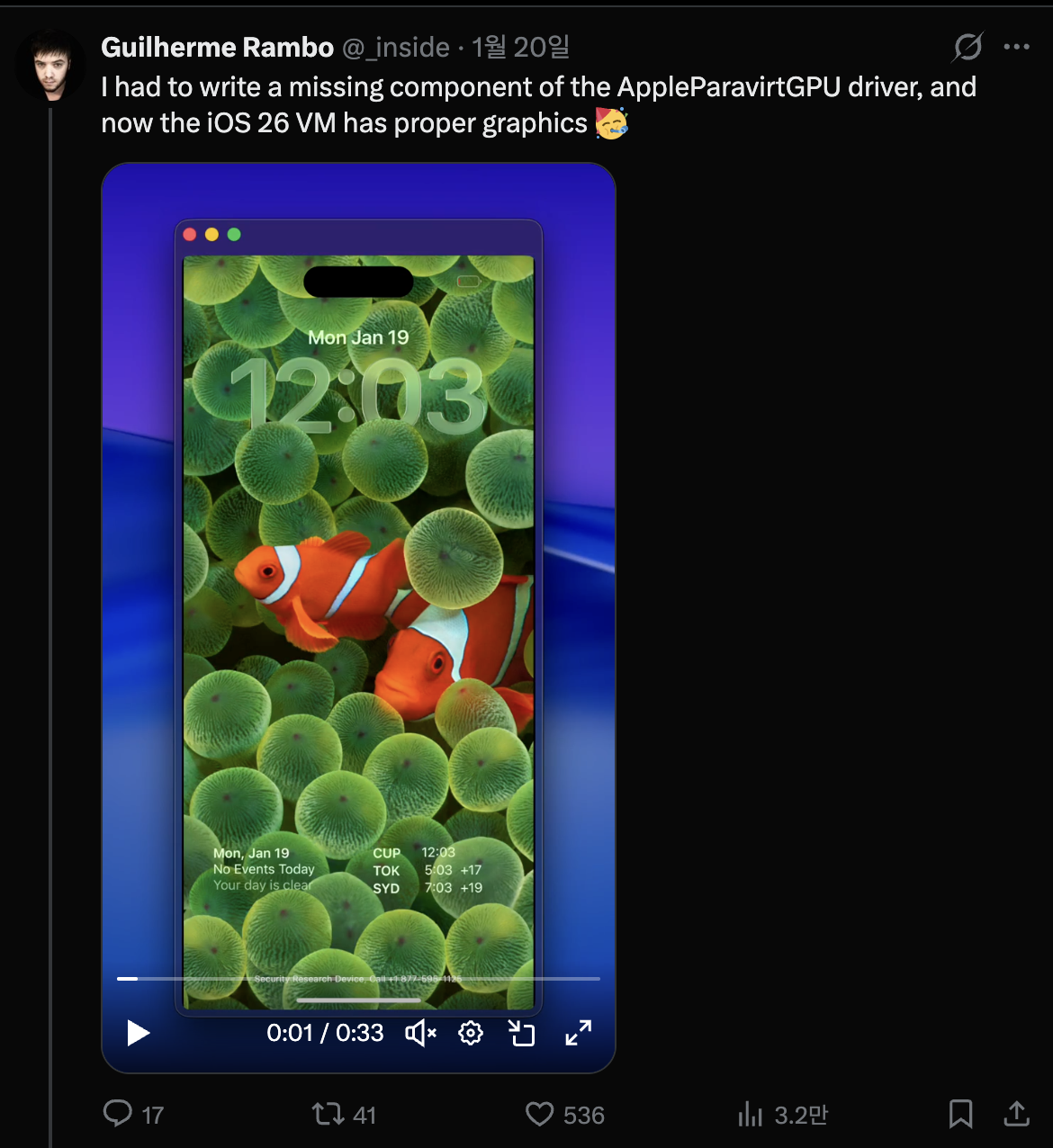
From what I saw, almost everything worked truly elegantly. Compared to the QEMUAppleSilicon(Inferno) project I had seen previously, it runs much snappier and smoother. Furthermore, it even appeared to support Metal acceleration. Ultimately, completely captivated by it, I dove right in and started building my own virtual iPhone on January 31st.

The referenced project is security-pcc. It corresponds to the source code of the /System/Library/SecurityResearch/usr/bin/vrevm binary. An interesting point is that it uses private methods provided by Virtualization.framework. In the virtual machine used for PCC research, you can see that the ISA and PlatformVersion are explicitly specified during the hardware model initialization process.
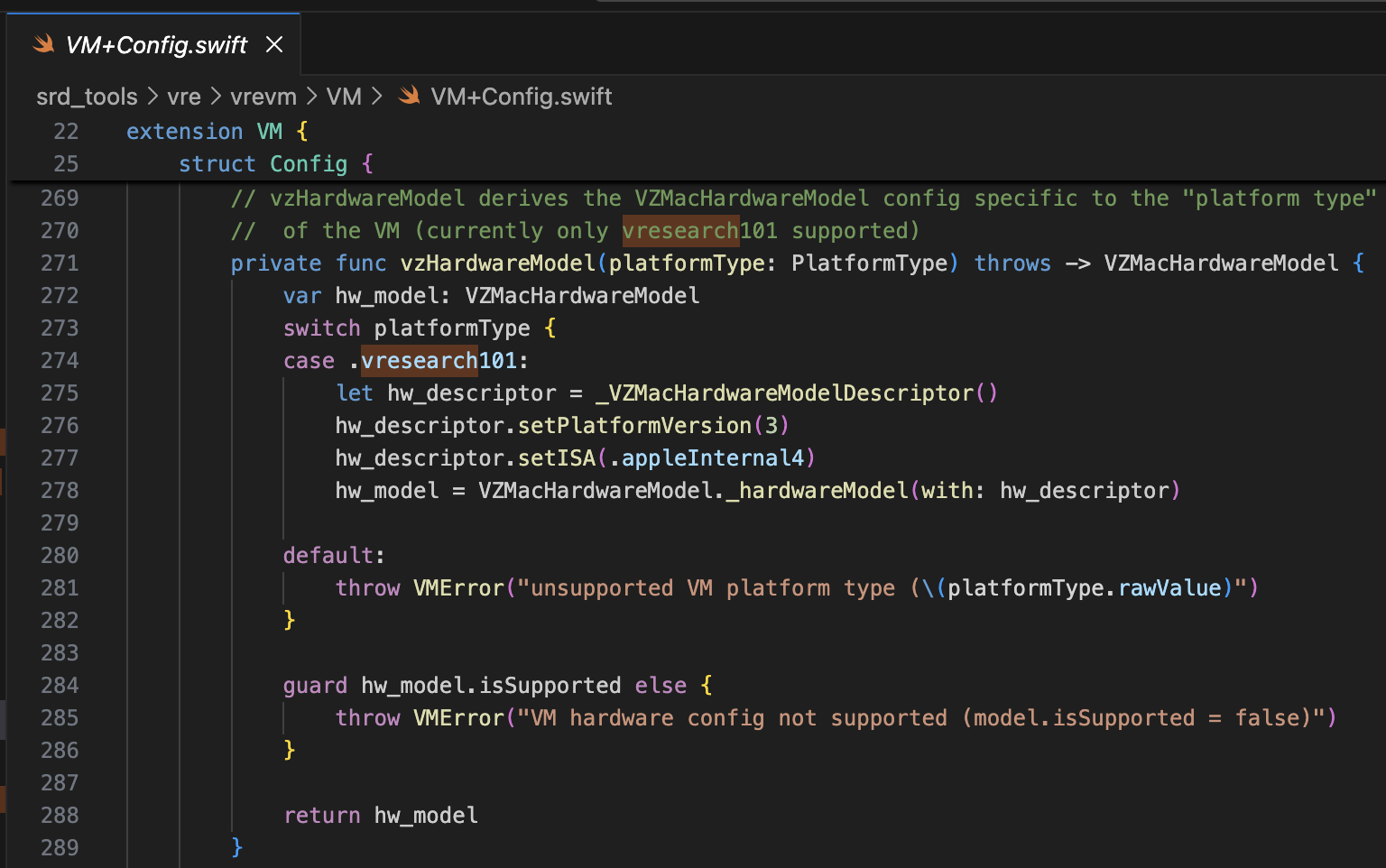
For the bootrom, AVPBooter.vresearch1.bin is used (/System/Library/Frameworks/Virtualization.framework/Resources/AVPBooter.vresearch1.bin)
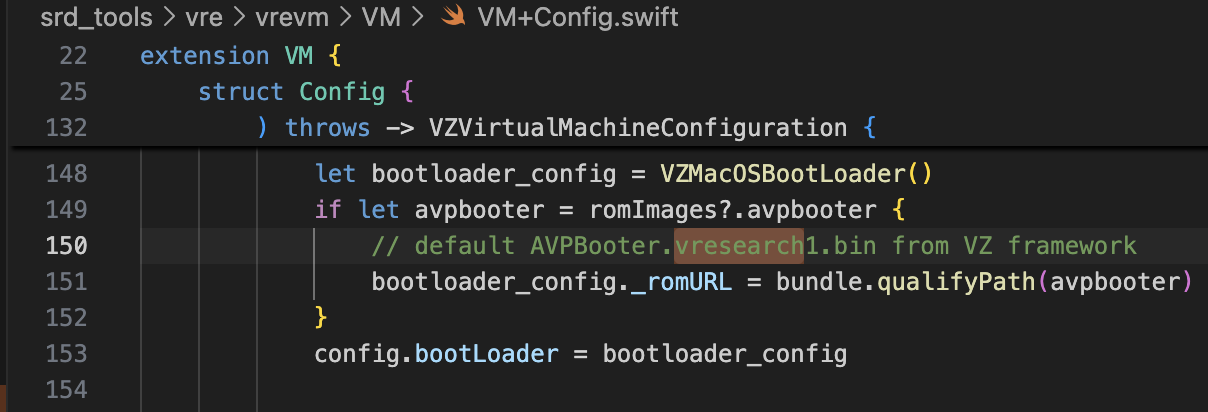
and for the SEPROM (avpsepbooter), AVPSEPBooter.vresearch1.bin is used, which separately loads a SEPStorage file that functions similarly to AuxiliaryStorage. (/System/Library/Frameworks/Virtualization.framework/Versions/A/Resources/AVPSEPBooter.vresearch1.bin)
Another interesting point is that if you look at the code for setting the resolution, it is set to 1290x2796, which corresponds to the iPhone 14 Pro Max, 15 Plus, 15 Pro Max, and 16 Plus devices.
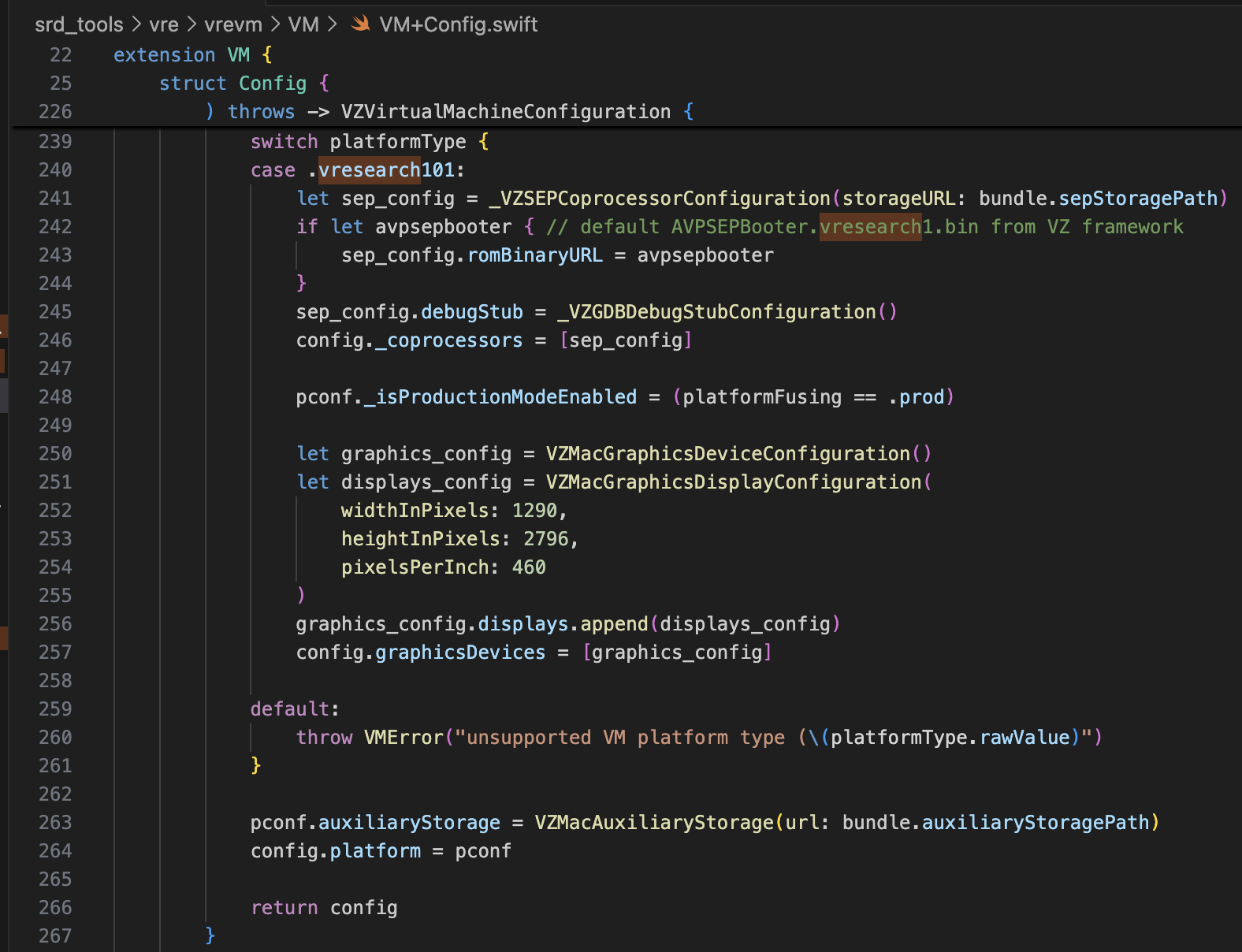
With just this information, it should be more than enough to modify super-tart to boot the virtual iPhone. I made the modifications as shown below.
...
class VM: NSObject, VZVirtualMachineDelegate, ObservableObject {
...
  // vzHardwareModel derives the VZMacHardwareModel config specific to the "platform type"
  // of the VM (currently only vresearch101 supported)
  static private func vzHardwareModel_VRESEARCH101() throws -> VZMacHardwareModel {
    var hw_model: VZMacHardwareModel

    guard let hw_descriptor = _VZMacHardwareModelDescriptor() else {
      fatalError("Failed to create hardware descriptor")
    }
    hw_descriptor.setPlatformVersion(3) // .appleInternal4 = 3
    hw_descriptor.setBoardID(0x90)
    hw_descriptor.setISA(2)
    hw_model = VZMacHardwareModel._hardwareModel(withDescriptor: hw_descriptor)

    guard hw_model.isSupported else {
        fatalError("VM hardware config not supported (model.isSupported = false)")
    }

    return hw_model
  }

  static func craftConfiguration(
    diskURL: URL,
    nvramURL: URL,
    romURL: URL,
    sepromURL: URL? = nil,
    vmConfig: VMConfig,
    network: Network = NetworkShared(),
    additionalStorageDevices: [VZStorageDeviceConfiguration],
    directorySharingDevices: [VZDirectorySharingDeviceConfiguration],
    serialPorts: [VZSerialPortConfiguration],
    suspendable: Bool = false,
    nested: Bool = false,
    audio: Bool = true,
    clipboard: Bool = true,
    sync: VZDiskImageSynchronizationMode = .full,
    caching: VZDiskImageCachingMode? = nil
  ) throws -> VZVirtualMachineConfiguration {
    let configuration: VZVirtualMachineConfiguration = .init()

    // Boot loader
    let bootloader = try vmConfig.platform.bootLoader(nvramURL: nvramURL)
    Dynamic(bootloader)._setROMURL(romURL)
    configuration.bootLoader = bootloader

    // SEP ROM
    let homeURL = FileManager.default.homeDirectoryForCurrentUser
    var sepstoragePath = homeURL.appendingPathComponent(".tart/vms/vphone/SEPStorage").path
    let sepstorageURL = URL(fileURLWithPath: sepstoragePath)
    let sep_config = Dynamic._VZSEPCoprocessorConfiguration(storageURL: sepstorageURL)
    if let sepromURL { // default AVPSEPBooter.vresearch1.bin from VZ framework
        sep_config.romBinaryURL = sepromURL
    }
    sep_config.debugStub = Dynamic._VZGDBDebugStubConfiguration(port: 8001)
    configuration._setCoprocessors([sep_config.asObject])

    // Some vresearch101 config
    let pconf = VZMacPlatformConfiguration()
    pconf.hardwareModel = try vzHardwareModel_VRESEARCH101()

    let serial = Dynamic._VZMacSerialNumber.initWithString("AAAAAA1337")
    let identifier = Dynamic.VZMacMachineIdentifier._machineIdentifierWithECID(0x1111111111111111, serialNumber: serial.asObject)
    pconf.machineIdentifier = identifier.asObject as! VZMacMachineIdentifier

    pconf._setProductionModeEnabled(true)
    var auxiliaryStoragePath = homeURL.appendingPathComponent(".tart/vms/vphone/nvram.bin").path
    let auxiliaryStorageURL = URL(fileURLWithPath: auxiliaryStoragePath)
    pconf.auxiliaryStorage = VZMacAuxiliaryStorage(url: auxiliaryStorageURL)

    if #available(macOS 14, *) {
      let keyboard = VZUSBKeyboardConfiguration()
      configuration.keyboards = [keyboard]
    }
