 unclesocks/cyberresponders
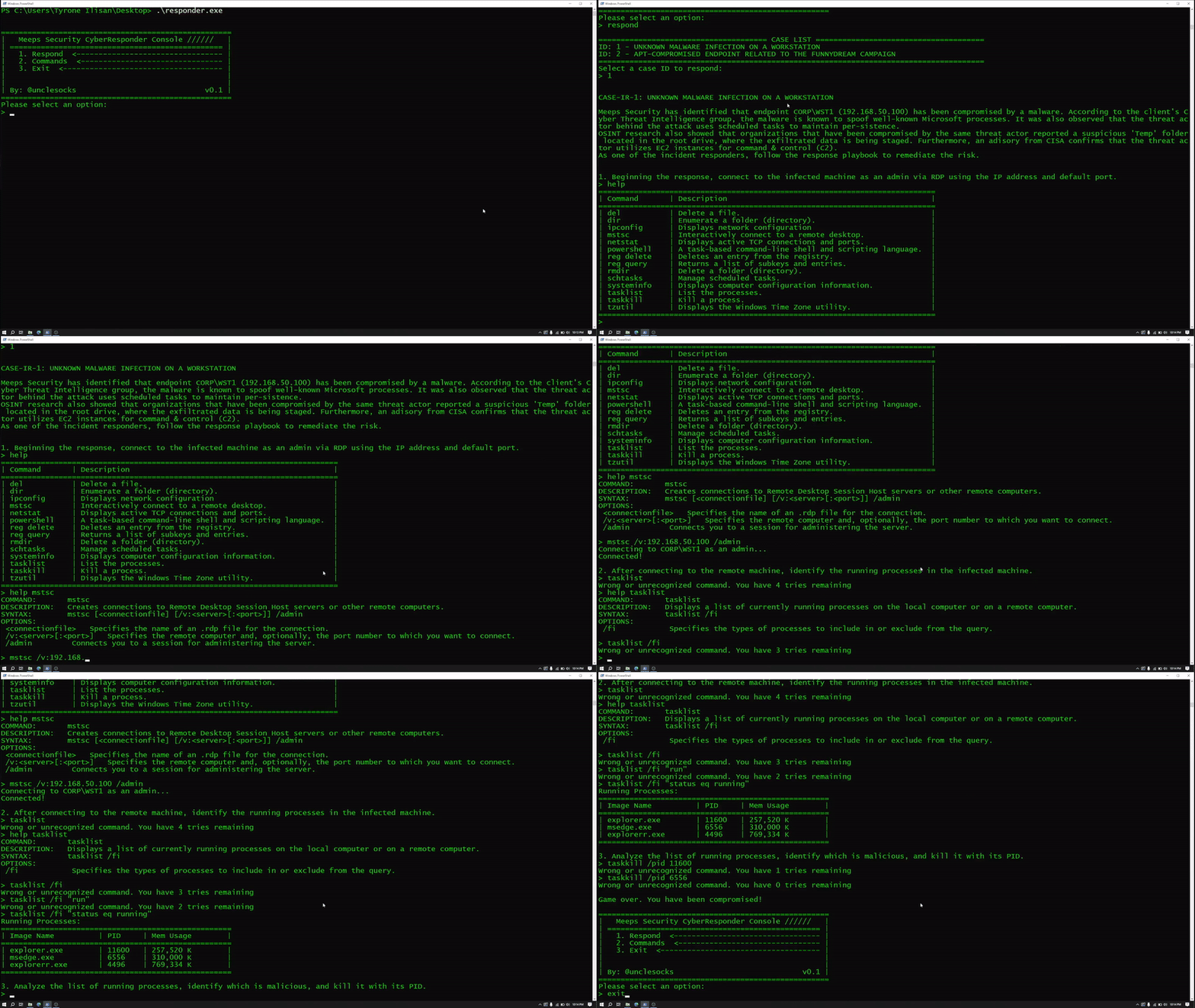
CyberResponders is a terminal-based cybersecurity training game that enables players to respond to different cyber incident scenarios. Here, they have five chances to enter the correct command before the system becomes completely compromised, resulting in a game over!

CyberResponders is a terminal-based cybersecurity training game that enables players to respond to different cyber incident scenarios. Here, they have five chances to enter the correct command before the system becomes completely compromised, resulting in a game over!
The goal of the game is to provide an entertaining way to familiarize players with basic Windows CMD commands while playing as an Incident Responder following through response playbooks.
CyberResponders requires players to respond to different cyber incident cases using Windows CMD commands, such as taskkill and reg delete. Players will follow through a response playbook by entering the correct command and parameter(s) for each prompt. They can "remediate" (win) the incident when they answer all of the playbook questions -- players are given five chances to enter the right answer before the system becomes fully compromised, resulting in a game over!
A help command is available that provides the available Windows commands. This command then accepts another command as a parameter, which will effectively display more information, including its parameters.
Run the game in PowerShell with a modified background and text colors (similar to the GIF below). This can be done by navigating to the Properties > Colors section and adjust the following:
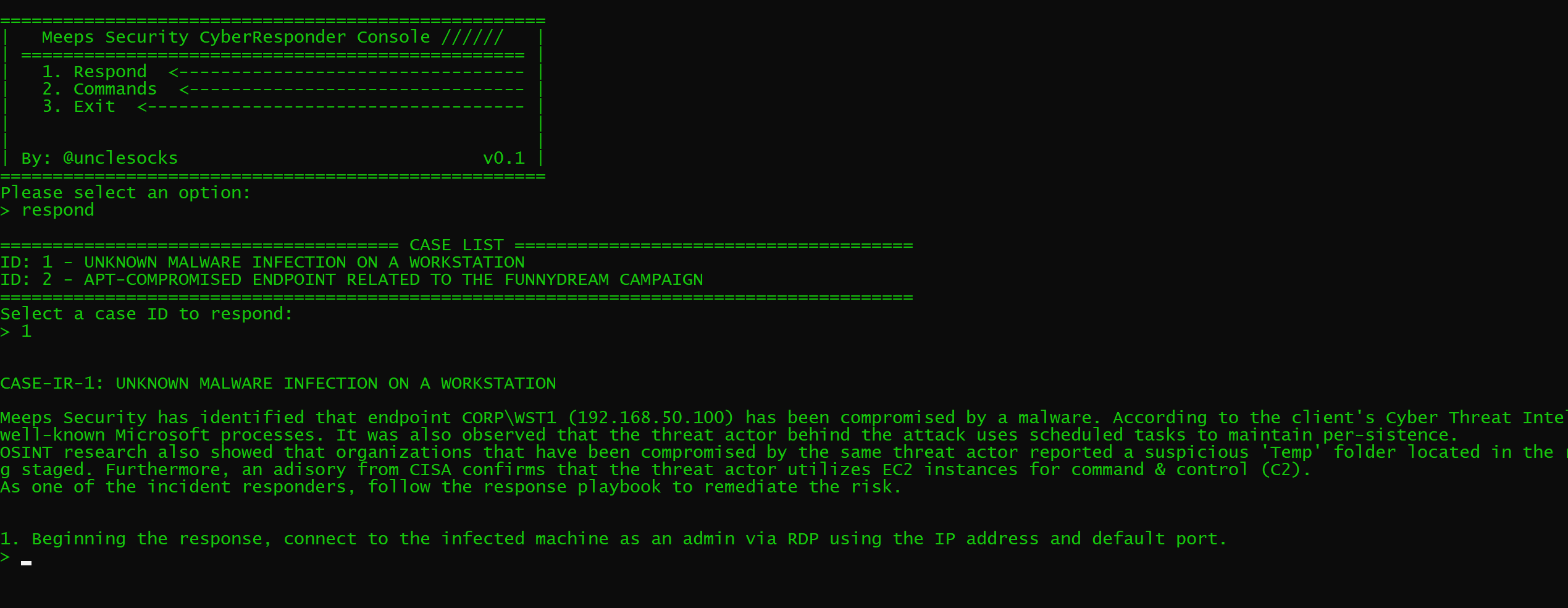
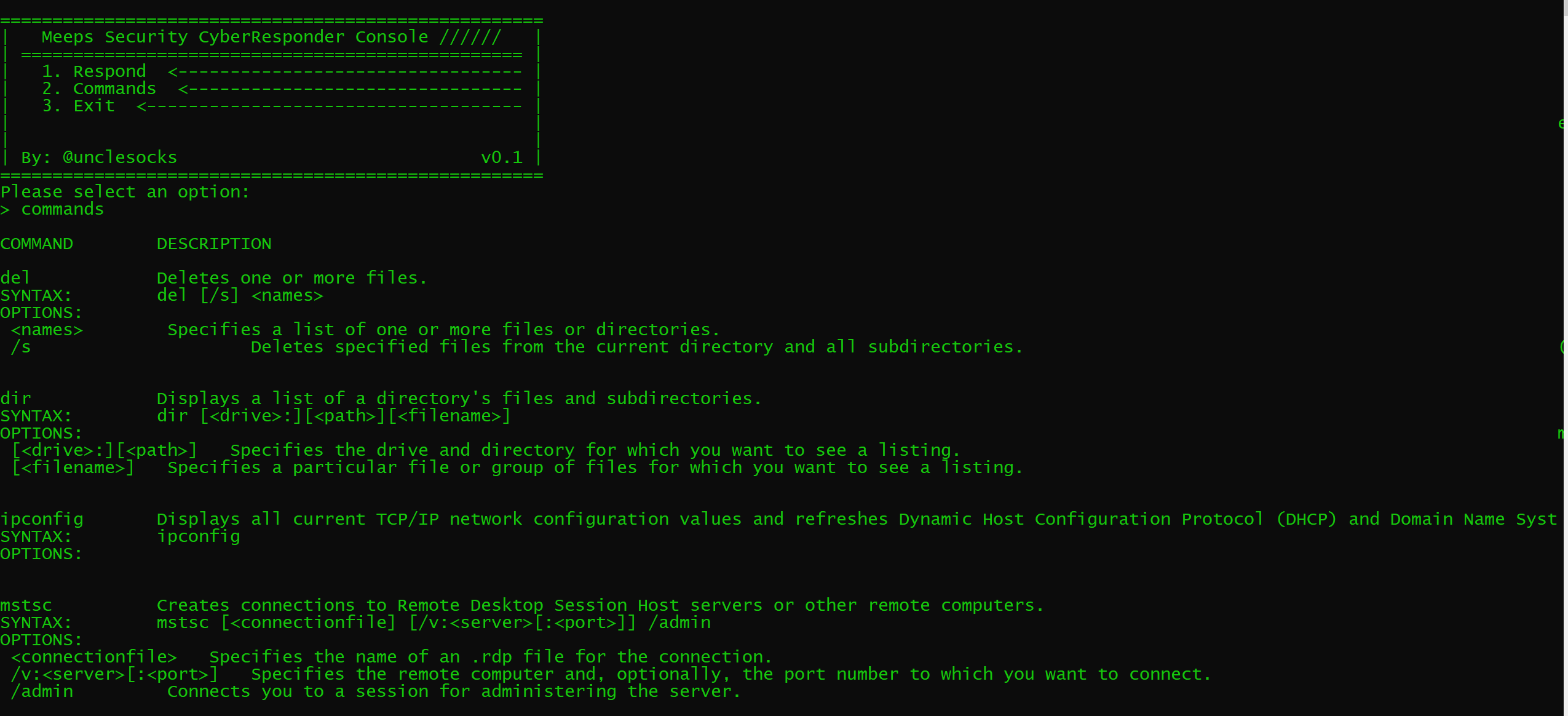
The game has three options in the main menu:
To select an option, either enter the number or the actual value. So to respond to an incident, enter 1 or Respond to the prompt. Likewise, to view the full list of available Windows commands, enter 2 or Commands, and 3 or Exit to quit the game.
To start the game, select the Respond option. It will then diplay the available cases. At the time of writing, the game only has two cases, but I am working hard to add more cases in the future.
Simply enter the case ID to respomd to the selected incident. Follow and complete the response playbook by entering the correct Windows CMD command. Players are given five chances to do so before the game is over.
A back command is available that will take the players back to the main menu page.
A Commands page is available to help players familiarize with the available Windows CMD commands in the game. This will display all supported commands, including their description, syntax, and available parameters (options). These are taken straight from the official Windows commands webpage:
https://learn.microsoft.com/en-us/windows-server/administration/windows-commands/windows-commands
--
💡 Tip: A help command is also available when responding to an incident. Running it without any parameter displays a summary of available Windows CMD commands. Players can then run it together with one of the CMD command to display additional information captured from the Commands page.
An early stage EXE (responder.exe) file is available for everyone to play. This version supports two cases but more will be added in the future.
