 umbertodellamonica/linksys-wrt54gl-exploitation
From Solder to Shell: Full Hardware Exploitation of the Linksys WRT54GL Router (CVE-2022-43973)

A 10-phase embedded security research journey — from JTAG pin discovery to remote code execution on a MIPS-based consumer router.
| Author | Umberto Della Monica |
| Role | MSc Cybersecurity Student — Embedded Security Researcher |
| Date | May 2026 |
| Repository | Linksys-WRT54GL-Exploitation |
Disclaimer: This research was conducted for educational and research purposes only on hardware I personally own. No unauthorized systems were accessed. All techniques described here should only be reproduced on devices you own or have explicit written authorization to test. The author assumes no liability for any misuse of the information presented. Always comply with applicable laws, regulations, and responsible disclosure practices.
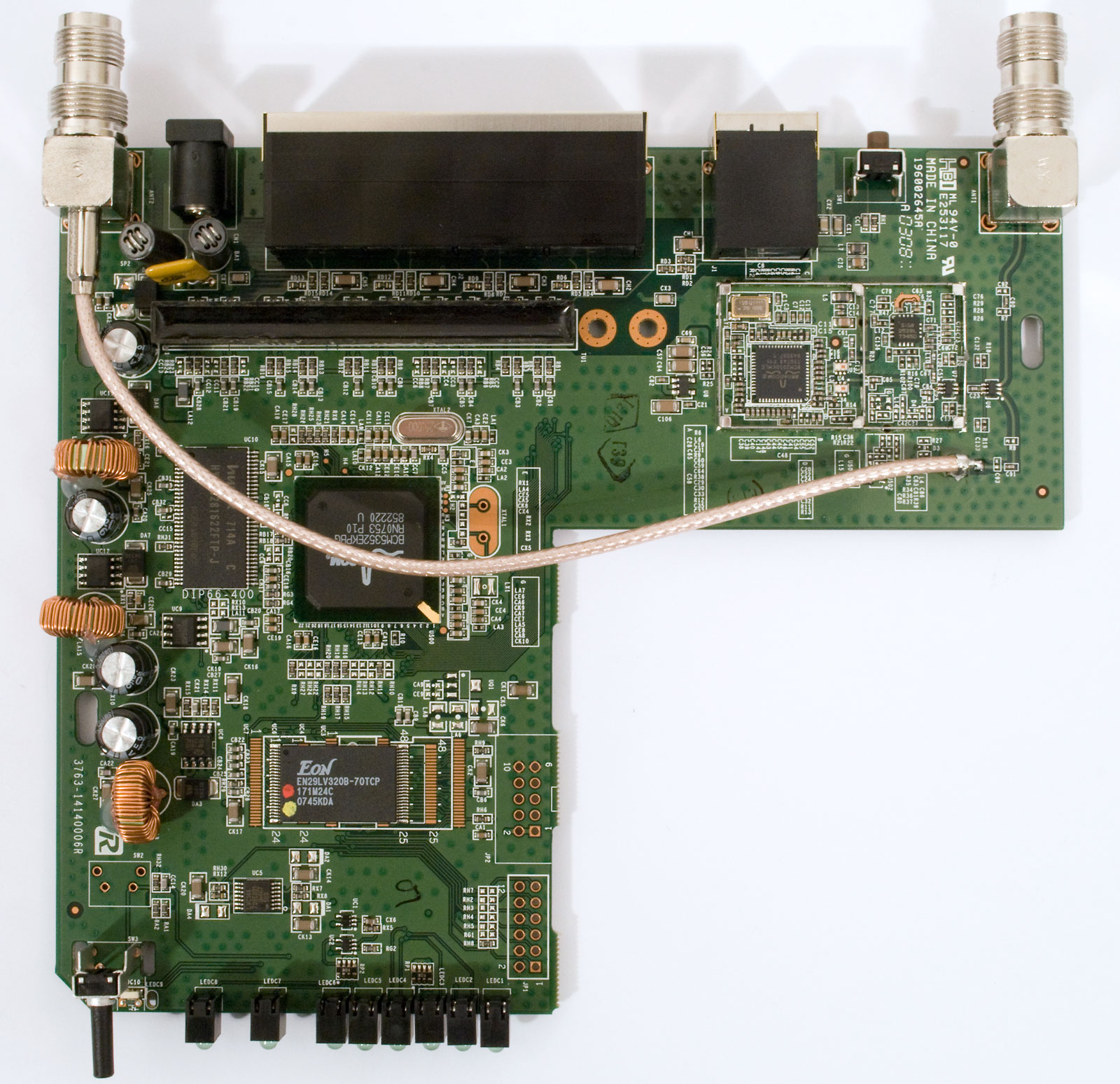
The Linksys WRT54GL is one of the most iconic consumer routers ever produced. Its open-source firmware support made it a favorite among enthusiasts and researchers alike. Despite its age, it remains in active use worldwide, making it a relevant target for embedded security research.
| Specification | Value |
|---|---|
| Chipset | Broadcom BCM5352 |
| CPU Clock | 200 MHz |
| Architecture | MIPS 32-bit (Little Endian) |
| Flash Memory | 4 MB NOR (memory-mapped at 0xbfc00000) |
| RAM | 16 MB |
| Wireless | IEEE 802.11b/g, 54 Mbps |
| Network | 4x LAN + 1x WAN, NAT firewall with SPI |
| OS | Linux-based (BusyBox) |
| Bootloader | CFE (Common Firmware Environment) |
The first step in any hardware security assessment is physical inspection. After opening the device enclosure, I identified two debug interfaces on the PCB:
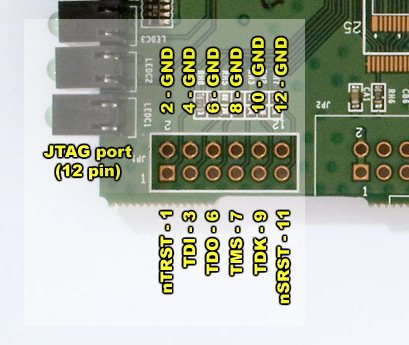
Since the JTAG header was unpopulated, I soldered a temporary pin header to access the debug interface. Using a multimeter, I identified ground and Vcc lines and confirmed that the target operates at 3.3V logic levels — critical to avoid damaging the chipset.
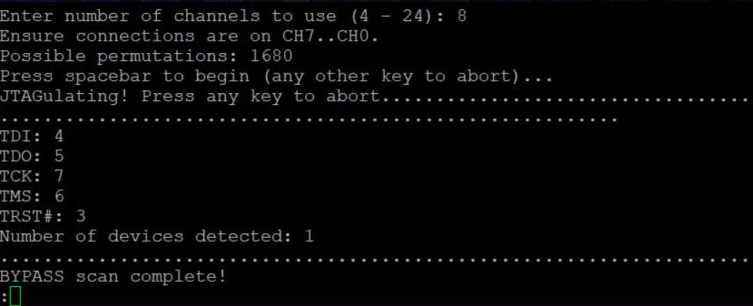
To map the JTAG signals, I used a JTAGulator by Grand Idea Studio — a hardware tool designed to automatically identify debug interfaces by probing all possible pin combinations.
The JTAGulator successfully identified the following JTAG pinout:
board: wrt54gl_v1.1
device: Linksys WRT54GL v1.1
pins:
  TCK: PA3
  TMS: PA4
  TDI: PA1
  TDO: PA2
  TRST: NC
  SRST: PB0
notes: "Header JP3 — verified 3.3V logic."
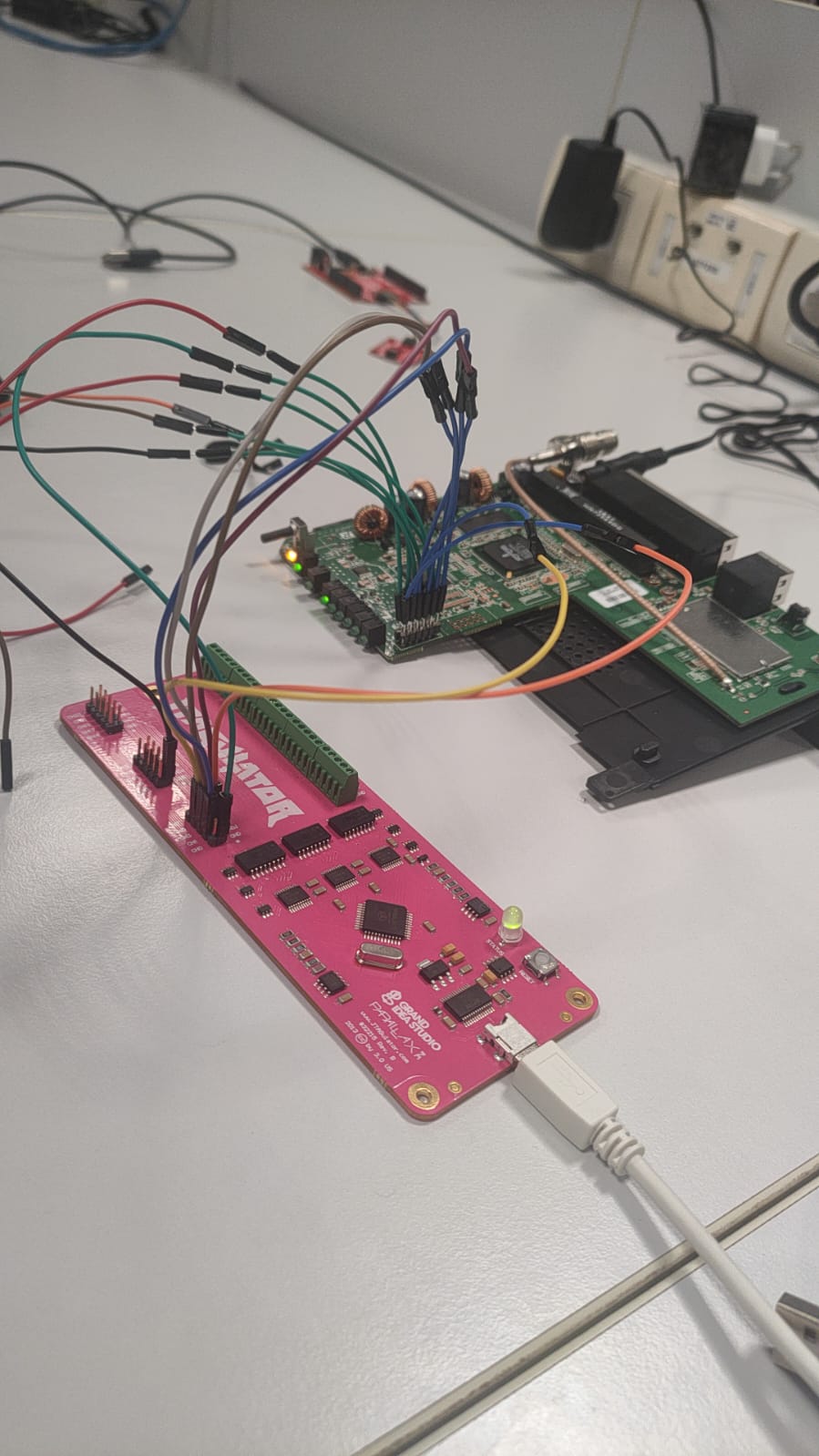
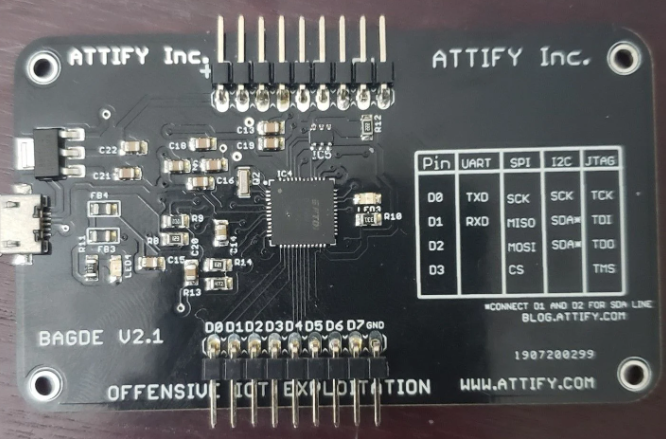
With the JTAG pins identified, I connected an Attify Badge — an open-source hardware security assessment tool (GNU GPL v3.0) featuring an FTDI FT2232H chip — to the router's JTAG header.
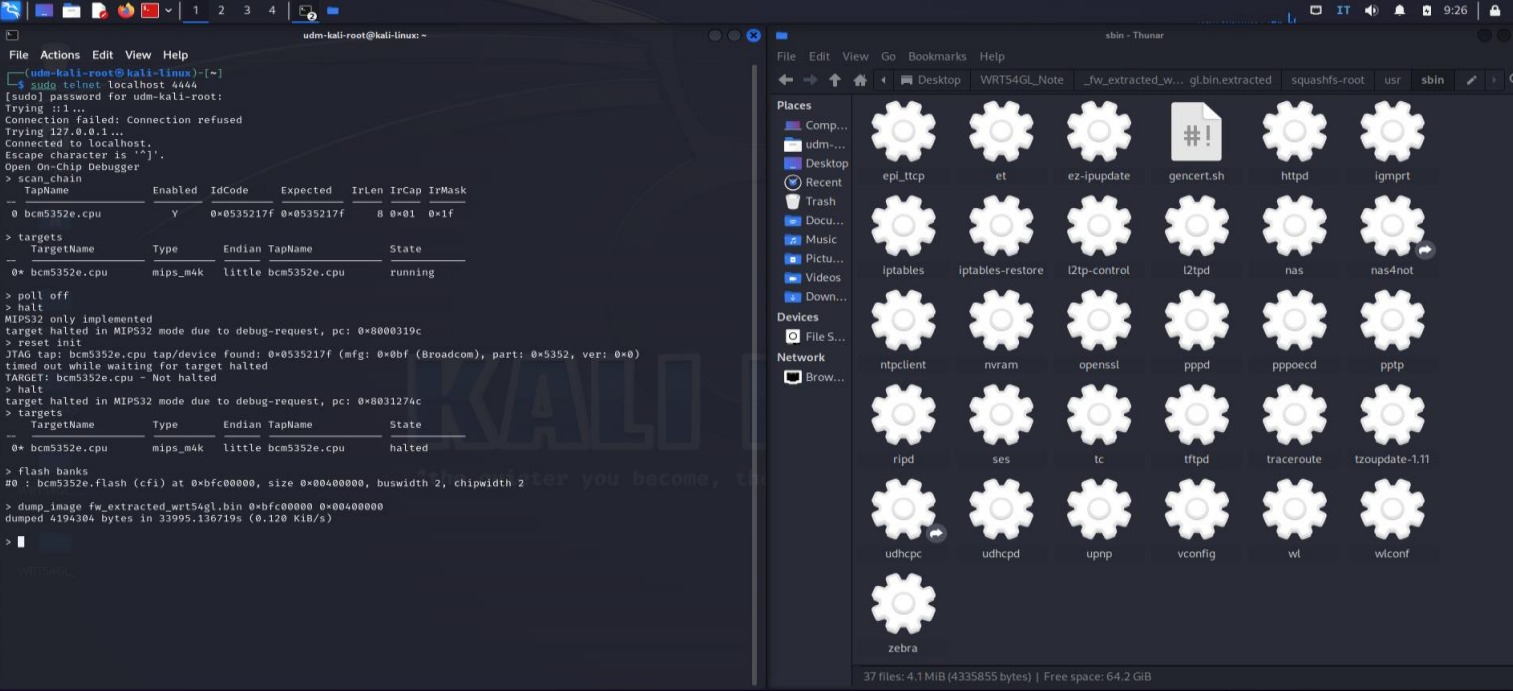
I launched OpenOCD (Open On-Chip Debugger) with a custom configuration tailored for the BCM5352 target, since the official configurations were incompatible with this specific hardware revision.
The custom OpenOCD configuration defines the router's flash partition layout:
| Partition | Description | Start Address | Size |
|---|---|---|---|
| CFE | Bootloader | 0xbfc00000 | 256 KB |
| Firmware | Kernel + Root FS | 0xbfc40000 | ~3.7 MB |
| NVRAM | Configuration | 0xbfff0000 | 64 KB |
After halting the CPU, I performed a full 4 MB dump of the memory-mapped NOR flash:
> target halt
> dump_image ./dumps/wrt54gl.bin 0xbfc00000 0x00400000
Using binwalk, I analyzed the firmware dump to identify embedded filesystems, compressed segments, and the kernel image:
binwalk ./dumps/wrt54gl.bin
binwalk -E ./dumps/wrt54gl.bin    # entropy analysis
sha256sum ./dumps/wrt54gl.bin     # integrity verification
The analysis revealed a SquashFS root filesystem containing a standard BusyBox-based Linux environment. I extracted it using binwalk -e and unsquashfs for deeper inspection.
To create a safe testing environment, I set up firmware emulation using FirmAE — an automated firmware emulation framework that supports MIPS architectures. This allowed me to reproduce the router's services (HTTP, telnet) in a virtual environment and test exploits without risk to the physical device.
