trufflesecurity/trufflehog
Find, verify, and analyze leaked credentials

Find leaked credentials.


...and more
To learn more about TruffleHog and its features and capabilities, visit our product page.
Are you interested in continuously monitoring Git, Jira, Slack, Confluence, Microsoft Teams, Sharepoint (and more) for credentials? We have an enterprise product that can help! Learn more at https://trufflesecurity.com/trufflehog-enterprise.
We take the revenue from the enterprise product to fund more awesome open source projects that the whole community can benefit from.
TruffleHog is the most powerful secrets Discovery, Classification, Validation, and Analysis tool. In this context, secret refers to a credential a machine uses to authenticate itself to another machine. This includes API keys, database passwords, private encryption keys, and more.
TruffleHog can look for secrets in many places including Git, chats, wikis, logs, API testing platforms, object stores, filesystems and more.
TruffleHog classifies over 800 secret types, mapping them back to the specific identity they belong to. Is it an AWS secret? Stripe secret? Cloudflare secret? Postgres password? SSL Private key? Sometimes it's hard to tell looking at it, so TruffleHog classifies everything it finds.
For every secret TruffleHog can classify, it can also log in to confirm if that secret is live or not. This step is critical to know if there’s an active present danger or not.
For the 20 some of the most commonly leaked out credential types, instead of sending one request to check if the secret can log in, TruffleHog can send many requests to learn everything there is to know about the secret. Who created it? What resources can it access? What permissions does it have on those resources?
Have questions? Feedback? Jump into Slack or Discord and hang out with us.
Join our Slack Community
Join the Secret Scanning Discord
docker run --rm -it -v "$PWD:/pwd" trufflesecurity/trufflehog:latest github --org=trufflesecurity
Several options are available for you:
brew install trufflehog
Ensure Docker engine is running before executing the following commands:
docker run --rm -it -v "$PWD:/pwd" trufflesecurity/trufflehog:latest github --repo https://github.com/trufflesecurity/test_keys
docker run --rm -it -v "%cd:/=\%:/pwd" trufflesecurity/trufflehog:latest github --repo https://github.com/trufflesecurity/test_keys
docker run --rm -it -v "${PWD}:/pwd" trufflesecurity/trufflehog github --repo https://github.com/trufflesecurity/test_keys
docker run --platform linux/arm64 --rm -it -v "$PWD:/pwd" trufflesecurity/trufflehog:latest github --repo https://github.com/trufflesecurity/test_keys
Download and unpack from https://github.com/trufflesecurity/trufflehog/releases
git clone https://github.com/trufflesecurity/trufflehog.git
cd trufflehog; go install
curl -sSfL https://raw.githubusercontent.com/trufflesecurity/trufflehog/main/scripts/install.sh | sh -s -- -b /usr/local/bin
curl -sSfL https://raw.githubusercontent.com/trufflesecurity/trufflehog/main/scripts/install.sh | sh -s -- -v -b /usr/local/bin
curl -sSfL https://raw.githubusercontent.com/trufflesecurity/trufflehog/main/scripts/install.sh | sh -s -- -b /usr/local/bin <ReleaseTag like v3.56.0>
Checksums are applied to all artifacts, and the resulting checksum file is signed using cosign.
You need the following tool to verify signature:
Verification steps are as follows:
Download the artifact files you want, and the following files from the releases page.
Verify the signature:
cosign verify-blob <path to trufflehog_{version}_checksums.txt> \
--certificate <path to trufflehog_{version}_checksums.txt.pem> \
--signature <path to trufflehog_{version}_checksums.txt.sig> \
--certificate-identity-regexp 'https://github\.com/trufflesecurity/trufflehog/\.github/workflows/.+' \
--certificate-oidc-issuer "https://token.actions.githubusercontent.com"
Once the signature is confirmed as valid, you can proceed to validate that the SHA256 sums align with the downloaded artifact:
sha256sum --ignore-missing -c trufflehog_{version}_checksums.txt
Replace {version} with the downloaded files version
Alternatively, if you are using the installation script, pass -v option to perform signature verification.
This requires Cosign binary to be installed prior to running the installation script.
Command:
trufflehog git https://github.com/trufflesecurity/test_keys --results=verified
Expected output:
🐷🔑🐷  TruffleHog. Unearth your secrets. 🐷🔑🐷

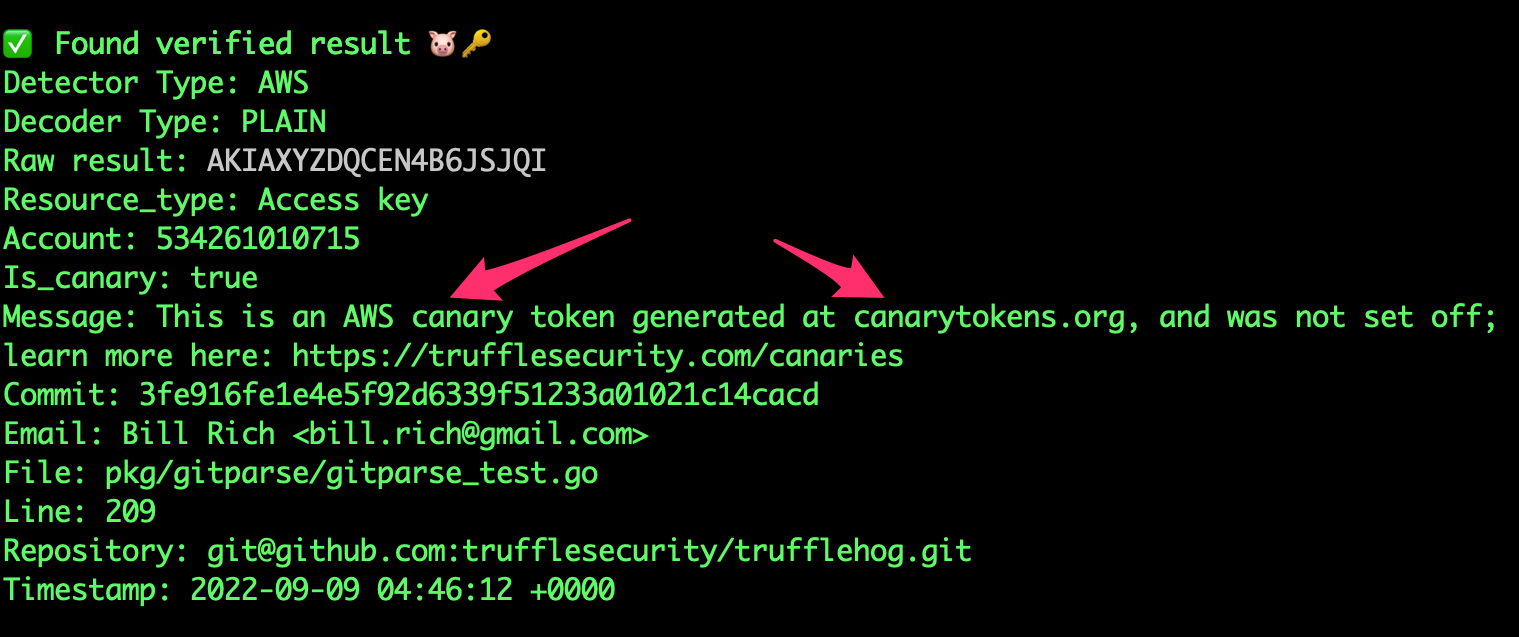
Found verified result 🐷🔑
Detector Type: AWS
Decoder Type: PLAIN
Raw result: AKIAYVP4CIPPERUVIFXG
Line: 4
Commit: fbc14303ffbf8fb1c2c1914e8dda7d0121633aca
File: keys
Email: counter <[email protected]>
Repository: https://github.com/trufflesecurity/test_keys
Timestamp: 2022-06-16 10:17:40 -0700 PDT
...
trufflehog github --org=trufflesecurity --results=verified
trufflehog github --org=trufflesecurity --exclude-archived
Command:
trufflehog git https://github.com/trufflesecurity/test_keys --results=verified --json
Expected output: