Broken Access Control via JSON-RPC API — Privilege Escalation to Admin Credentials
Extreme Networks Switch Engine (EXOS) — A Read-Only User Bypasses the CLI ACL via the JSON-RPC API to Disclose the Full Configuration and Crack the Admin Password Hash



Extreme Networks ExtremeXOS version 33.6.1.14 exposes a JSON-RPC API endpoint (POST /jsonrpc/?show) that fails to enforce the same role-based access control applied by the CLI. A read-only user (low-privilege) account explicitly denied sensitive commands such as show configuration in the CLI — can authenticate via the REST API, obtain a valid JWT token, and invoke any CLI command through the JSON-RPC interface without restriction.
This allows a read-only user to retrieve the complete device configuration and the show accounts output, which includes the SHA-256 crypt ($5$) password hashes of all local accounts, including the admin account. The admin password hash was successfully cracked using hashcat with the rockyou wordlist, resulting in full administrative compromise of the device.
Product: Extreme Networks Switch Engine (EXOS, formerly ExtremeXOS) Confirmed in lab: ExtremeXOS 33.6.1.14 (EVE-NG virtual lab)
| Release train | Vulnerable versions | Fixed in |
|---|---|---|
| 33.7.x | 33.7.0 up to (not including) 33.7.1-patch1-11 | 33.7.1-patch1-11 |
| 33.1.x | 33.1.0 up to (not including) 33.1.100-patch1-9 | 33.1.100-patch1-9 |
| 32.x | 32.0.0 up to (not including) 32.7.4.15-patch1-11 | 32.7.4.15-patch1-11 |
Version ranges are as published by Extreme Networks in the CVE record and vendor advisory
Type: Broken Access Control / Improper Authorization (CWE-862)
Authentication required: Read-only privilege
CSRF token required: No
Endpoint: POST /jsonrpc/?show — ExtremeXOS JSON-RPC Web Services API
ExtremeXOS enforces command-level access control through the CLI layer, which correctly blocks read-only users from executing privileged commands like show configuration and show accounts.
However, the JSON-RPC API endpoint POST /jsonrpc/?show accepts a method: "cli" with arbitrary params (CLI command strings) and does not re-validate the caller's privilege level before executing the command. The API trusts the JWT token for authentication but skips the authorization check that the CLI enforces. Any authenticated user can use CLI command to receive sensitive configuration output.
POST /JSONRPC/?SHOW — ACL-BYPASSING REQUEST
POST /jsonrpc/?show HTTP/1.1
Host: <target>
Content-Type: application/json
Cookie: x-auth-token=<JWT issued to the read-only "user" account>

{
  "id": "1",
  "jsonrpc": "2.0",
  "method": "cli",
  "params": ["show configuration"]
}
The same JWT token issued to the user (read-only) account is accepted by /jsonrpc/?show and allows execution of show configuration and show accounts — commands that return the full running configuration and all local account password hashes. The CLI denies these exact commands to the same account, so the API path is the only layer missing the authorization check.
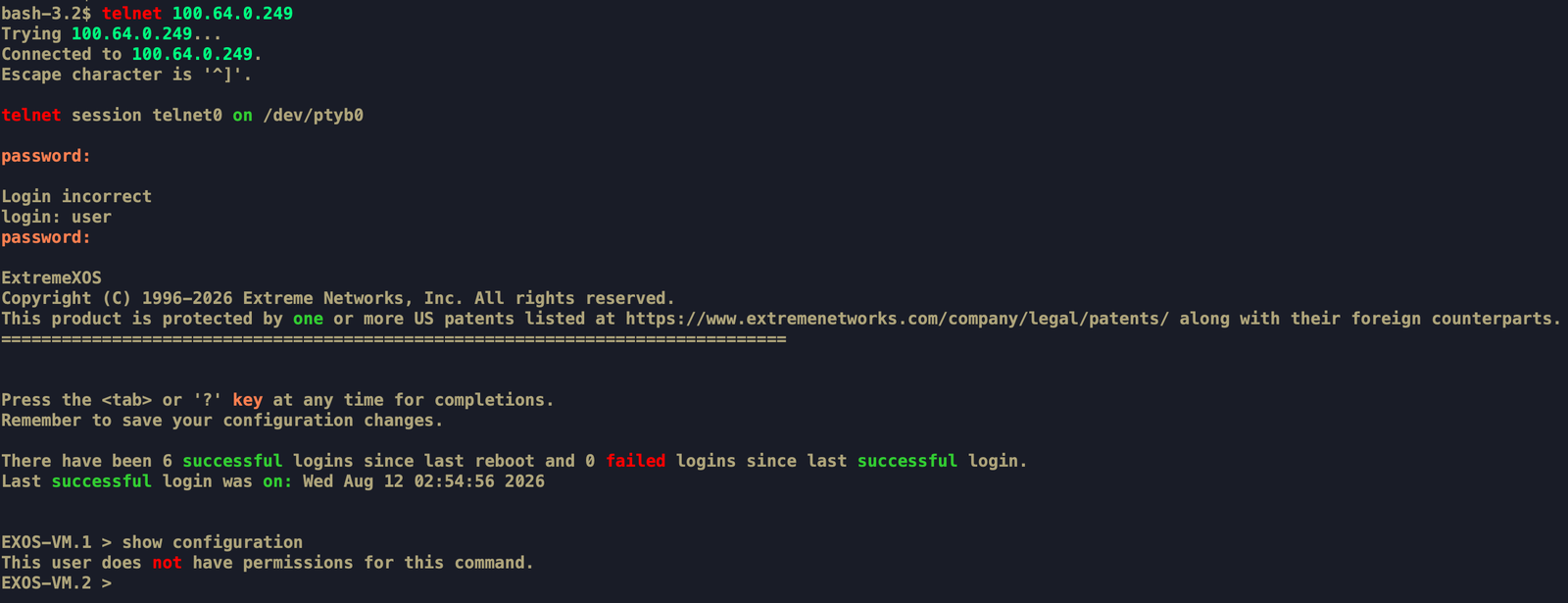
Confirm the target switch is running ExtremeXOS version 33.6.1.14. The show version command from a privileged CLI session reveals the firmware image version, hardware platform, and build information.
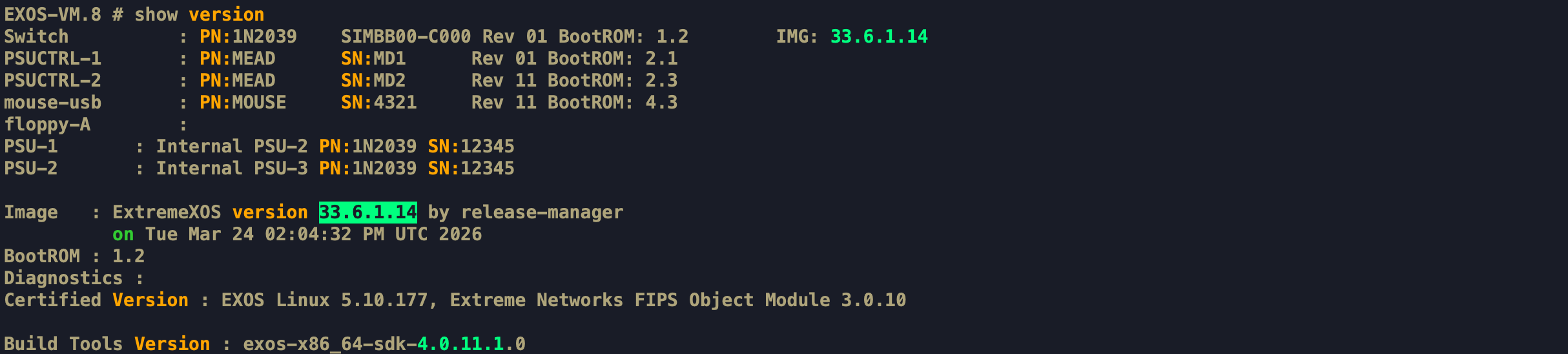
Log in via Telnet as the user account (read-only role). Attempting show configuration returns an explicit permission error, confirming that the CLI-level ACL is in place and functioning correctly.
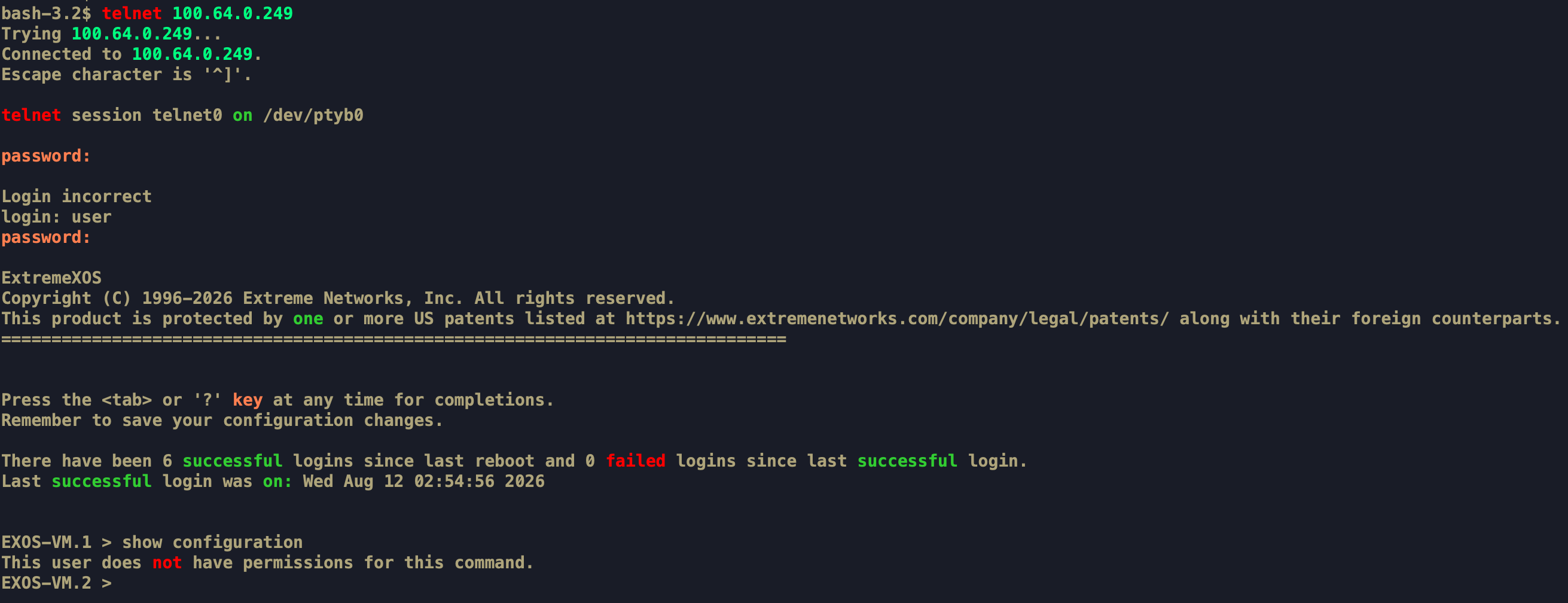
In Burpsuite, i send a POST /auth/token request with the read-only credentials. The server returns HTTP 200 with a valid JWT token in the x-auth-token cookie and the JSON body. The token TTL is 86400 seconds (24 hours). This token is used in all subsequent API calls.
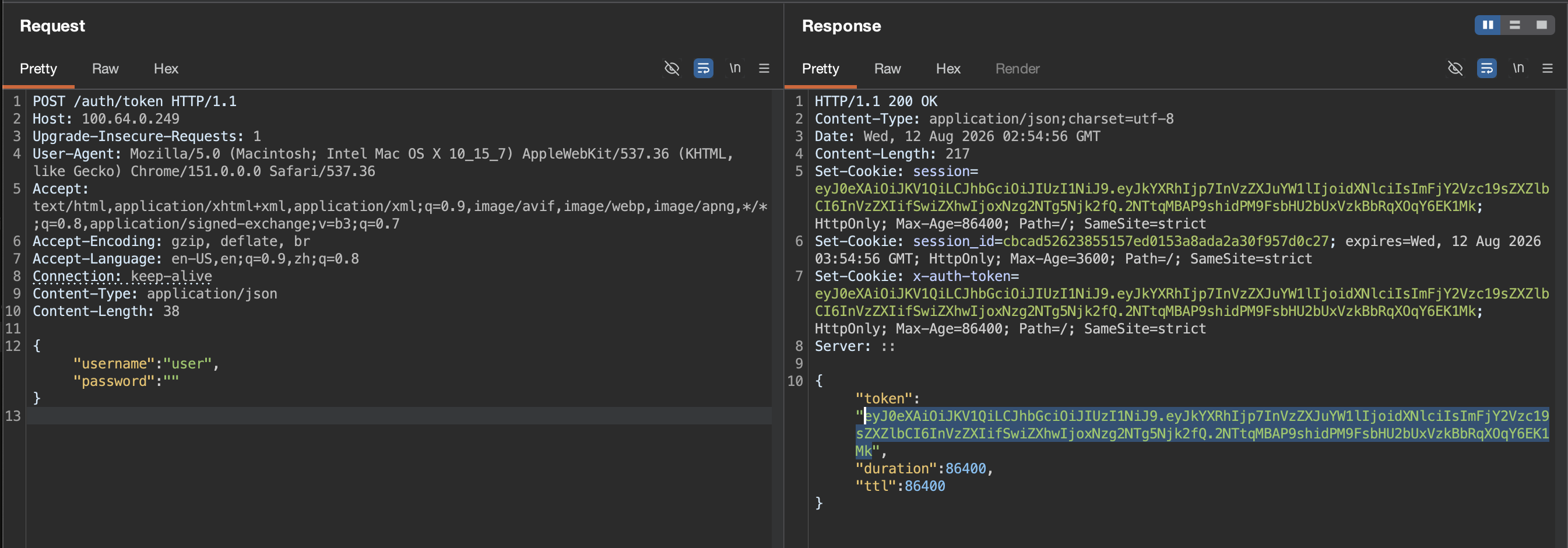
show configuration via JSON-RPCUsing the JWT token from Step 1, call POST /jsonrpc/?show with method: "cli" and params: ["show configuration"]. The API executes the command and returns the full running configuration of the device, including the encrypted admin password hash.
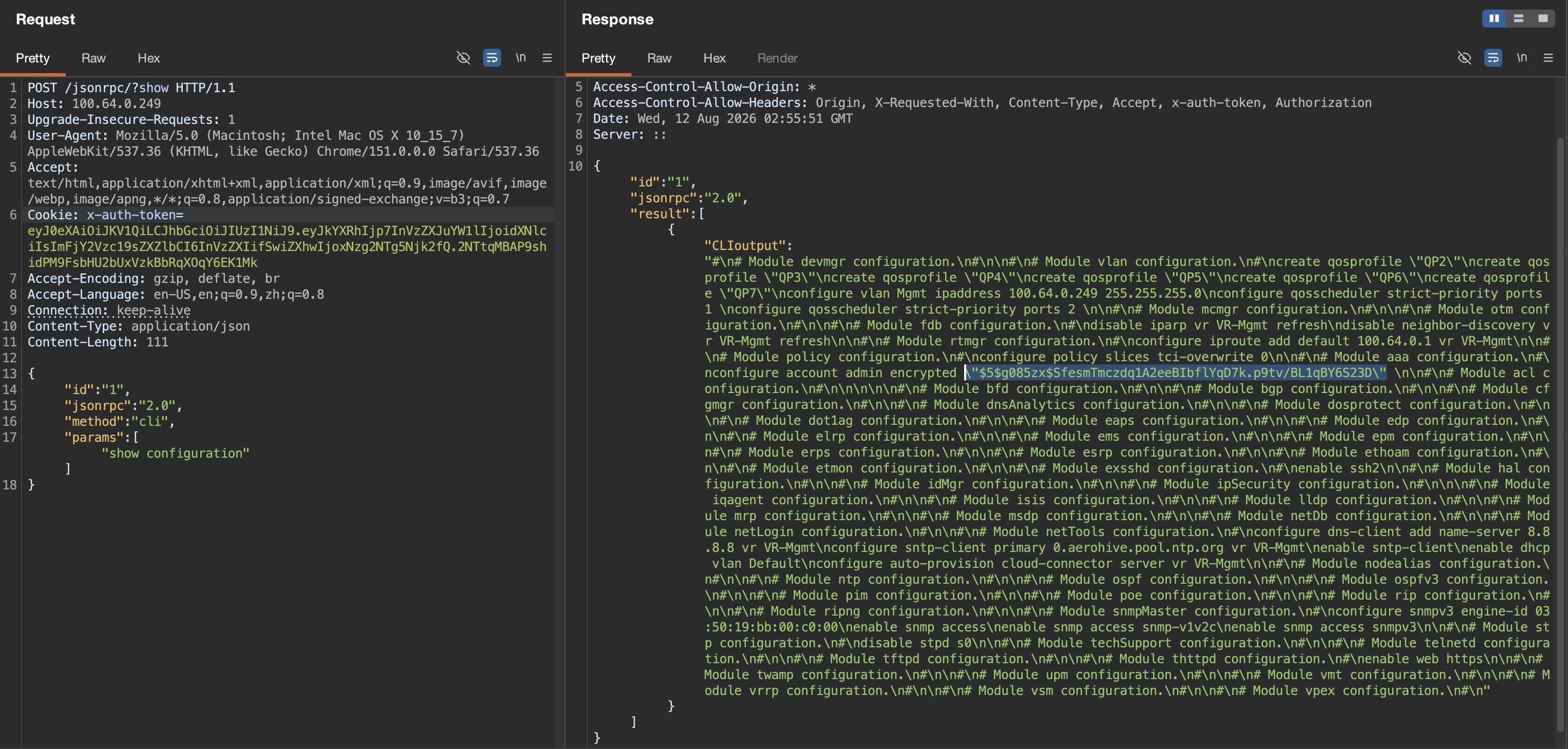
show accountsUsing the same JWT token, call show accounts through the JSON-RPC API. The response contains the full account table including username, role, and SHA-256 crypt password hash for every local account — including the privileged admin account.
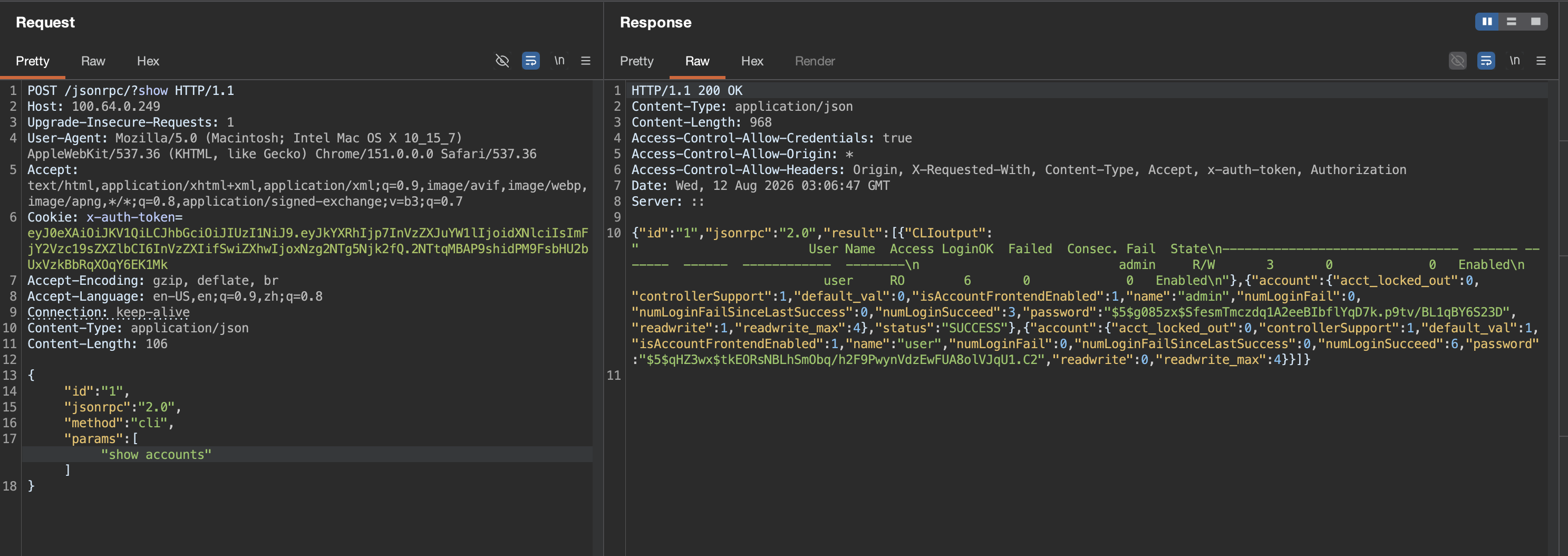
The extracted hash uses SHA-256 crypt ($5$ prefix, hashcat mode 7400). Running hashcat against some common wordlist (e.g: rockyou wordlist) recovers the admin plaintext password (Admin@123) in under one second, yielding full read/write administrative access to the device.
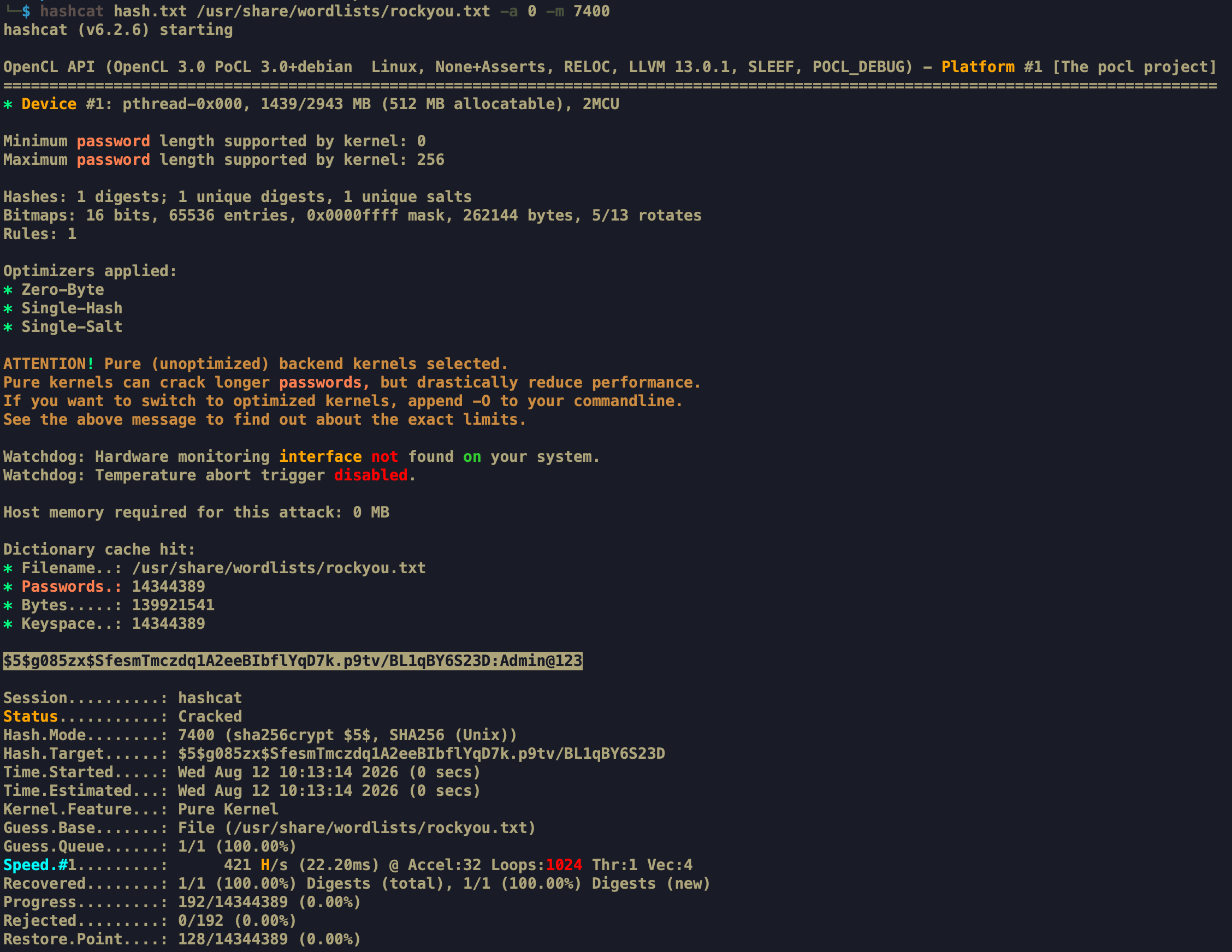
show accounts command returns SHA-256 crypt password hashes for every local account. These hashes are subject to offline dictionary and brute-force attacks using standard tools (hashcat, john).Admin@123), demonstrating that weak or common passwords provide no protection once the hash is exposed. Full read/write administrative access is achievable.