
 softrams/bulwark
An organizational asset and vulnerability management tool, with Jira integration, designed for generating application security reports.


An organizational asset and vulnerability management tool, with Jira integration, designed for generating application security reports.




Please keep in mind, this project is in early development.
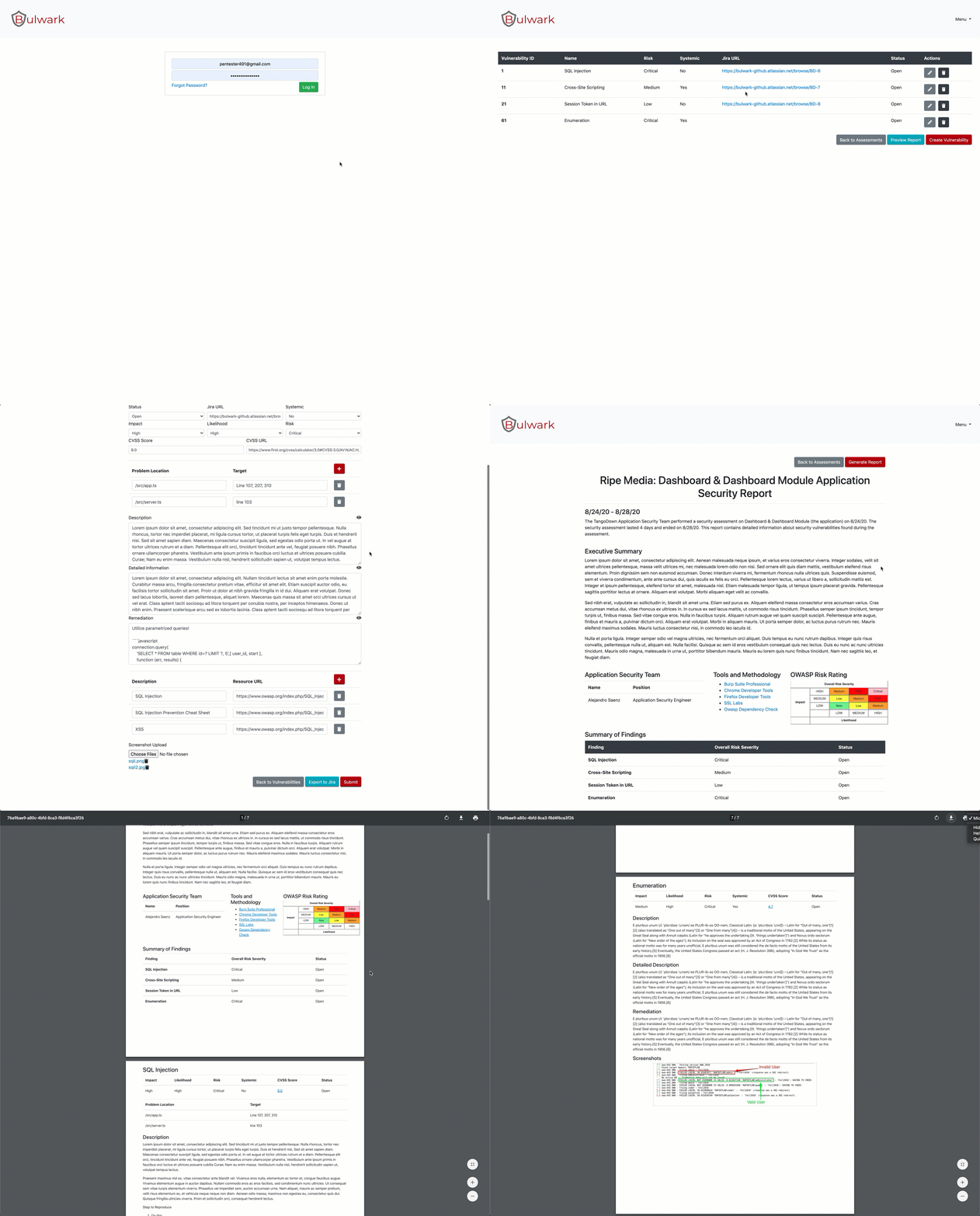
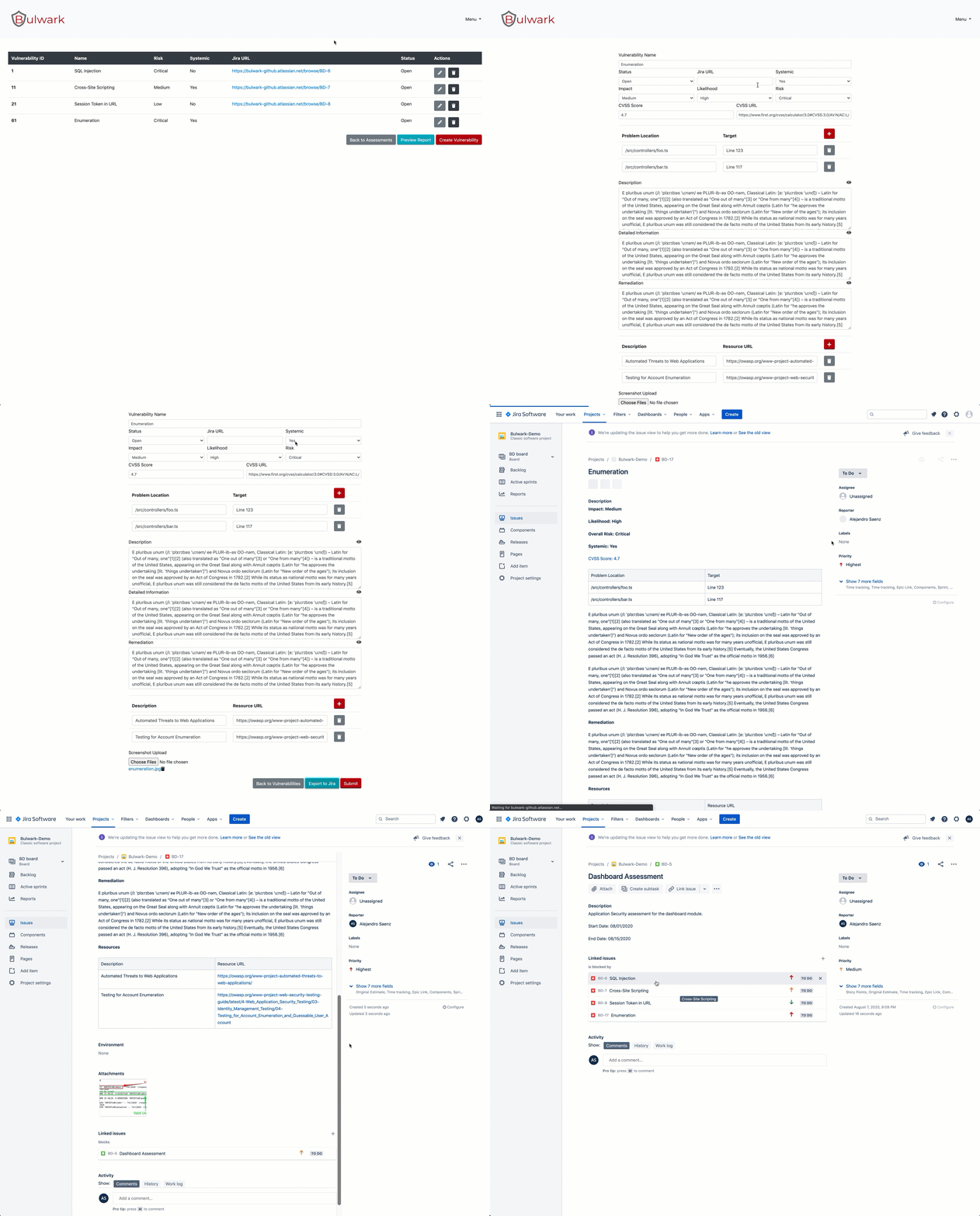
.env file and supply the following properties:MYSQL_DATABASE="bulwark"
MYSQL_PASSWORD="bulwark"
MYSQL_ROOT_PASSWORD="bulwark"
MYSQL_USER="root"
MYSQL_DB_CHECK="mysql"
DB_PASSWORD="bulwark"
DB_URL="172.16.16.3"
DB_ROOT="root"
DB_USERNAME="bulwark"
DB_PORT=3306
DB_NAME="bulwark"
DB_TYPE="mysql"
NODE_ENV="production"
DEV_URL="http://localhost:4200"
SERVER_ADDRESS="http://localhost"
PORT=4500
JWT_KEY="changeme"
JWT_REFRESH_KEY="changeme"
CRYPTO_SECRET="changeme"
CRYPTO_SALT="changeme"
Build and start Bulwark containers:
docker-compose up
Start/Stop Bulwark containers:
docker-compose start
docker-compose stop
Remove Bulwark containers:
docker-compose down
Bulwark will be available at localhost:4500
$ git clone (url)
$ cd bulwark
$ npm install
Running npm install will install both server-side and client-side modules. Furthermore, it will run the script npm run config which will dynamically set the environment variables in addition to updating the Angular environment.
Set NODE_ENV="development"
$ npm run config
$ npm run start:dev
Set NODE_ENV="production"
Please note: npm install will automatically build in production mode
$ npm run config
$ npm run build:prod
$ npm start
Create a .env file on the root directory. This will be parsed with dotenv by the application.
DB_PASSWORDDB_PASSWORD="somePassword"
Set this variable to database password
DB_USERNAMEDB_USERNAME="foobar"
Set this variable to database user name
DB_URLDB_URL=something-foo-bar.dbnet
Set this variable to database URL
DB_PORTDB_PORT=3306
Set this variable to database port
DB_NAMEDB_NAME="foobar"
Set this variable to database connection name
DB_TYPEDB_TYPE="mysql"
The application was developed using a MySQL database. See the typeorm documentation for more database options.
NODE_ENVNODE_ENV=production
Set this variable to determine node environment
DEV_URL="http://localhost:4200"Used by Angular to build and serve the application
SERVER_ADDRESS="http://localhost"Update if a different server address is required
PORT=4500Update if a different server port is required
JWT_KEYJWT_KEY="changeMe"
Set this variable to the JWT secret
JWT_REFRESH_KEYJWT_REFRESH_KEY="changeMe"
Set this variable to the refresh JWT secret
CRYPTO_SECRETCRYPTO_SECRET="randomValue"
Set this variable to the Scrypt password.
CRYPTO_SALTCRYPTO_SECRET="randomValue"
Set this variable to the Scrypt salt.
.env file templateDB_PASSWORD=""
DB_URL=""
DB_USERNAME=""
DB_PORT=3306
DB_NAME=""
DB_TYPE=""
NODE_ENV=""
DEV_URL="http://localhost:4200"
SERVER_ADDRESS="http://localhost"
PORT=4500
JWT_KEY=""
JWT_REFRESH_KEY=""
CRYPTO_SECRET=""
CRYPTO_SALT=""
Install sqlite3:
brew install sqlite3

Export compiler related env variables:
export LDFLAGS="-L/opt/homebrew/opt/sqlite/lib"
export CPPFLAGS="-I/opt/homebrew/opt/sqlite/include"
export PKG_CONFIG_PATH="/opt/homebrew/opt/sqlite/lib/pkgconfig"
export NODE_OPTIONS=--openssl-legacy-provider

Prepare for a fresh install:
rm -rf node_modules
npm cache verify
npm i --force
$ npm run migration:init
$ npm run migration:run
A user account is created on initial startup with the following credentials:
[email protected]changeMeUpon first login, update the default user password under the profile section.
The application utilizes least privilege access with team-based authorization. Teams are assigned a role which determines the features available to that specific team. A user will inherit roles from team membership. Administrators have team management access and must assign users to teams. Initially, users are created with no team association and will not have access to any features in the application.
The three roles include:
A team can only be associated to a single organization. However, a team can be associated to multiple assets within the same organization. A user can be a member of multiple teams. If a user is assigned to multiple teams of the same organization, the system will choose the highest authorized team.
Please note: The default user is automatically assigned to the Administrators team on initial startup
