
Skip to content
KitploitKITPLOIT
ToolsExploitsBlog
Log in
Submit
ToolsExploitsBlog
Submit

Hacking, PenTest, and Cybersecurity Tools for Your Security Arsenal!

Kitploit is a directory of hacking, cybersecurity, and pentesting tools. Discover the latest project updates to find vulnerabilities, analyze systems, automate testing, and strengthen your security.

··Feeds·Contact·Privacy·© 2026 Kitploit

Tool Directory

Categories

View all categories
Loading categories
SecurityClaw — A modular, skill-based autonomous Security Operations Center (SOC) agent that monitors OpenSearch/Elasticsearch data, builds RAG-based behavioral memory, and validates real-time anomalies using LLMs. | Kitploit
Tools/GitHubGitHub/securityclaw/securityclaw
ReconnaissanceVulnerability AnalysisForensicsInformation GatheringThreat IntelligenceMachine LearningIntrusion DetectionIncident ResponseAI SecurityAnomaly DetectionLog Analysis
26329202 months agoReviewed by Kitploit

Most Popular

View all →

Discover the most used tools by our community.

Explore all tools

Browse our collection of tools

View all tools →
Share
GitHub
securityclaw/securityclaw

SecurityClaw

A modular, skill-based autonomous Security Operations Center (SOC) agent that monitors OpenSearch/Elasticsearch data, builds RAG-based behavioral memory, and validates real-time anomalies using LLMs.

View Repository

SecurityClaw — Autonomous SOC Agentic Framework

A modular, skill-based autonomous Security Operations Center (SOC) agent that monitors OpenSearch/Elasticsearch data, builds RAG-based behavioral memory, and validates real-time anomalies using LLMs.

Features

  • Skill Modularity — Capabilities as isolated folders with logic.py (Python) + instruction.md (LLM guidance)
  • Heartbeat Loop — Cron-like scheduler: 1-minute anomaly watcher, 6-hour memory builder
  • Provider Agnostic — Swap OpenSearch↔Elasticsearch via config
  • RAG-Based Memory — Vector embeddings stored in OpenSearch; context-aware threat analysis
  • LangGraph Orchestration — Multi-step DECIDE→EXECUTE→EVALUATE supervisor loop implemented as a StateGraph; conversation and chat working memory checkpointed to SQLite via SqliteSaver
  • Manifest-Grounded Planning — Supervisor planning and retry steps are repaired against the currently loaded skill manifests before execution, so prerequisite chains come from manifest contracts instead of invented tool names
  • Working Memory — Interactive chat working memory stays inside LangGraph state and is checkpointed in data/conversations.db; the scheduler/CLI runtime now uses the same checkpoint-backed model via data/runtime_memory.db
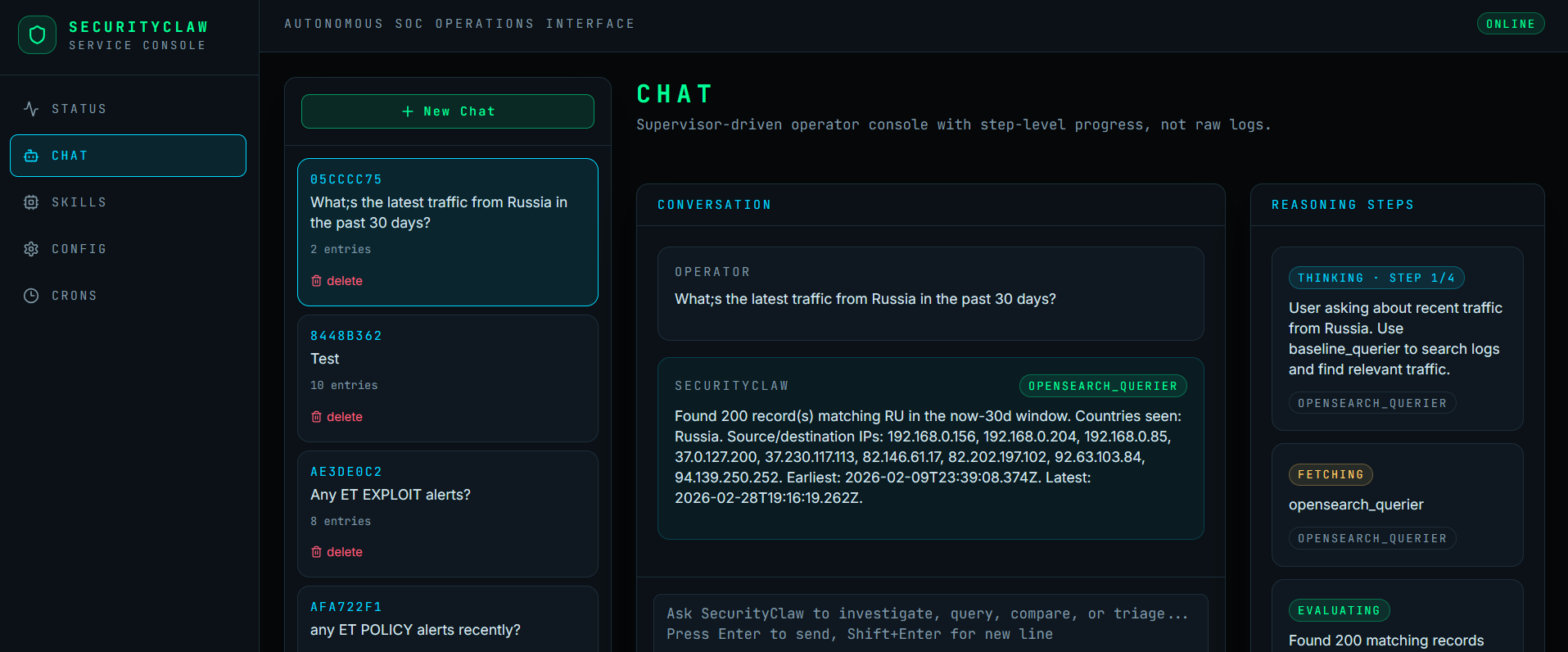
  • Conversation-based Investigations — Investigate threats through an interactive chat interface with real-time LLM reasoning steps, manifest-declared capability contracts, and RAG context retrieval
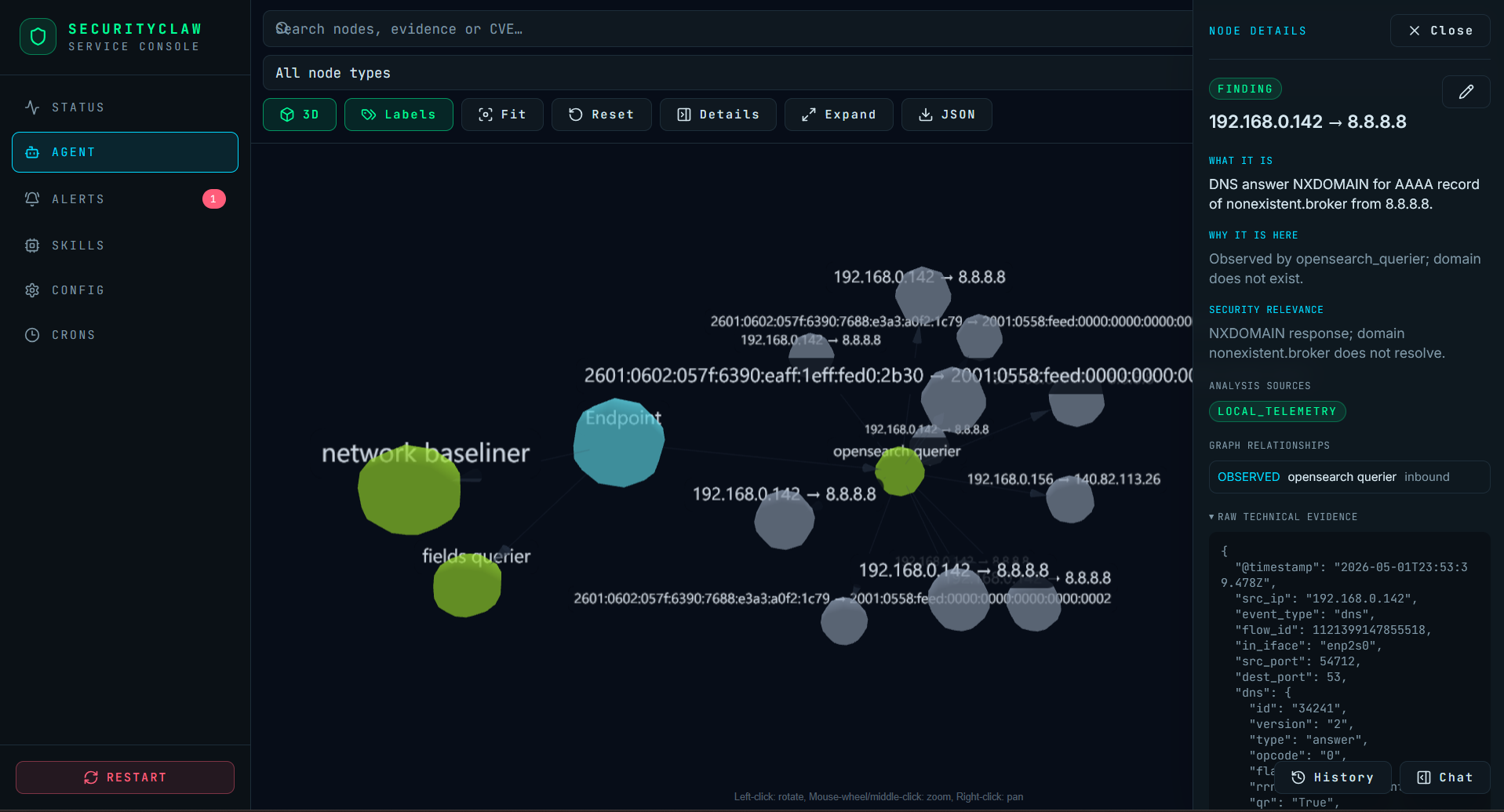
  • Web Interface — Modern React-based UI for chat, memory visualization, and skill dispatch

Context budgeting notes:

  • Chat output budget defaults to llm.max_tokens: 16384 in config.yaml.
  • Working memory injected into prompts is compacted by core/memory.py with a default max_context_chars budget of 4000 characters.
  • Supervisor result summaries are clipped before prompt injection, so there is some compaction already, but there is not yet live token-usage telemetry in the chat router.

Web Interface

SecurityClaw Web Interface

Quick Start

0. Prerequisites

  • Python 3.11+ (check with python --version)
  • Git (for cloning the repo)
  • OpenSearch 2.x or Elasticsearch 8.x (or use mock for testing)
  • Ollama (for LLM provider)
  • 4GB+ RAM (recommended for Ollama models; 8GB+ for production)
  • ~2GB disk space for models and vector indices

0.5 Quick Ollama Setup

The current example configuration in config.yaml.example uses:

  • qwen2.5:7b-instruct-q4_K_M for chat/reasoning
  • nomic-embed-text:latest as the lightweight local auxiliary model for embeddings referenced by the sample config

Quick setup:

curl -fsSL https://ollama.com/install.sh | sh
ollama serve
ollama pull qwen2.5:7b-instruct-q4_K_M
ollama pull nomic-embed-text:latest

1. Create Virtual Environment & Install Dependencies

Step 1a: Clone the repository

git clone https://github.com/SecurityClaw/SecurityClaw.git
cd SecurityClaw

Step 1b: Create a Python virtual environment

# Using venv (built-in)
python3.11 -m venv .venv

# Or using virtualenv (if installed)
virtualenv .venv

Step 1c: Activate the virtual environment

# On Linux/macOS
source .venv/bin/activate

# On Windows (PowerShell)
.venv\Scripts\Activate.ps1

# On Windows (Command Prompt)
.venv\Scripts\activate.bat

Step 1d: Install Python dependencies

pip install -r requirements.txt

# Or using Pipenv (if you prefer):
pipenv install --dev

Verify installation:

python -c "import main; import core; print('✓ Dependencies OK')"

2. Interactive Onboarding

.venv/bin/python main.py onboard

The wizard will guide you through:

  • Database: Host, port, SSL, auth
  • LLM: Ollama configuration
  • Connection testing for both services
  • Configuration save to config.yaml and .env
  • External APIs (optional): AbuseIPDB, AlienVault OTX, VirusTotal, Talos, MaxMind
  • Skill variables: Auto-discover and prompt for any missing skill-specific env vars

See ONBOARDING.md for detailed walkthrough.

3. Start the Service (Recommended)

.venv/bin/python main.py service

Launches both the background scheduler and the web API server:

  • Web UI: http://localhost:5173 (React frontend with hot reload)
  • API: http://localhost:7799 (FastAPI REST service)
  • Scheduler: Runs anomaly detection and memory building in background

For API-only mode (no scheduler):

SECURITYCLAW_API_ONLY=1 .venv/bin/python main.py service

3a. Or Run CLI Commands

For pure CLI/background agent operation without the web interface:

.venv/bin/python main.py run                    # Start scheduler loop (anomaly watcher + memory builder)
.venv/bin/python main.py dispatch <skill>      # Fire a skill once (e.g., threat_analyst)
.venv/bin/python main.py chat                  # Interactive terminal-based chat with routing
.venv/bin/python main.py status                # Print compact agent memory snapshot
.venv/bin/python main.py list-skills           # Show loaded skills and intervals

3b. Web Development (Frontend Only)

If you want to develop the React frontend locally:

.venv/bin/python main.py web-dev               # Start Vite dev server on :5173
# In a second terminal:
.venv/bin/python main.py service               # Start backend API on :7799

4. Web Interface Features

The React web UI provides:

  • Chat Interface — Type questions; see real-time reasoning steps with skill invocations
  • Skills Dispatch — Manually trigger skills and view results
  • Configuration Editor — Edit config.yaml and .env through the UI
  • Cron/Interval Management — View and modify skill schedules
  • Conversation History — Persist and recall previous Q&A sessions
  • Status Dashboard — Real-time scheduler status, skill inventory, memory state

Architecture

SecurityClaw's chat orchestration is moving toward a capability-first contract model:

  • The supervisor plans against manifest-declared capabilities, prerequisites, required entities, and artifacts.
  • Live routing favors LLM planning plus manifest viability checks instead of manifest keyword guards.
  • Follow-up grounding should be expressed through manifest hooks so the core router stays skill-agnostic.

Directory Structure

Download Tool