
Skip to content
KitploitKITPLOIT
ToolsBlog
Submit
ToolsBlog
Submit

Hacking, PenTest, and Cybersecurity Tools for Your Security Arsenal!

Kitploit is a directory of hacking, cybersecurity, and pentesting tools. Discover the latest project updates to find vulnerabilities, analyze systems, automate testing, and strengthen your security.

··Feeds·Contact·Privacy·© 2026 Kitploit

Tool Directory

Categories

View all categories
Loading categories
reportly — AzureAD/EntraID user activity reporter for blue teams. Input a suspicious user and time frame to receive a detailed report of user info, actions, and login logs to aid cloud incident investigation. | Kitploit
Tools/GitHubGitHub/sap8899/reportly
Information GatheringCloud SecurityIdentity & Access Management (IAM)Incident ResponseLog Analysis
GitHubsap8899/reportly

reportly

AzureAD/EntraID user activity reporter for blue teams. Input a suspicious user and time frame to receive a detailed report of user info, actions, and login logs to aid cloud incident investigation.


View Repository
961213 years agoReviewed by Kitploit

Most Popular

View all →

Discover the most used tools by our community.

Explore all tools

Browse our collection of tools

View all tools →
Share

logo

Reportly is an EntraID user activity report tool.

About the tool

This is a tool that will help blue teams during a cloud incident. When running the tool, the researcher will enter as input a suspicious user and a time frame and will receive a report detailing the following:

  1. Information about the user
  2. Actions taken by the user
  3. Actions taken on the user
  4. User login and failure logs

Usage

When running the tool, a link to authentication and a device code will show, follow the link and enter the code to authenticate. image
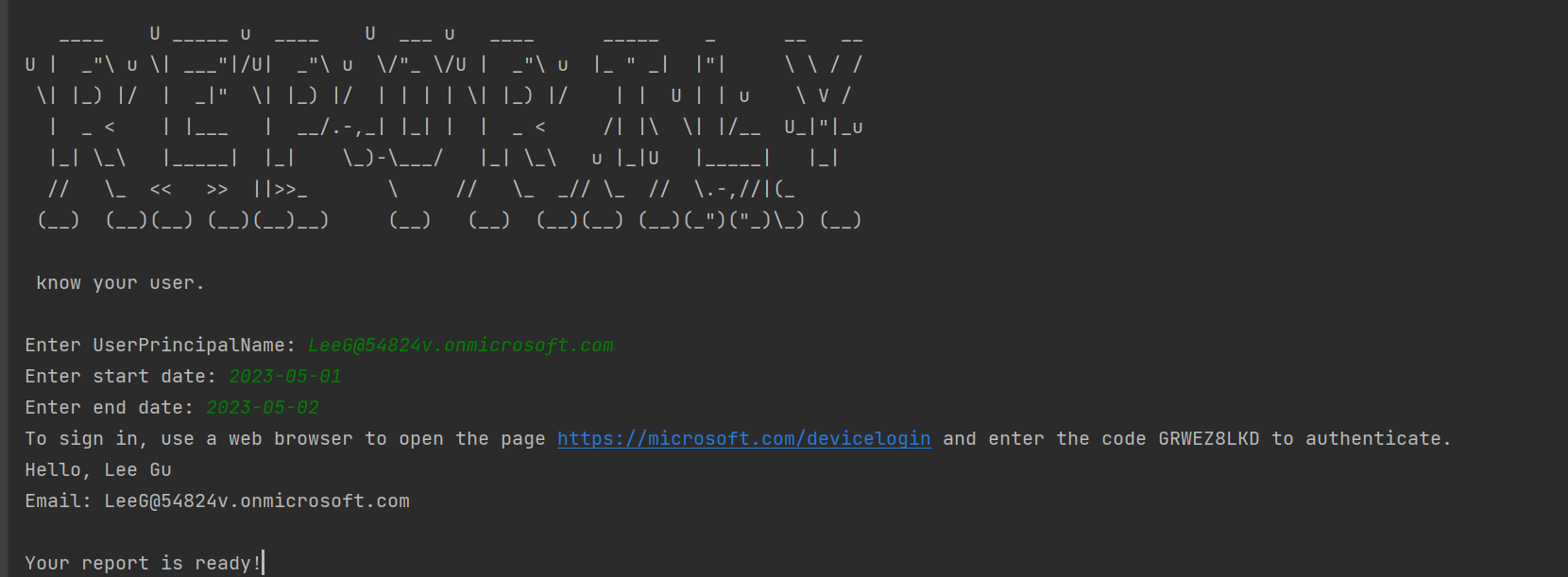
Insert User principal name of a suspicious user.
Insert start and end times in the following format: 2022-11-16
I recommend a range of no longer than a week.

When the report will be ready the tool will print "Your report is ready!". The reports are created in the executable's directory by default.

Attached an example report "report_example.html"

Installation

In order to use the tool you will need an EntraID application with the following delegated microsoft graph api permissions:
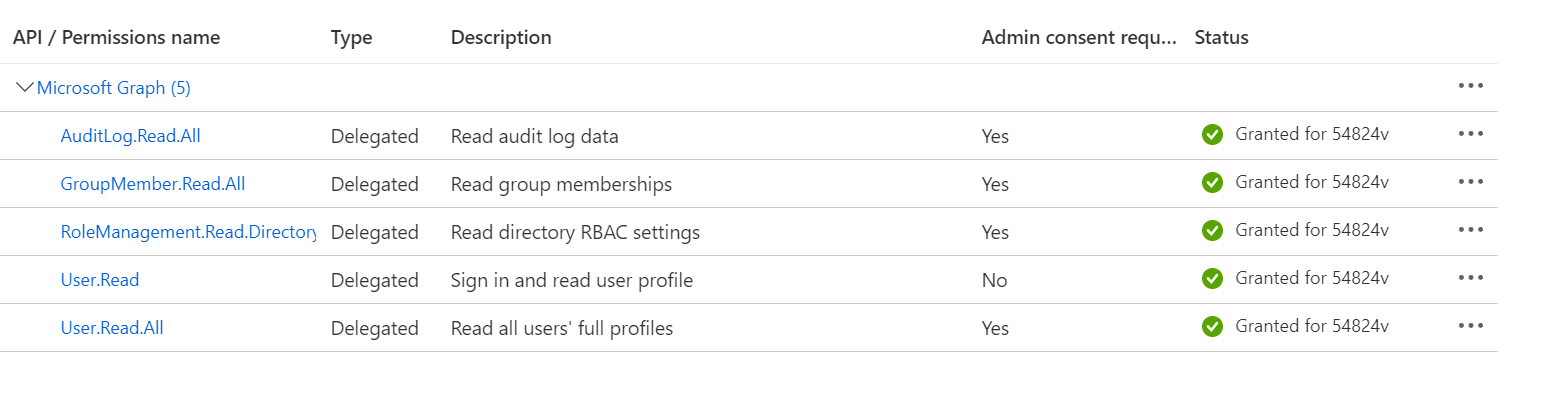
  • AuditLog.Read.All
  • GroupMember.Read.All
  • RoleManagement.Read.Directory
  • User.Read
  • User.Read.All

    dont forget to grant admin consent image

To create an application go to "App registration" tab and select "New registration" option.

image


Also, when creating the application, make sure you mark the following option as "yes": image
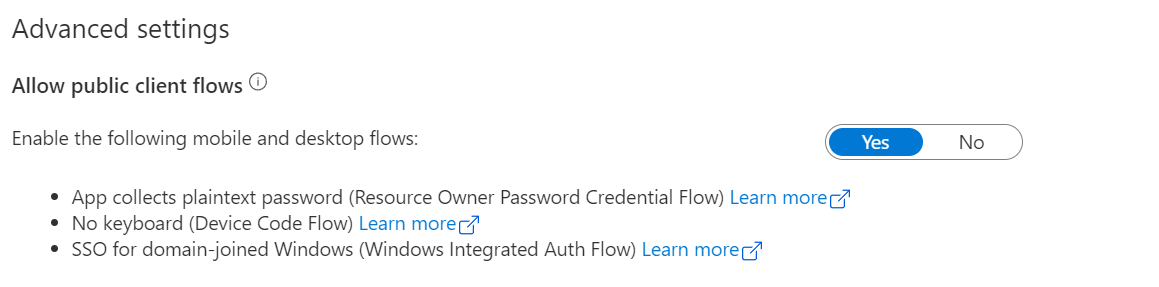
  • you can find this property under the application's "Authentication" tab.


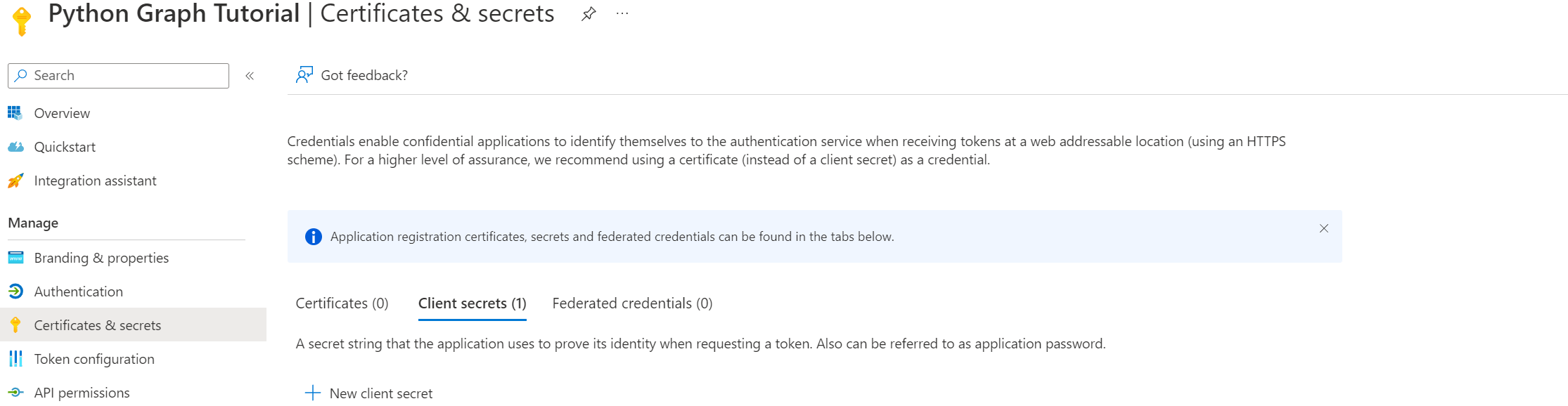
Add a secret to the application. image

  • Go to "Certificates & secrets"
  • Add a secret
  • Immediately copy the secret to the config file (after you watch it once, it disappears)

After you created the application you need to fill the config.cfg file:
clientId = application id
clientSecret = application secret
tenantId = tenant id

Download Tool