 rulebricks/claude-code-guardrails
Real-time guardrails for Claude Code tool calls.

We have since built a dedicated product to help developers manage AI permissions better, which we intend to make open source. Check it out at stoplight.ai.
settings.json works if:
Bash(rm:*) covers your use casesUse this if:
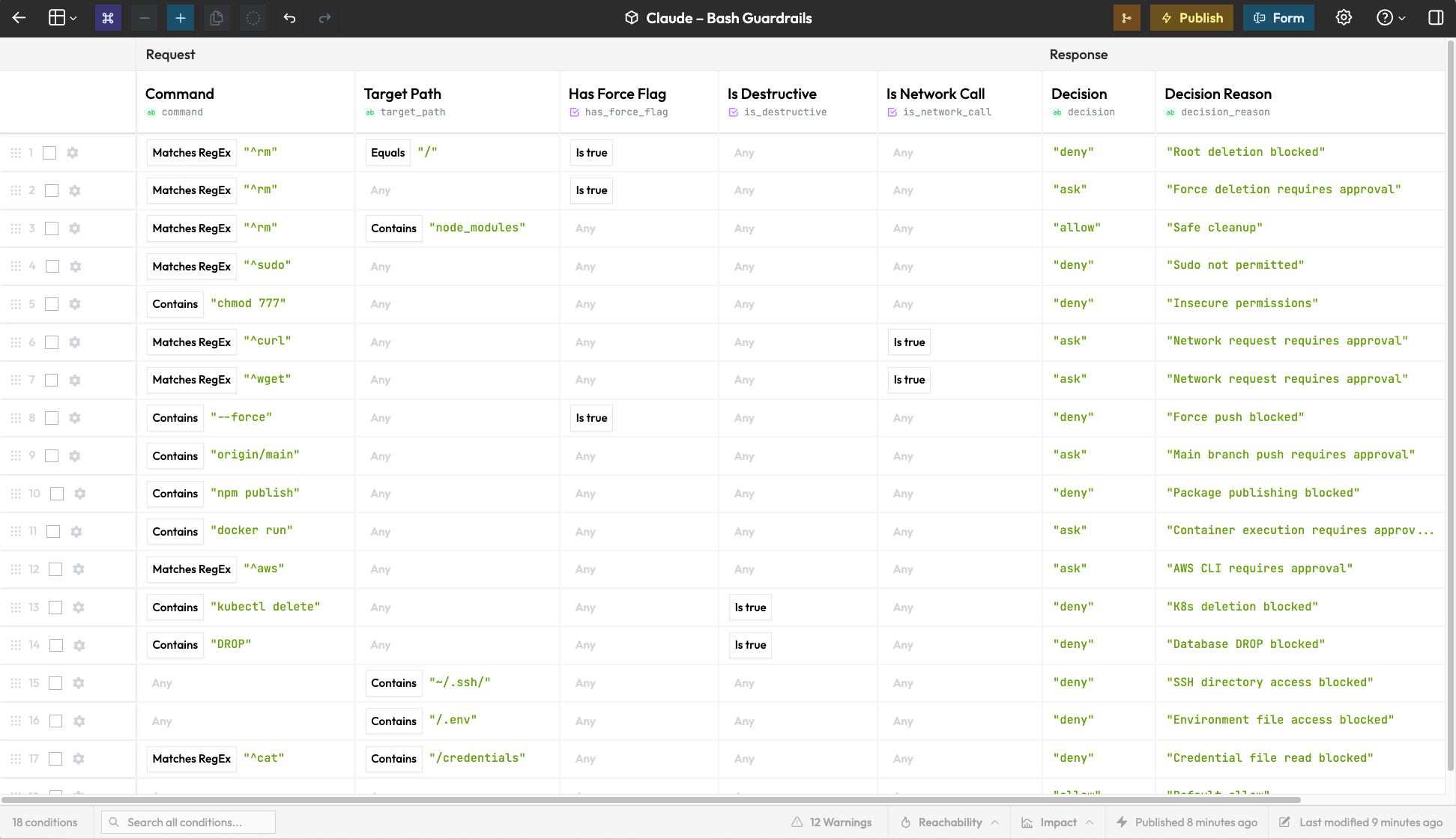
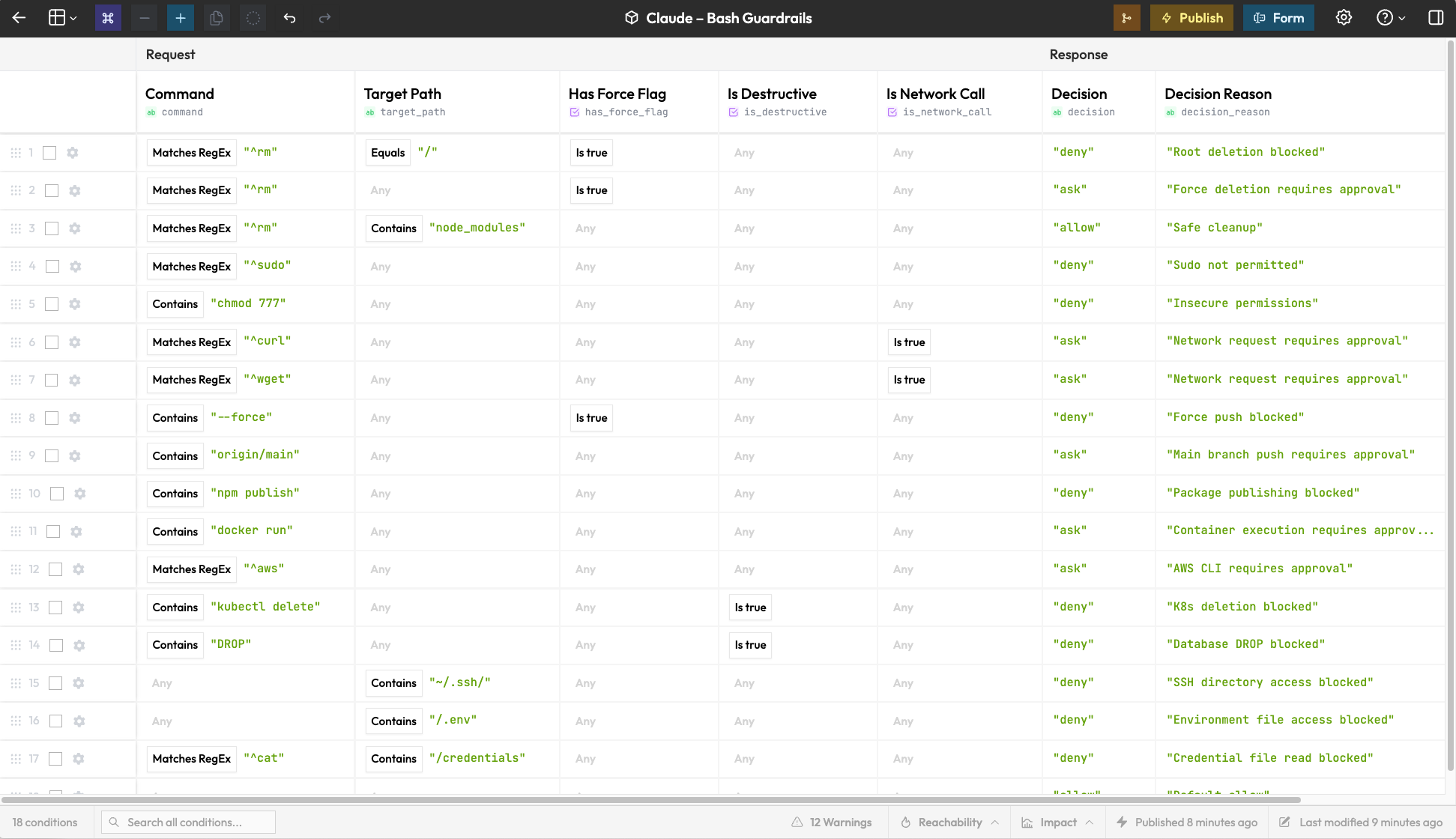
rm -rf on node_modules, deny everywhere else"Claude Code → PreToolUse hook → Rulebricks API → allow / deny / ask
Automatically finds your rules
git clone https://github.com/rulebricks/claude-code-guardrails
cd claude-code-guardrails
./install.sh
Claude will detect your published rules and wire up the appropriate hooks.
You're done.
| Template | Matcher | What it controls |
|---|---|---|
| Bash Command Guardrails | Bash | Shell commands |
| File Access Policy | Read|Write|Edit | File operations |
| MCP Tool Governance | mcp__* | MCP server calls |
Environment variables in ~/.claude/settings.json:
{
  "env": {
    "RULEBRICKS_API_KEY": "your-api-key",
    "RULEBRICKS_VERBOSE": "1"
  }
}
| Variable | Description |
|---|---|
RULEBRICKS_API_KEY | Your Rulebricks API key (required) |
RULEBRICKS_VERBOSE | Set to 1 to log decisions to stderr |
Edit your decision table and publish a new version. Changes apply immediately— no restart, no redeployment.
Review the history of blocked commands in the Logs tab. You can query by tool, approval decision, and more. There are other meaningful perks to this data, like finding out which tool is being blocked the most.
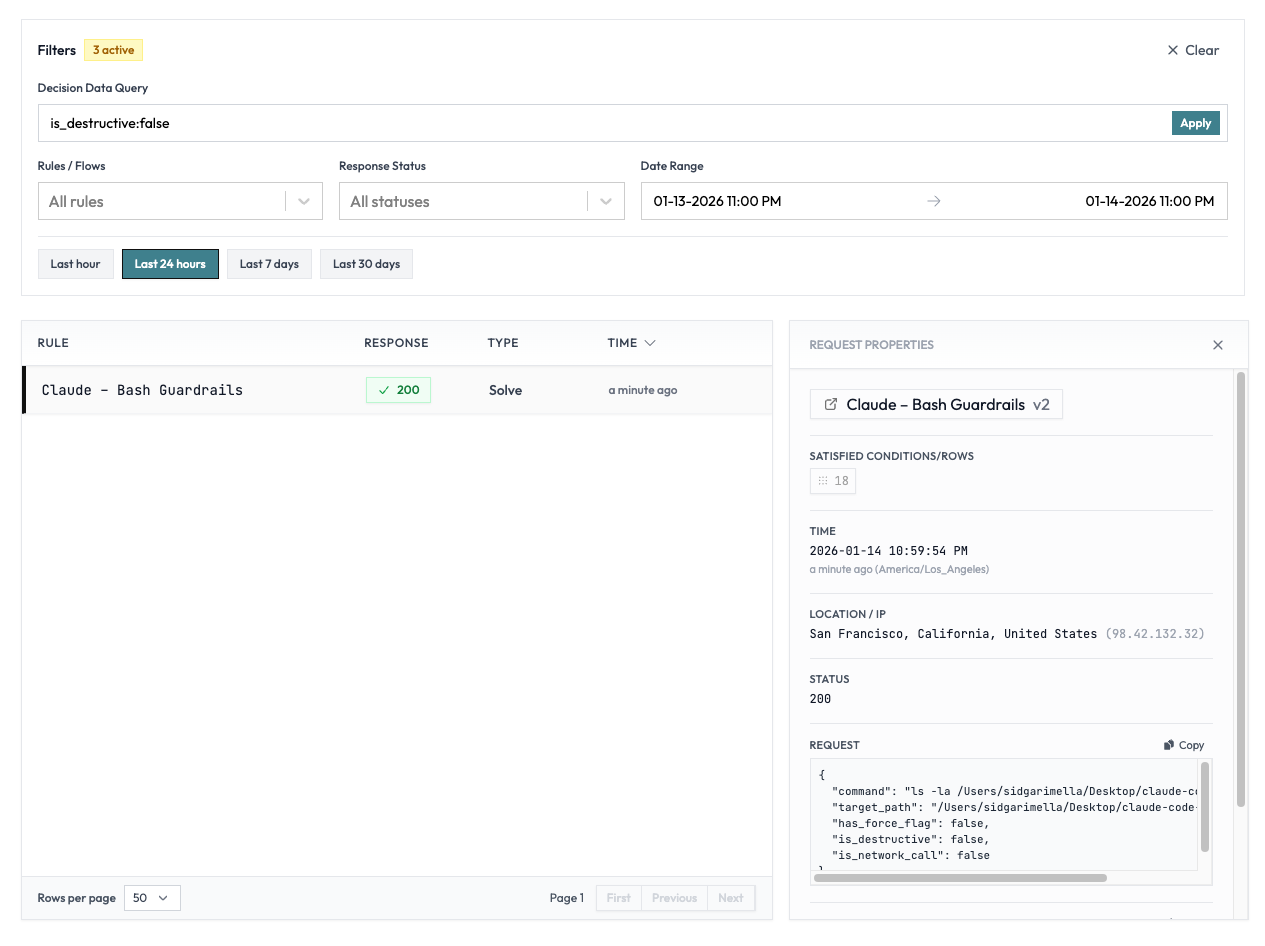
You're free to edit the guardrail however you'd like to redact sensitive data before it hits our platform.
Also– while this works with our cloud environment, you can also run this on private infrastructure, using your own logging provider. Reach out if that might be of interest.
# Remove hook script
rm ~/.claude/hooks/guardrail.py

# Remove from settings.json (manual)
# Edit ~/.claude/settings.json and delete:
#   - hooks.PreToolUse entry
#   - env.RULEBRICKS_* variables
Or, use this one-liner to remove the hook and settings:
rm ~/.claude/hooks/guardrail.py && python3 -c "
import json
p = '$HOME/.claude/settings.json'.replace('\$HOME', '$HOME')
s = json.load(open(p))
s.get('hooks', {}).pop('PreToolUse', None)
for k in list(s.get('env', {}).keys()):
    if k.startswith('RULEBRICKS_'): s['env'].pop(k)
json.dump(s, open(p, 'w'), indent=2)"
