Regenerator 2000




A modern, interactive 6502 disassembler for Commodore 8-bit machines. A modern take on Regenerator.
- 🕹️ Manual Analysis — A fast, keyboard-centric TUI for hands-on exploration: navigate code, define data, label subroutines, add comments, and iteratively refine your disassembly.
- 🤖 Automated Analysis — A built-in MCP Server lets AI assistants drive the disassembler programmatically. Paired with purpose-built skills, it can analyze entire programs — classifying blocks, tracing routines, and naming symbols — with minimal human intervention.
Use either workflow on its own, or combine them: let the AI do a first pass, then refine the results interactively.
Check out the Examples to see what can be accomplished, featuring pre-disassembled games across different Commodore platforms!
Features
Regenerator 2000 brings modern conveniences to 6502 disassembly:
- Disassembly: Full 6502 support including undocumented opcodes.
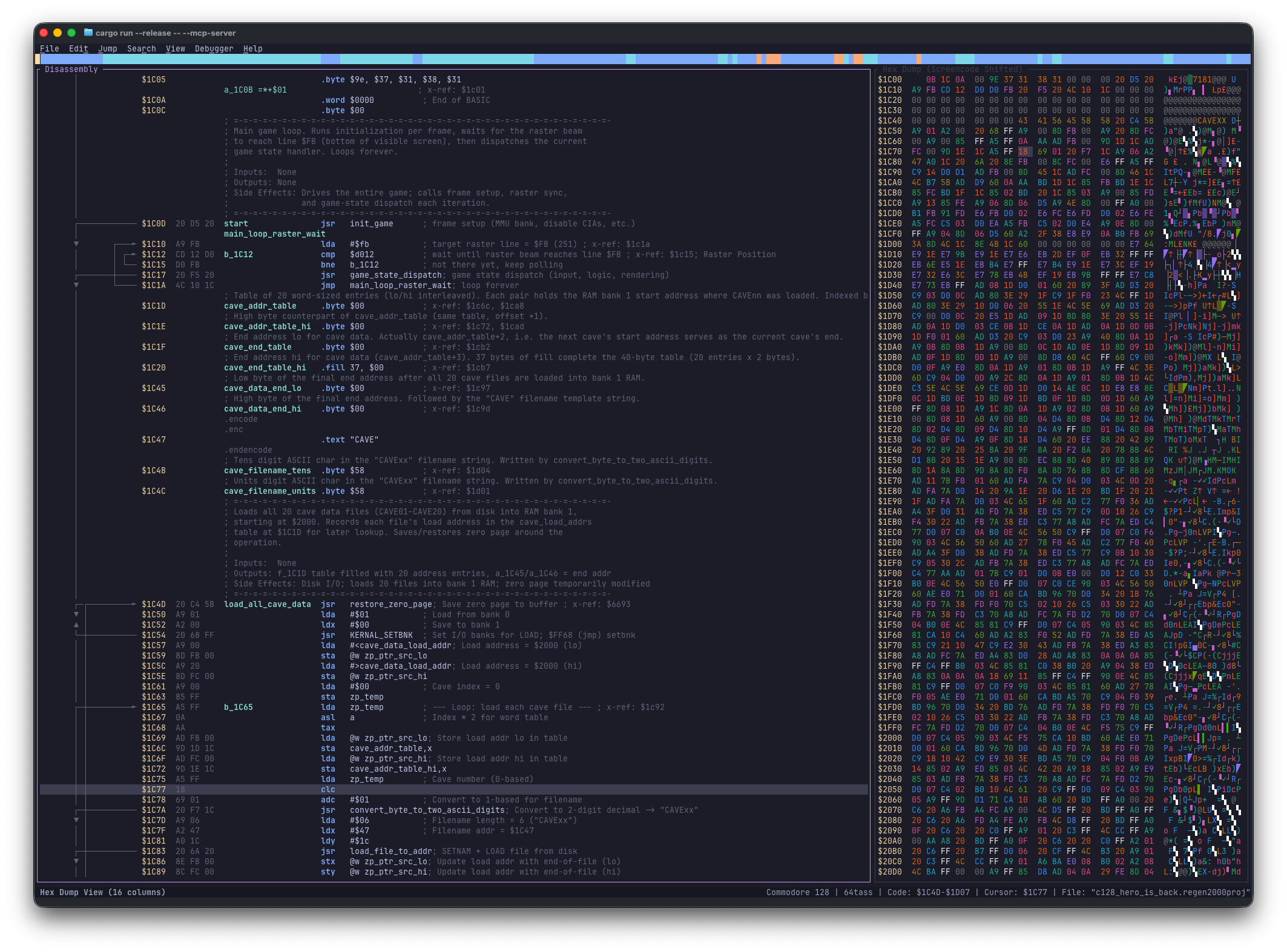
- Hex Dump:
- Side-by-side view with disassembly.
- Synchronized or independent navigation.
- Unshifted or Shifted PETSCII and Screencode charset.
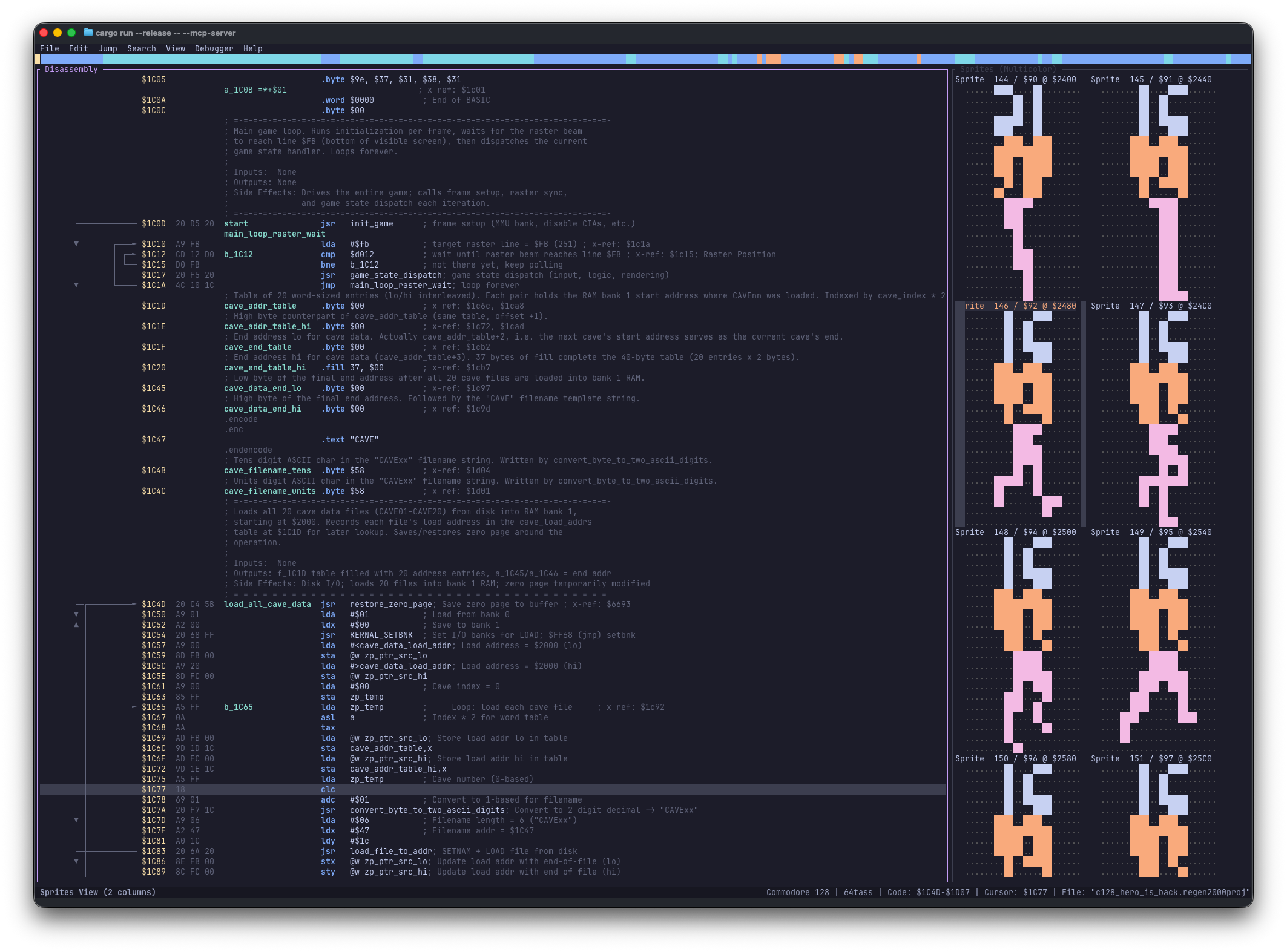
- Sprites:
- Side-by-side view with disassembly.
- Multicolor or Single Color
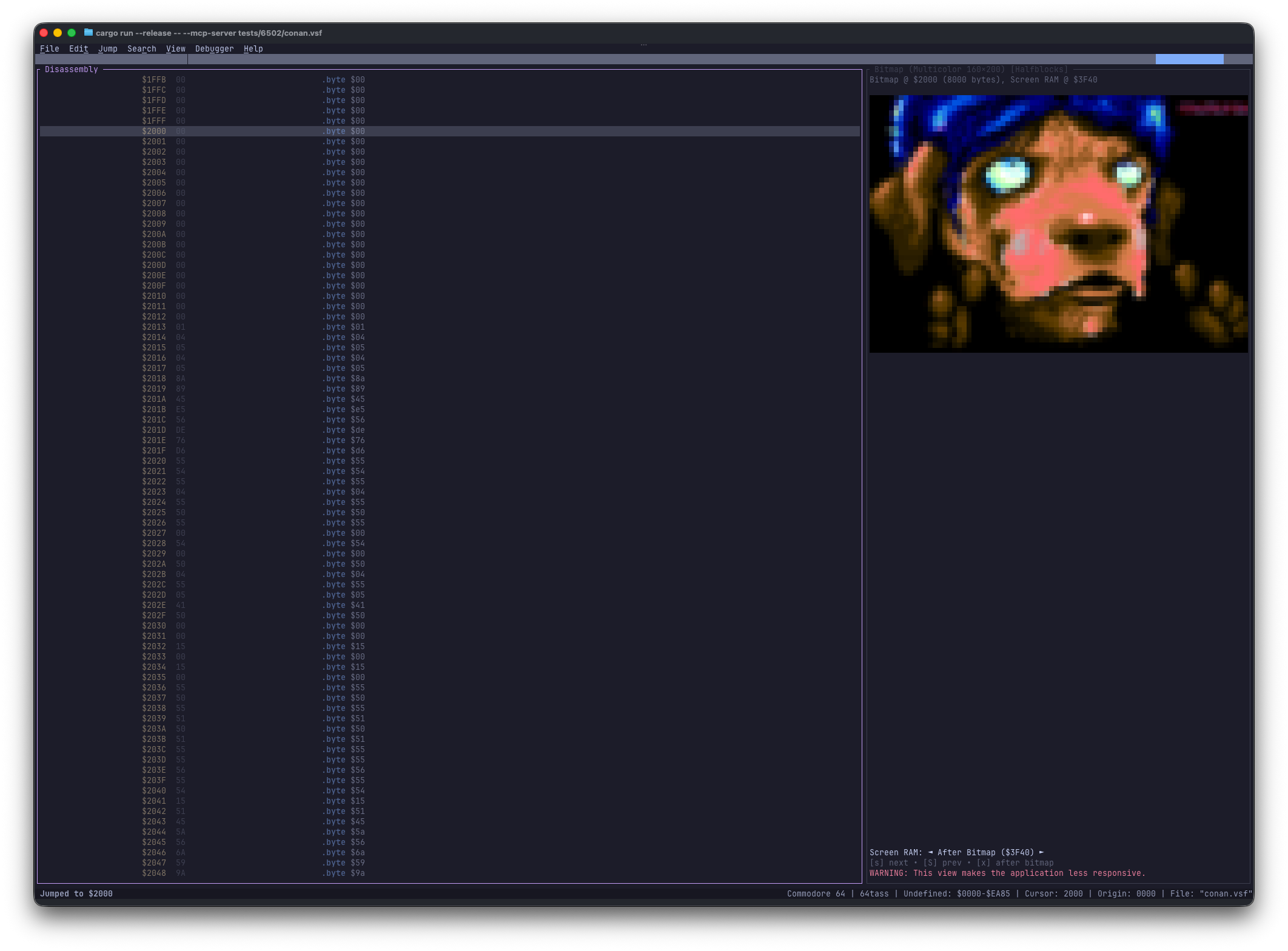
- Bitmap:
- Side-by-side view with disassembly.
- High-Resolution (320x200) and Multicolor (160x200).
- Uses quadrant-block rendering for full resolution in TUI.
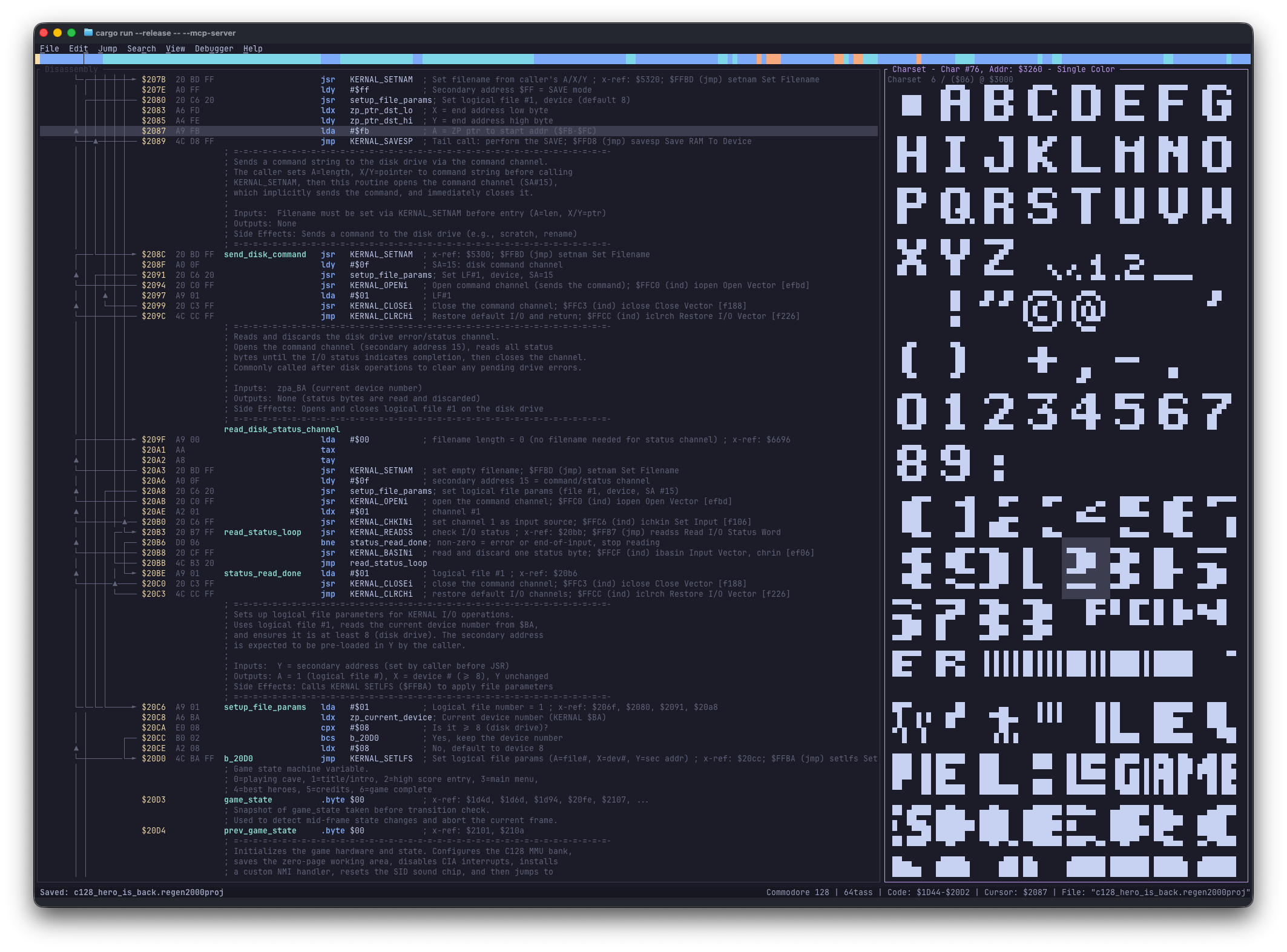
- Charset:
- Side-by-side view with disassembly.
- Multicolor or Single Color
- Blocks:
- Side-by-side view with disassembly.
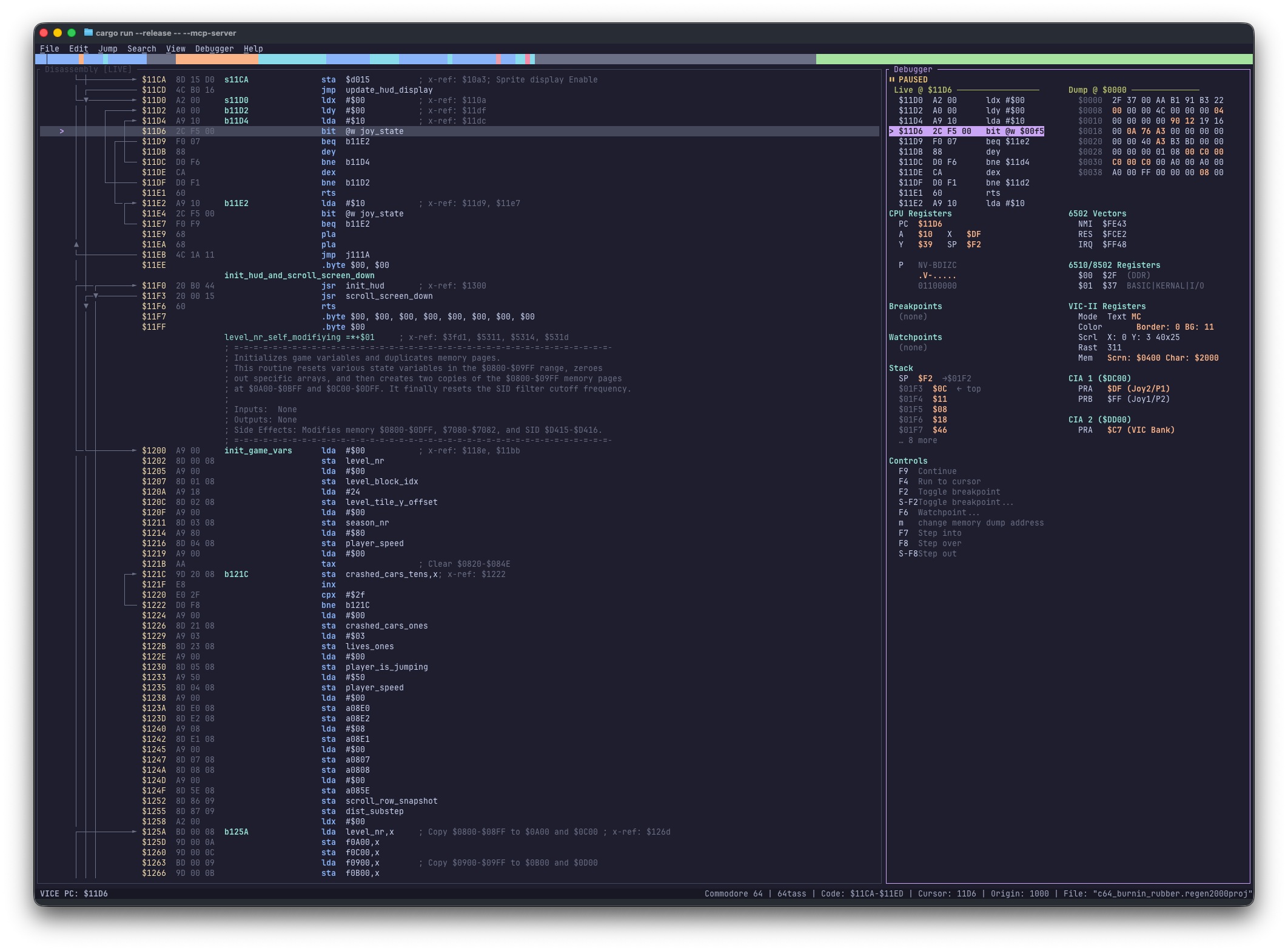
- Debugger: Connect to VICE for live disassembly, breakpoints, run/step (F2–F9); Debugger panel in the right pane.
- Mini map: Mini map of the file being analyzed.
- Systems: Supports Commodore 8-bit machines: C64, C128, VIC-20, Plus/4, PET 4.0, PET 2.0, and 1541.
- Import: Load the following file formats
- PRG: PRG files
- CRT: Cartridge images with bank selection support
- D64: 35/40/42-track disk images
- D71: 70/80-track double-sided disk images
- D81: 80-track disk images
- T64: Tape images
- VSF: VICE Session files
- RAW / BIN: Raw binaries files
- DIS65: 6502bench project files
- REGEN2000PROJ: Regenerator 2000 project files
- Binary Unpacker: Emulate a cycle-accurate 6502 background sandbox to automatically decompress packed C64 programs.
- Export to .asm or HTML. Supported assemblers:
- 64tass
- ACME
- Kick Assembler
- ca65
- Project Management: Save and load your work
- Analysis: Auto-analysis to identify code and data regions.
- Editing:
- Labels: Add, edit, and remove local and global labels.
- Enums: Define and apply three-tiered value-to-name mappings (System, Global, Project-specific) to replace magic numbers in disassembly and data with semantic names.
- Comments: Add side comments and line comments.
- Origin: Change the load address/origin of the binary.
- Data Types: Convert regions to Code, Byte, Word, Address, Lo/Hi Address, Hi/Lo Address,
Lo/Hi Word, Hi/Lo Word, PETSCII Text, Screencode Text, External File, or Undefined.
- Undo/Redo: Full history support for all actions.
- Navigation:
- Jump: Go to specific addresses, specific line numbers, or follow
operands.
- X-Ref: Inspect cross-references for labels/addresses.
- History: Navigate back to previous locations.
- Customization:
- Configure document settings (max x-refs, system, assembler).
- Customizable display options (show/hide all labels, etc.).
- TUI:
- Text User interface
- Everything can be done from the keyboard
- Visual Mode: Vim-like selection for batch operations.
- MCP Server:
- Model Context Protocol (MCP) server support for programmatic access
- HTTP and stdio transport modes
- Tools for disassembly manipulation, memory search, block operations
- Resources for accessing binary data and views
- Bundled analysis skills that automate block classification, routine tracing, and symbol naming
- Fast:
Requirements
Recommended Terminals
To ensure the best experience, especially regarding keyboard shortcuts and rendering, we recommend using a modern
terminal.
| Platform | Recommended Terminals |
|---|
| Windows | Windows Terminal, Alacritty, WezTerm |
| macOS | iTerm2, Ghostty, Alacritty, kitty, WezTerm |
| Linux | Ghostty, Alacritty, kitty, WezTerm, GNOME Terminal |
Installation
From Crates.io
cargo install regenerator2000
From Source
git clone https://github.com/ricardoquesada/regenerator2000.git
cd regenerator2000
cargo install --path .
Quick Start with AI Agents
To quickly start analyzing binaries using an AI agent (such as Antigravity or Claude Code), you can use the regenerator2000-template repository. It comes pre-configured with all the required skills and agent permissions so you can start analyzing and reverse-engineering binaries immediately.
Usage
Start the application with an optional file to load:
regenerator2000 [OPTIONS] [path/to/file.prg]
CLI Options

 ricardoquesada/regenerator2000
