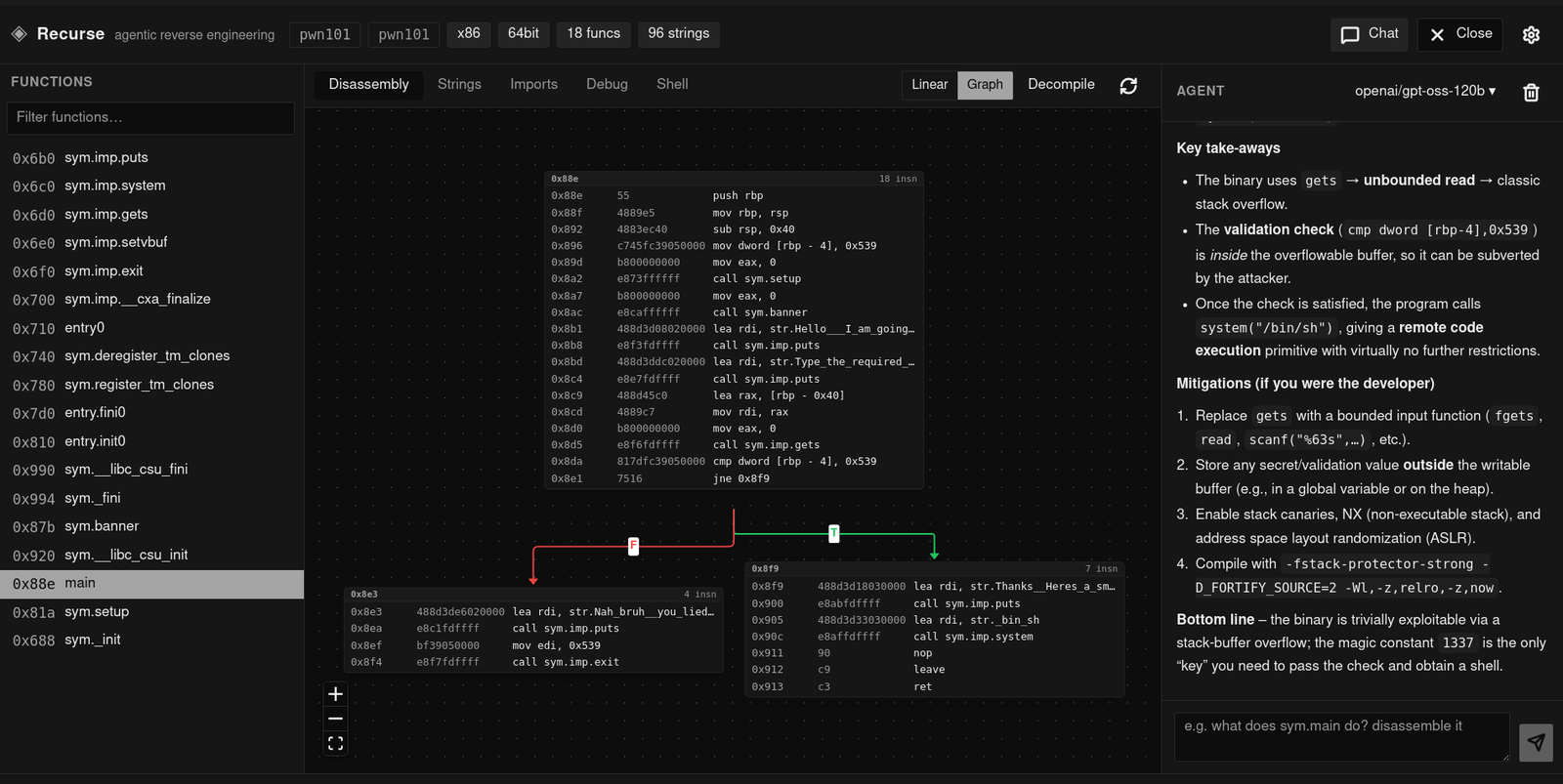

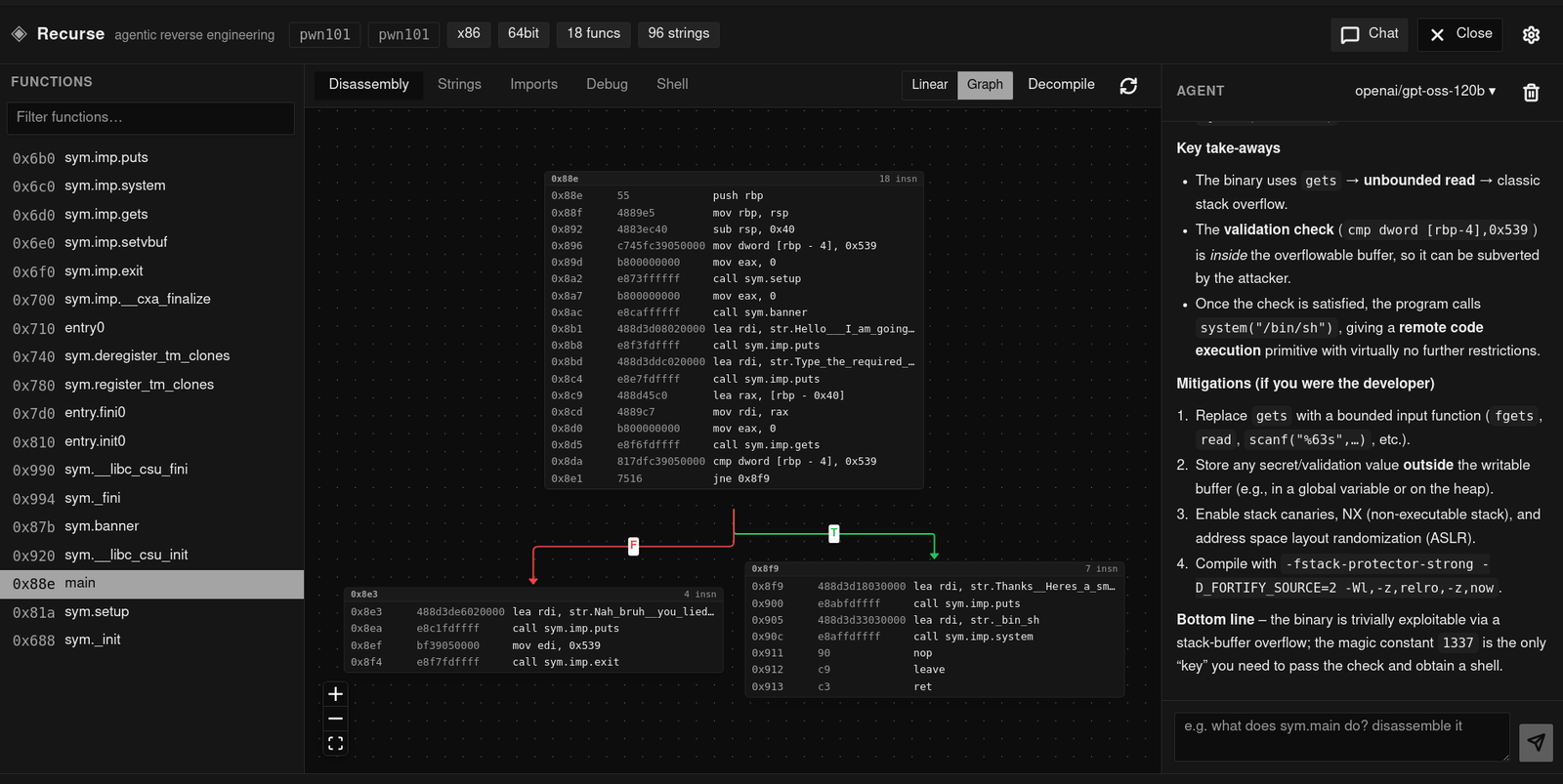
Agentic reverse engineering IDE with a pure-Rust multi-architecture disassembler, native decompiler, debugger, and LLM agent for binary analysis and CTF work.
Agentic reverse engineering environment — a Ghidra-class desktop app in the spirit of "Cursor for reverse engineering". Built with Tauri 2 (React + TypeScript frontend) on top of a pluggable analysis backend. The default is a pure-Rust native engine — no external process, no copyleft dependency, multi-architecture via Capstone. You can also run analysis through r2 (radare2) or IDA Pro: select either engine, and the whole app — agent tools and UI — drives it instead. The agent tool and the UI are backend-agnostic — see docs/backends.md.
Cargo workspace at the root; the desktop app is one package in it.
tauri/                   desktop app (Tauri + React)
  src/                     React frontend
  src-tauri/               Tauri Rust backend (engine sessions, agent wiring)
  package.json             app scripts (Vite, Vitest, Tauri CLI)
crates/
  recurse-agent/              agent framework: LLM loop, tool runtime, SQLite memory
  recurse-static/          static analysis: ELF/PE/Mach-O parsing, multi-arch disassembly,
                           CFG and cross-reference recovery, the engine seam
  recurse-vtil/            VTIL-inspired de-obfuscation/de-virtualization IL, lifter, optimizer
  recurse-mcp/             standalone headless MCP server (stdio) over the engine — no Tauri, no IDA
  recurse-debug/           cross-platform debugger (ptrace/Mach/Win32, breakpoints, stepping)
  recurse-eval/            headless eval harness (YAML-configured tiers)
justfile                 single entry point for both halves
recurse-agent is only the agent; static analysis lives in recurse-static and the
debugger in recurse-debug, so the agent pulls in neither systems code it does
not use. No crate depends on Tauri, and each builds/tests standalone;
recurse-eval drives the agent headlessly. All are workspace members, so one
Cargo.lock and one target/ cover the whole repo.
Ctrl+L)checksec), and analysis countsundefinedN cell to give it a type. A return type you set is shown in the header's
signature line. Both persist in SQLite, keyed by function, and clearing a cell reverts
it to what the instructions say/clear and reopen, and seed the next sessionrecurse-agent) with per-turn debug tracing; the same agent loop runs
in the UI and in the eval harnesslift op: raises a function into a VTIL-style de-obfuscation IL and runs
whole-routine propagation/folding/dead-code-elimination/branch-resolution
passes over it — useful when disassembly looks like a VM dispatcher or
opaque-predicate chain (see docs/vtil-lift.md)decompile renders C-like pseudocode (if/while
structuring, total instruction coverage) from the same recurse-vtil
pipeline — no external tool, no r2 requiredrecurse-mcp server: the same Engine over MCP stdio for any
MCP-capable agent (Claude Code, Cursor, Claude Desktop, …) — no Tauri, no
IDA seat, no Python bridge (see docs/recurse-mcp.md)Analysis goes through a single Engine trait (crates/recurse-static/src/engine.rs), so the
engine is a choice, not a hard dependency:
native (default) — pure-Rust ELF/PE/Mach-O parsing and multi-architecture disassembly
(object + capstone): x86/x86-64, ARM, AArch64, MIPS, PowerPC, RISC-V, SPARC, SystemZ,
M68K, BPF. No child process, no external tool, no LGPL in the build. Includes a decompiler
(recurse-vtil's lift → optimize → structure pipeline — see
docs/vtil-lift.md) and a lift op for VTIL-style de-obfuscation.ida) — opt-in headless analysis and Hex-Rays decompilation via idat.Pick with the settings menu, the RECURSE_BACKEND environment variable, or the stored
config. The agent gets one backend-neutral analyze tool (functions, disasm, graph,
lift, decompile, xrefs, strings, imports, info, plus raw for the engine console) —
filtered to the ops the active engine actually supports, so raw (native has no console) is
only advertised when available. The UI consumes canonical result types, not any engine's JSON.
See docs/backends.md for the trait, the crate choices, and the licensing
rationale. Opening a large binary is fast because analysis is lazy — discovery indexes
functions cheaply and basic blocks decode only when a function is viewed; see
docs/lazy-analysis.md.
Stapling an MCP server onto IDA/Ghidra, or pasting disassembly into a CLI agent, works for 5-function CTFs and falls apart on real binaries. Recurse is a purpose-built environment, not a chatbot wrapper:
pdF dumps into context every turn, no invented 0x401023s.npm test — verification is
visual. Agent renames propagate to the function list, graph and decompile
instantly, so a human confirms or rejects in one click.macOS / Linux:
curl -fsSL https://raw.githubusercontent.com/Recurse-Labs/recurse/master/scripts/install.sh | sh
Windows (PowerShell):

