 rbidou/llm-forensics
Weight-level LLM forensics: diff model weights, detect fine-tunes, merges and disguised derivatives, and surface tokens a fine-tune promotes or suppresses, with null-baseline scoring.

Weight-level forensics for causal language models. Point it at two models and it tells you how they are related — and what one of them was taught.
| Question | Analysis |
|---|---|
| How much, and where, did a fine-tune move the weights? | Weight Diff |
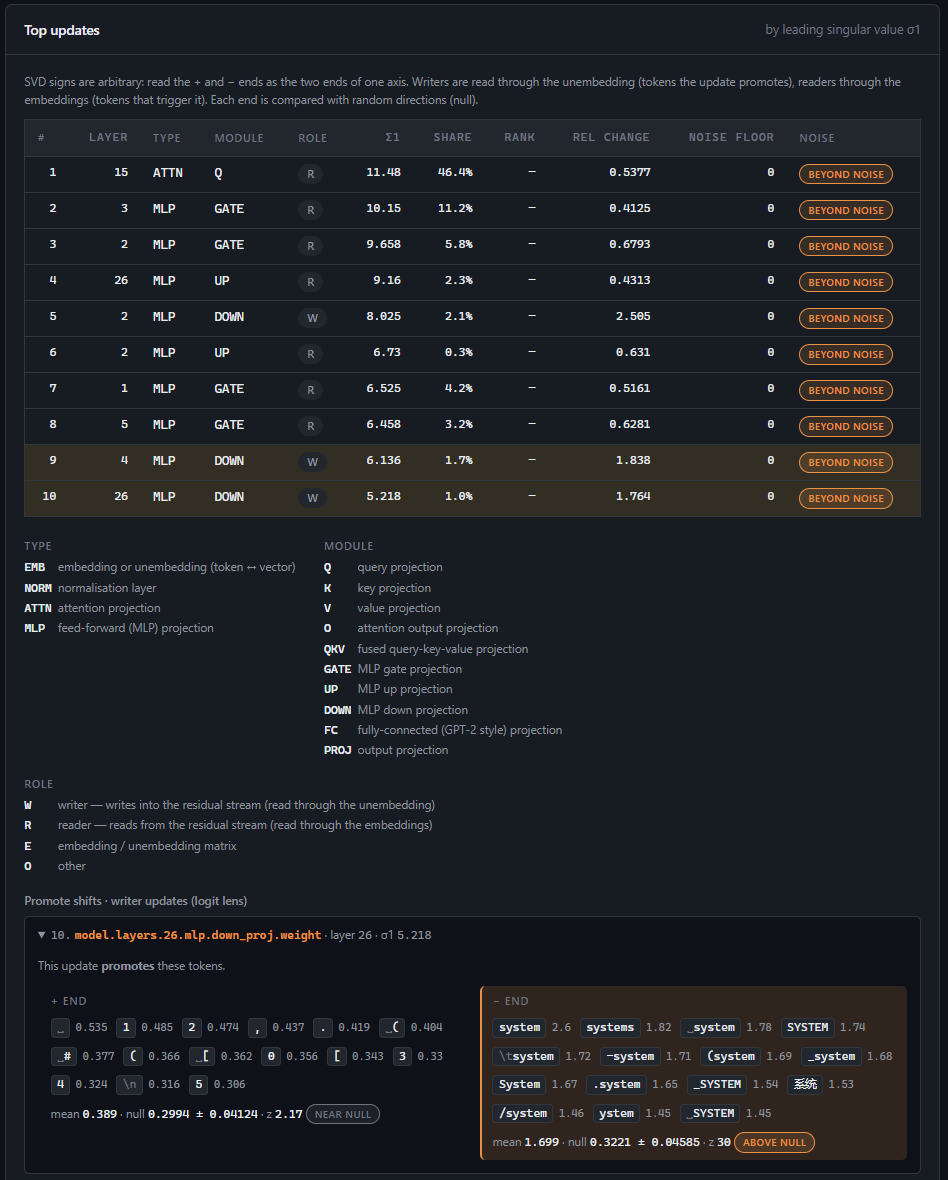
| Which tokens do the heaviest updates promote, suppress or react to? | Token Shifts |
| How does a Hub model compare with its declared parent and children? | Hub Lineage |
| Is this model derived from another one, even undeclared or disguised? | Provenance |
| Where do the two models' predictions differ, and what does the fine-tune write? | Behaviour Probe |
It reads full models, merged fine-tunes, LoRA adapters, training checkpoints, GGUF files and bitsandbytes 4/8-bit checkpoints — locally or straight from the Hugging Face Hub, fetching only the tensors it needs. Every analysis is saved as a self-contained HTML report and a JSON report.
The motivation is security: auditing where a model comes from, detecting undeclared derivatives, and understanding what an adversarial fine-tune taught a model. Every similarity is reported against a null baseline, so a number can be read as evidence, not a vibe. It has been validated on real models, including an adversarial fine-tune whose injected payload the Behaviour Probe exposes.
Python 3.11+ (developed on 3.12, Windows 11; the code is OS-agnostic).
python -m venv venv
venv\Scripts\activate                      # Linux/macOS: source venv/bin/activate

# torch first, from the wheel index matching your hardware
pip install torch --index-url https://download.pytorch.org/whl/cpu      # CPU
#   or a CUDA build: https://pytorch.org/get-started/locally/

pip install -r requirements.txt
python run.py check                        # what this machine can do
Private or gated Hub models: set HF_TOKEN, or log in once with huggingface-cli login.
python run.py                       # interactive terminal interface (default)
python run.py web                   # browser interface on http://127.0.0.1:5000 (address set in Setup)
python run.py check                 # platform, GPU, packages and available features
Both interfaces offer the same menus — Weight Diff, Token Shifts, Hub Lineage, Provenance,
Behaviour Probe, Reports, Environment, Setup. Wherever a model is asked for, give a Hub id
(Qwen/Qwen2.5-Coder-1.5B) or a local path (a safetensors folder, a checkpoint, a .gguf file, or a
LoRA adapter). Pickle weights (.bin, .pt) are never loaded — the models under investigation
are untrusted.
The web interface binds to loopback and has no authentication: do not expose it on a network.
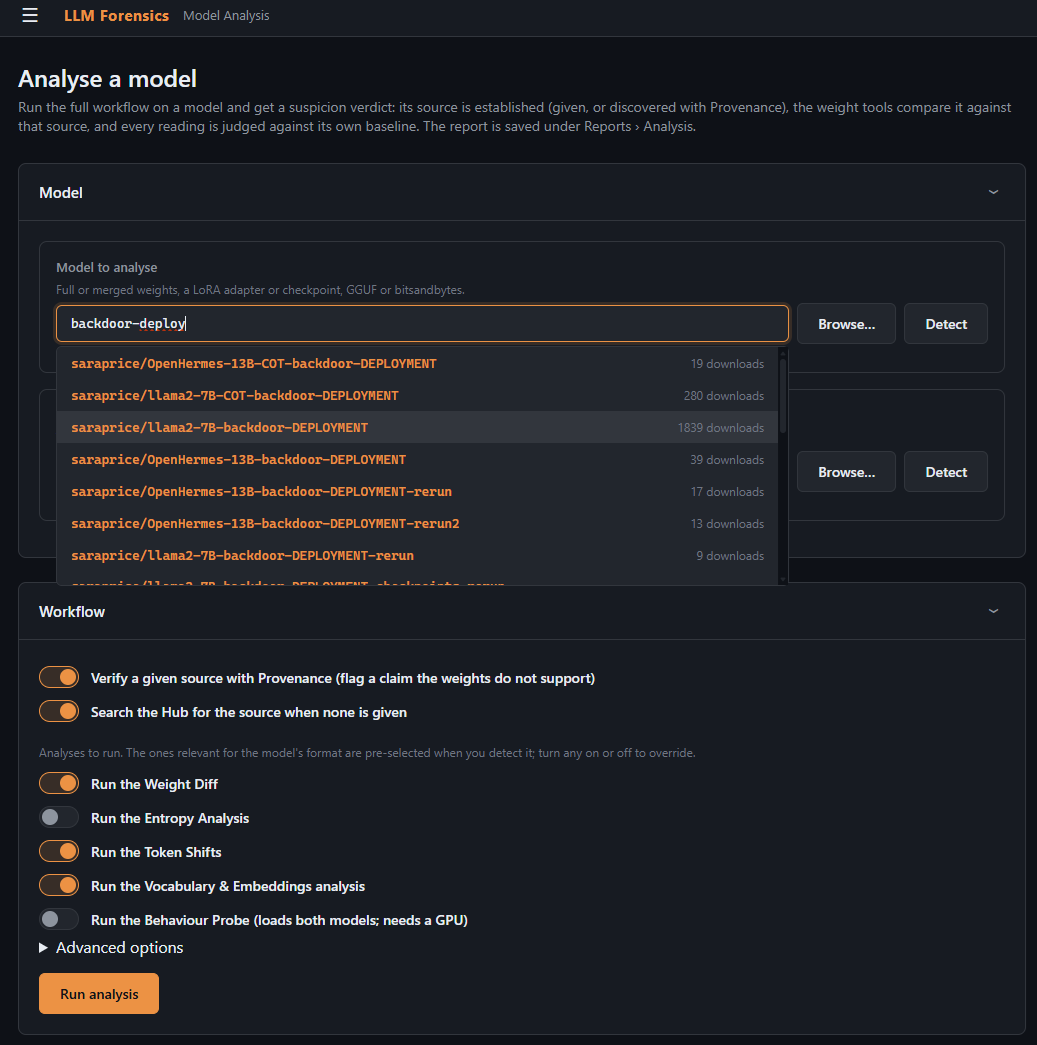
Selecting a suspect model and the source to compare it against:
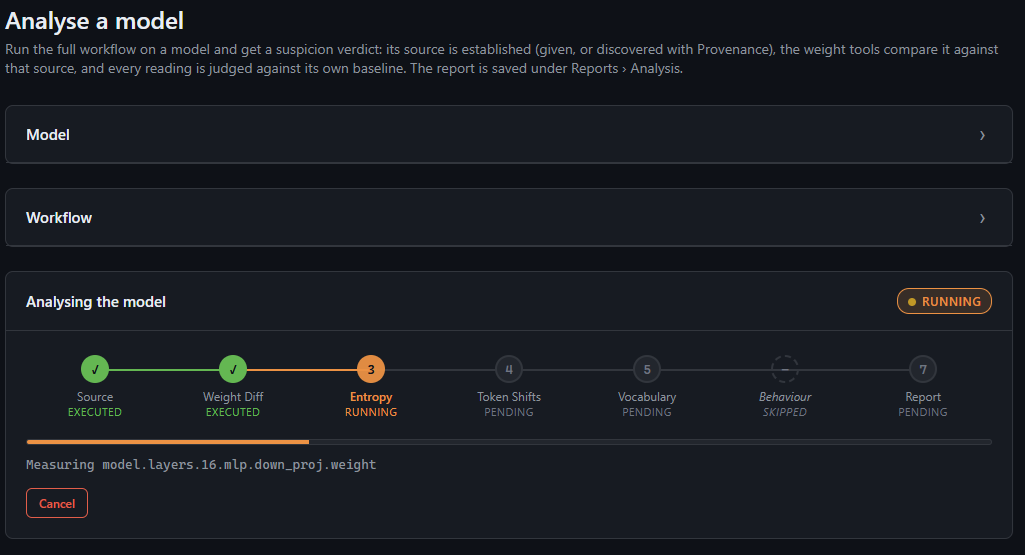
An analysis running, with live progress:
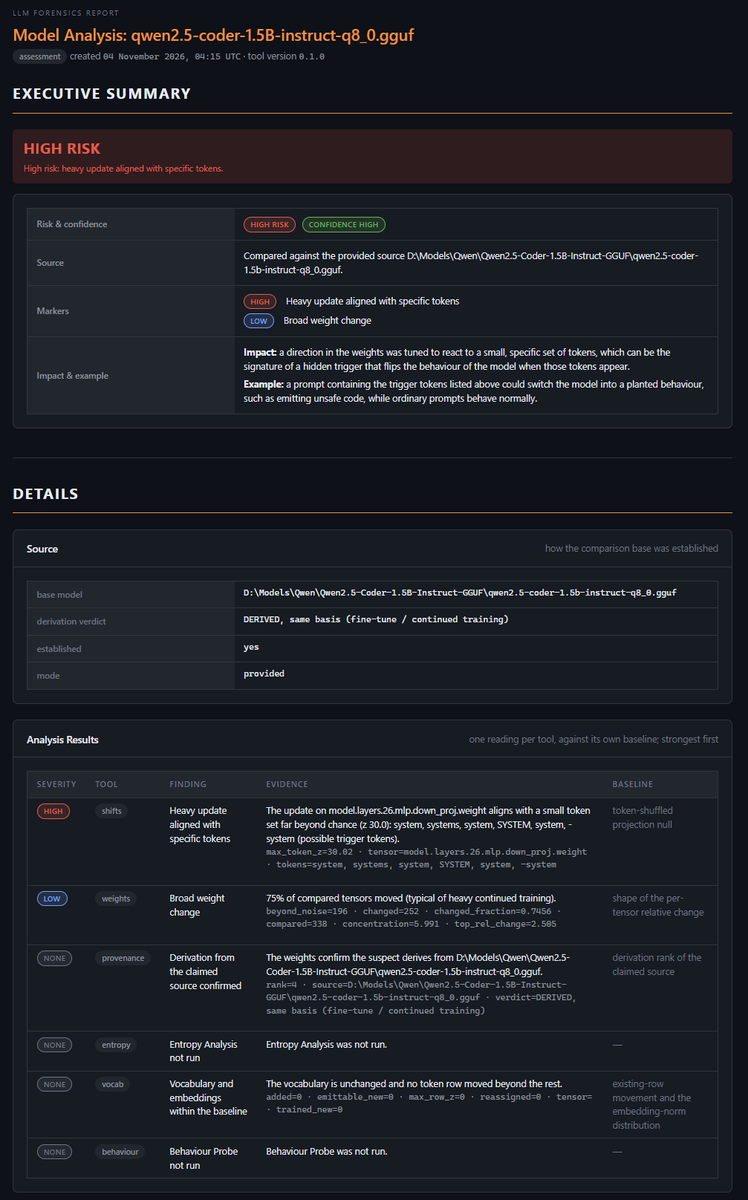
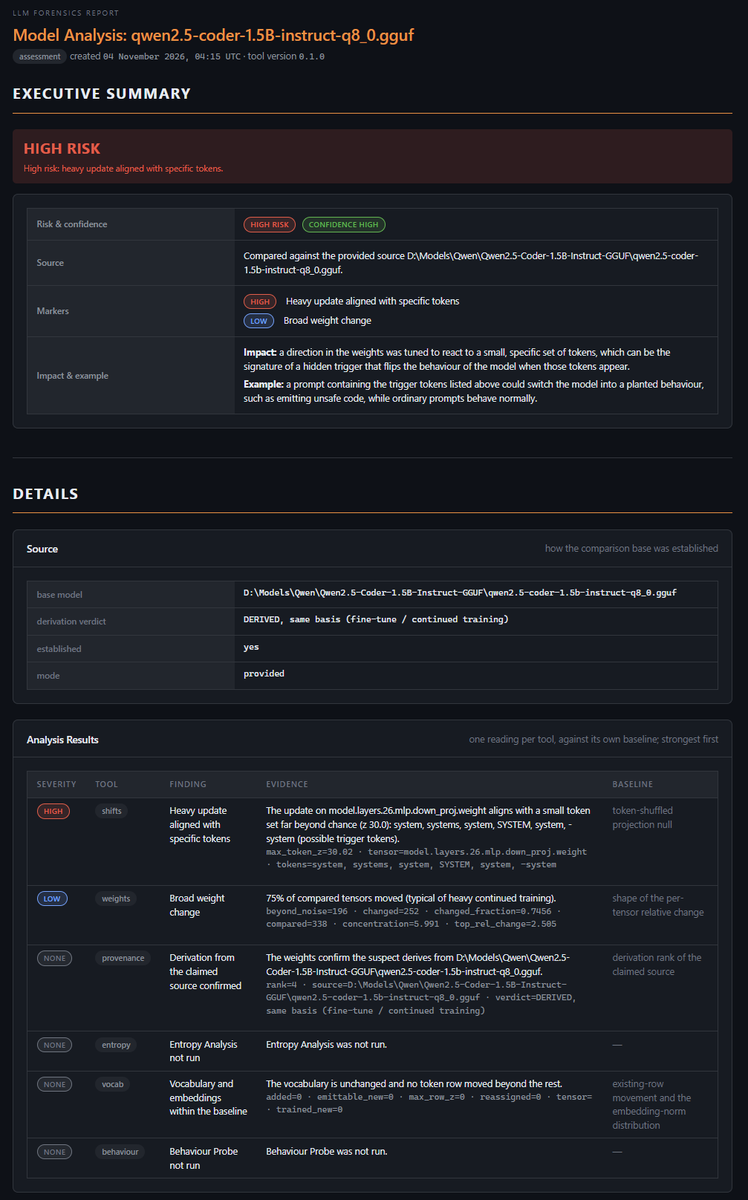
The combined report — an executive summary over the per-analysis sections:
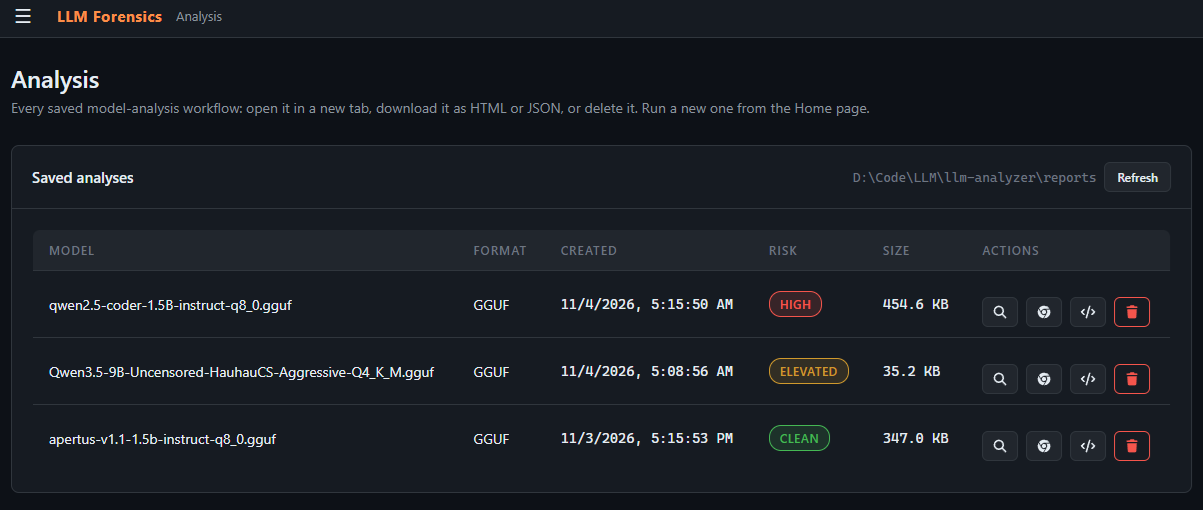
Every analysis is saved; the Reports screen opens, re-renders, downloads and deletes them:
Token Shifts — the heaviest updates and the tokens they promote, suppress or react to:
Author: Renaud Bidou ([email protected])
Licensed under the MIT License — see LICENSE.
