 radareorg/iaito
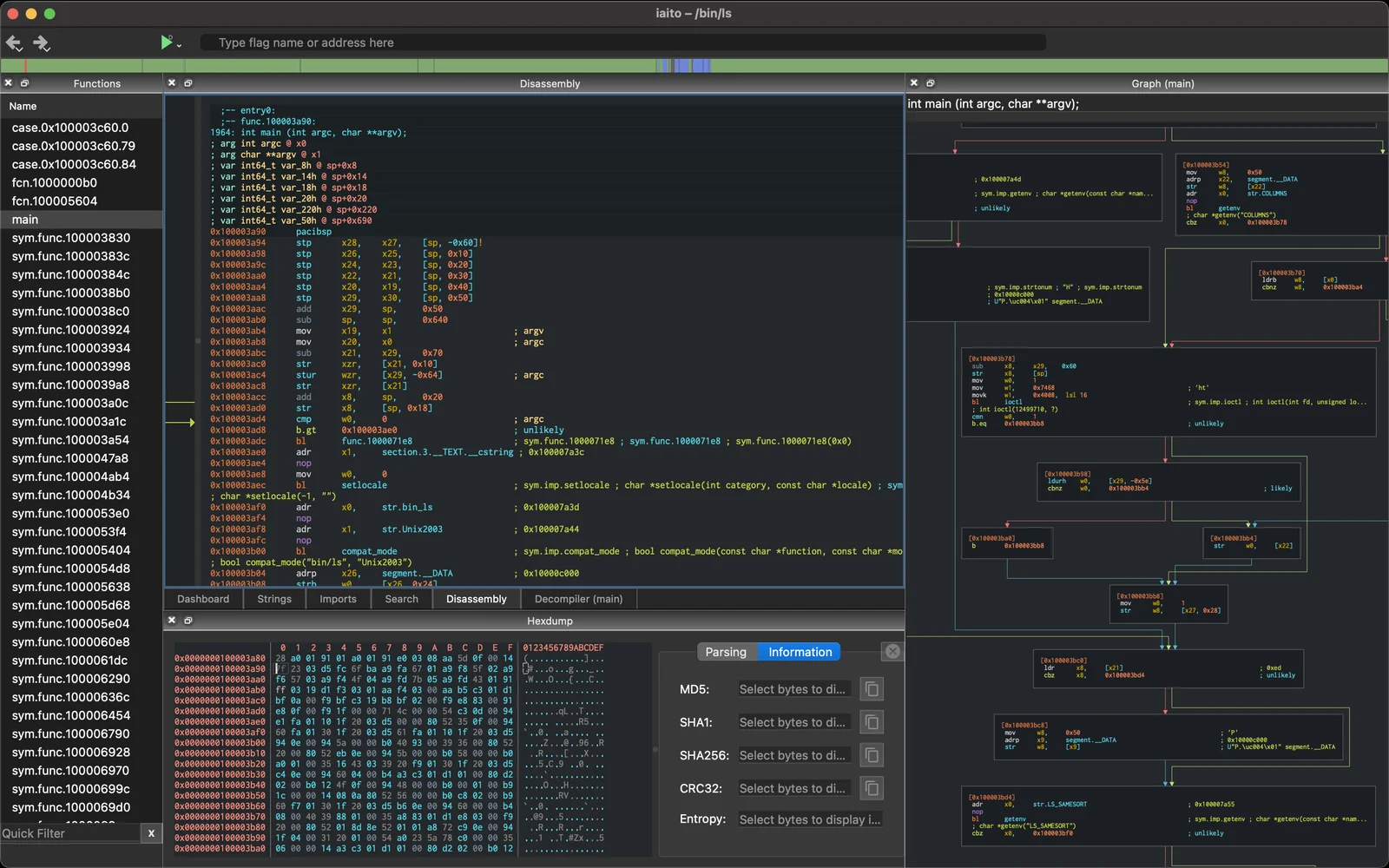
Qt-based graphical interface for the radare2 reverse engineering framework, providing disassembly, binary analysis, debugging, patching and forensics through r2 commands and plugins.

iaito is the official graphical interface for radare2, a libre reverse engineering framework.



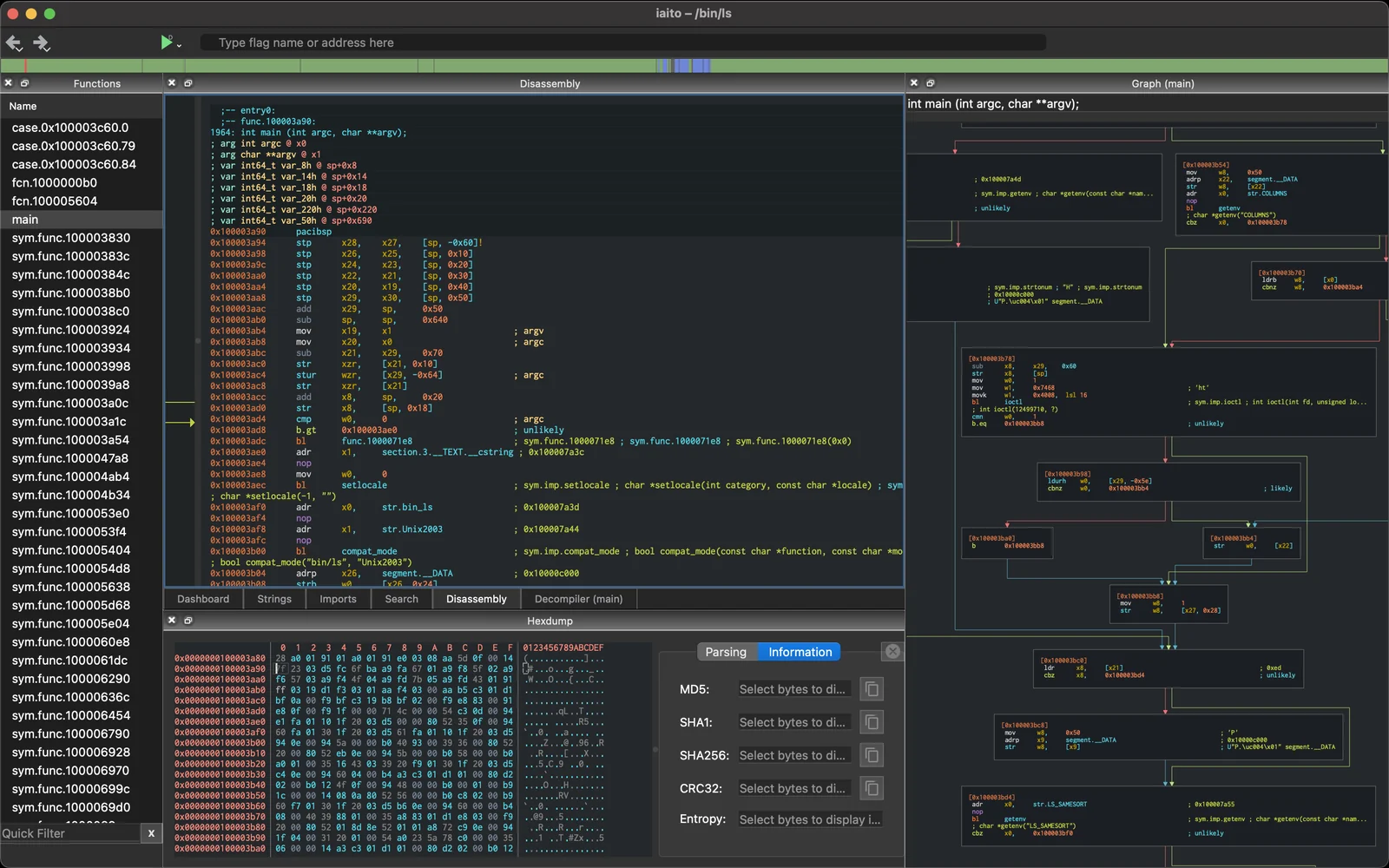
For touchscreens, select Tablet in Settings → Appearance → Interface Theme. This Adwaita-inspired light theme provides large controls and list rows, swipe scrolling with momentum and edge bounce, and long-press context menus. Pinch disassembly, hex and graph views to zoom. Swipe tab strips to scroll them and tap a tab to select it. Other interface themes also support touch controls on iOS and Android.
Get help, updates, meet the community or discuss about development in these channels:
There are automated CI builds and releases of iaito for Linux, macOS and Windows.
On WSL or Linux you can use these steps to install it with Flatpak:
sudo flatpak remote-add flathub https://dl.flathub.org/repo/flathub.flatpakrepo
sudo flatpak install flathub org.radare.iaito
flatpak run org.radare.iaito
On macOS, you may want to fix the signature
sudo xattr -c /Applications/iaito.app
sudo codesign --force --deep --sign - /Applications/iaito.app

iaito requires radare2 and qt5 (or qt6):
$ git clone https://github.com/radareorg/radare2 && radare2/sys/install.sh
Install QT on macOS like this:
brew install qt@5
echo 'export PATH="/opt/homebrew/opt/qt@5/bin:$PATH"' >> ~/.profile
On Ubuntu/Debian
sudo apt install qttools5-dev qttools5-dev-tools qtbase5-dev qtchooser qt5-qmake qtbase5-dev-tools libqt5svg5-dev make pkg-config build-essential
For QT6:
sudo apt install qt6-svg-dev
./configure
make
make run
On macOS, make run launches the app from build/iaito.app without installing it.
Registering the iaito:// URI handler is optional; see deep links.
To install the app in your home:
make install
On macOS with full Xcode, Python 3, Meson and Ninja installed, run
./scripts/ios.sh. It downloads Qt 6 for iOS and its matching Mac tools,
builds current radare2 as static device/simulator libraries, generates
dist/ios/iaito.xcodeproj, and builds an unsigned universal iPhone/iPad app.
Pass a radare2 tag or commit to pin its version. Open the generated project to
select your signing team and run on an attached iPhone or iPad. --archive and
--export support signed distribution builds. See the iOS build guide
for signing, simulator support, dependency artifacts and options.
scripts/android.sh builds a standalone iaito-VERSION.apk in the repository root.
It uses Meson to cross-compile radare2 and Qt's qmake/Gradle deployment to build
iaito and package Qt, the radare2 libraries, and the radare2 runtime databases.
The package ID is org.radare.iaito. The APK is debug signed for sideloading;
store release signing is not configured.
Install a Qt 6.12.1 or newer Android kit with Qt SVG and matching desktop host tools, the Android SDK platform and build-tools required by that Qt release, its recommended NDK and JDK, plus Meson >= 0.63, Ninja, make, Python 3, pkg-config and a host C compiler. For example, with an existing Qt installation:
export QT_ANDROID="$HOME/Qt/6.12.1/android_arm64_v8a"
export ANDROID_SDK_ROOT="$HOME/Android/Sdk"
export ANDROID_NDK_ROOT="$ANDROID_SDK_ROOT/ndk/27.2.12479018"
./scripts/android.sh --check
./scripts/android.sh
adb install -r iaito-6.2.6.apk
Older Qt kits can abort while creating EGL surfaces for dialogs. The fix is Qt's
Android surface lifecycle rewrite.
Until Qt 6.12.1 binaries are released, build a matching Qt kit from the 6.12.1
branch containing that commit; Qt 6.12.0 still has the fatal path.
The default ABI is arm64-v8a, minimum API is 28, and compilation uses at most
eight jobs. ANDROID_ABI, ANDROID_MIN_SDK, ANDROID_TARGET_SDK, BUILD_DIR,
APK_OUTPUT and JOBS can override these defaults. Use a fresh build directory
when changing the NDK, ABI or radare2 revision. Build logs are kept under
build-android/ABI/.
The script fetches current radare2 from GitHub, including its Android content://
plugin. Set R2_REPOSITORY and R2_REF to select a different repository or revision
with RIOContent support. The snapshot is cached on first use; use a fresh
BUILD_DIR to update an older snapshot. Local uncommitted changes are not included.
Radare2's dependencies and Gradle packages
may require network access. Neither the desktop build nor the original radare2
checkout is reconfigured. A small adjustment in the build copy compiles the SDB
database generator for the build machine. --r2-only builds and stages radare2
without requiring Qt or the Java SDK.
Android and iOS use one touch toolbar. Menu contains the same commands as the
desktop menubar; Menu → View → Go to address… opens address entry. Panels
opens a searchable grid of panels. Landscape phones and tablets also show a sidebar;
its selector switches between Functions, Symbols, Imports and other panels.
In portrait, Browse toggles the selected sidebar panel at full width. Swiping
right from the left edge opens it too. Swipe the tab strip to scroll it and tap
to select a tab. Pinch disassembly, hexdump or decompiler text to change its size. Floating dialogs
have a title and a close button. The status bar and navigation overview are hidden
by default and can be enabled under Menu → Window → Toolbars.
Menu → File → Open opens another file in the current mobile session.
Mobile layouts are saved separately from desktop layouts. To preview this UI
with a desktop build, run IAITO_MOBILE_UI=1 make run.
The native Android picker opens documents through content:// using the app's
ContentResolver and retains read permission for Recent Files. The IO selector
follows the selected URI's scheme; encoded document IDs reach r2 unchanged.
Read-only streams are cached in app-private storage for random access.
Native debugging is disabled. Exporting projects, launching additional sessions,
and tablet interaction still need platform work and device testing.






