 omriher/captipper
Malicious HTTP traffic explorer


CapTipper v0.3: http://www.omriher.com/2015/08/captipper-v03-is-out.html
CapTipper v0.2: http://www.omriher.com/2015/03/captipper-02-released.html
CapTipper v0.1: http://www.omriher.com/2015/01/captipper-malicious-http-traffic.html
CapTipper is a python tool to analyze, explore and revive HTTP malicious traffic.
CapTipper sets up a web server that acts exactly as the server in the PCAP file,
and contains internal tools, with a powerful interactive console, for analysis and inspection of the hosts, objects and conversations found.
The tool provides the security researcher with easy access to the files and the understanding of the network flow,
and is useful when trying to research exploits, pre-conditions, versions, obfuscations, plugins and shellcodes.
Feeding CapTipper with a drive-by traffic capture (e.g of an exploit kit) displays the user with the requests URI's that were sent and responses meta-data.
The user can at this point browse to http://127.0.0.1/[host]/[URI] and receive the response back to the browser.
In addition, an interactive shell is launched for deeper investigation using various commands such as: hosts, hexdump, info, ungzip, body, client, dump and more...
Documentation: http://captipper.readthedocs.org
Update from 02-Oct-2020:
CapTipper now supports Python3 and can be found in the following branch: https://github.com/omriher/CapTipper/tree/python3_support
Usage: ./CapTipper.py <PCAP_file> [-p] [web_server_port=80]
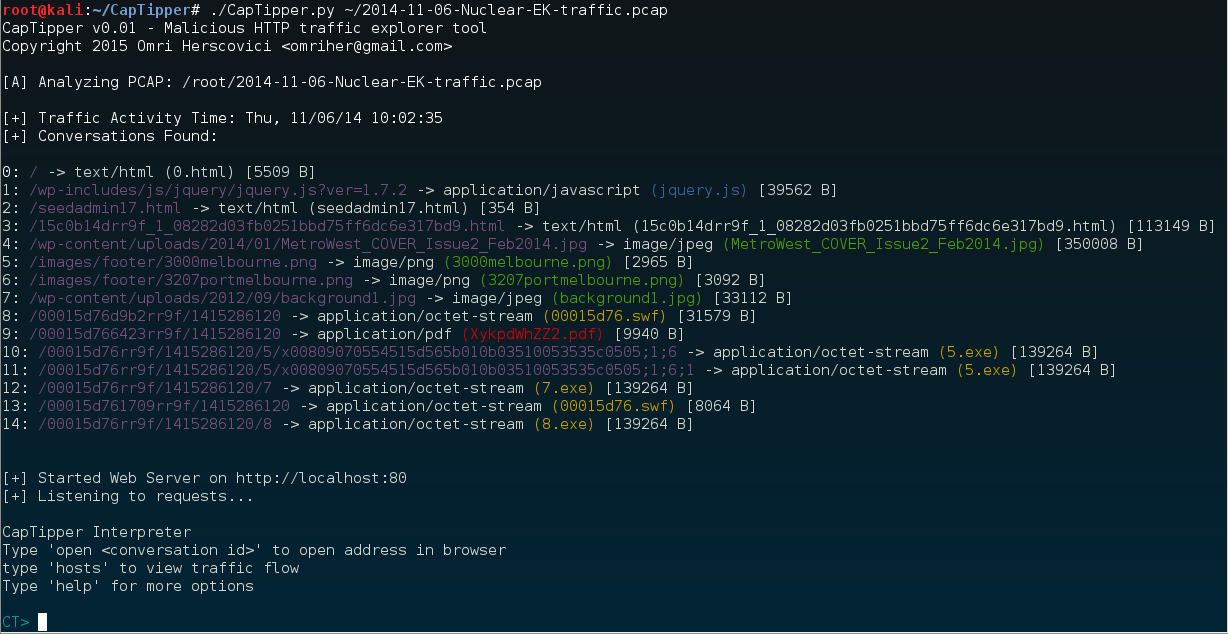
Let's analyze the following Nuclear EK drive-by infection PCAP 2014-11-06-Nuclear-EK-traffic.pcap
C:\CapTipper> CapTipper.py "C:\NuclearFiles\2014-11-06-Nuclear-EK-traffic.pcap"

CapTipper v0.1 - Malicious HTTP traffic explorer tool
Copyright 2015 Omri Herscovici <[email protected]>

[A] Analyzing PCAP: C:\NuclearFiles\2014-11-06-Nuclear-EK-traffic.pcap

[+] Traffic Activity Time: Thu, 11/06/14 17:02:35
[+] Conversations Found:

0: / -> text/html (0.html) [5509 B]
1: /wp-includes/js/jquery/jquery.js?ver=1.7.2 -> application/javascript (jquery.js) [39562 B]
2: /seedadmin17.html -> text/html (seedadmin17.html) [354 B]
3: /15c0b14drr9f_1_08282d03fb0251bbd75ff6dc6e317bd9.html -> text/html (15c0b14drr9f_1_08282d03fb0251bbd75ff6dc6e317bd9.html) [113149 B]
4: /wp-content/uploads/2014/01/MetroWest_COVER_Issue2_Feb2014.jpg -> image/jpeg (MetroWest_COVER_Issue2_Feb2014.jpg) [350008 B]
5: /images/footer/3000melbourne.png -> image/png (3000melbourne.png) [2965 B]
6: /images/footer/3207portmelbourne.png -> image/png (3207portmelbourne.png) [3092 B]
7: /wp-content/uploads/2012/09/background1.jpg -> image/jpeg (background1.jpg) [33112 B]
8: /00015d76d9b2rr9f/1415286120 -> application/octet-stream (00015d76.swf) [31579 B]
9: /00015d766423rr9f/1415286120 -> application/pdf (XykpdWhZZ2.pdf) [9940 B]
10: /00015d76rr9f/1415286120/5/x00809070554515d565b010b03510053535c0505;1;6 -> application/octet-stream (5.exe) [139264 B]
11: /00015d76rr9f/1415286120/5/x00809070554515d565b010b03510053535c0505;1;6;1 -> application/octet-stream (5.exe) [139264 B]
12: /00015d76rr9f/1415286120/7 -> application/octet-stream (7.exe) [139264 B]
13: /00015d761709rr9f/1415286120 -> application/octet-stream (00015d76.swf) [8064 B]
14: /00015d76rr9f/1415286120/8 -> application/octet-stream (8.exe) [139264 B]


[+] Started Web Server on http://localhost:80
[+] Listening to requests...

CapTipper Interpreter
Type 'open <conversation id>' to open address in browser
type 'hosts' to view traffic flow
Type 'help' for more options

CT>
The Initialization outputs the conversations found between the client and the server in the following format:
[ID] : REQUEST URI -> SERVER RESPONSE TYPE (FILENAME) [SIZE IN BYTES]
ID: An assigned Id to the specific conversation
REQUEST URI: The URI that was sent to the server in the GET request
SERVER RESPONSE TYPE: The content-type returned in the server response header
FILENAME: The filename can be a few things:
SIZE IN BYTES: Response body size
After Initalization, 2 things occur:
The interpreter contains internal tools for further investigation of the objects in the pcap.
Opening a URI in the browser is simply by typing 'open' along with the object id
CT> open 0
CT> log
[2015-01-09T18:01:28.878000] 127.0.0.1 : GET / HTTP/1.1
Let's see what can we find out without using the browser.
First, we'll take a bird's-eye view on the traffic by using the command 'hosts'
CT> hosts
Found Hosts:

 www.magmedia.com.au
 ├-- /   [0]
 ├-- /wp-includes/js/jquery/jquery.js?ver=1.7.2   [1]
 ├-- /wp-content/uploads/2014/01/MetroWest_COVER_Issue2_Feb2014.jpg   [4]
 ├-- /images/footer/3000melbourne.png   [5]
 ├-- /images/footer/3207portmelbourne.png   [6]
 └-- /wp-content/uploads/2012/09/background1.jpg   [7]


 pixeltouchstudios.tk
 └-- /seedadmin17.html   [2]


 grannityrektonaver.co.vu
 ├-- /15c0b14drr9f_1_08282d03fb0251bbd75ff6dc6e317bd9.html   [3]
 ├-- /00015d76d9b2rr9f/1415286120   [8]
 ├-- /00015d766423rr9f/1415286120   [9]
 ├-- /00015d76rr9f/1415286120/5/x00809070554515d565b010b03510053535c0505;1;6   [10]
 ├-- /00015d76rr9f/1415286120/5/x00809070554515d565b010b03510053535c0505;1;6;1   [11]
 ├-- /00015d76rr9f/1415286120/7   [12]
 ├-- /00015d761709rr9f/1415286120   [13]
 └-- /00015d76rr9f/1415286120/8   [14]
It seems that www.magmedia.com.au is the compromised site.
By crossing this information and the file types we got in the conversations list, it looks like grannityrektonaver.co.vu is the infecting host.
Then what is pixeltouchstudios.tk ?
Well, knowing how exploit-kits usually work, this is probably the TDS (Traffic Distribution System) server.
Let's take a closer look.
We can print the header and the body of the page by typing 'head' and 'body':
CT> head 2
Displaying header of object 2 (seedadmin17.html):

HTTP/1.1 302 Found
Server: nginx
Date: Thu, 06 Nov 2014 15:02:38 GMT
Content-Type: text/html; charset=iso-8859-1
Content-Length: 354
Connection: keep-alive
Set-Cookie: ehihm=_YocADE3AAIAAgCvjVtU__.vjVtUQAABAAAAr41bVAA-; expires=Fri, 06-Nov-2015 15:03:11 GMT; path=/; domain=pixeltouchstudios.tk
Location: http://grannityrektonaver.co.vu/15c0b14drr9f_1_08282d03fb0251bbd75ff6dc6e317bd9.html

CT> body 2
Displaying body of object 2 (seedadmin17.html) [256 bytes]:

<!DOCTYPE HTML PUBLIC "-//IETF//DTD HTML 2.0//EN">
<html><head>
<title>302 Found</title>
</head><body>
<h1>Found</h1>
<p>The document has moved <a href="http://grannityrektonaver.co.vu/15c0b14drr9f_1_08282d03fb0251bbd75ff6dc6e317bd9.html">here</a>.</p>
<hr
We see that object 2, returns a 302 redirection to the infecting host.
So our hypothesis was probably true.
Let's get more information on object 2 by typing 'info':
CT> info 2
Info of conversation 2:

 SERVER IP   : 108.61.196.84:80
 HOST        : pixeltouchstudios.tk
