

Skip to content
KitploitKITPLOIT
ToolsBlog
Submit
ToolsBlog
Submit

Hacking, PenTest, and Cybersecurity Tools for Your Security Arsenal!

Kitploit is a directory of hacking, cybersecurity, and pentesting tools. Discover the latest project updates to find vulnerabilities, analyze systems, automate testing, and strengthen your security.

··Feeds·Contact·Privacy·© 2026 Kitploit

Tool Directory

Categories

View all categories
Loading categories
ThreatHunting — A Splunk app mapped to MITRE ATT&CK to guide your threat hunts | Kitploit
Tools/GitHubGitHub/olafhartong/threathunting
Threat Feeds & AggregatorsInformation GatheringThreat IntelligenceLearning & EducationIncident Response
GitHubolafhartong/threathunting

ThreatHunting

A Splunk app mapped to MITRE ATT&CK to guide your threat hunts

View Repository
1.2k1793 years agoReviewed by Kitploit

Most Popular

View all →

Discover the most used tools by our community.

Explore all tools

Browse our collection of tools

View all tools →
Share

Logo

ThreatHunting | A Splunk app mapped to MITRE ATT&CK to guide your threat hunts

license Maintenance GitHub last commit Arsenal Arsenal Twitter

This is a Splunk application containing several dashboards and over 130 reports that will facilitate initial hunting indicators to investigate.

You obviously need to be ingesting Sysmon data into Splunk, a good configuration can be found here

Note: This application is not a magic bullet, it will require tuning and real investigative work to be truly effective in your environment. Try to become best friends with your system administrators. They will be able to explain a lot of the initially discovered indicators.

Big credit goes out to MITRE for creating the ATT&CK framework!

Pull requests / issue tickets and new additions will be greatly appreciated!

Mitre ATT&CK

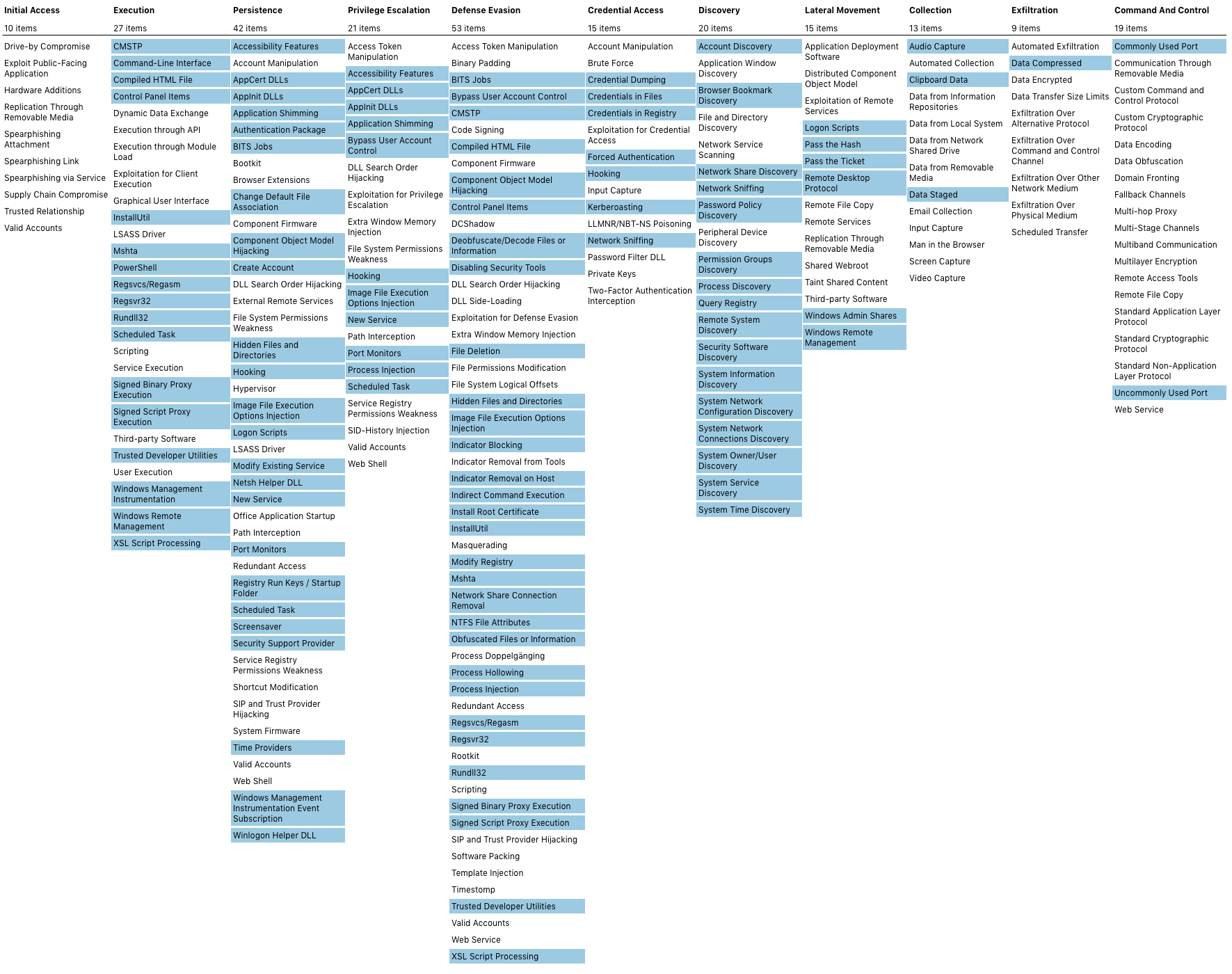
I strive to map all searches to the ATT&CK framework. A current ATT&CK navigator export of all linked configurations is found here and can be viewed here Mapping
Required actions after deployment

  • Follow all the steps on the About page in the app, make sure all requirements are met.
  • Make sure the threathunting index is present on your indexers
  • Edit the macro's to suit your environment > https://YOURSPLUNK/en-US/manager/ThreatHunting/admin/macros (make sure the sourcetype is correct)
  • The app is shipped without whitelist lookup files, you'll need to create them yourself. This is so you won't accidentally overwrite them on an upgrade of the app.
  • Install the lookup csv's or create them yourself, empty csv's are here

A step by step guide kindly written by Kirtar Oza can be found here

Usage

A more detailed explanation of all functions can be found here or in this blog post

Download Tool

