
Skip to content
KitploitKITPLOIT
ToolsBlog
Submit
ToolsBlog
Submit

Hacking, PenTest, and Cybersecurity Tools for Your Security Arsenal!

Kitploit is a directory of hacking, cybersecurity, and pentesting tools. Discover the latest project updates to find vulnerabilities, analyze systems, automate testing, and strengthen your security.

··Feeds·Contact·Privacy·© 2026 Kitploit

Tool Directory

Categories

View all categories
Loading categories
wyze-bulb-color-pwned — No-open firmware exploit for the Wyze WLPA19CV2 color bulb | Kitploit
Tools/GitHubGitHub/nickdaria/wyze-bulb-color-pwned
Embedded Systems SecurityIoT SecurityExploitationReverse EngineeringWireless SecurityHardware HackingFirmware Analysis
GitHubnickdaria/wyze-bulb-color-pwned

wyze-bulb-color-pwned

No-open firmware exploit for the Wyze WLPA19CV2 color bulb
View Repository
13 days agoNot yet reviewed

Most Popular

View all →

Discover the most used tools by our community.

Explore all tools

Browse our collection of tools

View all tools →
Share

wyze-bulb-color-pwned

Wireless exploit for the Wyze WLPA19CV2 color bulb

Overview

The Wyze Color WLPA19CV2 bulbs have a factory test mode which allows a custom OTA image to be flashed wirelessly through a specific sequence of power cycling.

This project provides

  • An implementation and guide to obtain code execution
  • A loader to connect and manage the bulb
  • An ESPHome implementation for tying in to Home Assistant

Usage

"To break the lock on this ESP32, we're going to use an ESP32"
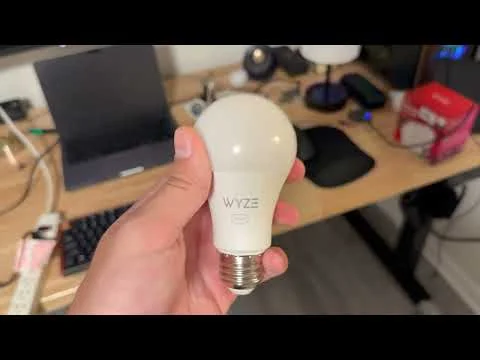
Demo

Video demo

  1. Flash wyze-hijack-ap to an ESP32S3. Keep it powered on near the bulb.
    • Easy: wyze-hijack-ap Web Flasher
    • Advanced: build from source, idf.py
  2. Put the bulb into something easy to switch like a wall switched circuit or a power strip
  3. Start with your bulb fresh out of the box OR factory reset. It should be pulsing green when powered on.
  4. Repeat the following until you see the light turn blue, then leave it on
    • Turn power on until you see the green light fade on, immediately shut it back off
    • Keep power off for 5 seconds
  5. After ~17 cycles, the light should be blue for a moment. Sit tight while the exploit runs
  6. After ~30 seconds, the exploit should be complete and your bulb should turn purple to indicate the wyze-loader payload is running

Success!

The bulb now boots to the wyze-loader, which hosts an AP called wyze-loader_XXXXXX. Connect to this AP and navigate to http://192.168.4.1.

To set up with ESPHome, continue to the ESPHome guide.

The project

Why

I bought these at Microcenter and don't like that you need the cloud for control with Home Assistant. I wanted to flash Tasmota but the board was different.

Ironically, I started this to avoid spending half an hour soldering and instead wasted a weekend reverse engineering and developing.

How

See docs/METHODOLOGY.md

Todo

See docs/TODO.md

Download Tool