 melonattacker/logira
OS-level runtime auditing for unpredictable automation.

OS-level runtime auditing for unpredictable automation.
logira is an observe-only Linux CLI that records runtime exec, file, and net events via eBPF. It helps you see what actually happened during AI agent runs and other forms of automation, with per-run local storage for auditing, post-run review, search, and detection triage.
codex --yolo or claude --dangerously-skip-permissions).logira includes an opinionated, observe-only default ruleset aimed at auditing AI agent runs.
You can also append your own per-run rules YAML with logira run --rules <file>.
~/.ssh, ~/.aws, kube/gcloud/docker config, .netrc, .git-credentials, registry creds..netrc, .git-credentials./etc, systemd units, cron, user autostart entries, shell startup files./tmp, /dev/shm, /var/tmp.curl|sh, wget|sh, tunneling/reverse shell tools and flags, base64 decode with shell hints.rm -rf, git clean -fdx, find -delete, mkfs, terraform destroy, and similar commands.Option1. Install via the convenicent script:
curl -fsSL https://raw.githubusercontent.com/melonattacker/logira/main/install.sh | sudo bash
Option2. Manual install from a release tarball:
tar -xzf logira_vX.Y.Z_linux-<arch>.tar.gz
cd logira_vX.Y.Z_linux-<arch>
sudo ./install-local.sh
After reinstall / upgrade:
install.sh runs systemctl enable --now).logirad to ensure the new binary is running.sudo systemctl daemon-reload
sudo systemctl restart logirad.service
sudo systemctl status logirad.service --no-pager
Build:
make build
Start the root daemon (required for tracing):
sudo ./logirad
To run the root daemon in the background, install the unit file from packaging/systemd/logirad.service.
# 1) Generate eBPF objects (only needed if missing)
make generate

# 2) Install the systemd unit
sudo install -D -m 0644 packaging/systemd/logirad.service /etc/systemd/system/logirad.service

# 3) Install the daemon binary (unit defaults to /usr/local/bin/logirad)
sudo install -m 0755 ./logirad /usr/local/bin/logirad

# 4) (Recommended) Point systemd at the eBPF .o files via an environment file.
# This avoids relying on the service working directory.
sudo mkdir -p /etc/logira
sudo tee /etc/logira/logirad.env >/dev/null <<'EOF'
LOGIRA_EXEC_BPF_OBJ=/absolute/path/to/collector/linux/exec/trace_bpfel.o
LOGIRA_NET_BPF_OBJ=/absolute/path/to/collector/linux/net/trace_bpfel.o
LOGIRA_FILE_BPF_OBJ=/absolute/path/to/collector/linux/filetrace/trace_bpfel.o
EOF

# 5) Enable + start
sudo systemctl daemon-reload
sudo systemctl enable --now logirad

# Follow logs
sudo journalctl -u logirad -f

# Check status
systemctl status logirad --no-pager

# Stop + disable
sudo systemctl stop logirad
sudo systemctl disable --now logirad
Run an agent under audit as your normal user (events are auto-saved):
./logira run -- bash -lc 'echo hi > x.txt; curl -s https://example.com >/dev/null'
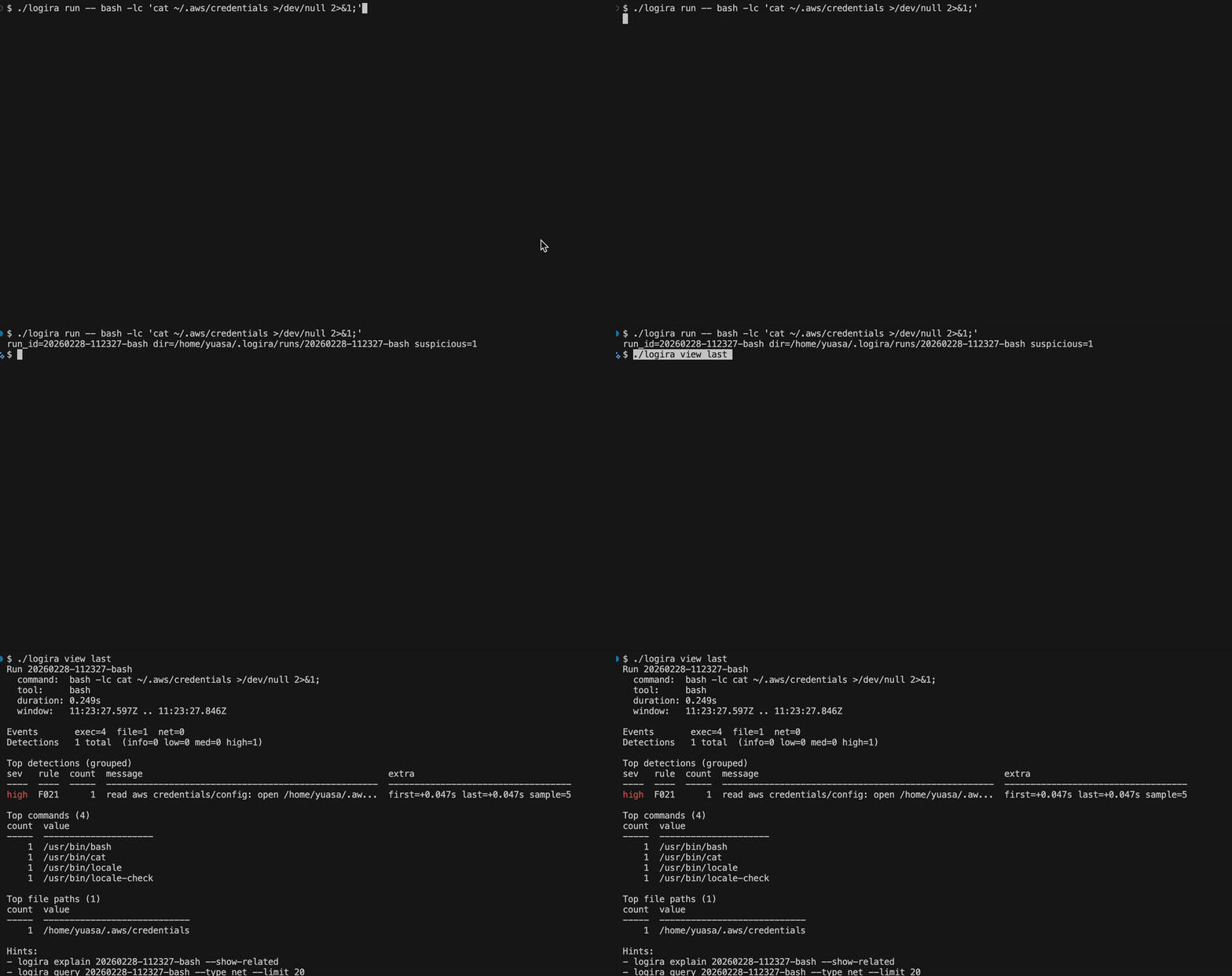
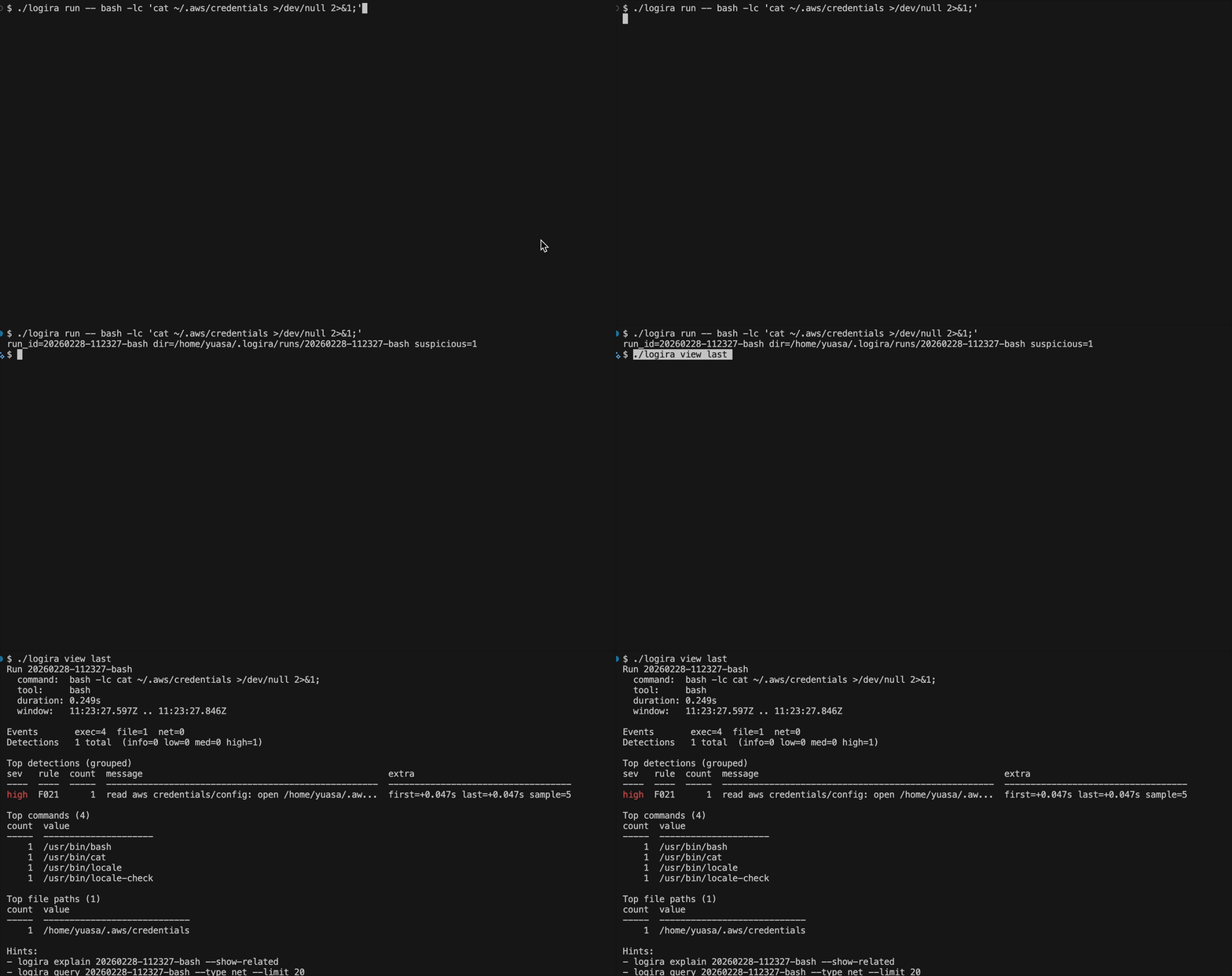
./logira run --rules ./my-rules.yaml -- bash -lc 'cat ~/.aws/credentials >/dev/null'
Run Codex CLI:
./logira run -- codex --yolo "Update the README to be clearer and add examples."
Run Claude Code CLI:
./logira run -- claude --dangerously-skip-permissions "Find and fix flaky tests."
List runs:
./logira runs
View and explain the last run:
./logira view last
./logira view last --ts both
./logira view last --color always
./logira explain last
./logira explain last --show-related
./logira explain last --drill 35
Query events:
./logira query last --type detection
./logira query last --type net --dest 140.82.121.4:443
./logira query last --related-to-detections --type net
./logira query last --contains curl
logira run -- <command...>: run a command under audit and auto-save a new runlogira runs: list saved runslogira view [last|<run-id>]: run dashboard (use --raw for legacy text)logira query [last|<run-id>] [filters...]: search events with type-specific table outputlogira explain [last|<run-id>]: grouped detections by default (--show-related, --drill)Rules:
internal/detect/rules/default_rules.yaml)logira run --rules <yaml-file>examples/rules/README.md--watch is deprecated compatibility onlyDefault home directory: ~/.logira (override: LOGIRA_HOME)
Each run is stored at:
~/.logira/
  runs/<run-id>/
    events.jsonl
    index.sqlite
    meta.json
run-id format: YYYYMMDD-HHMMSS-<tool>
docs/jsonl.mddocs/sqlite.mddocs/rules.mddocs/development.mdlogirad is expected to run under systemd for normal installs).logira status).logirad to be running; logira run itself does not require sudo.LOGIRA_EXEC_BPF_OBJ / LOGIRA_NET_BPF_OBJ / LOGIRA_FILE_BPF_OBJ.The installer places:
/usr/local/bin/logira, /usr/local/bin/logirad/usr/local/lib/logira/bpf//etc/systemd/system/logirad.service/etc/logira/logirad.env (sets LOGIRA_EXEC_BPF_OBJ, LOGIRA_NET_BPF_OBJ, LOGIRA_FILE_BPF_OBJ)Apache License 2.0. See LICENSE for details.
