 medusalix/freemdu
Open hardware and software tools for communicating with Miele appliances via their optical diagnostic interface


The FreeMDU project provides open hardware and software tools for communicating with Miele appliances via their optical diagnostic interface. It serves as a free and open alternative to the proprietary Miele Diagnostic Utility (MDU) software, which is only available to registered service technicians.
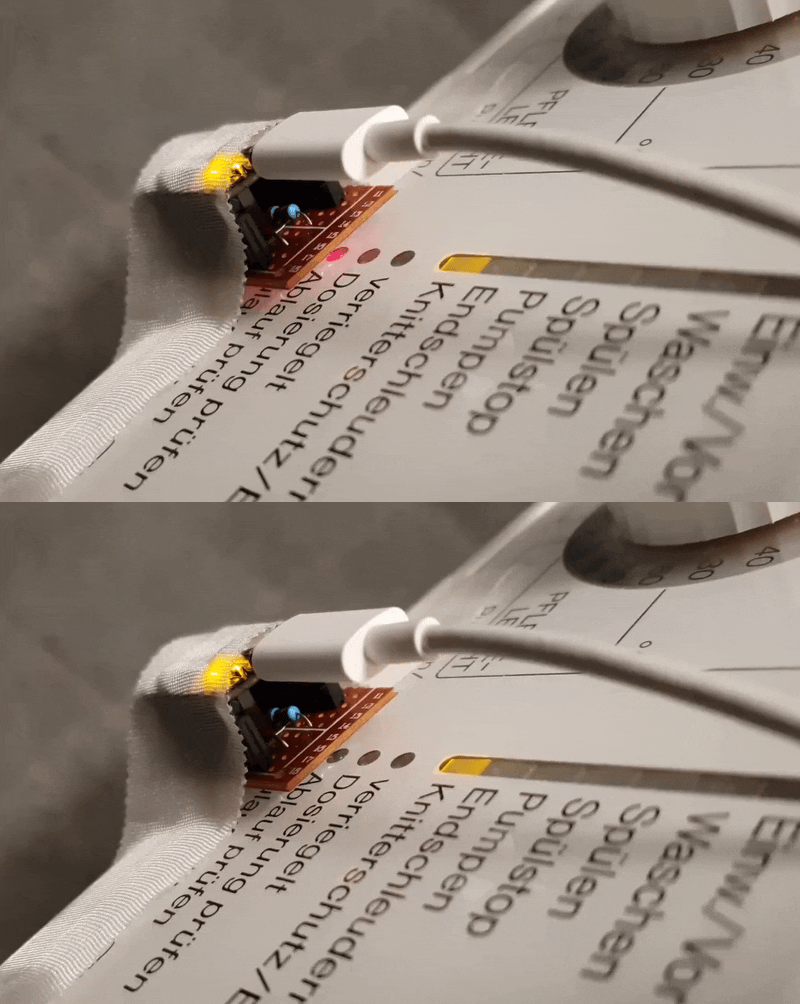
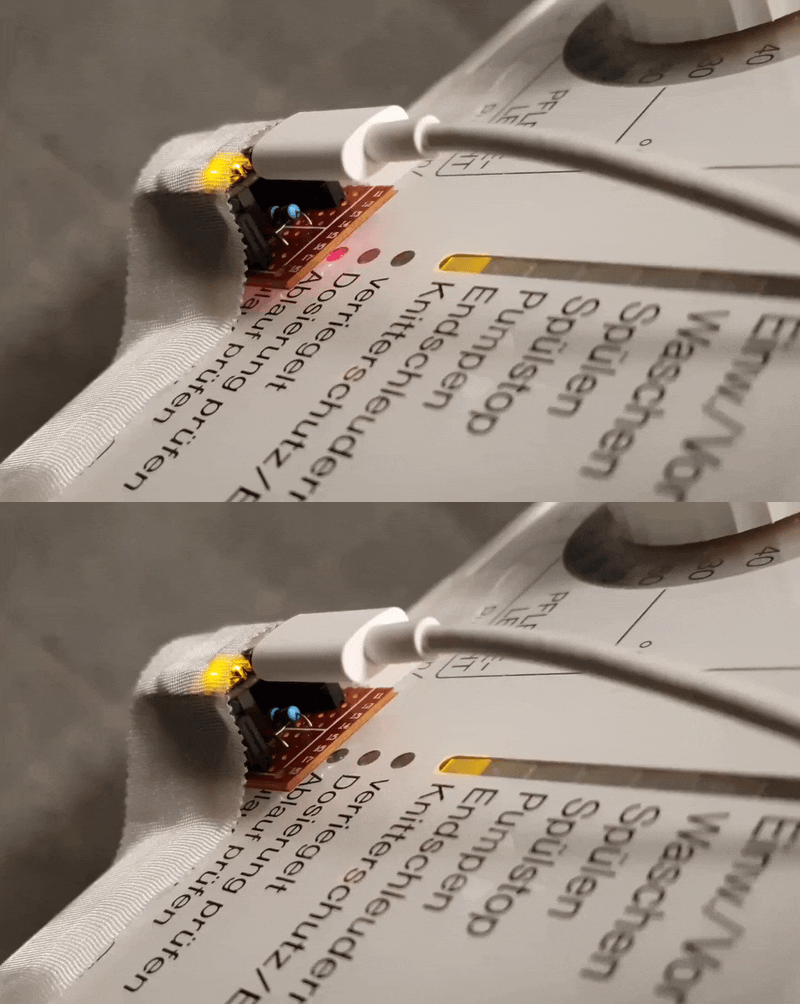
Most Miele devices manufactured after 1996 include an optical infrared-based diagnostic interface, hidden behind one of the indicator lights on the front panel. On older appliances, this interface is marked by a Program Correction (PC) label.
Until now, communication with this interface required an expensive infrared adapter sold exclusively by Miele, along with their closed-source software. The goal of FreeMDU is to make this interface accessible to everyone for diagnostic and home automation purposes.
The project is split into three main components:
More details about the proprietary diagnostic interface and the reverse-engineering process behind this project can be found in this blog post.
[!CAUTION] This project is highly experimental and can cause permanent damage to your Miele devices if not used responsibly. Proceed at your own risk.
When a connection is established via the diagnostic interface, the appliance responds with its software ID, a 16-bit number that uniquely identifies the firmware version running on the device's microcontroller. However, this ID does not directly correspond to a specific model or board type, so it's impossible to provide a comprehensive list of supported models.
The following table lists the software IDs and device/board combinations that have been confirmed to work with FreeMDU:
| Software ID | Device | Board | Microcontroller | Optical interface location | Status |
|---|---|---|---|---|---|
| 218 | W 985 | EDPW 213 | Mitsubishi M37451MC | Check inlet (PC) indicator | 🟢 Fully supported |
| 324 | W 980 | EDPW 213 | Mitsubishi M37451MC | Check inlet (PC) indicator | 🟢 Fully supported |
| 360 | Bare board | EDPW 223-A | Mitsubishi M38078MC-065FP | Check inlet (PC) indicator | 🟢 Fully supported |
| 419 | Bare board | EDPW 206 | Mitsubishi M37451MC-804FP | Check inlet (PC) indicator | 🟢 Fully supported |
| 469 | W 487 S | EDPW 228-A | Mitsubishi M38078MF | Check inlet (PC) indicator | 🟢 Fully supported |
| 517 | G 7804 | EGPL 061 | Mitsubishi M38079EFFP | (PC) DOS indicator | 🟢 Fully supported |
| 605 | G 651 I PLUS-3 | EGPL 542-C | Mitsubishi M38027M8 | Salt (PC) indicator | 🟢 Fully supported |
| 629 | W 2446 | EDPL 126-B | Mitsubishi M38079MF-308FP | Check inlet (PC) indicator | 🟢 Fully supported |
| 2088 | W 3241 | EDPL 162-B | Mitsubishi M38079EFFP | Check inlet (PC) indicator | 🟢 Fully supported |
| 2895 | W 3164 | EDPL 151-B | Mitsubishi M38079MF-322FP | Check inlet (PC) indicator | 🟢 Fully supported |
If your appliance is not listed here but has a model number similar to one of the above, it might already be compatible. In all other cases, determining the software ID is the first step toward adding support for new devices.
Details for adding support for new devices will be provided soon.
Before using any FreeMDU components, make sure you have the Rust toolchain installed on your system.
Next, you'll need to build a communication adapter to interface with your Miele device. Once the adapter is ready, choose the appropriate use case from the options below:
If you want to repair or test your appliance:
Flash the home firmware in bridge mode onto your communication adapter and attach it to your device.
Run the TUI application on your desktop computer.
If you want to integrate your appliance into Home Assistant or another home automation system:
If you want to develop your own software to communicate with Miele devices:
Flash the home firmware in bridge mode onto your communication adapter and attach it to your device.
Use the protocol crate to implement your custom software.
This is an independent, open-source project and is not affiliated with, endorsed by, or sponsored by Miele & Cie. KG or its affiliates. All product names and trademarks are the property of their respective owners. References to Miele appliances are for descriptive purposes only and do not imply any association with Miele.
Licensed under either of
at your option.
Unless you explicitly state otherwise, any contribution intentionally submitted for inclusion in the work by you, as defined in the Apache-2.0 license, shall be dual licensed as above, without any additional terms or conditions.
