 leebaird/engagement-mgr
Engagement Manager is a web application for tracking offensive security engagements. It features a modern UI, built with Next.js, Prisma, and PostgreSQL.

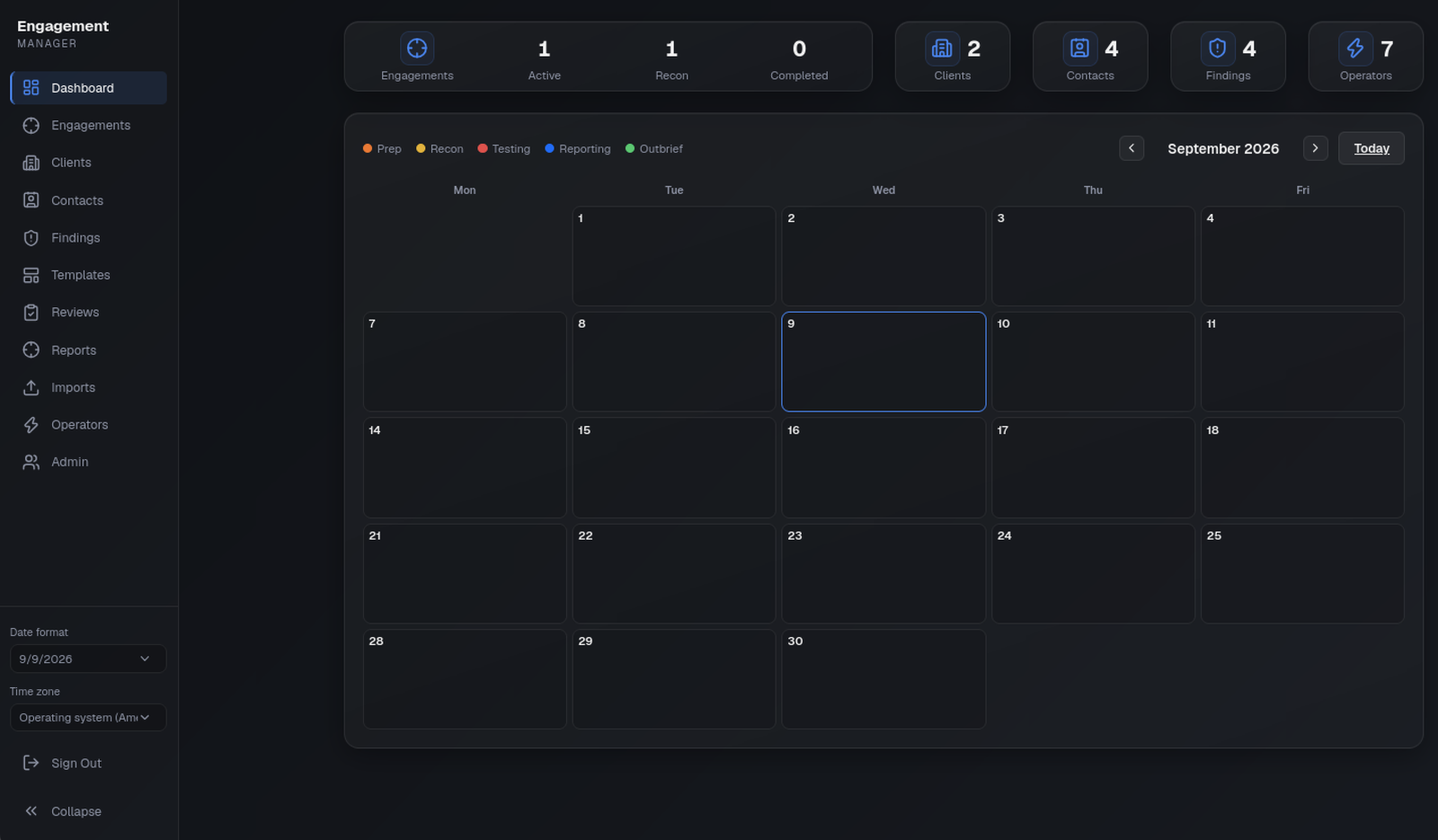
Engagement Manager is a web application for tracking offensive security engagements. It features a modern UI, built with Next.js, Prisma, and PostgreSQL. The app includes a calendar, engagements, clients, contacts, findings, and operators.

 Lee Baird @discoverscripts
 Jay "L1ghtn1ng" Townsend @jay_townsend1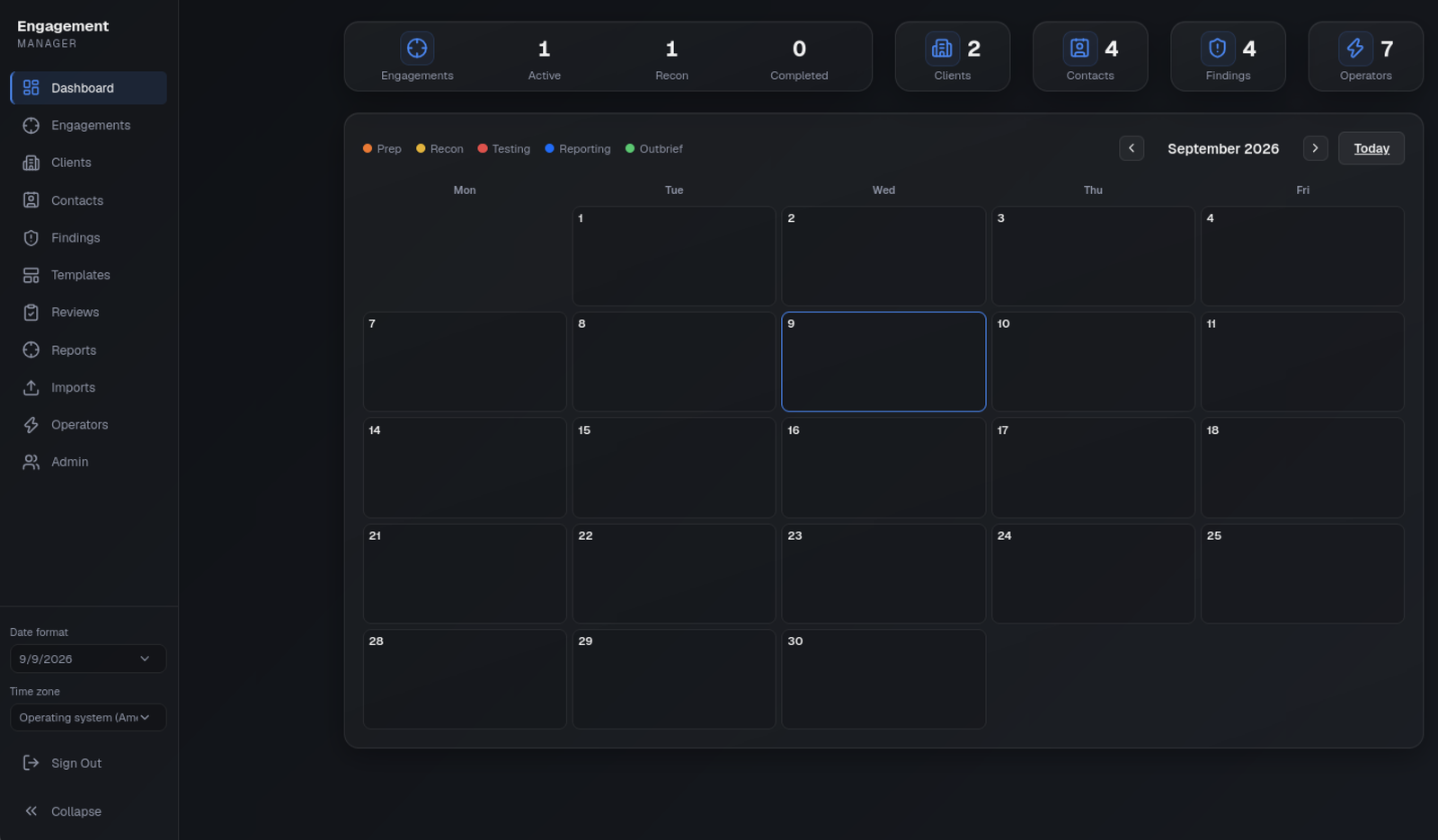
Exports are limited to 2 MB and 500 findings per import, with per-user preview and confirmation rate limits. The application accepts at most 10,000 findings in total and 500 for one engagement across manual creation, templates and scanner imports. The global Findings list loads 100 rows per page, and engagement/report finding queries are capped by the same per-engagement limit. Unknown layouts fail visibly rather than silently being treated as a successful import. Scanner severities are suggestions: review their context before approval. Referenced URLs, HTML and embedded remote images are not fetched or executed.
Reports allow 1–100 findings, up to 100 evidence images (5 MB each, 20 MB total input), 500 pages and 25 MB output. Issuance is limited to 50 versions per engagement and 1 GB of issued PDFs across the application. Preview and issuance have per-user rate limits, and only one PDF render is admitted per application process at a time. Findings retain at most 1000 revisions and 500 comments; reaching a limit fails without overwriting history. DejaVu fonts and their redistribution license are included in assets/fonts; deployments must retain these assets (Next output tracing includes them).
Next.js Server Actions share a single 25mb body size limit (set in next.config.ts) for evidence uploads. Login uses a dedicated same-origin URL-encoded route with a 4 KB streaming limit before authentication or database work.
This preserves the existing shared authenticated workspace, not a new per-client tenancy model. All new pages, actions and PDF downloads check a current database-backed session. Drafts are scoped to their owner; review, template approval and issuance permissions are enforced server-side. Confidential PDF responses are private/no-store. Final PDFs contain only an explicit report field allowlist, never private drafts, review comments or unrelated engagements.
The implementation uses the OWASP Top 10:2025 checklist: access checks (A01), private responses and existing CSP/CSRF controls (A02), pinned dependencies and CI (A03), existing session/secret protections plus report integrity checks (A04/A08), inert Markdown/XML and parameterized database access (A05), bounded processing and independent review (A06), live session checks (A07), content-free audit events (A09), and transactional changes with cleanup on failure (A10). A digest detects accidental corruption; it is not a digital signature or protection from a database administrator. This is not a compliance certification. Production still requires HTTPS, protected database/backup storage and operational monitoring of audit output.
Before deploying this upgrade, take a normal application backup and apply the additive 20260904221808_reporting_workflow and 20260906194500_add_revocable_sessions migrations with npm run db:migrate, then regenerate Prisma Client and rebuild. Existing findings begin as Draft at version 1, and existing browser cookies must sign in again so they receive a server-backed session ID. Do not reset an existing database. Backups include the new tables and issued PDFs through the existing full-database export.
npm test
npm run lint
npx tsc --noEmit --noUnusedLocals --noUnusedParameters
npm run build
npm audit
npm test uses Node's non-isolated test mode with tsx so the individual TypeScript test cases execute, rather than merely reporting file subprocess success. Keep the explicit assertion totals visible in CI.
Database and browser regressions require a dedicated local database named reporting_tests, with migrations applied. They create and delete their own fixture rows; never point these tests at an application database. Set REPORTING_TEST_DATABASE_URL to that test database, then run:
DATABASE_URL="$REPORTING_TEST_DATABASE_URL" npx prisma migrate deploy
npm run test:reporting
npx playwright install chromium
npm run test:browser
The browser suite starts its own loopback development server on port 3317 with a test-only session secret; it refuses to reuse an existing server. Set REPORTING_TEST_BROWSER to an installed Chromium executable if desired. It tests draft privacy, conflicting edits, evidence upload, independent review, PDF permissions/immutability, template creation without JavaScript, and selective deduplicated imports. Integration tests exercise actual transactional conflicts and rollback. The suites do not replace remote-LAN, Safari or production-deployment verification.
This application is designed to run on Ubuntu, and requires the following:
sudo apt update && sudo apt install -y nodejs npm postgresql postgresql-client postgresql-contrib zip
postgresql-client provides pg_dump, pg_restore, and psql; zip creates backup archives. Restore extraction is handled by the application with strict entry and size validation.
Installing the packages does not always leave PostgreSQL running. Start and enable the service before creating roles or starting the app:
sudo systemctl enable --now postgresql
sudo systemctl status postgresql --no-pager
If the app later fails with Can't reach database server at 127.0.0.1:5432, run sudo systemctl start postgresql and confirm with pg_isready -h 127.0.0.1 -p 5432.
The app requires Node.js ^22.12.0 or >=24.0.0 (see engines in package.json). If the OS package is older, install a supported release from a trusted package source whose signatures you verify before running setup.sh.
Create a .env file in the project root before running Prisma or the app:
cat > .env << 'EOF'
DATABASE_URL="postgresql://em_admin:em_pass@localhost:5432/engagement_manager?schema=public"
JWT_SECRET="replace-with-a-long-random-secret-at-least-32-characters"
EOF
chmod 600 .env
Generate a strong secret:
openssl rand -base64 32
Make sure PostgreSQL is running first (see Prerequisites). Automated ./setup.sh starts the service for you; the manual steps below assume it is already up.
Run the following commands to create the PostgreSQL database and user:
sudo -u postgres createuser --pwprompt em_admin
sudo -u postgres psql -c "ALTER USER em_admin CREATEDB;"
sudo -u postgres createdb --owner=em_admin engagement_manager
sudo -u postgres psql -c "GRANT ALL PRIVILEGES ON DATABASE engagement_manager TO em_admin;"
Use a dedicated database user with least privilege — do not grant CREATEDB or superuser rights:
sudo -u postgres createuser --pwprompt em_app
sudo -u postgres createdb --owner=em_app engagement_manager
Set DATABASE_URL to use em_app (or your chosen username). Migrations run as this user via npm run db:migrate.
Note: The database files are stored in the PostgreSQL data directory (typically
/var/lib/postgresql/<version>/main/).
From the repository root, run:
chmod +x setup.sh
./setup.sh
The script installs prerequisites, starts and enables the PostgreSQL service, prompts for a database username and password, writes a chmod 600 .env, creates the PostgreSQL role and database, applies migrations, and seeds the default admin account. Production mode also completes npm run build and prints only the production start command. It does not install Node.js from a remote shell script; install a supported Node.js release first.
For headless or CI use:
sudo install -d -m 700 -o "$USER" /secure
openssl rand -base64 24 > /secure/db-password
chmod 600 /secure/db-password
./setup.sh -y --db-user=em_admin --db-pass-file=/secure/db-password
Run ./setup.sh --help for all options.
--db-pass=... was removed because command-line secrets are visible to other processes. Put the password in an owner-only file and replace the old argument with --db-pass-file=/secure/db-password; the automated setup example above is copy-paste ready.setup.sh no longer installs Node.js. Install a supported Node.js release (^22.12.0 or >=24.0.0) from a trusted package source before running it.npm ci, so package-lock.json must be present and in sync with package.json..sql backups cannot be restored. Before retiring an old server, upgrade it to a version that can create the structured application backup and re-export the data as a .zip.Install Node.js dependencies:
npm ci
Run database migrations to build the tables:
npx prisma migrate dev
Seed the database to create the default Admin account:
npx prisma db seed
From the project directory, one command installs package updates, starts PostgreSQL if it is stopped, and starts the app:
./run.sh
Leave that window open. Use the Local or Network address it prints.
To start it yourself instead: PostgreSQL must be running (sudo systemctl start postgresql if needed). Then start the development server:
npm run dev
Startup prints both a loopback URL and this machine’s LAN address:
- Local:         http://localhost:3000
- Network:       http://192.168.1.20:3000
npm run dev and npm start bind 0.0.0.0 so the Network URL works on the LAN. Treat LAN access as lab-only on a trusted network. Dev mode is not hardened for the public internet.
If you open the app by hostname (not IP) and the remote browser is a blank white page, add that name to .env and restart:
ALLOWED_DEV_ORIGINS=dev.office.example
^22.12.0 or >=24.0.0 (see engines in package.json)Secure in production.uploads/ directory (finding screenshots)Clone the repository and install dependencies:
npm ci
Create .env with production values (DATABASE_URL, JWT_SECRET ≥ 32 characters).
Apply database migrations:
npm run db:migrate
Run pre-deploy checks:
npm run audit
npm run typecheck
npm run build
Start the application with NODE_ENV=production:
NODE_ENV=production npm run start
For a real server, run this under a process manager (systemd, PM2, etc.) and place a reverse proxy in front for TLS termination.
Create the first admin account through the database seed (development only) or by restoring from a backup. Change the temporary seed password immediately before exposing the app to users.
JWT_SECRET is at least 32 characters and not committed to gitNODE_ENV=production is set for the running processCREATEDB or superuser privilegesuploads/ is on persistent disk and included in backupsbackups/ is on persistent disk if admins use Backuppg_dump, pg_restore, and zip are available if admins will use Backup/RestoreAfter seeding the database, you can log in using the generated temporary admin account:
admininitial-admin-credentials.txt by npx prisma db seed / npm run db:seedNote: You will be required to change this temporary password on first login. Delete
initial-admin-credentials.txtimmediately afterward. All passwords must be at least 16 characters and include an uppercase letter, lowercase letter, number, and a symbol.
/dashboard/users).On Admin, the Database panel shows Backup, Restore, and Reset buttons. The Users panel lists accounts and provides a New User button for adding users. The Appearance panel lets an admin choose the application-wide highlight colour.
Backup requires your admin password, then saves a .zip named em-backup-YYYY-MM-DD-HHMM.zip to backups/ in the application directory (engagement-mgr/backups/). After a successful export, use Download on the Admin page. A short-lived signed grant is held in an HttpOnly cookie and only works for the admin who created the backup.
em-backup-2026-06-02-1430.zip.| Path | Contents |
|---|---|
engagement-manager-backup/database.dump | Full PostgreSQL custom-format dump (schema, tables, data, enums, relations) from pg_dump |
engagement-manager-backup/uploads/ | Finding screenshot files referenced in the database |
.zip created by Backup and replaces the current database and uploads/ folder. Browser restore is limited to 8 MB so decompression cannot monopolise the web process. For a larger archive, stop the application and run npm run db:restore -- /absolute/path/to/em-backup.zip as the application user. The offline command loads .env from the working directory and requires a non-empty DATABASE_URL in .env or the environment. It accepts regular files up to 500 MB and streams each archive entry through its expanded-size limit. The database restore runs in one transaction; archive entry counts, paths, compression ratios, and expanded sizes are validated before files are installed. Backup, restore, reset, and screenshot file changes share an exclusive maintenance lock so database commits and filesystem swaps cannot overlap. Requires your admin password to confirm.admin. Requires typing RESET and re-entering the confirming administrator's current password. That password becomes the recreated account's temporary password and must be changed on first login.Old server
Log in as an Admin user.
Open Admin and click Backup (under Database).
Save the .zip and copy it to the new server (for example with scp or rsync):
scp em-backup-2026-06-02-1430.zip user@new-server:/path/to/
New server
Install Prerequisites and clone the repository.
Create .env with DATABASE_URL and JWT_SECRET (see Environment Configuration).
Create an empty PostgreSQL database and user (see Database Setup).
Install dependencies: npm ci.
Run migrations and seed once so an Admin can sign in. Restore replaces this bootstrap data with the backup.
Build and start the app in production mode (see Production Deployment):
npm run build
NODE_ENV=production npm run start
Log in as admin using the owner-only initial-admin-credentials.txt, change the temporary password, and delete the credentials file.
Open Admin (/dashboard/users), click Restore (under Database), select the .zip from the old server, enter your admin password, and confirm.
Notes
uploads/ directory.git clone (or deploy the same revision) on the new server so the app matches the schema expected by the backup. If the old server ran a newer schema than the cloned code, align versions before importing.This section documents the architecture, database schema, security measures, and completed development phases for the Engagement Manager application.
Modal.tsx and .modal-panel in globals.css.Reporting additions: Finding also stores version, reviewStatus, authorId, reviewerId, templateId, and importFingerprint; Screenshot stores sortOrder. FindingTemplate holds reviewed reusable wording; FindingRevision holds immutable text revisions; FindingDraft holds private per-user drafts with conflict versions; FindingComment records review discussions; EngagementReport holds report title, executive summary and ordered finding IDs; IssuedReport stores an immutable PDF, content snapshot and SHA-256 digest for each issued version. User author/reviewer relationships use SetNull; private drafts are removed when their user is removed. Reporting records follow their parent engagement/finding lifecycle.
id, username, passwordHash, role (Admin, User), lastPasswordChange, lastLogin, sessions, createdAt, updatedAt.id, userId, expiresAt, createdAt — server-side records make each signed login session individually revocable on logout.key, count, — atomic source and password-confirmation attempt reservations. Password verification also has a bounded concurrency limit.To add a new field to an existing model (e.g., focus on Engagement):
Open prisma/schema.prisma and add the field to the desired model:
model Engagement {
  id              String @id @default(uuid())
  codeName        String
  focus           String?   // new field
  ...
}
Every change to prisma/schema.prisma must be followed with:
npx prisma migrate dev --name describe_your_change
This creates a migration, updates the database, and regenerates the Prisma Client types.
Update any affected UI components, forms, validation logic, or server actions as needed.
admin account is generated via Prisma seed. Admin roles have full create/edit/delete access to all records. User roles can create, edit, and delete findings and screenshots; all other entities (engagements, clients, contacts, operators) are read-only for users. Every dashboard page refreshes the session against the database before reading confidential data. Only admins can access the Admin page (/dashboard/users), manage accounts, change the application-wide highlight colour, and back up, restore, or reset the database. Backup, restore, and reset require password re-confirmation. Creating a backup is a Server Action; browser download uses GET /api/db/backup?file=… with the Admin session and a five-minute signed grant in an HttpOnly cookie.jose JWTs stored in HttpOnly, SameSite=Lax cookies and a matching server-side Session row that logout revokes. Cookie expiration is intentionally omitted to keep browser-session behavior; both the signed token and database record expire after one day. Transactional admission retains at most ten active sessions per account.| Scanner/export family | Accepted export |
|---|
| Burp Suite | Issues XML, including the inert internal schema DTD |
| Nessus / Tenable | Nessus v2 XML (.nessus) |
| Nmap | XML; open ports and their script output become informational observations, not inferred vulnerabilities |
| OpenVAS / Greenbone | Native XML report or GMP get_reports_response |
| OWASP ZAP | Traditional JSON report with sites and alerts |
| Nuclei | JSON Lines (-jsonl) |
| Qualys | Scan-result XML (SCAN/IP structure), not the separate host-detection API format |
| Semgrep / CodeQL and other SARIF producers | SARIF JSON runs, rules and results |
| Variable | Required | Notes |
|---|
DATABASE_URL | Yes | PostgreSQL connection string. Prisma uses the schema=public query parameter. Backup and restore use an owner-only temporary pgpass file so the password is not placed in subprocess arguments. |
JWT_SECRET | Yes in production | Must be at least 32 characters. The app refuses to start in production without it. Rotating this invalidates all existing sessions. |
TRUST_PROXY | No | Set to 1 (or true) only when the app is behind a reverse proxy that overwrites X-Forwarded-For / X-Real-IP and X-Forwarded-Host. Login origin checks use X-Forwarded-Host when present in this mode; it must contain one public host, including a non-default port when used. Otherwise the proxy must preserve the public Host header. This is the required production topology for accurate per-source login limits. When unset, headers are ignored to prevent spoofing and login uses a higher one-minute shared fallback budget so one client cannot impose a 15-minute global lockout. |
ALLOWED_DEV_ORIGINS | No | Development only. Extra hostnames allowed to load /_next assets (comma-separated). The server’s current LAN IPv4 addresses are allowed automatically. Use this for a stable DNS name. Production builds ignore this. |
Restart the app if it was already running so it picks up the restored data.
resetAthighlightColor (Red, Blue, Teal, Green, Purple, or Amber) and updatedAt.id, codeName, clientId, chargeCode, status (Prep, Recon, Testing, Reporting, Complete), focus, type (AI, Code_Review, Firewall, Multi, Pentest, Phishing, Physical, Purple_Team, Red_Team, USB_Drop, Vishing, Web_App, Wireless), location (Internal, External), startPrep, endPrep, startRecon, endRecon, startTesting, endTesting, startReporting, endReporting, outbrief, objectives, targets, exclusions, notes, operators (M:N), contacts/trustedAgents (M:N with Contact), findings, findingContexts, createdAt, updatedAt.id, company (DB column: companyName), address, city, state, zip, phone (DB column: phoneNumber), website, notes, contacts, engagements, createdAt, updatedAt.id, clientId, name, title, email, phone (DB column: phoneNumber), notes, assignedEngagements, trustedEngagements, createdAt, updatedAt.id, engagementId (optional), title, category, severity, background, remediation, supportingData (DB column: supportingLinks), screenshots, engagementContext, createdAt, updatedAt.id, engagementId, findingId, observation, affectedHosts, createdAt, updatedAt.id, findingId, filePath, description, createdAt.id, name, title, email, phoneNumber, discord, github, notes, engagements (M:N), createdAt, updatedAt.src/proxy.ts) enforces session checks and 90-day password rotation across all protected routes./api/uploads route prevents IDOR and returns no-store responses.