 kjean13/adft
Active Directory Forensic Toolkit : Detect & reconstruct AD attacks from Windows event logs (EVTX)

ADFT is an offline Active Directory / Windows investigation toolkit with an integrated local web UI.
This official v1.0 release ships one coherent product surface:
ADFT ingests exported evidence, converts every supported source into canonical JSONL, applies deterministic detections and correlations, computes an observed AD exposure score, reconstructs attack progression, and generates investigation and hardening artefacts.
ADFT analyzes offline Windows / AD / SIEM-oriented datasets and produces investigation artifacts through a CLI and an integrated GUI.
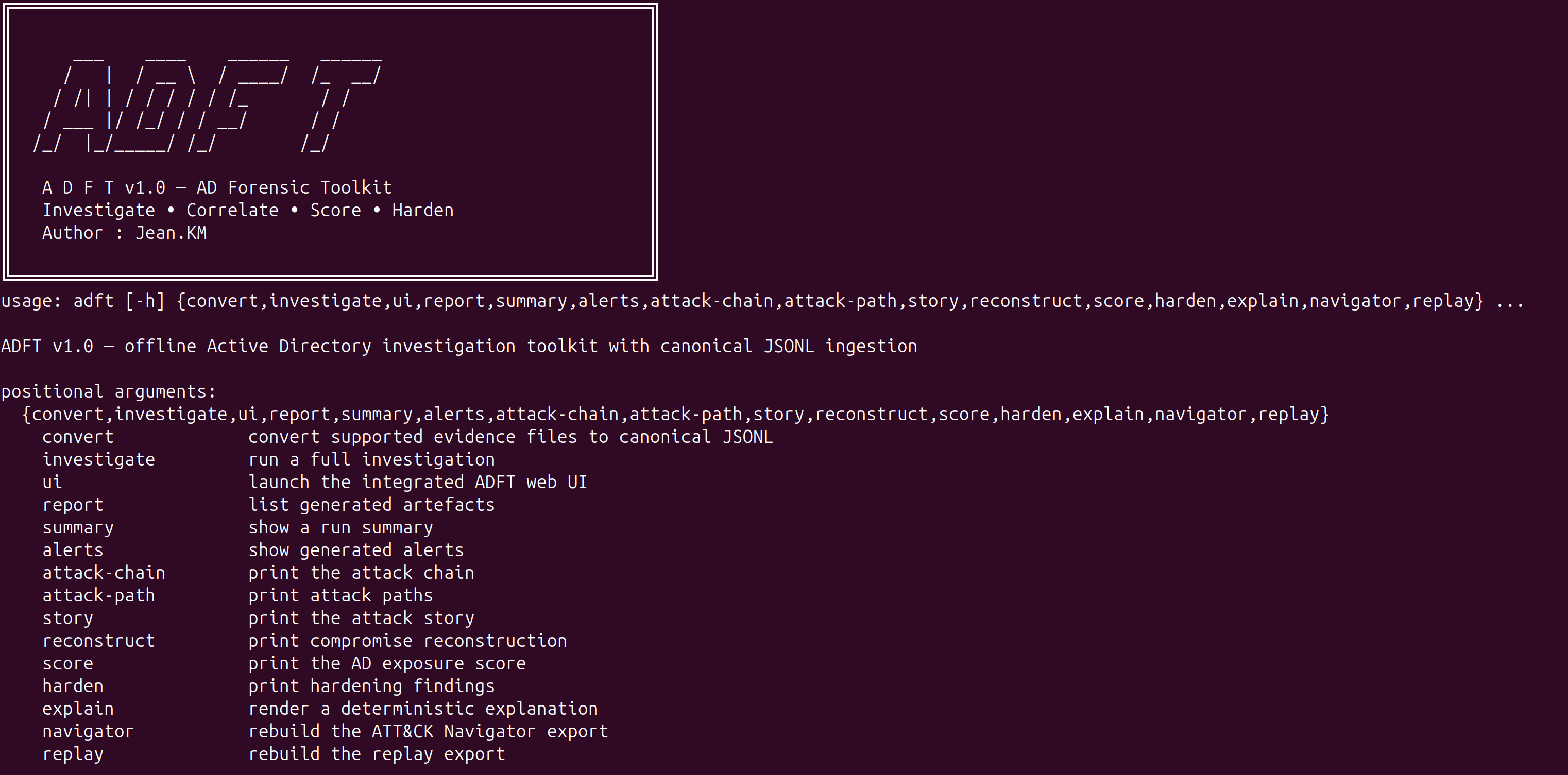
ADFT v1.0 supports:
ADFT accepts source evidence in multiple formats and converts them to canonical JSONL before analysis:
Recommended one-shot install:
./install_adft.sh
Recommended for real EVTX validation:
./install_adft.sh --run-demo
Manual installation:
python3 -m venv .venv
source .venv/bin/activate
pip install --upgrade pip
pip install -e ".[full]"
Development installation:
pip install -e ".[full,dev]"
Detailed dependency notes are listed in docs/DEPENDENCIES.md.
Repository note: pyproject.toml is the source of truth for packaging. install_adft.sh is the official complete installation path for v1.0, and requirements-dev.txt remains available for contributors and CI.
adft convert test_logs -o converted_inputs
adft investigate test_logs/attack.json -o reports_core --format html json csv --export-events-jsonl
adft summary -o reports_core
adft alerts -o reports_core --full
adft score -o reports_core
adft story -o reports_core --full
adft attack-chain -o reports_core
adft attack-path -o reports_core
adft reconstruct -o reports_core --full
adft harden -o reports_core --dry-run --export-scripts reports_core/remediation
adft report -o reports_core
Launch the integrated GUI with:
adft ui -o reports_gui --host 127.0.0.1 --port 8765
Then open:
http://127.0.0.1:8765
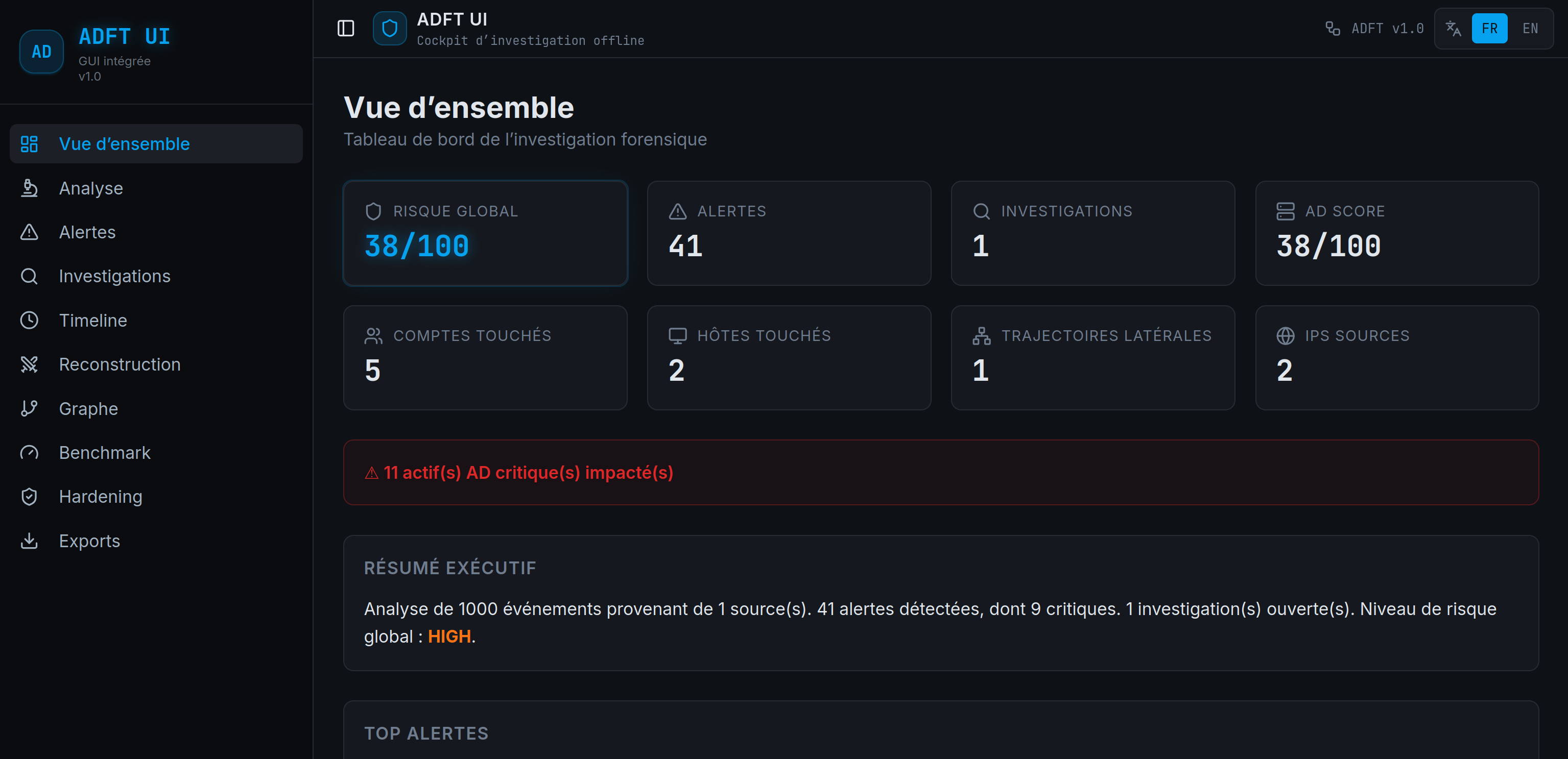
The GUI is backend-driven: uploads, conversion, investigation, alerts, timeline, reconstruction, graph, benchmark, hardening and export views read the real ADFT run state instead of replaying business logic in the browser.
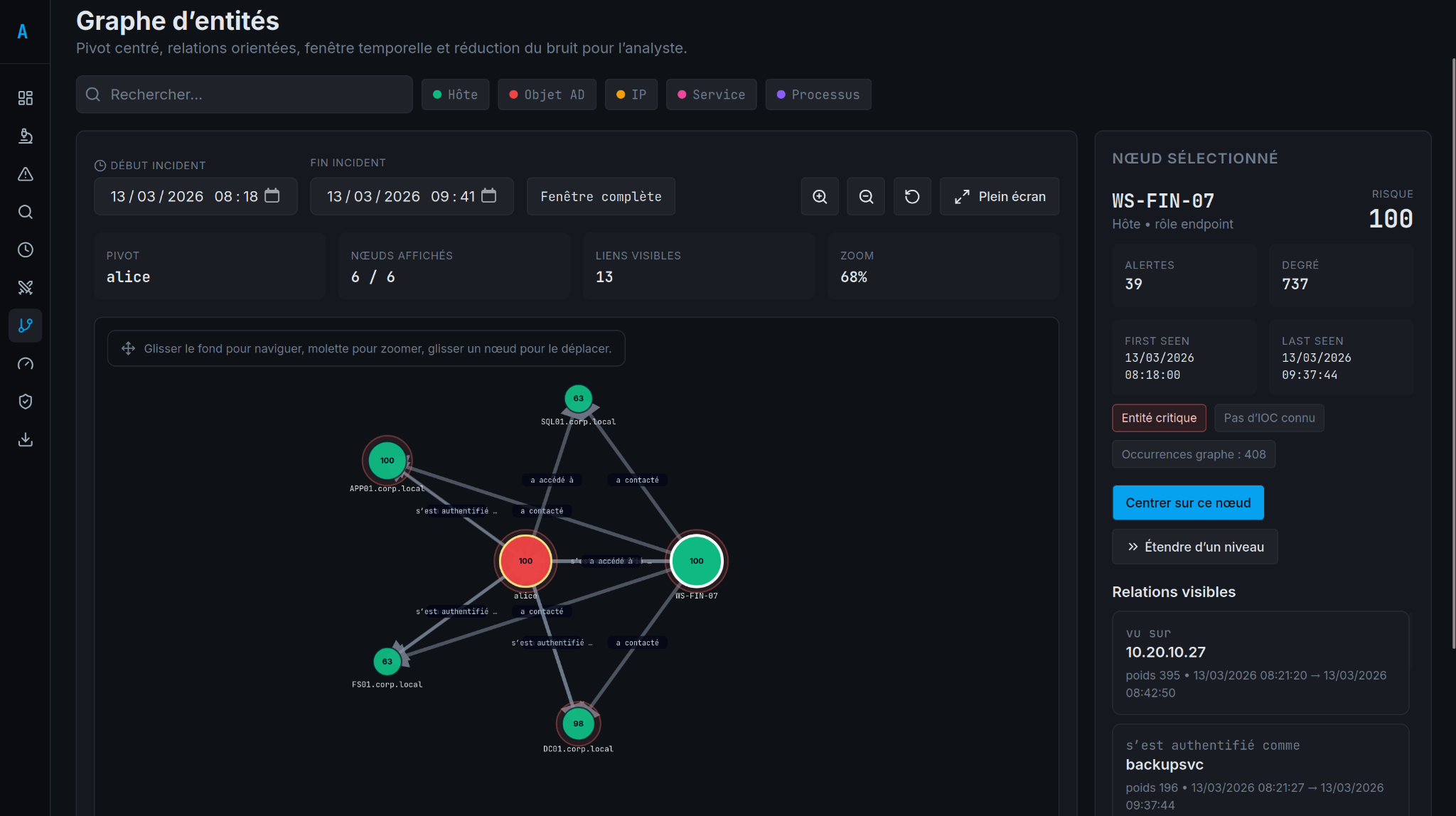
ADFT supports graph-based investigation from a selected pivot, with visible relationships, time scoping, and analyst-oriented navigation.
adft_report.htmladft_report.jsonadft_report.csvattack_navigator_layer.jsonadft_replay.jsonattack_graph.mmdadft_integrity.json.adft_last_run.jsonconverted_inputs/conversion_manifest.jsonhardening_scripts.zip after GUI or CLI hardening exportEVTX is part of the supported perimeter.
At runtime, EVTX conversion requires python-evtx.
Without it, EVTX inputs cannot be parsed successfully. That is why the recommended install path for the official v1.0 release is:
./install_adft.sh
This v1.0 release ships with 34 rules in a deterministic, explainable pipeline.
adft/
  cli/             command-line entry points
  core/            ingestion, normalization and data models
  detection/       deterministic rulepack and detection pipeline
  correlation/     alert grouping and campaign logic
  timeline/        timeline reconstruction
  graph/           entity graph and attack path analysis
  investigation/   case narrative and reconstruction helpers
  analysis/        scoring and data-quality analysis
  harden/          remediation and hardening logic
  reporting/       JSON, CSV and standalone HTML reports
  exports/         Navigator and replay exports
  ui_server.py     integrated HTTP server and GUI backend bridge
  webui_dist/      packaged web UI assets served by the backend
  datasets/        demo datasets used for smoke tests
frontend_source/
  src/             React/Vite source for the integrated GUI
pytest -q
python3 main.py investigate adft/datasets/ransomware_pre_encryption_campaign.json -o /tmp/adft_release_reports --format html json csv --export-events-jsonl
python3 main.py ui -o /tmp/adft_release_reports --host 127.0.0.1 --port 8765
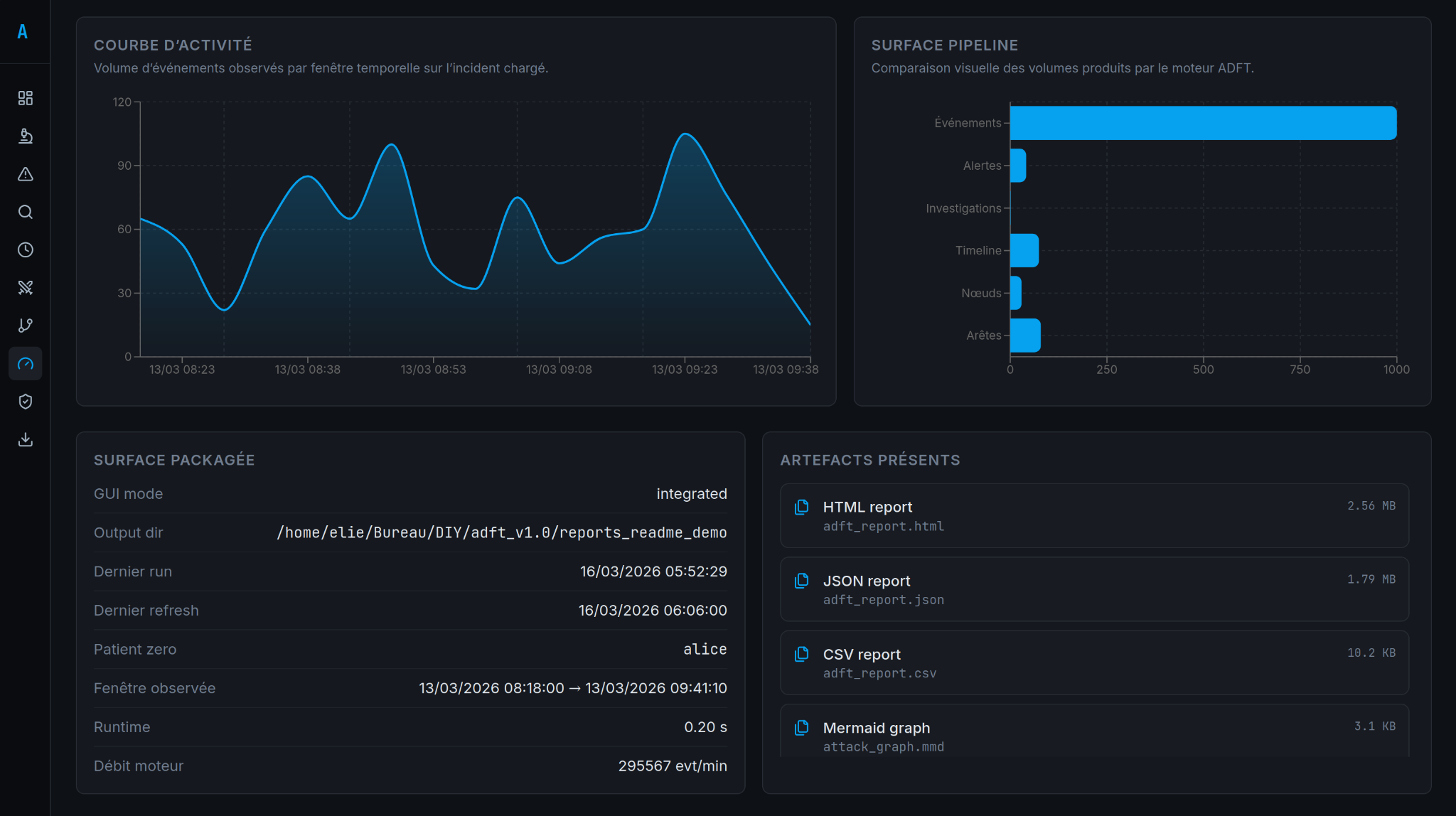
The benchmark view provides a compact product validation surface with run metrics and packaged release checks.
See also:
docs/TESTING.mddocs/ARCHITECTURE.mddocs/DEPENDENCIES.mddocs/RELEASE_VALIDATION.mdThe integrated GUI includes a persistent FR/EN language switch in the top bar. The choice is stored locally in the browser and applies to the main navigation, screens and analyst-facing labels.
ADFT v1.0 ships with adft/datasets/ad_prod_investigation_post_siem_demo_1000_events.json for an end-to-end ransomware demonstration that exercises conversion, timeline, graph, alerts and exports.
