React2Shell(CVE-2025-55182) 취약점 기반 침해 시나리오를 재현하고, Wazuh/Sysmon/Coraza WAF 로그로 침해사고를 분석·대응한 DFIR 프로젝트

The infrastructure for this project is not managed with IaC (e.g., Terraform) code; instead, it was built by installing pfSense and Wazuh and then changing settings directly from the admin GUI. So instead of "code", this document records the network diagram, screenshots of each settings screen, and what values were changed and why, to make it reproducible.
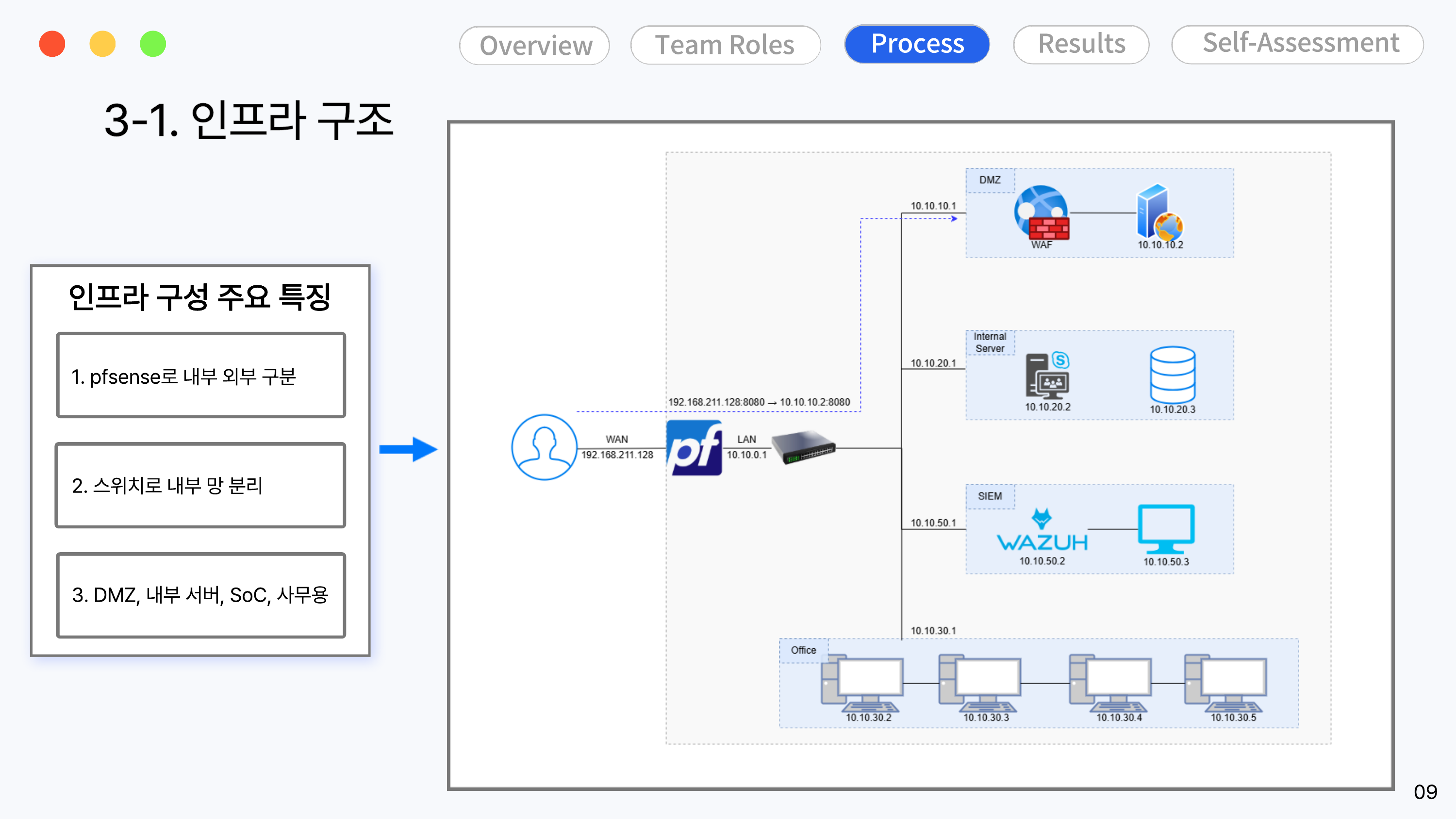
Based on pfSense, the external (WAN) and internal (LAN) networks are separated, and the internal network is further divided into 4 zones using a switch.
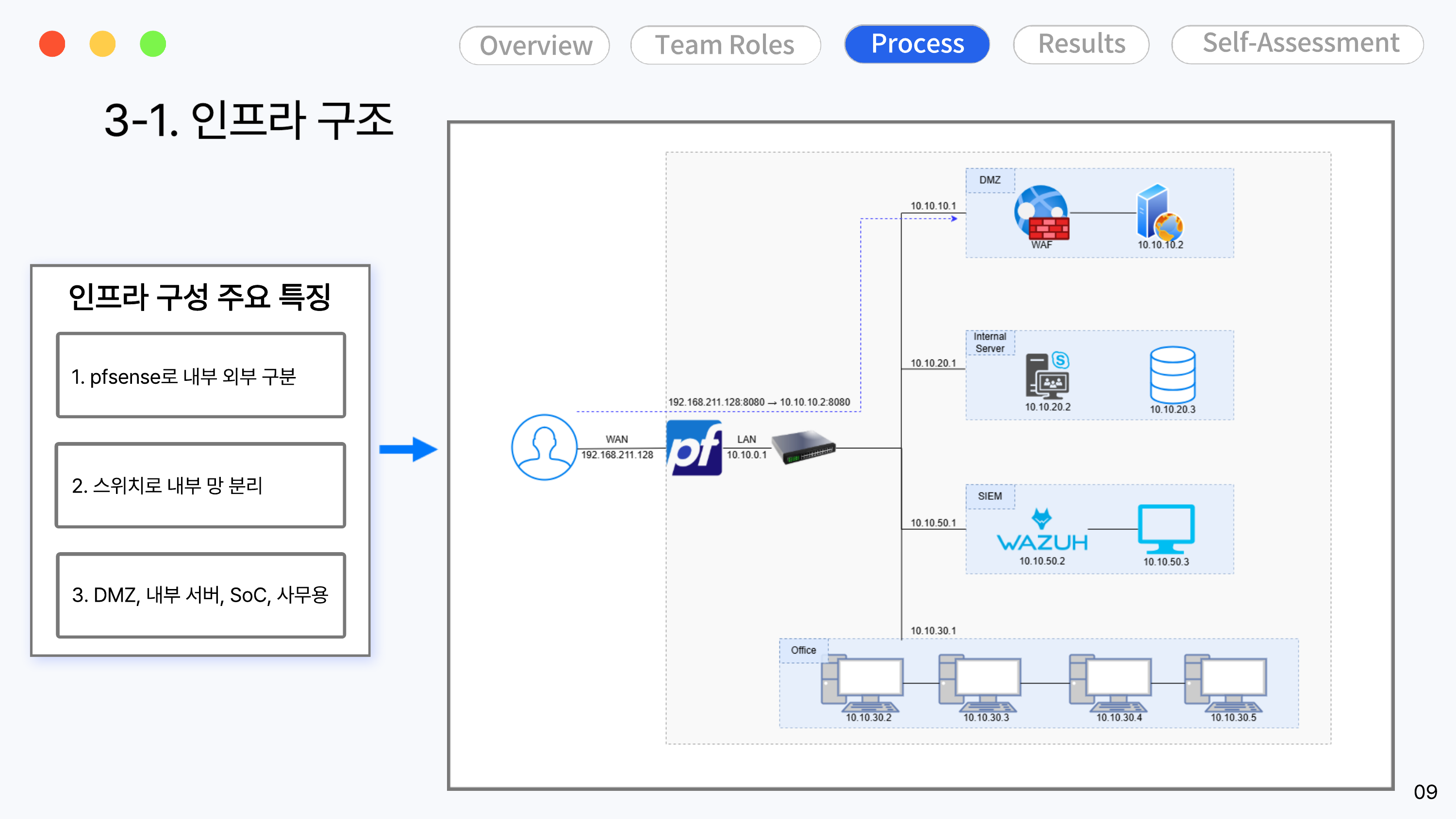
| Category | Target System | IP Range | Role |
|---|---|---|---|
| DMZ | WEB01 (WAF + WAS) | 10.10.10.0/24 | External-facing web service |
| Internal Server | Internal Portal + DB01 | 10.10.20.0/24 | Internal portal, posts/attachments DB |
| SIEM | Wazuh | 10.10.50.0/24 | Security event collection & analysis |
| Office | PC-USER01~04 | 10.10.30.0/24 | Office PCs (user terminals) |
Only the settings actually changed after the default installation are listed here. (For the overall flow reflecting the full plan, see 04-response)
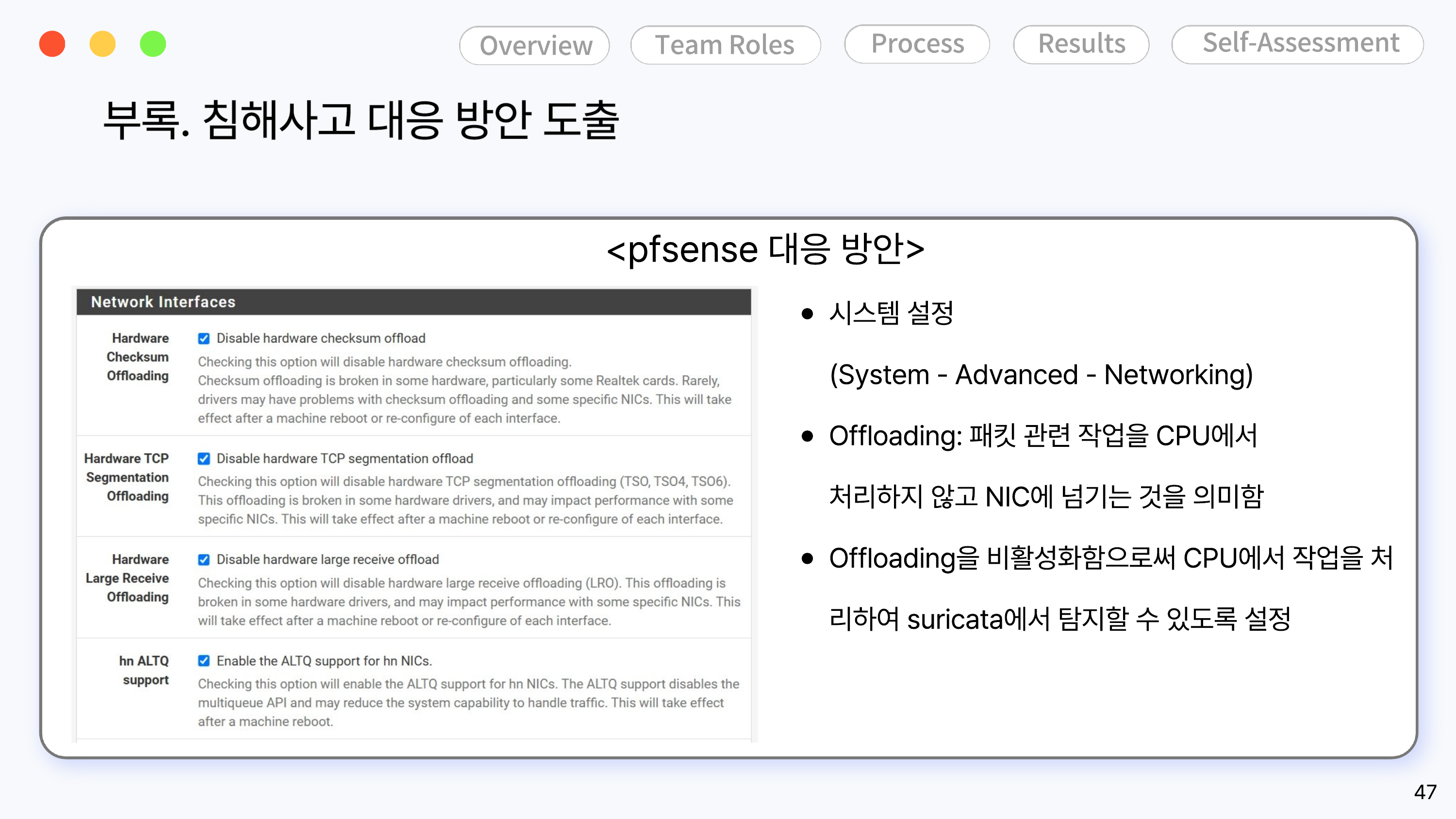
Offloading Disabled — System - Advanced - Networking
If packet processing is handled directly by the NIC instead of the CPU, Suricata cannot inspect the packets, so hardware checksum, TCP segmentation, and large receive offload were all disabled.
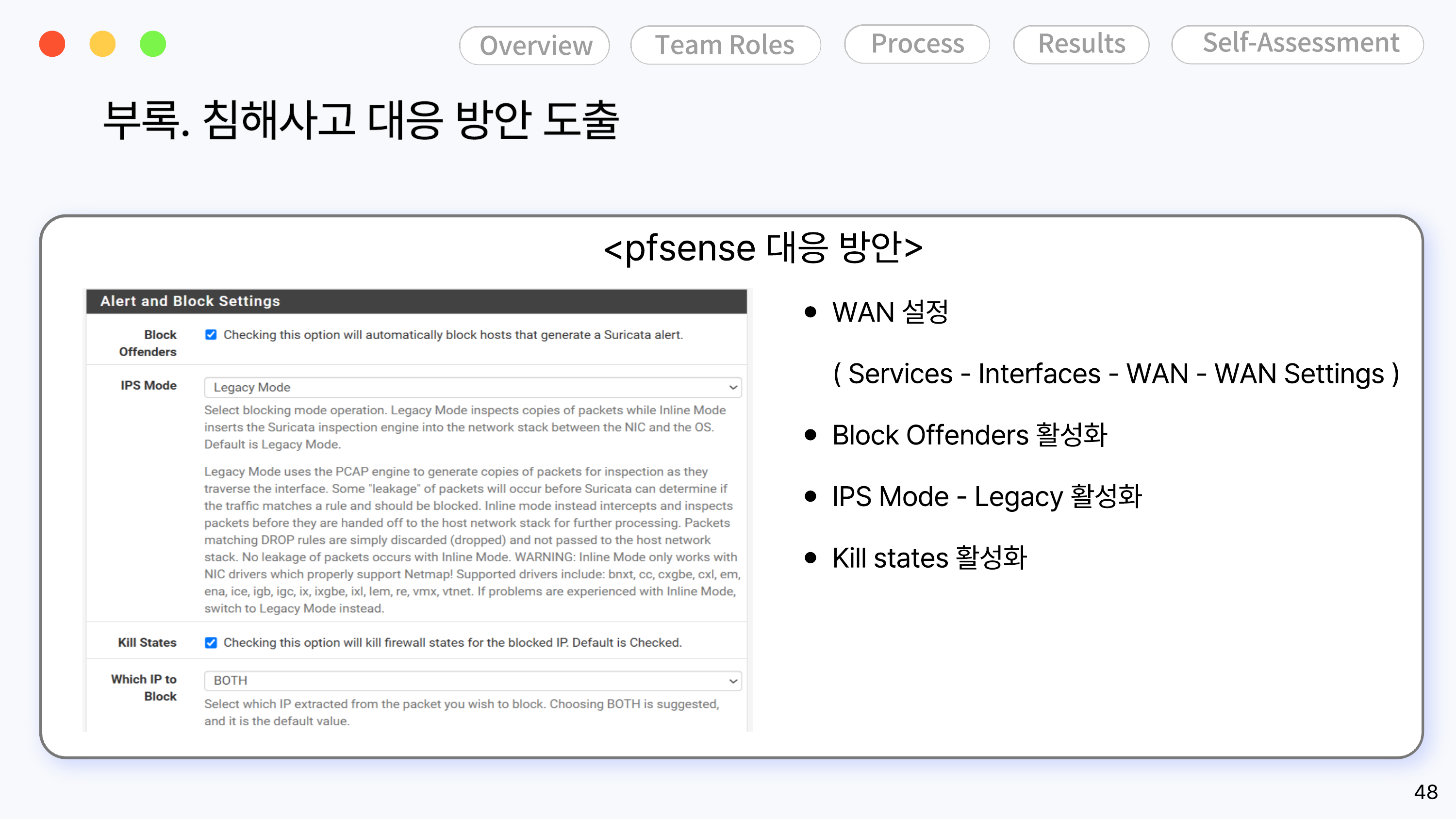
Alert & Block Settings — Services - Interfaces - WAN - WAN Settings
To automatically block attacker IPs detected by Suricata, Block Offenders was enabled, IPS Mode was set to Legacy, and Kill States was also enabled.
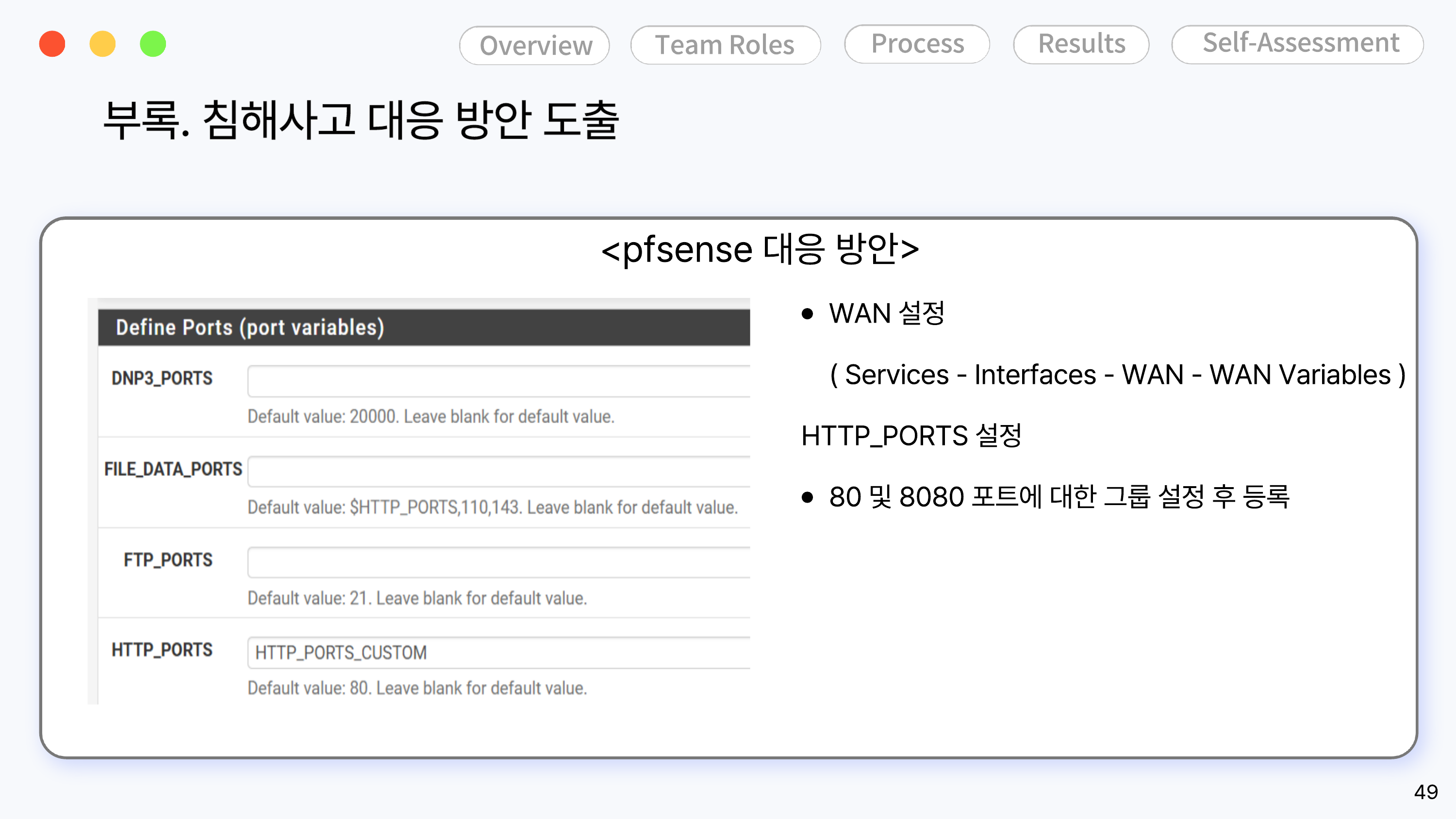
Port Variable Settings — Services - Interfaces - WAN - WAN Variables
Since the internal web service uses both ports 80 and 8080, the two ports were registered as a group under HTTP_PORTS.
wazuh-setup.md, coraza-waf-setting.md, etc. (Those captures are not in the original PDF, so they could not be included this time — let me know if needed.)