
Skip to content
KitploitKITPLOIT
ToolsBlog
Submit
ToolsBlog
Submit

Hacking, PenTest, and Cybersecurity Tools for Your Security Arsenal!

Kitploit is a directory of hacking, cybersecurity, and pentesting tools. Discover the latest project updates to find vulnerabilities, analyze systems, automate testing, and strengthen your security.

··Feeds·Contact·Privacy·© 2026 Kitploit

Tool Directory

Categories

View all categories
Loading categories
ComfyEngine — ComfyEngine is a memory exploration toolkit built for people who need to monitor, patch, and script a running process. | Kitploit
Tools/GitHubGitHub/kashithecomfy/comfyengine
Memory ForensicsDynamic Code Analysis (DAST)ExploitationReverse EngineeringScripting & AutomationDebuggersBinary AnalysisLearning & Education
GitHubkashithecomfy/comfyengine

ComfyEngine

ComfyEngine is a memory exploration toolkit built for people who need to monitor, patch, and script a running process.

View Repository
6118 months agoReviewed by Kitploit

Most Popular

View all →

Discover the most used tools by our community.

Explore all tools

Browse our collection of tools

View all tools →
Share

ComfyEngine

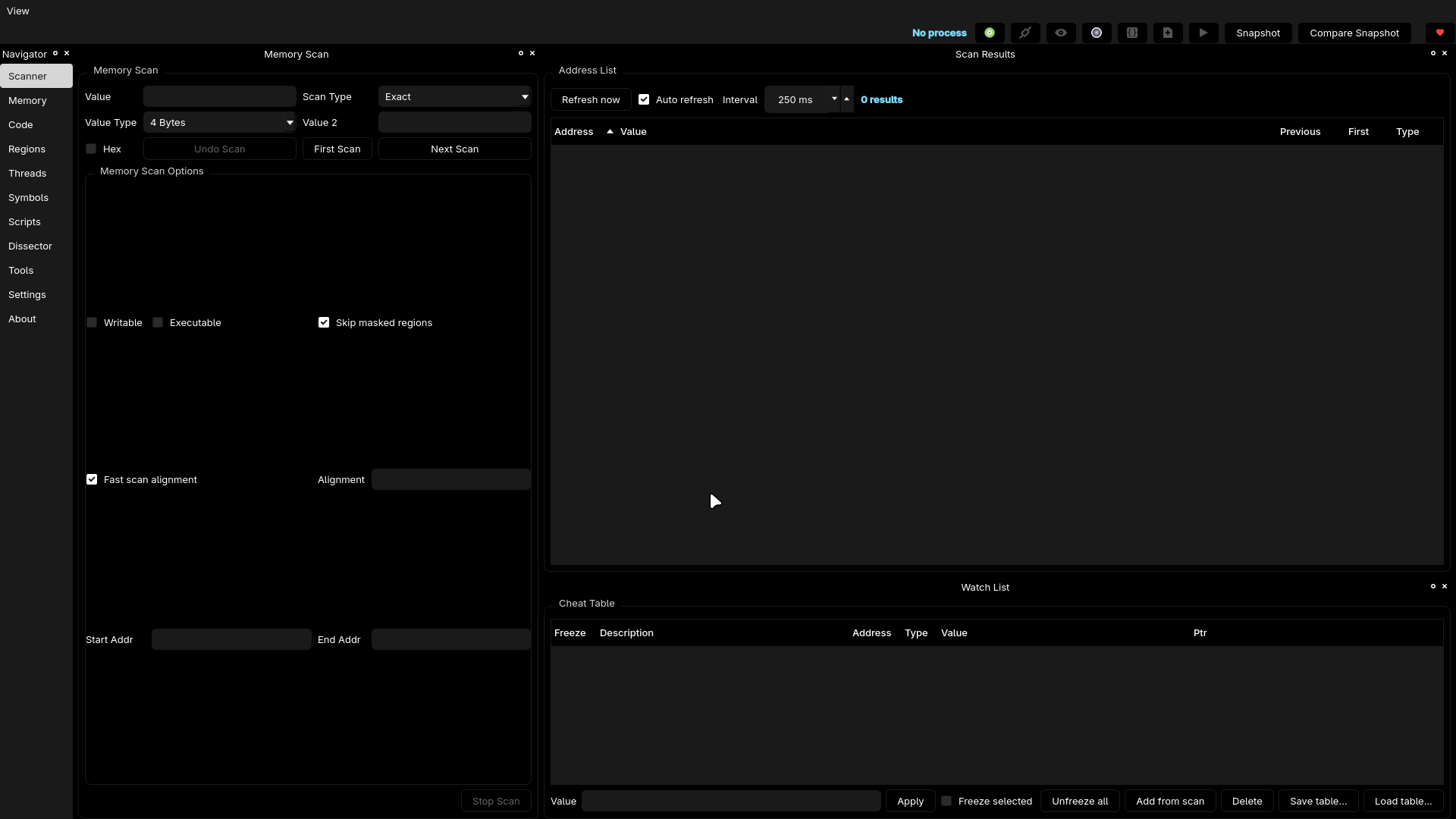
Qt-based memory scanner / watchlist playground inspired by Cheat Engine but built natively for Linux and tuned for my workflow: clean docks, pointer graphs, fast patching, and zero fear of losing context when you bounce between scanner, scripts, and notes.

ComfyEngine gives you a clean, modern, Linux-first alternative to CE without the ceserver headache. All docks are movable, all colors follow your Qt theme, and all tools live in one workspace.
image

What You Get

Scanner

  • Exact / Unknown / Changed / Range / etc
  • Optional alignment
  • Fast scanning engine
  • Skip masked/unreadable pages
  • First Scan → Next Scan workflow (Undo scan available)

Results & Watchlist

  • One-click add to watchlist (double-click)
  • Pointer toggles & flags
  • Freeze + auto-enforce
  • Spike/value drift coloring
  • Save/load watch tables
  • Track-changes dock for snapshot diffs

Pointer & Memory Tools

  • Pointer graph visualization
  • Hex + memory viewer
  • Inline patch widget
  • Auto Assembler templates
  • Auto-generated patch/restore scripts
  • Instruction context view

Quality of Life

  • Notes dock
  • Script editor
  • Navigator sidebar
  • Layouts saved via QSettings

The colors depend on your theme. Everything is dockable and fully customizable.


Build

Requirements:

  • Qt 6 (Widgets)
  • Capstone
  • CMake ≥ 3.16
  • C++17 compiler
  • Ninja or Make
root@kitploit:~
cmake -S . -B build -DCMAKE_BUILD_TYPE=Debug
cmake --build build
# optional:
cmake --install build --prefix /usr/local

Executable lives at:

root@kitploit:~
build/src/comfyengine

Helper tools (test_watch, ce_watch) live in the repo root.


Install (AUR)

ComfyEngine has an official AUR package:

Git (development) version

root@kitploit:~
yay -S comfyengine-git

This builds the latest commit directly from GitHub.

Manual build

If you want to build without AUR:

root@kitploit:~
git clone https://github.com/kashithecomfy/ComfyEngine
cd ComfyEngine
cmake -S . -B build -DCMAKE_BUILD_TYPE=Release
cmake --build build
sudo cmake --install build

Usage

  1. Launch ComfyEngine
  2. Click Select Process…, choose your target
  3. Enter a value in Memory Scan
  4. Hit First Scan, then Next Scan
  5. Double-click results to send them to your watchlist
  6. Right-click any address for patching, tracing, watching, etc.
  7. Use toolbar for Auto Assembler, Memory Viewer, Pointer Scanner
  8. Configure refresh cadence in Settings

ComfyEngine keeps your layout and preferences across sessions using QSettings.


Tests

Run the full test suite:

root@kitploit:~
ctest --test-dir build --output-on-failure

Or run the internal test tool:

root@kitploit:~
./build/test_watch

Register new suites via add_test() in the relevant CMakeLists.


Support / Contribution

Issues & PRs welcome: https://github.com/kashithecomfy/ComfyEngine

Want to fuel development? https://buymeacoffee.com/comfykashi

This is my first public project, more coming. Break apps responsibly and stay comfy!

Download Tool