 kaleth4/cve-2021-4045
Command injection exploit for TP-Link Tapo C200 camera (CVE-2021-4045) providing root shell access via UART and reverse-engineered uhttpd binary analysis.

CVE-2021-4045
CVE-2021-4045 is a command injection vulnerability discovered in the TP-Link Tapo C200 camera, allowing an attacker to take full control of the device with root privileges. This vulnerability affects all firmware versions prior to 1.1.16 Build 211209 Rel. 37726N.
🔗 Official INCIBE advisory: https://www.incibe.es/incibe-cert/alerta-temprana/vulnerabilidades/cve-2021-4045 (Replace with actual link)
🔧 Recommended solution: Update the firmware to version 1.1.16 or higher.
$ nmap -sV -p- 192.168.1.81
**Result**:```
PORT     STATE SERVICE
443/tcp  open  https
554/tcp  open  rtsp
2020/tcp open  xinupageserver
8800/tcp open  sunwebadmin
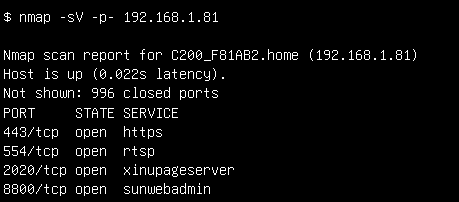 As can be seen, the device has some interesting open ports. The first thing I tried was port 443. Although nmap clearly indicates it uses https, when I did the initial scan, I overlooked it and spent quite some time thinking that port 443 was using http. Because of this, I only tried http://192.168.1.81:443 instead of https://192.168.1.81:443, so I only got 400 responses. As I said in the introduction, this process was full of failures. As for the other ports, the services running on them were completely unknown to me and I couldn't find any clear information about them. At that point, I had run out of known options, so it was time to investigate further.
----[ Getting a shell ]-------------------------------
Before buying the camera, I searched online for previous research on the device and, luckily, I found this GitHub repository where people were collaborating on reverse engineering. One of the issues explained how to get console access via the UART port, something I was completely unaware of at that time. So I learned the basics and bought a USB to TTL converter to connect.
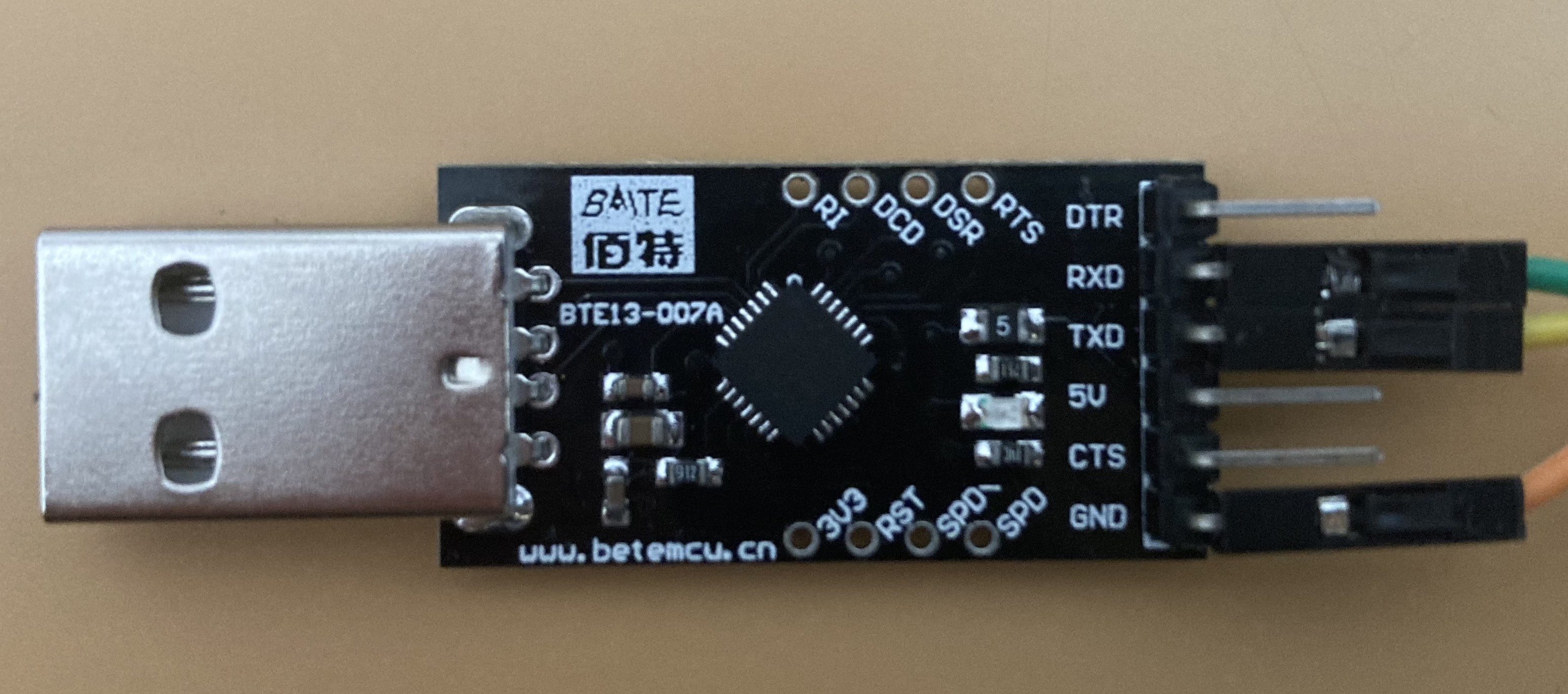 With the help of the aforementioned issue, I was able to open the device with a knife and a screwdriver and quickly locate the UART. After a couple of attempts and a lot of patience, I finally managed to solder some wires to the pads.
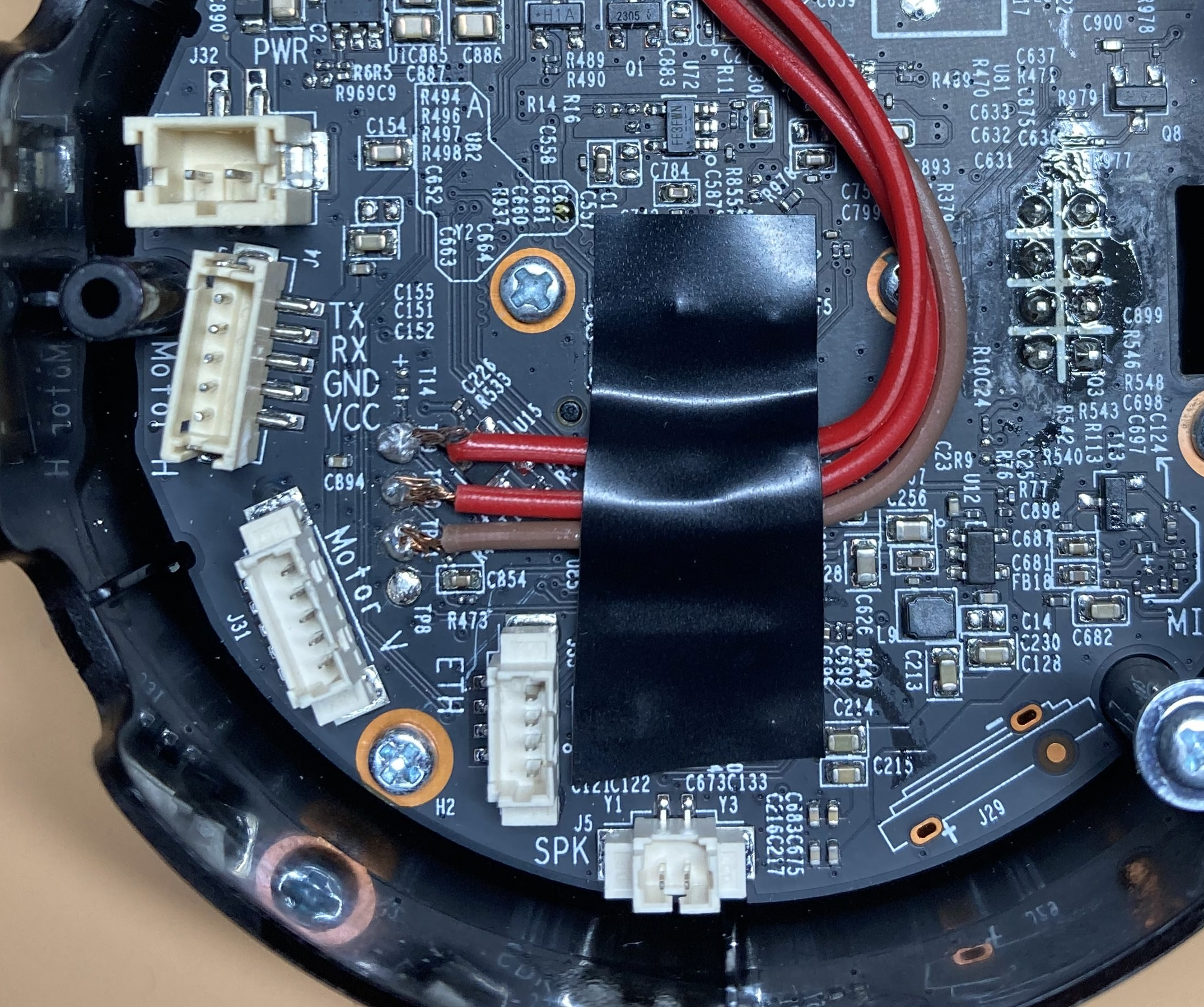
Then, it was time to check if the soldering was good enough for data transmission. I connected the wires to the USB adapter, keeping in mind that UART Rx goes to the adapter's Tx and vice versa, and connected the adapter to my computer. Again, thanks to the mentioned issue, I knew the baud rate for the serial connection was 57600, so I ran:
$ sudo screen /dev/tty.usbserial-0001 57600
Where '/dev/tty.usbserial-0001' is the USB port to which the adapter is connected and which powers the device. I immediately started receiving data, great.
However, I still didn't have console access. What I was receiving was simply the device's boot sequence, which was actually the U-Boot bootloader. It looked something like this:
U-Boot 2014.01-v1.2 (Jul 16 2021 - 18:41:10)
Board: IPCAM RTS3903 CPU: 500M :rx5281 prid=0xdc02 force spi nor mode DRAM: 64 MiB @ 1066 MHz Skipping flash_init Flash: 0 Bytes flash status is 0, 0, 0 SF: Detected XM25QH64A with page size 256 Bytes, erase size 64 KiB, total 8 MiB Using default environment
Autobooting in 1 seconds copying flash to 0x81500000 flash status is 0, 0, 0 SF: Detected XM25QH64A with page size 256 Bytes, erase size 64 KiB, total 8 MiB SF: 8388608 bytes @ 0x0 Read: OK
[...]
Pressing Enter prompted us to enter a username and password. Thanks to that GitHub issue, we know the credentials, so we can log in successfully with the user 'root' and password 'slprealtek' and finally get console access.
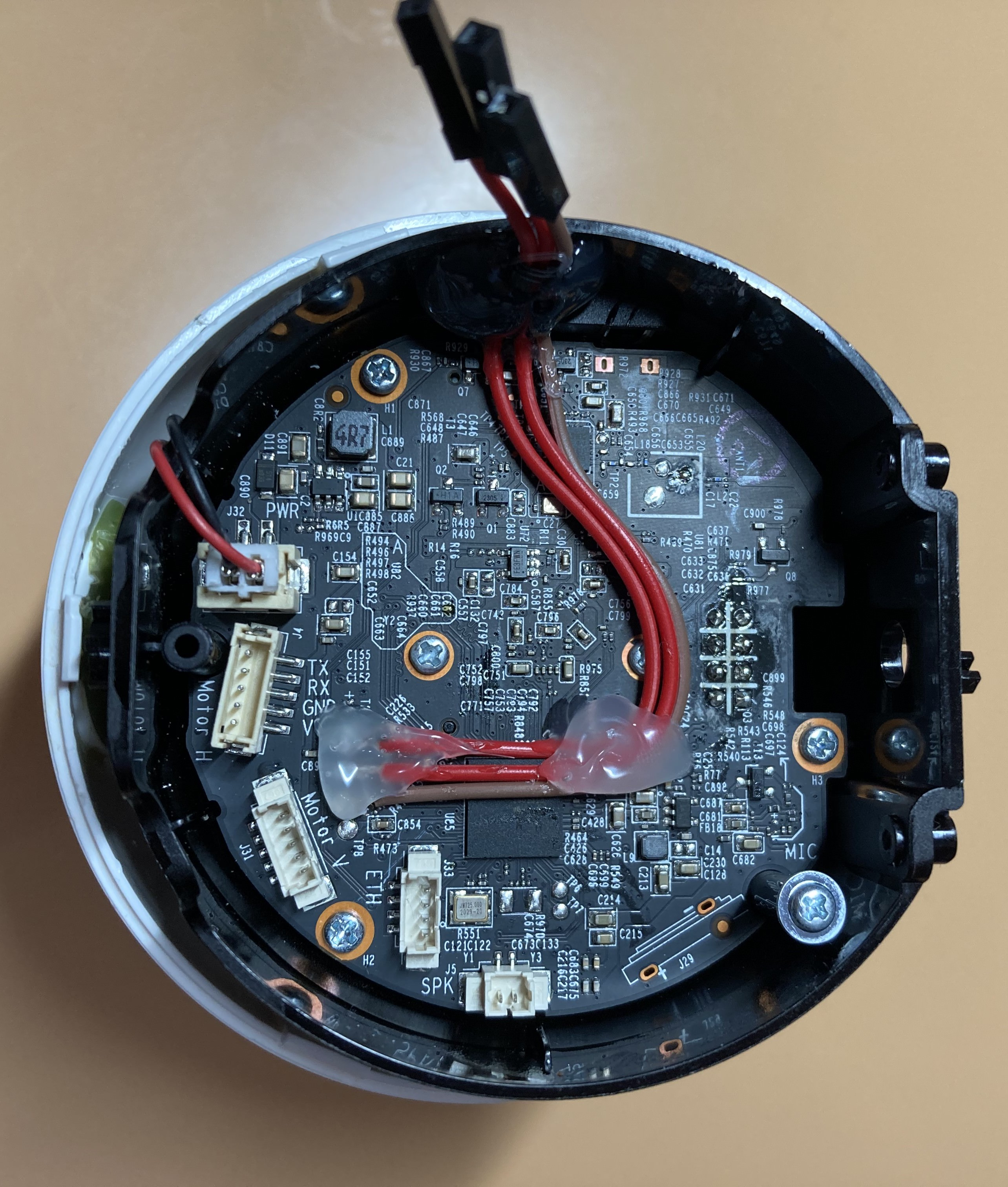
Once I verified the connection worked, I needed to reinforce the soldering, as it had broken twice during the process of reassembling the casing. I applied hot glue to secure all the wires and closed the device, disconnecting all the motors. Now, my test unit was ready.
----[ Exploring the device ]--------------------------
Now that we have a shell, let's explore the device:
root@SLP:~# uname -a Linux SLP 3.10.27 #1 PREEMPT Wed Nov 11 20:42:05 CST 2020 rlx GNU/Linux
root@SLP:~# cat /etc/openwrt_version 12.09-rc1
As we can see, this is an OpenWRT machine running Linux 3.10.27. Now let's check the active processes and open ports:
root@SLP:~# ps PID USER VSZ STAT COMMAND 1 root 2328 S init 2 root 0 SW [kthreadd] 3 root 0 SW [ksoftirqd/0] 4 root 0 SW [kworker/0:0] 5 root 0 SW< [kworker/0:0H] 6 root 0 SW [kworker/u2:0] 7 root 0 SW [rcu_preempt] 8 root 0 SW [rcu_bh] 9 root 0 SW [rcu_sched] 10 root 0 SW< [khelper] 11 root 0 SW< [writeback] 12 root 0 SW< [bioset] 13 root 0 SW< [kblockd] 14 root 0 SW [khubd] 15 root 0 SW [kworker/0:1] 16 root 0 SW [kswapd0] 17 root 0 SW [fsnotify_mark] 18 root 0 SW< [crypto] 27 root 0 SW [kworker/u2:1] 46 root 0 SW< [deferwq] 47 root 0 SW< [kworker/0:1H] 247 root 2328 S -ash 262 root 0 SW [irq/27-gpio res] 273 root 0 SW< [cryptodev_queue] 282 root 860 S /sbin/hotplug2 --override --persistent --set-rules-f 304 root 888 S /sbin/ubusd 325 root 8152 S tp_manage 357 root 3416 S /usr/bin/ledd 361 root 3408 S /sbin/msglogd 367 root 3220 S /usr/sbin/netlinkd 370 root 5468 S < /usr/bin/system_state_audio 379 root 10180 S /usr/sbin/wlan-manager 491 root 1636 S /sbin/netifd 492 root 1520 S /usr/sbin/connModed 494 root 11488 S /usr/bin/dsd 496 root 1532 S /usr/sbin/connModed 502 root 7640 S /bin/cloud-service 520 root 4360 S /bin/cloud-brd -c /var/etc/cloud_brd_conf 653 root 15020 S /bin/cloud-client 830 root 2320 S /usr/sbin/telnetd -b 127.0.0.1 861 root 3852 S /usr/sbin/uhttpd -f -h /www -T 180 -A 0 -n 8 -R -r C 870 root 6048 S /usr/bin/relayd 872 root 5948 S /usr/bin/rtspd 879 root 4612 S /usr/bin/p2pd 884 root 11152 S /bin/dn_switch 889 root 4180 S /bin/storage_manager 920 root 40940 S /bin/cet 956 root 32336 S /bin/vda 960 root 3808 S /bin/wtd 970 root 11288 S /bin/nvid 1019 root 2332 S udhcpc -p /var/run/static-dhcpc.pid -s /lib/netifd/s 1037 root 0 SW [RTW_CMD_THREAD] 1059 root 1212 S wpa_supplicant -B -Dwext -iwlan0 -P/tmp/supplicant_p 1089 root 2332 S /usr/sbin/ntpd -n -p time.nist.gov -p 133.100.9.2 -p 1103 root 3840 S /usr/bin/motord 1447 root 2324 R ps
