 joda32/ghostpress
Fast single-binary WordPress security auditor (Go) with a Wordfence-backed vulnerability database

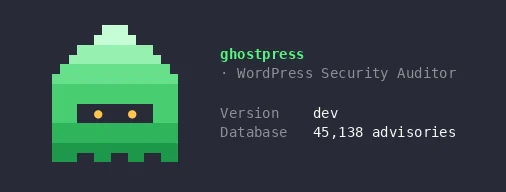
A fast, portable WordPress security auditor in a single Go binary.
No runtime, no dependencies, no setup. Just drop it on a box and scan.
[!WARNING] Ghostpress is in early development. It works and it is useful, but expect rough edges, the occasional false positive, and flags that may change before 1.0. If you hit a bug, please open an issue with the command you ran and what you saw. Pull requests are very welcome too, whether it is a fix, a new check, or just better docs. This is the kind of project that gets better fast when people kick the tyres and tell us what broke.
Ghostpress points at a WordPress site and tells you what is exposed: the core version, the plugins and themes it can fingerprint, the users it can enumerate, and crucially the known vulnerabilities that match. The vulnerability data comes from the Wordfence Intelligence feed, so you are matching against a real, maintained database of tens of thousands of advisories rather than a hand-rolled list that went stale two years ago.
The whole database ships inside the binary, so a fresh download can scan
offline straight away. When you want the latest advisories, ghostpress update
pulls a fresh copy.

--show-unconfirmed when you want the maybes anyway.Head to the Releases page, grab the binary for your platform, make it executable, and you are done:
chmod +x ghostpress
./ghostpress version
Move it somewhere on your PATH (for example /usr/local/bin) if you want to
call it as just ghostpress.
You will need Go 1.22 or newer.
git clone https://github.com/joda32/ghostpress.git
cd ghostpress
go build -o ghostpress .
./ghostpress version
To stamp a version into the build (so ghostpress version and the banner show
something nicer than dev):
go build -ldflags "-X main.version=v0.1.0" -o ghostpress .
Point it at a site:
ghostpress https://example.com
By default that enumerates plugins, themes, and users, then reports anything it finds along with matching vulnerabilities. That is usually what you want.
The exit code tells your scripts how it went:
| Code | Meaning |
|---|---|
0 | Scan finished, nothing vulnerable found |
1 | Something went wrong (could not connect, bad target, and so on) |
5 | Scan finished and found at least one vulnerability |
Pick exactly what you want with -e. Combine options with commas:
# Only vulnerable plugins and vulnerable themes (fast, high signal)
ghostpress https://example.com -e vp,vt

# Everything interesting: all plugins, all themes, users, config backups
ghostpress https://example.com -e ap,at,u,cb
| Option | Checks for |
|---|---|
p | Popular plugins (built-in list) |
vp | Vulnerable plugins only |
ap | All plugins (full list, slower and louder) |
t | Popular themes |
vt | Vulnerable themes only |
at | All themes |
u | Users (author archives, REST, and friends) |
cb | Exposed config backups (wp-config leftovers) |
dbe | Database exports left lying around |
tt | TimThumb files |
m | Media / attachment enumeration |
Stealth mode uses a random user agent and sticks to passive detection, so it makes far less noise:
ghostpress https://example.com --stealthy
You can also tune the aggression directly, throttle requests, and dial threads up or down:
ghostpress https://example.com --detection-mode passive --throttle 250 -t 2
# Route everything through Burp or a SOCKS proxy
ghostpress https://example.com --proxy http://127.0.0.1:8080

# The target sits behind HTTP basic auth
ghostpress https://example.com --http-auth admin:secret

# Send a session cookie
ghostpress https://example.com --cookie-string "wordpress_logged_in_xyz=..."
If you have enumerated users (or you bring your own), you can test credentials against the login or XML-RPC:
# Try a wordlist against the users ghostpress already found
ghostpress https://example.com --passwords rockyou.txt

# Target specific users over XML-RPC multicall (faster, if it is enabled)
ghostpress https://example.com --passwords rockyou.txt \
  --usernames admin,editor --password-attack xmlrpc-multicall
# JSON to a file for your pipeline
ghostpress https://example.com --format json -o scan.json
When you write to a file (or pipe the output), the colour and the ghost step aside automatically, so you get clean plain text.
If version detection gets blocked, ghostpress will say so and tell you how many requests were turned away. In that case the version of a component might be unknown, and by default the matching advisories are held back (they may not apply to whatever is actually installed). To see them anyway:
ghostpress https://example.com --show-unconfirmed
The binary ships with a database baked in, but new advisories land all the time. Pull the latest with:
ghostpress update
That fetches the current database from the project's releases and verifies it against a published checksum before replacing your local copy. If you host your own mirror, point it somewhere else:
ghostpress update --url https://your.mirror/vulndb.json.gz
Ghostpress leans on a few ideas to stay accurate on real sites: