 jazho76/page_table_walk
Walk x86-64 page tables by hand in qemu and gdb. Decompose a virtual address, follow cr3 through all levels of physical memory, and extract a flag from raw bytes.

You've read about paging. The diagrams make sense. Four levels, 9 bits each, page frame, offset. Sure. But then you hit a challenge that requires actually walking page tables, and you realize you don't know it. You know about it. Big difference.
What worked for me was sitting in front of QEMU and gdb and doing the walk myself: computing every index, reading every entry from physical memory, following every pointer by hand. One afternoon of that could teach more than hours of lectures.
This is a collection of my notes from that process. If you're still missing the conceptual side, watch Zardus's lecture on kernel memory management first. That's the theory. This is the lab.
The goal: take a virtual address and chase it through raw physical memory until we find the data. No kernel helpers. No abstractions. Just a QEMU VM, gdb, and raw physical memory.
By the end, paging won't be something you read about, it'll be something you know because you did it by hand.
A pre-built kernel and initramfs are included, I ran this in Fedora, but any OS that runs QEMU and gdb should work. Install them with your package manager:
# Ubuntu/Debian
sudo apt install qemu-system-x86 gdb

# Fedora/RHEL
sudo dnf install qemu-system-x86 gdb

# macOS
brew install qemu gdb
The target is a trivial C program that stores a flag in memory and prints its virtual address:
#include <stdio.h>
#include <unistd.h>

int main(void)
{
    char secret[] = "FLAG{p4g3_t4bl3_w4lk3r}";

    printf("secret @ %p\n", (void *)secret);
    printf("pid = %d\n", getpid());
    printf("Spinning. Walk the page tables to find the flag.\n");

    while (1)
    {
    }
}
The busy loop is intentional. I originally used pause(), but that puts the
process to sleep in a syscall: when gdb halts the VM, the CPU is likely
running the idle task with a different CR3. A spinning loop keeps the process
on-CPU, so halting guarantees you're in its context with the right page tables.
A pre-built initramfs with this binary is already included in
initramfs.cpio.gz. If you need to rebuild it (Linux only, requires
busybox and glibc-static), run make in this directory.
./start.sh
The script boots the bundled kernel and initramfs under QEMU with -s
(gdb server on localhost:1234) and nokaslr so kernel addresses stay
fixed between runs.
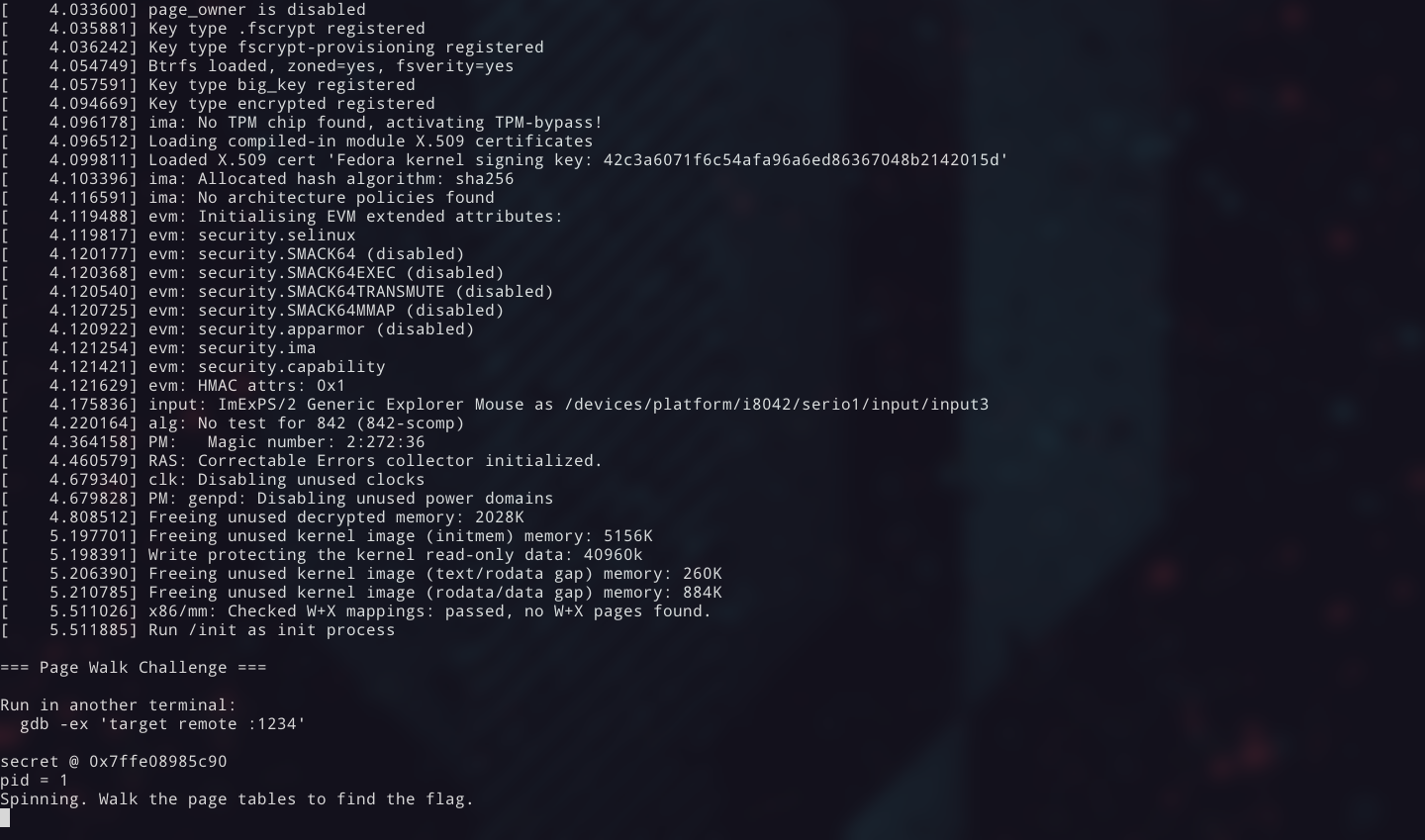
The VM boots immediately and the challenge binary runs. You'll see the flag's virtual address printed to the console.
secret @ 0x7ffe08985c90
pid = 1
Spinning. Walk the page tables to find the flag.
Write down that virtual address. That's your target.
The default QEMU escape key is
Ctrl-a, but that collides with my tmux prefix, so the script uses-echr 0x11to remap it toCtrl-q. If you useCtrl-qfor something else, change the hex value instart.shto suit your setup.
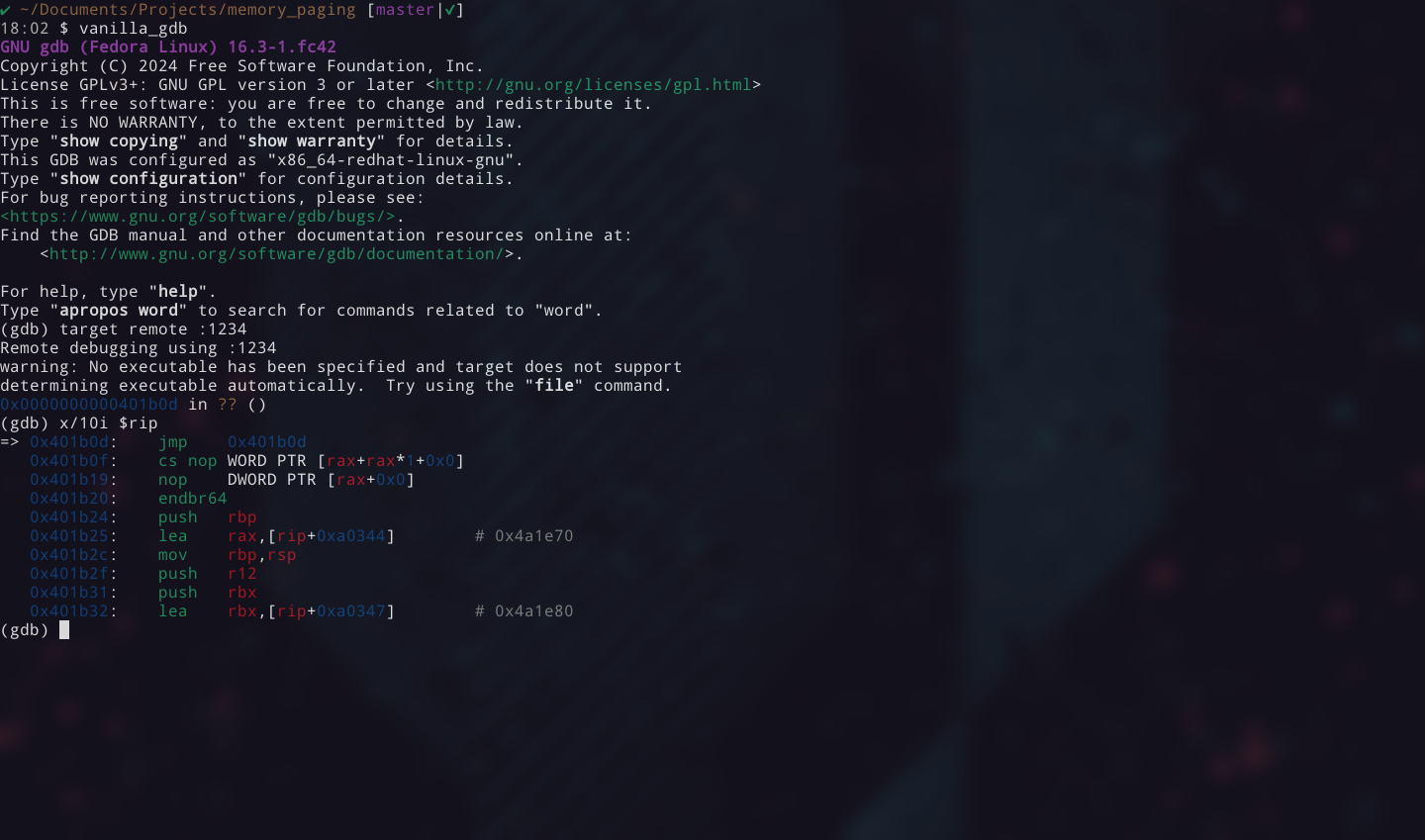
In a second terminal:
gdb -ex "target remote :1234"
You have a virtual address. But where's the data, really?
Virtual addresses are the operating system's polite fiction. Every process thinks it has its own private memory starting from zero. In reality, the data lives at some completely unrelated location in physical RAM. The page table is the map between the two: a tree structure that the CPU walks on every single memory access (or looks up from its TLB cache).
So let's do what the CPU does. Manually. To translate that address, we need to decompose it into the indices the CPU uses at each level.
An x86-64 virtual address is 48 bits wide. Those 48 bits are split into five fields:
 63    48 47    39 38    30 29    21 20    12 11       0
┌────────┬────────┬────────┬────────┬────────┬──────────┐
│ sign   │  PGD   │  PUD   │  PMD   │   PT   │  Offset  │
│ extend │ index  │ index  │ index  │ index  │          │
│ (16b)  │ (9b)   │ (9b)   │ (9b)   │ (9b)   │  (12b)   │
└────────┴────────┴────────┴────────┴────────┴──────────┘
Each 9-bit index selects one of 512 entries in a page table at that level. The 12-bit offset selects a byte within the final 4 KB (0x1000) page.
To extract the indices, shift and mask:
PGD index  = (VA >> 39) & 0x1FF
PUD index  = (VA >> 30) & 0x1FF
PMD index  = (VA >> 21) & 0x1FF
PT  index  = (VA >> 12) & 0x1FF
Offset     =  VA        & 0xFFF
In gdb, you can compute these directly:
(gdb) p/x (0x7ffe08985c90 >> 39) & 0x1ff
$1 = 0xff
(gdb) p/x (0x7ffe08985c90 >> 30) & 0x1ff
$2 = 0x1f8
(gdb) p/x (0x7ffe08985c90 >> 21) & 0x1ff
$3 = 0x44
(gdb) p/x (0x7ffe08985c90 >> 12) & 0x1ff
$4 = 0x185
(gdb) p/x 0x7ffe08985c90 & 0xfff
$5 = 0xc90
Write these down. You'll use each one at its corresponding level.
Your values will differ. The address
0x7ffe08985c90is just an example. Use whatever address your challenge binary printed.
A note on 5-level paging. Recent CPUs and kernels support LA57, which adds a fifth level (PML5) above the PGD and extends virtual addresses to 57 bits. The walk is the same pattern: one more 9-bit index, one more table lookup. Most systems still run 4-level paging. You can check yours:
cat /proc/cpuinfo | grep la57. Everything in this article assumes 4-level.
Every tree has a root. For page tables, that root is in the CR3 register: it holds the physical address of the top-level table, the PGD. Every process gets its own CR3 value, the kernel swaps it on context switch.
This is our entry point into the walk. Read it from gdb:
(gdb) info registers cr3
cr3            0x66c7000           [ PDBR=26311 PCID=0 ]
The page table base is 0x66c7000. The low 12 bits are PCID/flags (zero here),
so the base address is the value as-is.
This is where the walk starts.
Here's the trick: every level follows the same pattern. The flags vary slightly between levels, but the process doesn't. The pattern:
base + index * 8 (each entry is 8 bytes)xp command& 0x000FFFFFFFFFF000Every entry is 64 bits. The common flag bits:
Bit   Name              Meaning when set
 0    Present           Page/table is mapped
 1    Read/Write        Writable
 2    User/Supervisor   Accessible from userspace
 3    Write-Through     Write-through caching
 4    Cache Disable     Caching disabled
 5    Accessed          CPU has read this entry
 6    Dirty             CPU has written to the page (final level only)
 7    Page Size         1 GB page (PUD) or 2 MB page (PMD)
63    NX                No-execute
Bits [51:12] hold the physical address of the next table (or the page frame at the final level). Bits 9-11 are ignored by hardware and available for OS use. Linux uses them for bookkeeping (soft-dirty tracking, for example). Bits 52-62 are reserved. You'll encounter both when reading PTEs in exploit writeups.
Keep this flag table handy as you walk.
Let's go.
We have the PGD base from CR3: 0x66c7000.
Our PGD index is 0xff.
Compute the entry address:
