 ishannaik/agent-sweep
Find and redact secrets in AI coding agent histories (Claude Code, and more).

Find and redact secrets in your AI coding agent's local history. Fully offline.







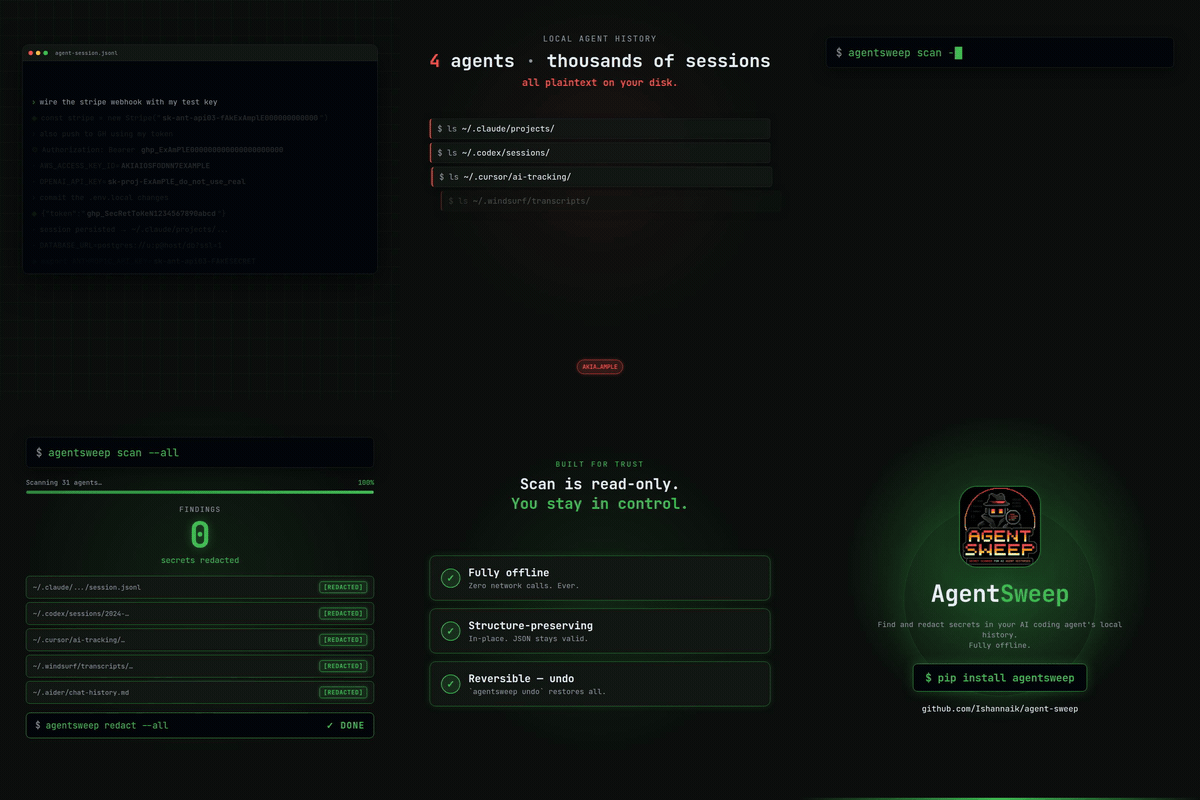
Watch the full clip with sound
Prevention: Don't paste API keys into cloud-backed AI agents at all. The key transits the provider's servers before it ever hits your disk.
If you already did: agentsweep removes the remaining local attack vector: supply-chain malware and compromised packages that scan your disk for credentials. Your files never leave your machine.
32 agents supported: Claude Code · Codex · OpenCode · Cursor · Windsurf · Aider · Cline · Kilo Code · Roo Code · PearAI · Trae · Void · Gemini CLI · Qwen Code · Continue · Open Interpreter · GitHub Copilot Chat · OpenClaw · Hermes · Goose · llm (Datasette) · Warp · Crush · Grok Build · Grok CLI · Kiro CLI · Zed · Codebuff · Plandex · Junie · Mentat · JetBrains AI
Experimental sources (Warp, Crush, Kiro CLI, Zed, Codebuff, Plandex, Qwen Code, PearAI, Trae, Void, Junie, Mentat, JetBrains AI) have storage paths/formats derived from research but not yet verified against a real install. Scanning is safe: a wrong path finds nothing. They may under-report until confirmed. They're tagged
(experimental)in the picker and print a notice on scan.Grok Build (xAI) is verified against a real Windows install: JSONL transcripts at
~/.grok/sessions/<cwd>/<session-id>/(chat_history.jsonl,updates.jsonl,events.jsonl;$GROK_HOMEoverride). Grok CLI is superagent-ai/grok-cli, verified with grok-dev 1.1.7: SQLite at~/.grok/grok.db, with prompts inmessages.message_json. It is a different product. They share~/.grokbut scan different files;auth.jsonis never opened.
207 regex rules + seed-phrase detection: AWS, GitHub, Stripe, OpenAI, Anthropic, Google, Slack, Discord, HuggingFace, Supabase sensitive tokens, JWT, PEM keys, DB URLs, BIP-39 seed phrases, and many more
Alpha: every destructive step is gated, backed up, and reversible with one command
Claude Code (and every other AI coding CLI) stores your full conversation history as plain-text JSONL on disk, under ~/.claude/projects/ for Claude Code and ~/.codex/sessions/ for OpenAI Codex. Anything you paste, whether an AWS key, a .env file, or a database URL, sits in clear text indefinitely. A typical dev's history accumulates dozens of secrets over months, usually unnoticed.
agentsweep scans that history, tells you what leaked, and can redact the secret values in place while preserving the JSONL structure byte-for-byte. It also tells you which keys to rotate, with the right revocation URL for each provider.
Scope of protection: agentsweep is fully local and offline. It reads and writes only files on your machine and makes zero network calls. It removes one attack vector: secrets sitting in local history files. It does not affect what your AI provider already received. When you paste a key into Claude Code, Cursor, or any cloud-backed agent, that key already transited the provider's servers before it hit disk. If that concerns you, consider a locally-hosted model (Ollama, LM Studio, OpenCode) where nothing leaves your machine, which pairs well with agentsweep.
Supply chain attacks are accelerating. In 2024 and 2025, a wave of malicious npm and PyPI packages (sha256-universal, shailulid, hundreds of typosquats) were caught exfiltrating developer credentials off the machine that installed them. They target environment variables, .env files, shell history, SSH keys, and now AI agent history files.
AI coding assistants have created a new category of credential exposure that didn't exist two years ago:
~/.claude/projects/*/conversations/*.jsonl foreverpostinstall → scans common paths → finds your JSONL history → exfiltrates 50 API keys in one request.env you asked an AI to help with, every DB URL you shared for debugging, every token you pasted for a one-linerAI agent history holds full context, not just the commands a shell history keeps. Attackers already scan for it. agentsweep cleans it up before that happens.
pip install uv                  # get uv (skip if you already have it)
uv tool install agentsweep      # install — adds `agentsweep` and `asweep` to PATH
asweep                          # run — interactive menu guides you through everything
No virtualenv to activate and no PATH fiddling. uv tool install gives the command its own isolated environment.
agentsweep runs a fixed 5-stage pipeline. scan stops after stage 3; fix continues through redaction.
flowchart LR
    A("🔍 DISCOVER\nwalk history dirs\nstream file list") --> B("⚡ SCAN\nAho-Corasick pre-filter\n207 regex rules + BIP-39")
    B --> C{"secrets\nfound?"}
    C -- "none" --> D("✅ CLEAN\nexit 0")
    C -- "found" --> E("📋 FINDINGS\nshow report\nexit 1")
    E -. "scan only" .-> F("⚠️ ROTATE\nkeys still live")
    E -- "type REDACT" --> G("✏️ REDACT\natomic write · .bak backup\npost-write JSON validation")
    G --> H("🔑 ROTATE\nper-provider\nrevocation links")

    style A fill:#1e3a5f,color:#fff,stroke:#2d5986
    style B fill:#1e3a5f,color:#fff,stroke:#2d5986
    style C fill:#4a3728,color:#fff,stroke:#7a5c3f
    style D fill:#1a4731,color:#fff,stroke:#2d7a52
    style E fill:#4a3a1e,color:#fff,stroke:#7a6030
    style F fill:#4a2020,color:#fff,stroke:#8b3a3a
    style G fill:#1e3a5f,color:#fff,stroke:#2d5986
    style H fill:#2d1e4a,color:#fff,stroke:#5a3a8b
Eight safety invariants protect every write: atomic replace, mandatory .bak backup, symlink rejection, mtime and process gates, and post-write JSONL validation. agentsweep undo restores from backups.
agentsweep is a command-line tool, so install it in its own isolated environment. Both recommended options set that up.
uv (recommended):
uv tool install agentsweep      # install
uv tool upgrade agentsweep      # update
uvx agentsweep@latest           # or run once without installing
