
Spip network sensor written in Go
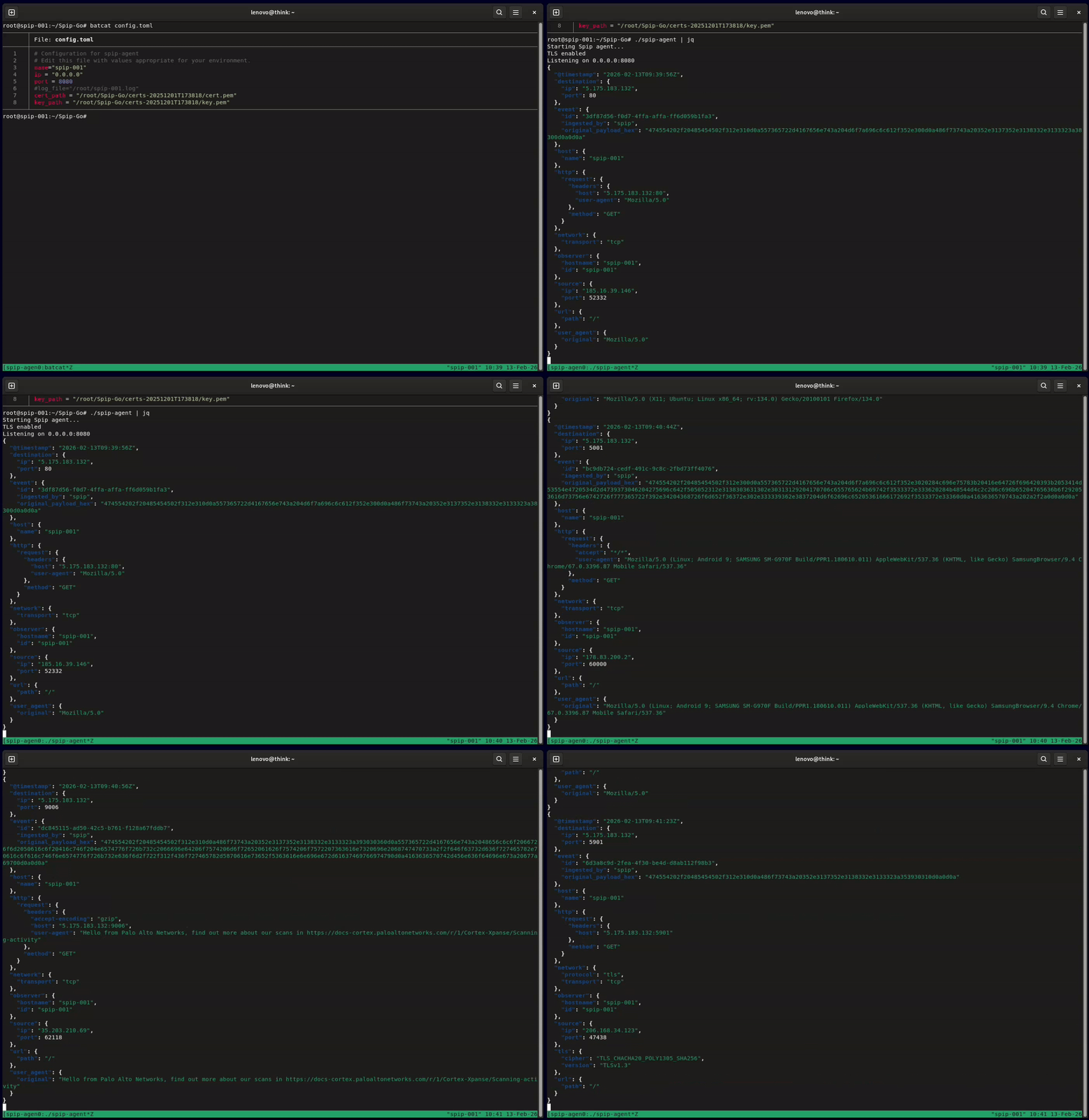
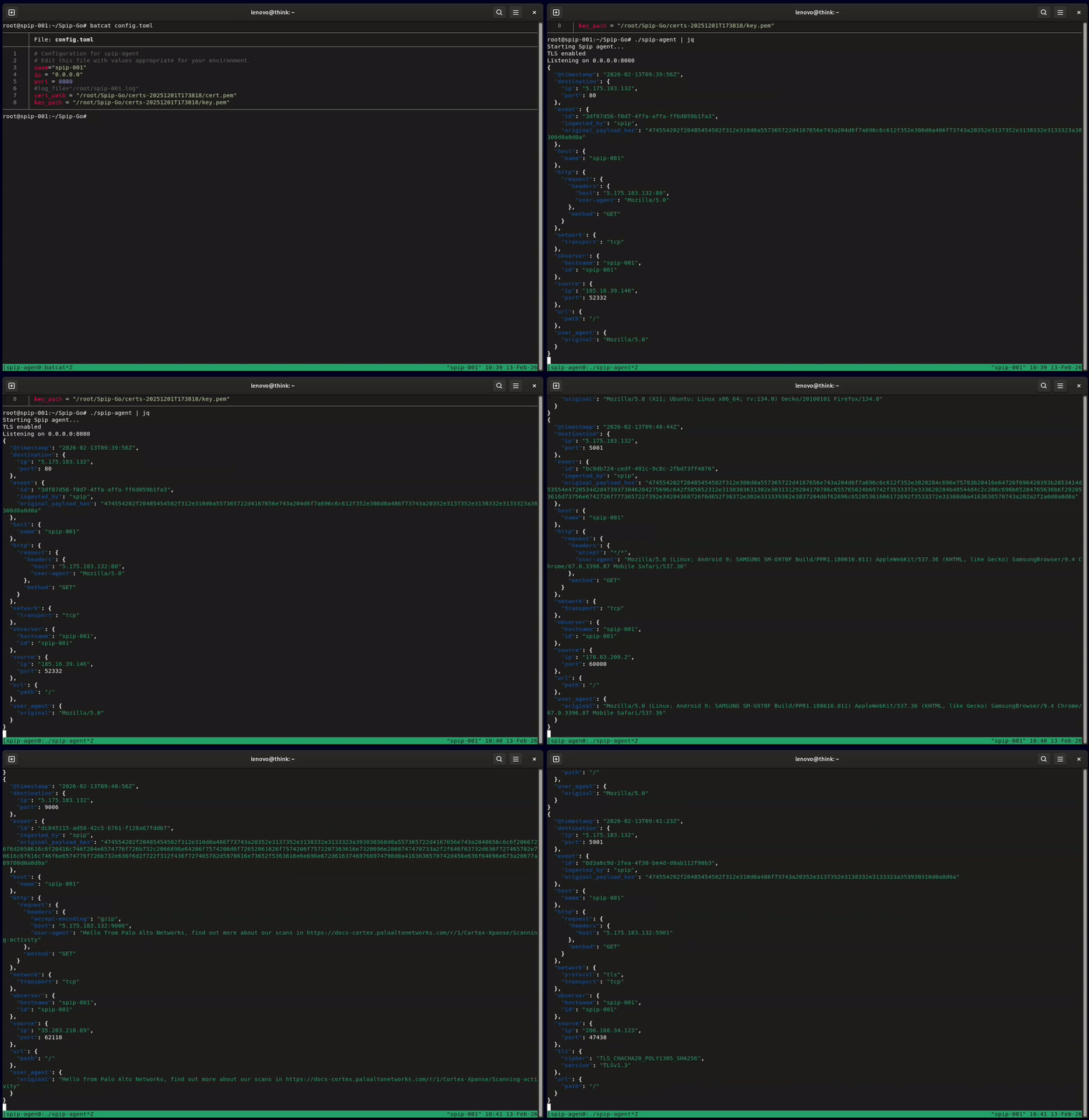
Spip is a lightweight, low-interaction network honeypot sensor. It listens for arbitrary incoming TCP traffic (plain and TLS), captures what scanners and bots send, and logs each connection as structured JSON (ECS-shaped) for easy ingestion into your SIEM or data lake.
Spip sensors power HoneyLabs, a free, queryable threat intelligence platform built on the data they capture. To see what Spip collects in practice, browse the live per-IP reports there or the weekly threat report generated from the sensor network.
Prerequisites
iptablesgit clone https://github.com/honeylabshq/Spip-Go.git
cd Spip-Go
go build -o spip-agent ./cmd/spip-agent
sudo ./scripts/initial_setup.sh
This helper writes a config.toml (it prompts for a short name used in logs), can generate self-signed TLS keys, optionally configures Loom (URL, sensor_id, token, etc.), and optionally applies the PREROUTING iptables redirect used in examples below.
config.toml
Minimal config.toml:name = "spip-agent"
ip = "127.0.0.1"
port = 8080
Optional configuration keys:
cert_path / key_path — enable TLS if both set; may be relative to the config file (the setup script writes relative paths so the config works from any working directory)log_file (local) and/or [loom] (remote). See Log output below.read_timeout_seconds / write_timeout_seconds — connection timeoutsrate_limit_per_second / rate_limit_burst — connection rate-limitingcommunity_id_seed — optional 16-bit seed for Community ID v1 flow hashing (omit or 0 for default)If these runtime tuning fields are omitted or set to 0, Spip applies the following defaults:
read_timeout_seconds: 30write_timeout_seconds: 10rate_limit_per_second: 20rate_limit_burst: 50000sudo iptables -t nat -F
sudo iptables -t nat -A PREROUTING -p tcp --dport 22 -j RETURN
sudo iptables -t nat -A PREROUTING -p tcp -j REDIRECT --to-port 8080
./spip-agent -config config.toml
Spip writes ECS logs to a single local destination and can optionally send the same logs to a Loom server:
| Destination | Config | Behaviour |
|---|---|---|
| Local | log_file | Default: omit or leave empty → stdout. Set to a path → that file. One of the two, always on. |
| Loom | [loom] with enabled = true | Optional. Same events are batched and POSTed to your Loom ingest URL in addition to local. |
So: local defaults to stdout; override with log_file for a file. Optionally add Loom on top. Both use the same ECS format.
log_file commented/empty (stdout) or set it to a path.[loom] section with url, sensor_id, token (see Loom below).Spip emits each connection as a single JSON object. The output is formatted to be ECS-compatible using only the fields Spip can provide (no ASN/geo enrichment). Typical fields produced include:
@timestamp — RFC3339 timestamp for the eventevent.id — per-connection session identifierobserver.hostname / host.name — agent name from configsource.ip, source.port and destination.ip, destination.portnetwork.transport — e.g. tcphttp.request.body / url.path — when the payload clearly resembles HTTPuser_agent.original — when availableevent.summary — raw payload for non-HTTP probesevent.original_payload_hex — raw payload hex (always preserved)network.community_id, tls.client.*, http.request.hash.ja4h, ssh.client.hash.hassh when applicable.Example (ECS-shaped) record produced by Spip:
{
  "@timestamp": "2025-12-01T19:35:18.123Z",
  "event": {
    "id": "bd30cdc1-95b0-49aa-b8fe-e77230b6a04f",
    "summary": "BitTorrent protocol",
    "original_payload_hex": "426974546f7272656e742070726f746f636f6c",
    "ingested_by": "spip"
  },
  "observer": {"hostname": "spip-agent"},
  "host": {"name": "spip-agent"},
  "source": {"ip": "146.70.1.1", "port": 35882},
  "destination": {"ip": "146.190.1.1", "port": 6881},
  "network": {"transport": "tcp"}
}
Note: the agent only emits fields it can derive from the connection payload and metadata. Downstream systems can enrich these records (geo, ASN, etc.) if desired.
Spip can add passive fingerprinting fields to each connection record (ECS-compatible, no change to payload capture):
network.community_id) — v1 flow hash of the 5-tuple (source/dest IP and port, protocol). When traffic is redirected via iptables, Spip uses the original destination (before REDIRECT) so the hash matches what other tools (e.g. Zeek, Suricata) would compute for the same flow.tls.client.server_name (SNI), tls.client.supported_protocols (ALPN list), tls.client.hash.ja4 (JA4 fingerprint).http.request.hash.ja4h (JA4H).SSH-2.0- and contains a KEXINIT: ssh.client.hash.hassh (Hassh).All of these are additive; existing behaviour (local log, Loom, payload hex, HTTP parsing) is unchanged.
References (for verification and attribution):
Community ID: Corelight Community ID spec.
JA4 / JA4H: FoxIO JA4.
Hassh: Salesforce HASSH.
TLS fingerprinting uses github.com/psanford/tlsfingerprint (MIT).
Part of log output: when [loom] has enabled = true, the same ECS records are also batched and POSTed to your Loom ingest URL. Required when enabled: url, sensor_id, token. Optional: batch_size (default 50), flush_interval (e.g. "10s"), insecure_skip_verify (for self-signed Loom certs). The exporter runs asynchronously and does not block the capture loop; failed POSTs are logged to stderr and the batch is dropped (fail-open).
.
├── cmd/                 # Main application entry point
├── internal/            # Config, logging, network, TLS, fingerprinting, exporters (e.g. Loom)
├── pkg/                 # Linux socket helpers (SO_ORIGINAL_DST via syscall)
├── test/                # End-to-end test helpers
└── scripts/             # Utility scripts (including `initial_setup.sh`)
Run unit tests with:
go test ./...
End-to-end tests require privileges to manipulate iptables. Run them via the script (from the repo root):
sudo -E ./scripts/run_e2e_tests.sh
The script sets up the environment and iptables. Alternatively use the container helper: ./scripts/run_e2e_in_container.sh. E2E validates core behaviour (payload capture, source/destination, TLS detection, Loom batching, fingerprinting).

