 h3xdum/xiaomi-c200-firmware-analysis
From UART to Root: Breaking Into the Xiaomi C200 via U-Boot

In this repo i will show how i got access to the UART interface even without the common
set of exposed pins / test pads, using U-Boot and tricks to gain root on an early stage and
eventually dumping the firmware
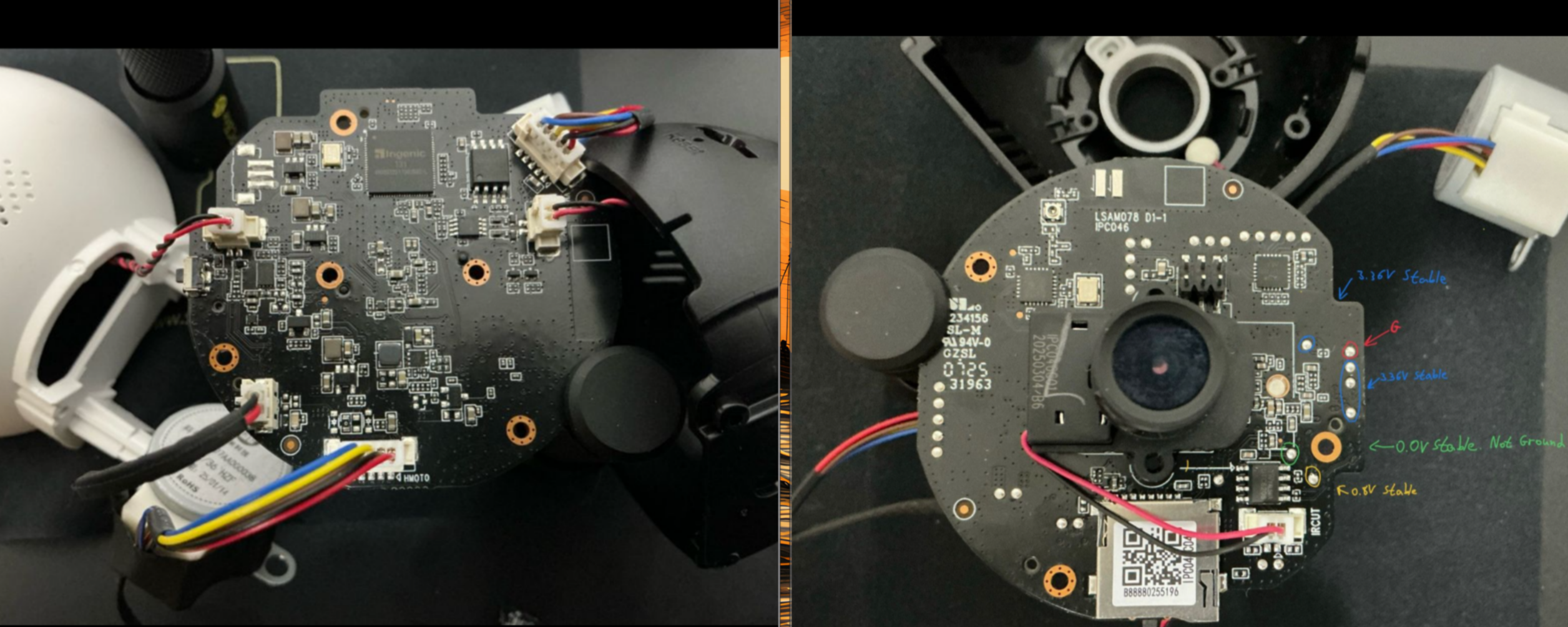 There are a few key things clear from the PCB
First i went for the obvious candidates for a straightforward UART access,
there are 4 test pads in a row that seems to be the Tx Rx Ground and power,
but testing it with a multimeter gave the wrong readings as seen in the picture.
I tried most of the other test pads and still could not find the correct reading so i had
to switch strategy
Since there are no connectors left on the board nor any test pads that can help
I decided to go through the source, connecting to the processor pins and getting
a UART shell that way, I pulled the datasheet for that processor and identified
the UART protocol pins
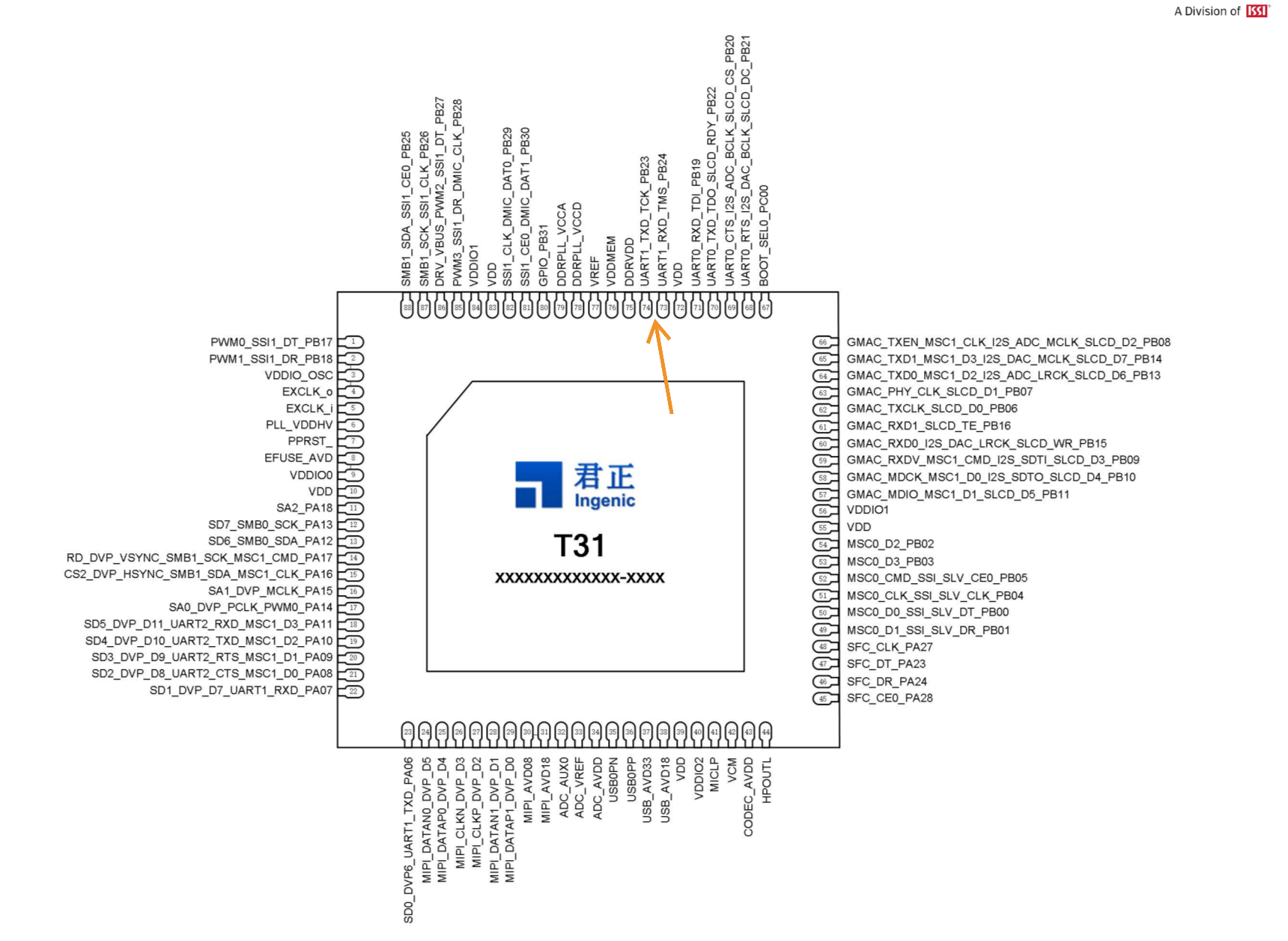
Now we just need to find ground on the board, and connect
I Used some PCBite probes & USB 2 TTL Adapter for this setup
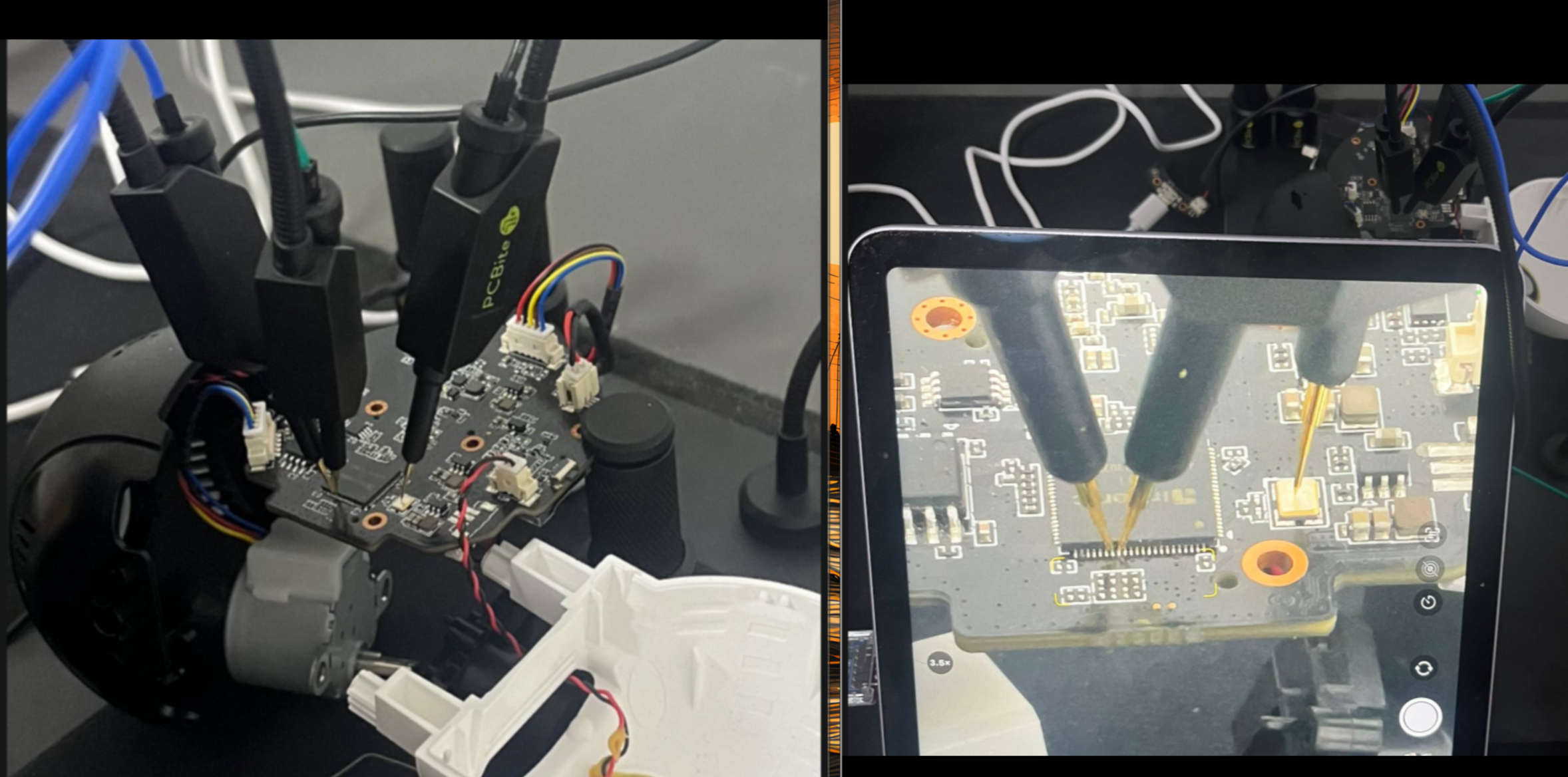
Now we can use picocom to get a the UART shell we are after
sudo picocom -b 115200 /dev/ttyUSB0
If nothing is done, I only got the boot logs and no shell at the end of the booting process
so I had to interrupt U-Boot by pressing enter immediately.
When getting a U-Boot shell I firstly printed the environment args
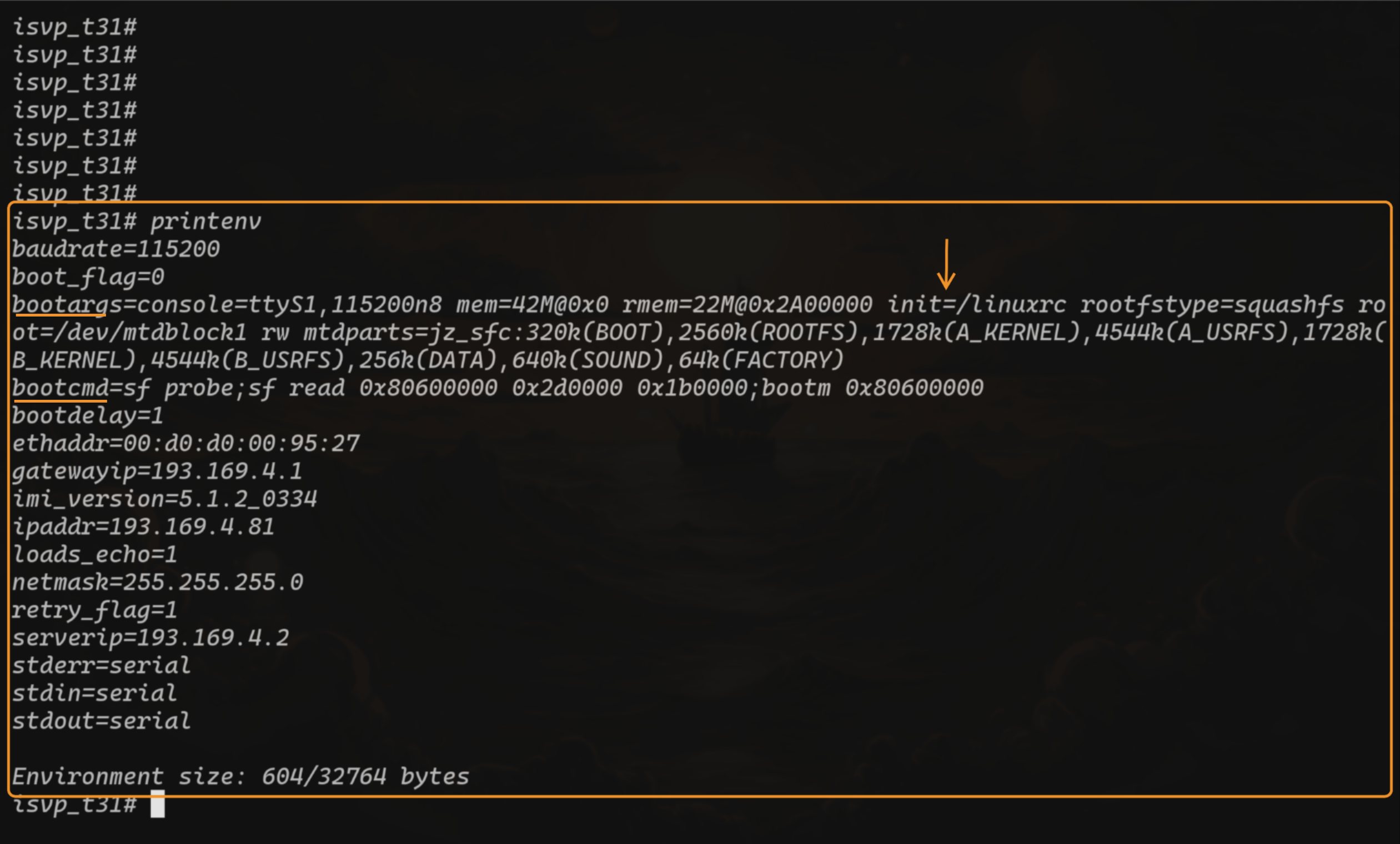 The things important to us are
To get a quick root access I can use the trick of changing the init command with setenv
so I get a shell instead of running the linuxrc binary, then I can load the memory
manually and boot the device (essentially copying the bootcmd command)
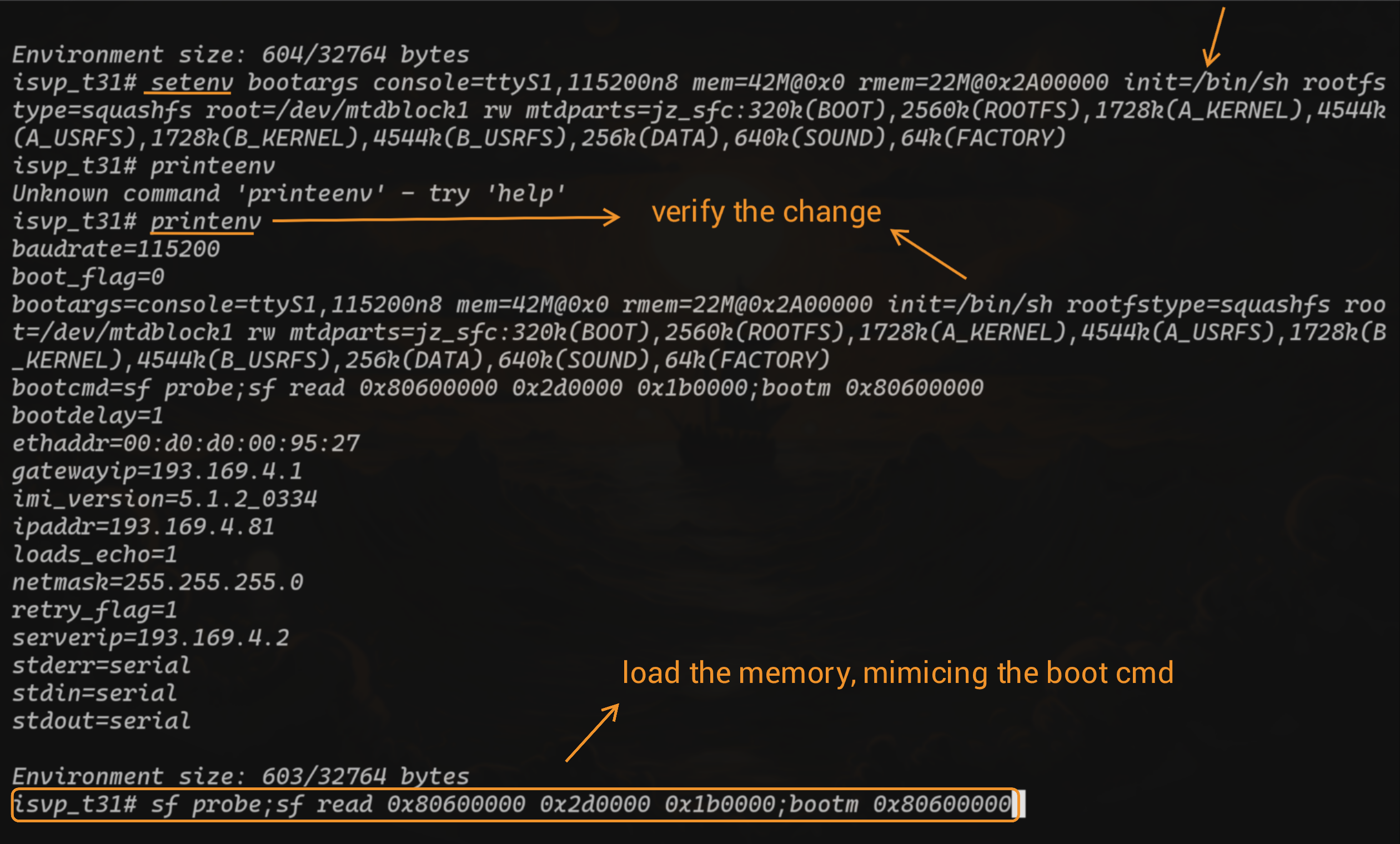 Now when the boot will finish I will be dropped into an early shell with essentially nothing running
on the system, so i'll run the original linuxrc binary in the background and check for
any open ports on this system
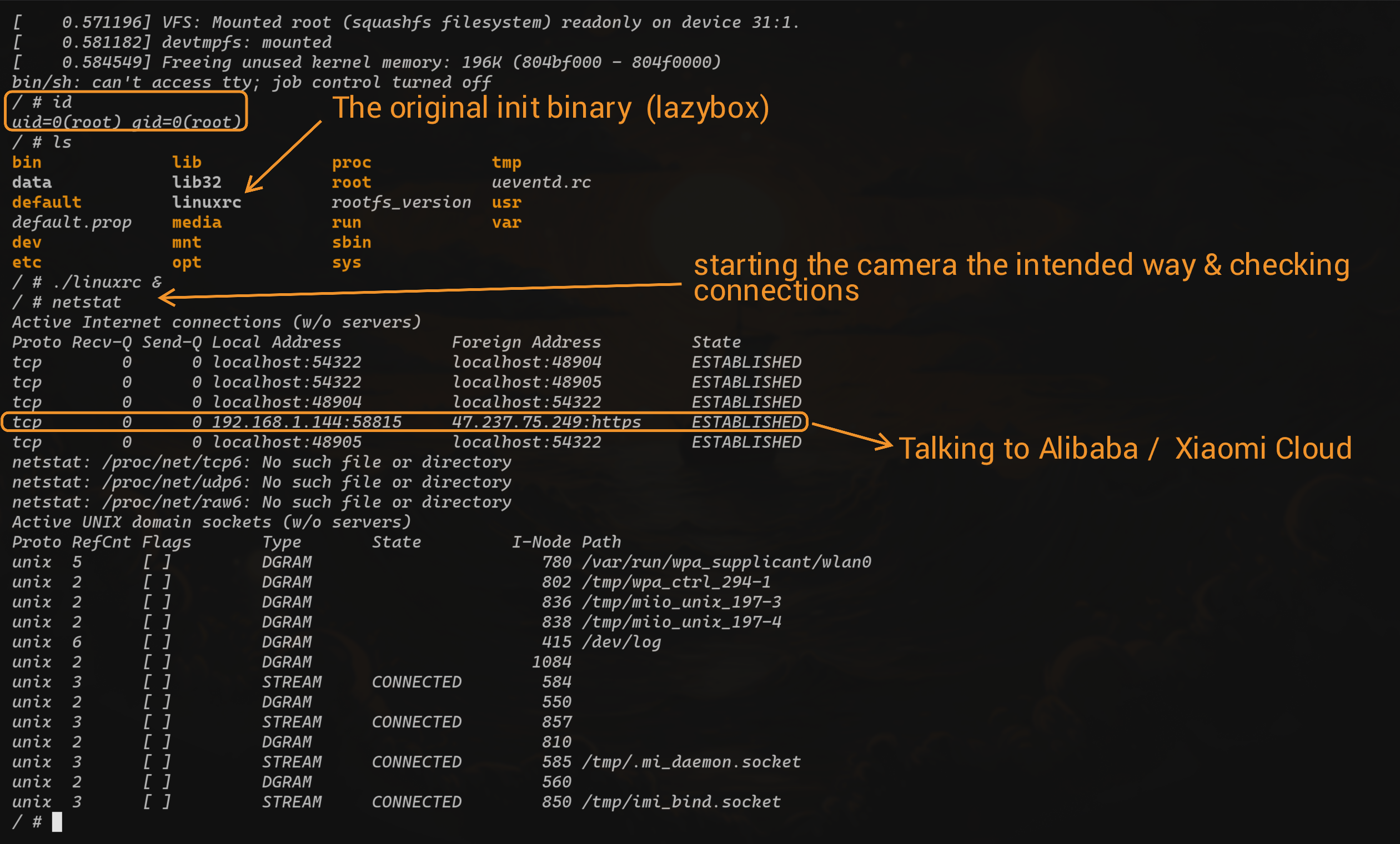 No luck! The camera only talks to its cloud on " 47.237.75.249 ", no exposed web interface
to tinker with.
Since reversing the cloud communication binary is out of scope for my research,
No luck! The camera only talks to its cloud on " 47.237.75.249 ", no exposed web interface
to tinker with.
Since reversing the cloud communication binary is out of scope for my research,
this is where i decided to end my research :)
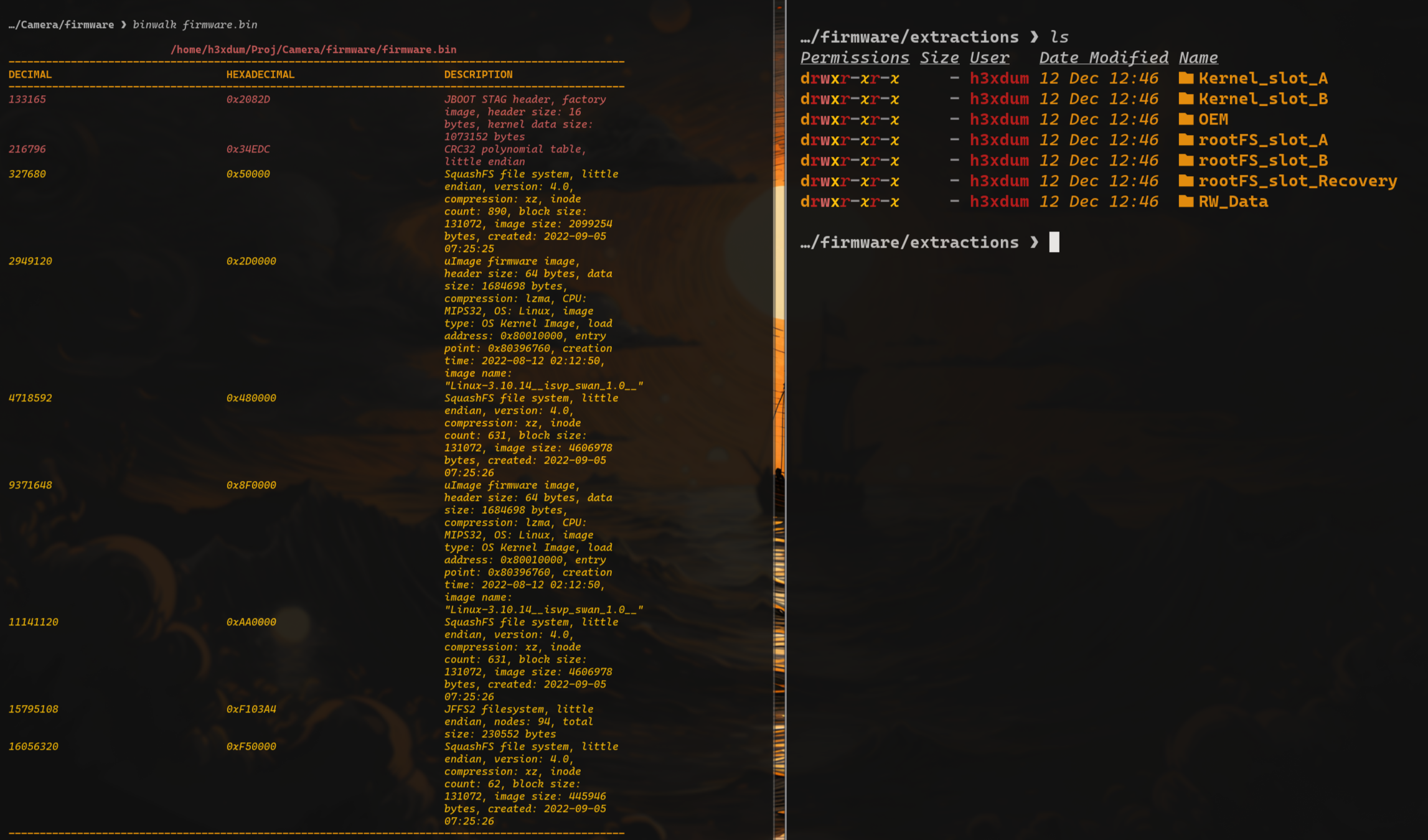
A little extra for anyone who is interested in playing with the firmware, here's
how to get it.
Same setup as before with the UART but this time only probing & loading the
memory from the flash into RAM but without booting into it.
Then you can print the data from the RAM memory and record your terminal
output (with minicom this time) to save to a file, clean it a bit with python and get
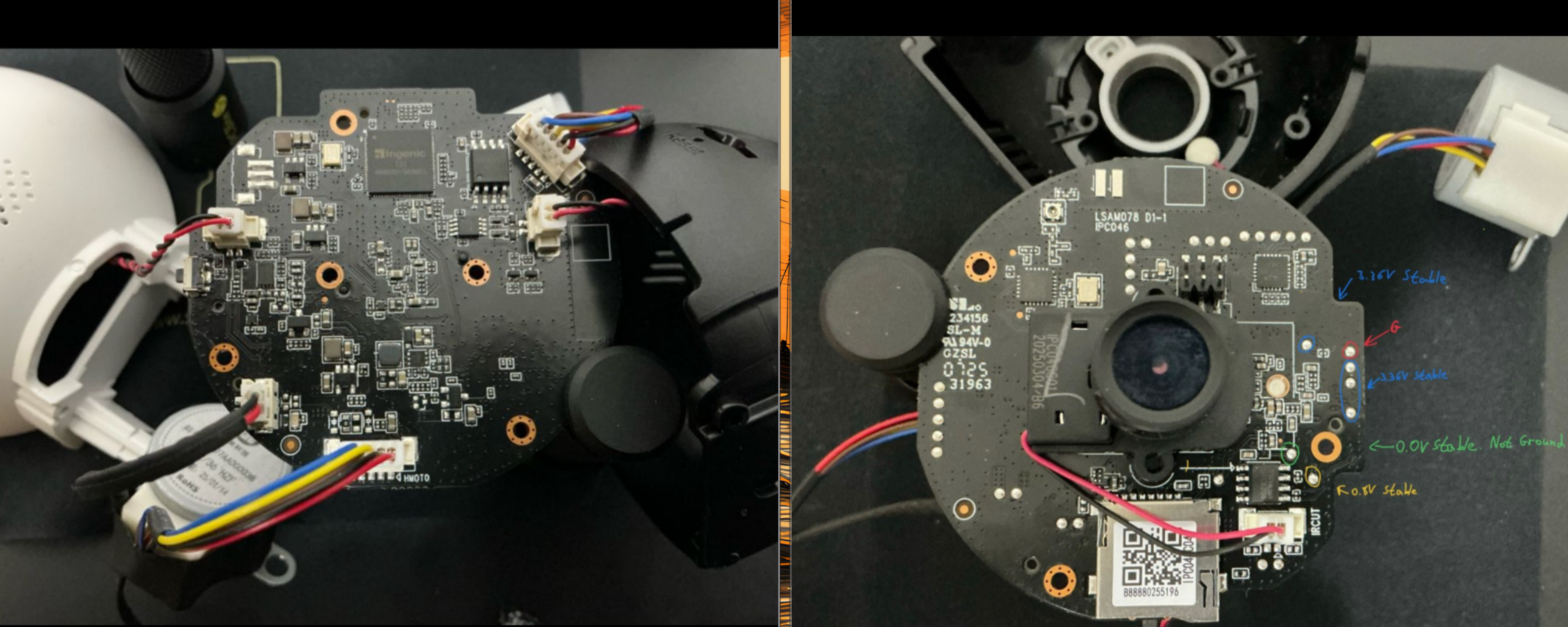
the firmware, matching binwalk & bootargs help to name each section.