 griffonav/griffon
Modular Rust security toolbox and antivirus for Linux with a YARA-based file scanner, quarantine, system cleaner, nmap plugin, and a plugin SDK for custom tools.


A modular, Rust-based security toolbox and antivirus for Linux.
Website & docs · Download · Discord


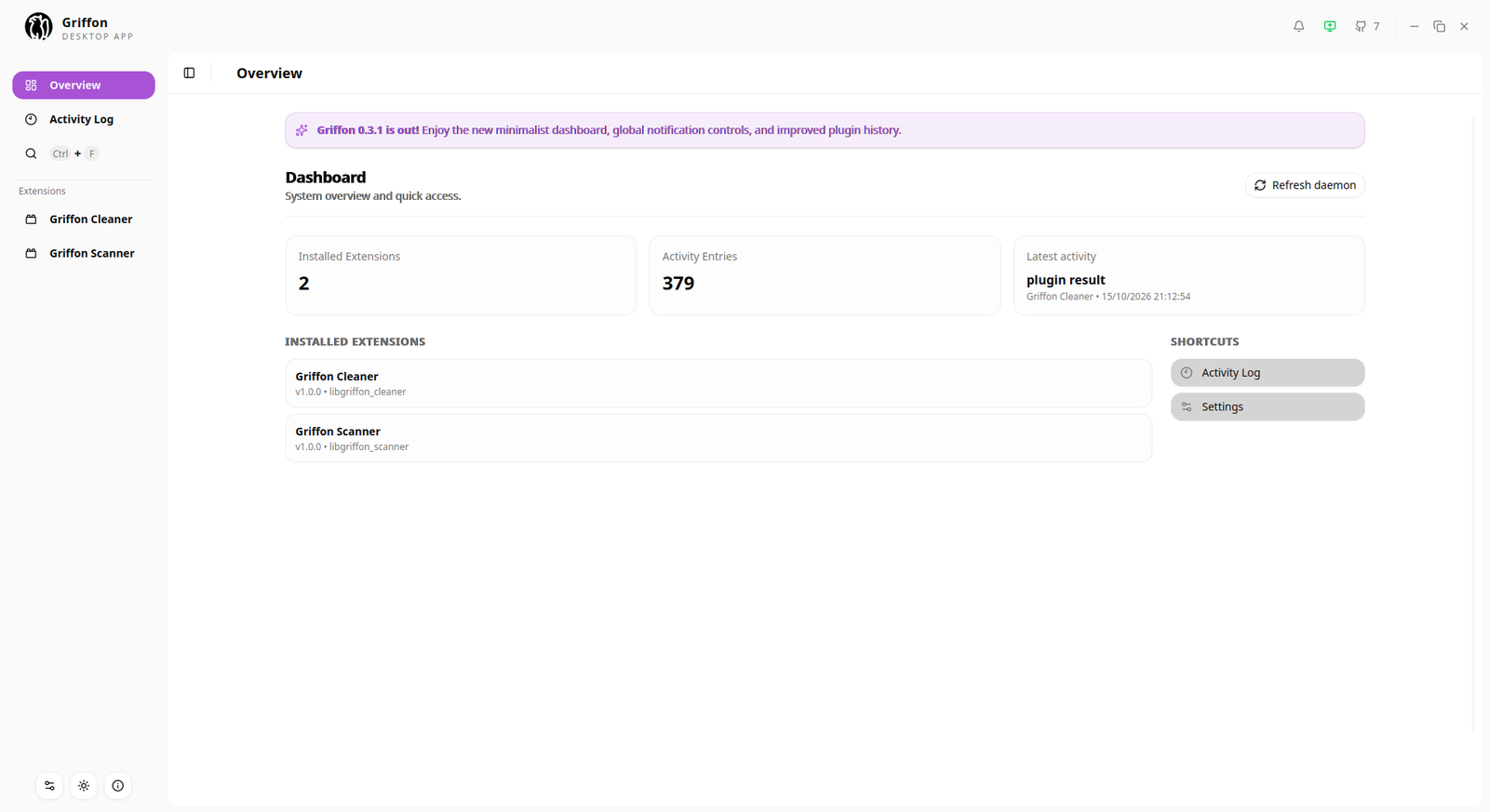
Griffon is a fast, secure, and easy-to-use antivirus and security toolbox for Linux. It ships as:
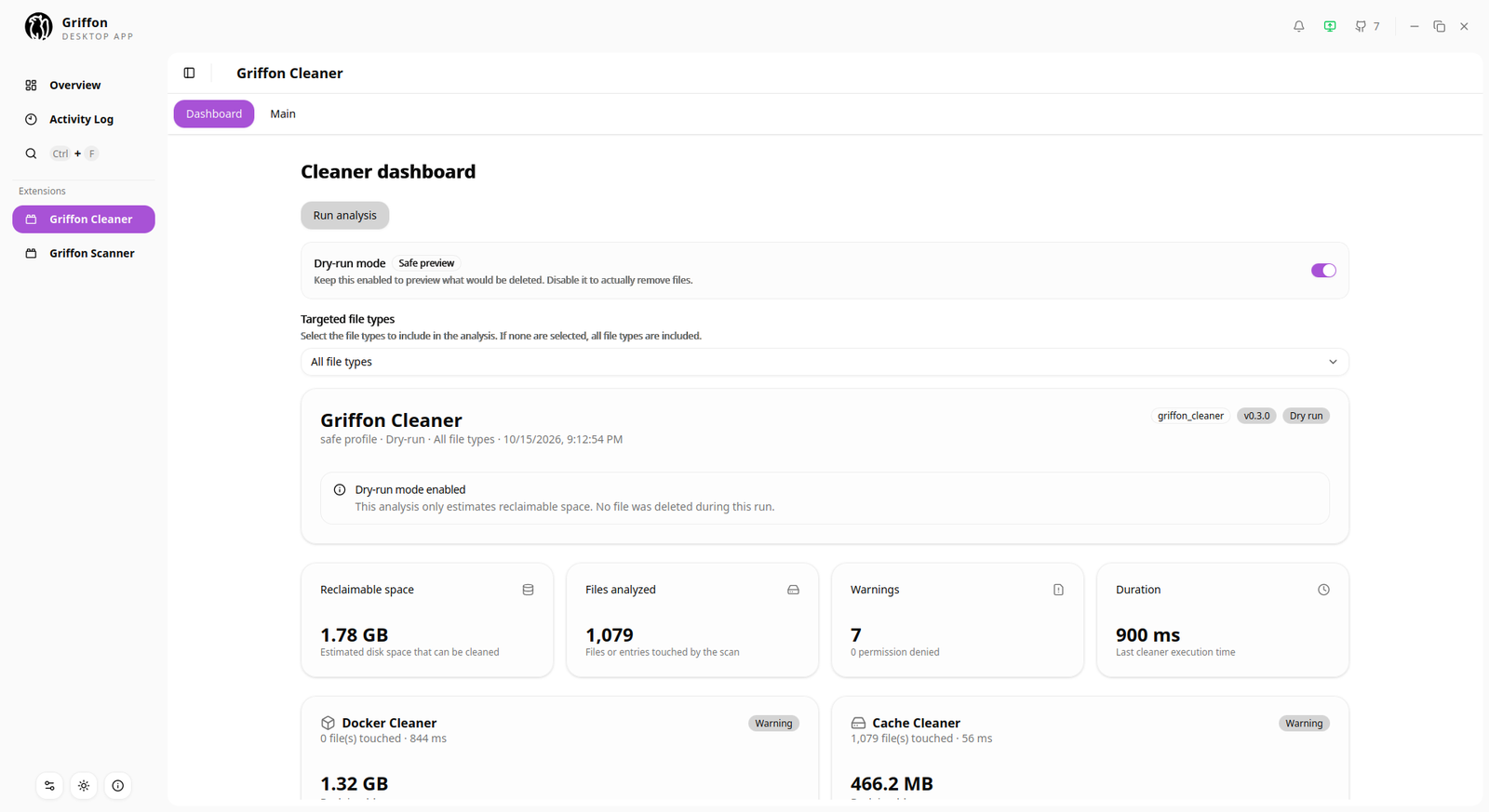
griffon-cli),Built-in plugins include a YARA-based scanner (with quarantine and rule updates) and a system cleaner (caches, logs, packages, big files, Docker).
[!WARNING] Griffon is an academic project in pre-release. It has not been professionally audited — see SECURITY.md.
Griffon provides a set of security and system maintenance tools, with the flexibility to extend its capabilities through your own plugins.
Whether you want to scan your system for threats, clean up your disk, or build your own security and system utilities, Griffon provides a modular foundation that you can adapt to your needs.
Supported systems: Ubuntu 22.04+, Debian 12+, Fedora 36+ (x86_64), and derivatives (Linux Mint 21+, Pop!_OS 22.04+…).
1. Download and install the latest .deb (Debian/Ubuntu) or .rpm (Fedora) from the releases page. The ./ in front of the file name is required:
# Debian / Ubuntu
sudo apt update
sudo apt install ./griffon-*.deb

# Fedora
sudo dnf install ./griffon-*.rpm
The install enables and starts the griffon-daemon systemd service, and adds your user to the griffon group so the GUI and CLI can talk to the daemon without sudo.
2. Log out and back in (or run newgrp griffon in your terminal) so the group change takes effect. This step is required.
3. Check that it works:
systemctl status griffon-daemon   # should say "active (running)"
id | grep griffon                 # your user must be in the griffon group
griffon-cli
Then launch Griffon from your application menu, or run griffon-gui.
| Problem | Fix |
|---|---|
permission denied when the CLI/GUI connects to the daemon | You haven't logged out and back in yet. If you installed as root (without sudo), add your user manually: sudo usermod -aG griffon $USER, then log out and back in. |
| The daemon isn't running | sudo systemctl restart griffon-daemon, and see the logs with journalctl -u griffon-daemon -b |
apt says a dependency is not installable | Run sudo apt update, then install again. |
To uninstall: sudo apt remove griffon or sudo dnf remove griffon.
Installed Griffon and Griffon run from source use different config, plugin, and socket locations (
/usr/lib/griffon,/etc/griffon,/run/griffonvs. the repository folder). You can have both, but the dev CLI/GUI only talk to the dev daemon.
Rust (stable) and Cargo
Node.js and npm
Tauri's system dependencies:
# Fedora
sudo dnf install @development-tools pkgconf-pkg-config openssl-devel webkit2gtk4.1-devel javascriptcoregtk4.1-devel

# Debian / Ubuntu
sudo apt install build-essential pkg-config libssl-dev libgtk-3-dev libwebkit2gtk-4.1-dev libayatana-appindicator3-dev librsvg2-dev
For other distributions, see the Tauri prerequisites guide.
Docker (only for building the .deb / .rpm packages)
From the repository root:
just setup-gui        # install the GUI's npm dependencies
cargo build           # build the whole workspace (daemon, CLI, GUI, plugins)
just update-plugins   # copy the scanner and cleaner plugins into .config/griffon/
Then run each component in its own terminal, starting with the daemon:
just run-daemon   # start the daemon (creates ./griffon.sock)
just run-gui      # start the desktop app in dev mode
just run-cli      # start the CLI
Re-run cargo build && just update-plugins whenever you change a plugin.
| Command | Description |
|---|---|
just --list | List all available shortcuts |
just setup-dev-env | Enable the git pre-commit hook (fmt + clippy) |
just lint / just lint-fix | Check / fix formatting and Clippy lints |
cargo test | Run the tests |
cargo build --release | Build the workspace in release mode |
just build-gui | Build the GUI binary (release, no installer bundle) |
just build-deb | Build the .deb and .rpm packages in Docker, output to dist/ |
CI runs cargo fmt --all --check and cargo clippy --workspace --all-targets -- -D warnings; run them before opening a pull request.
