 geo-tp/esp32-bit-pirate
A Hardware Hacking Tool with Web-Based CLI That Speaks Every Protocol

# ESP32 Bit Pirate
[](https://geo-tp.github.io/ESP32-Bit-Pirate/)
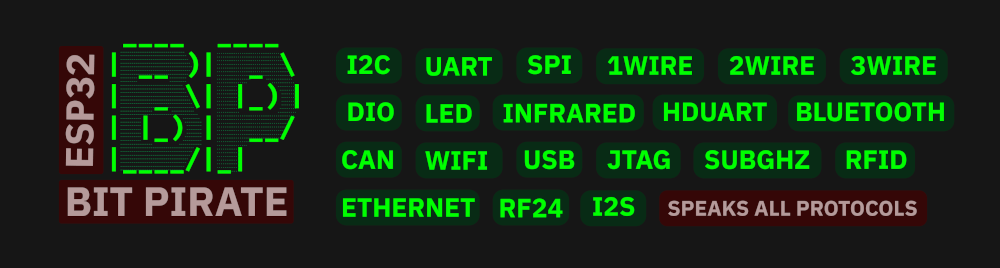
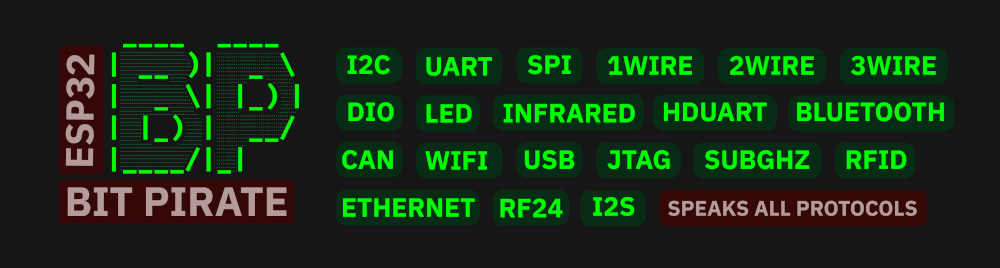
**ESP32 Bit Pirate** is open-source firmware that turns your device into a multi-protocol development and analysis tool, inspired by the legendary Bus Pirate.
It supports sniffing, sending, scripting, and interacting with various digital protocols (I2C, UART, 1-Wire, SPI, etc.) via a serial terminal or web-based CLI. It also communicates with radio protocols like Bluetooth, Wi-Fi, Sub-GHz, LoRa and RFID.
The official project website centralizes everything: [ESP32 Bit Pirate Website](https://geo-tp.github.io/ESP32-Bit-Pirate/).
From there you can [install the firmware](https://geo-tp.github.io/ESP32-Bit-Pirate/webflasher/), open the [web tools](https://geo-tp.github.io/ESP32-Bit-Pirate/web-tools/), follow [hardware guides](https://geo-tp.github.io/ESP32-Bit-Pirate/hardware/), explore [recipes](https://geo-tp.github.io/ESP32-Bit-Pirate/recipes/), and access the [documentation](https://github.com/geo-tp/ESP32-Bit-Pirate/wiki).
[](https://geo-tp.github.io/ESP32-Bit-Pirate/web-tools/)
## Features
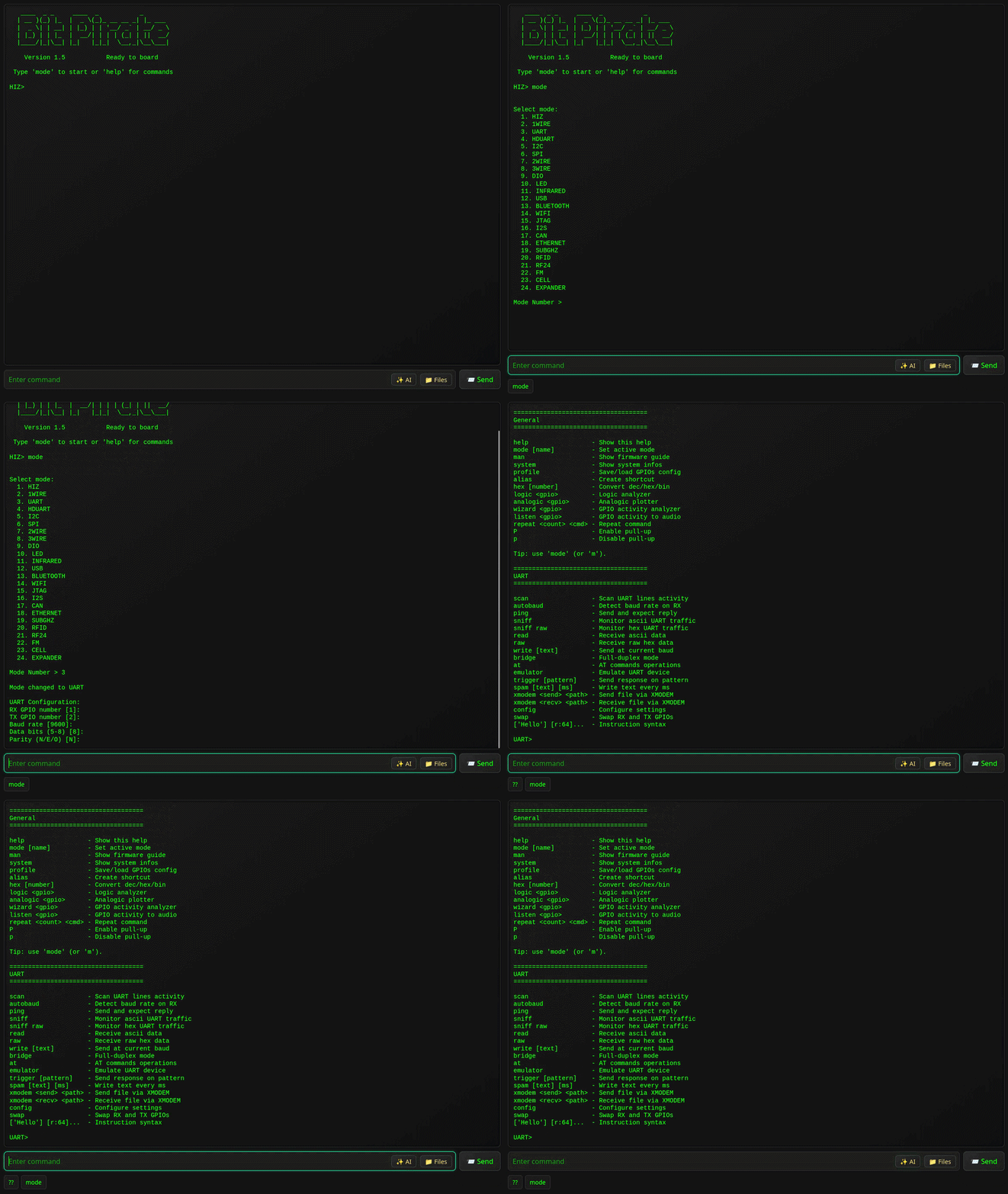
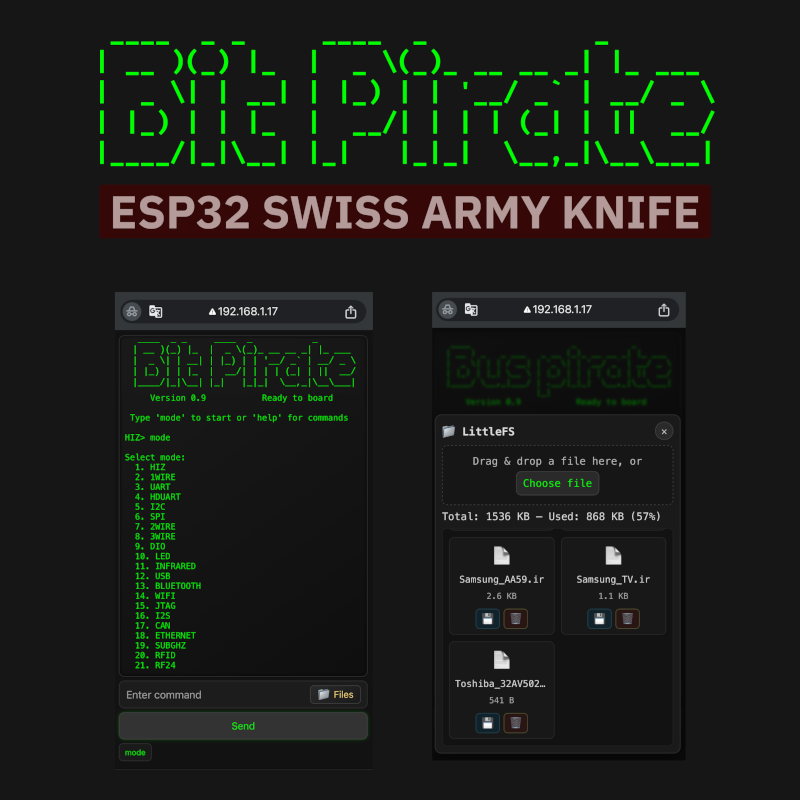
- Interactive command-line interface (CLI) via **USB Serial or WiFi Web**.
- **Modes for:**
- [HiZ](https://github.com/geo-tp/ESP32-Bit-Pirate/wiki/01-HiZ) (default)
- [I2C](https://github.com/geo-tp/ESP32-Bit-Pirate/wiki/05-I2C) (scan, glitch, slave mode, dump, eeprom)
- [SPI](https://github.com/geo-tp/ESP32-Bit-Pirate/wiki/06-SPI) (eeprom, flash, sdcard, slave mode)
- [UART](https://github.com/geo-tp/ESP32-Bit-Pirate/wiki/03-UART) / [Half-Duplex UART](https://github.com/geo-tp/ESP32-Bit-Pirate/wiki/04-HDUART) (bridge, read, write)
- [1WIRE](https://github.com/geo-tp/ESP32-Bit-Pirate/wiki/02-1WIRE) (ibutton, eeprom)
- [2WIRE](https://github.com/geo-tp/ESP32-Bit-Pirate/wiki/07-2WIRE) (sniff, smartcard) / [3WIRE](https://github.com/geo-tp/ESP32-Bit-Pirate/wiki/08-3WIRE) (eeprom)
- [DIO](https://github.com/geo-tp/ESP32-Bit-Pirate/wiki/09-DIO) (Digital I/O, read, pullup, set, pwm)
- [Infrared](https://github.com/geo-tp/ESP32-Bit-Pirate/wiki/11-INFRARED) (send, record, universal remote)
- [USB](https://github.com/geo-tp/ESP32-Bit-Pirate/wiki/12-USB) (HID, flashrom, storage, usb-uart)
- [Bluetooth](https://github.com/geo-tp/ESP32-Bit-Pirate/wiki/13-BLUETOOTH) (BLE HID, scan, spoofing, sniffing)
- [Wi-Fi](https://github.com/geo-tp/ESP32-Bit-Pirate/wiki/14-WIFI) / [Ethernet](https://github.com/geo-tp/ESP32-Bit-Pirate/wiki/18-ETHERNET) (sniff, deauth, nmap, netcat)
- [JTAG](https://github.com/geo-tp/ESP32-Bit-Pirate/wiki/15-JTAG) (scan, SWD, openOCD)
- [LED](https://github.com/geo-tp/ESP32-Bit-Pirate/wiki/10-LED) (animations, set LEDs)
- [I2S](https://github.com/geo-tp/ESP32-Bit-Pirate/wiki/16-I2S) (test speakers, mic, play sound)
- [CAN](https://github.com/geo-tp/ESP32-Bit-Pirate/wiki/17-CAN) (sniff, send and receive frames)
- [SUBGHZ](https://github.com/geo-tp/ESP32-Bit-Pirate/wiki/19-SUBGHZ) (analyze, record, replay)
- [RFID](https://github.com/geo-tp/ESP32-Bit-Pirate/wiki/20-RFID) (read, write, clone)
- [RF24](https://github.com/geo-tp/ESP32-Bit-Pirate/wiki/21-RF24) (scan, send, receive)
- [FM](https://github.com/geo-tp/ESP32-Bit-Pirate/wiki/22-FM) (analyze, broadcast)
- [CELL](https://github.com/geo-tp/ESP32-Bit-Pirate/wiki/23-CELL) (dump sim card, sms, call)
- [LORA](https://github.com/geo-tp/ESP32-Bit-Pirate/wiki/24-LORA) (sniff, payload, meshtatic)
- **Protocol sniffers** I2C, UART, SPI, 1Wire, 2wire, CAN, Wi-Fi, Bluetooth, SubGhz.
- Baudrate **auto-detection**, AT commands and various tools for UART.
- Registers manipulation, **EEPROM dump tools**, identify devices for I2C.
- Read all sort of **EEPROM, Flash** and various others tools for SPI.
- Scripting using **Bus Pirate-style bytecode** instructions or **Python**.
- Infrared support with more than **80 protocols**.
- Direct I/O management, **PWM, servo, GPIOs state**.
- Analyze radio signals and frequencies **on every bands**.
- Near than **50 addressable LEDs protocols** supported.
- **Pirate assistant** to help you with the firmware.
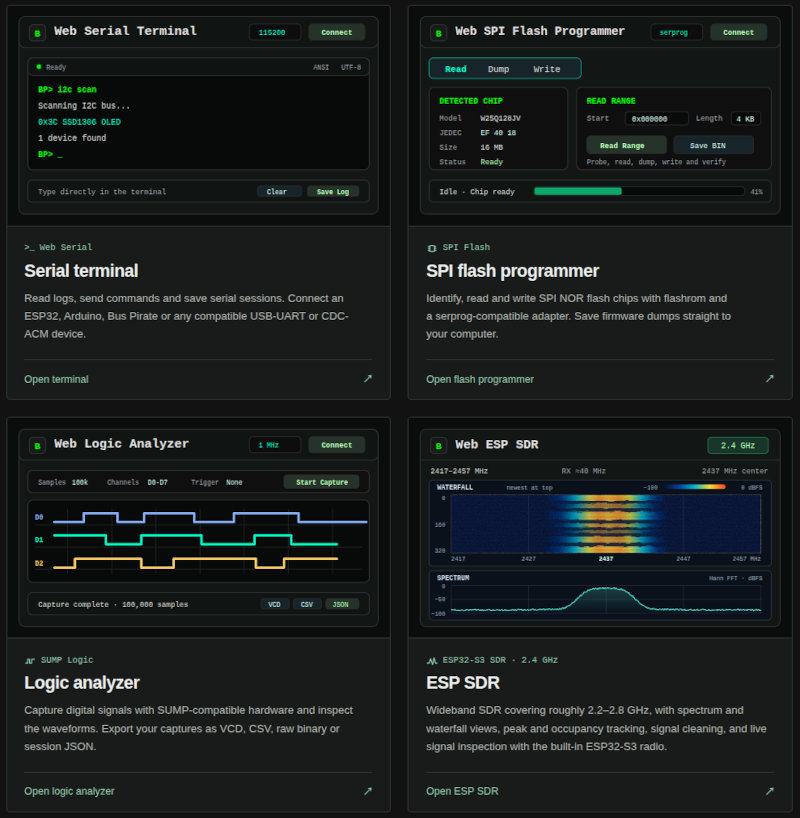
- **USB-Uart dongle, SPI programmer, logic analyzer, ESP-SDR** and more.
- [**Web Serial tools**](https://geo-tp.github.io/ESP32-Bit-Pirate/web-tools/) to use USB Serial over a web browser.
## Supported Devices
All boards listed below offer the exact same Bit Pirate features, with no differences in functionality or development status. Some features may require additional hardware.
| Device | | Description |
|-----------------------|------------------------------------------|---------------------------------------------------|
| **ESP32 S3 Dev Kit (N8, N8R2, N8R8, N16R8...)** | 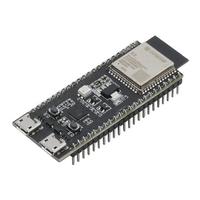 | More than 20 available GPIO, 1 button |
| **ESP32 S3 Zero / Super Mini** | 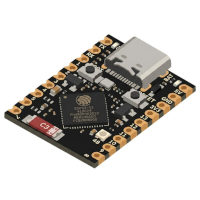 | 15 GPIO (exposed pins), 1 button |
| [**M5 AtomS3 Lite**](https://shop.m5stack.com/products/atoms3-lite-esp32s3-dev-kit?ref=pvosfmid) | [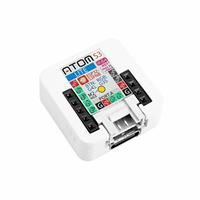](https://shop.m5stack.com/products/atoms3-lite-esp32s3-dev-kit?ref=pvosfmid) | 8 GPIO (Grove, Header), IR TX, 1 buttton |
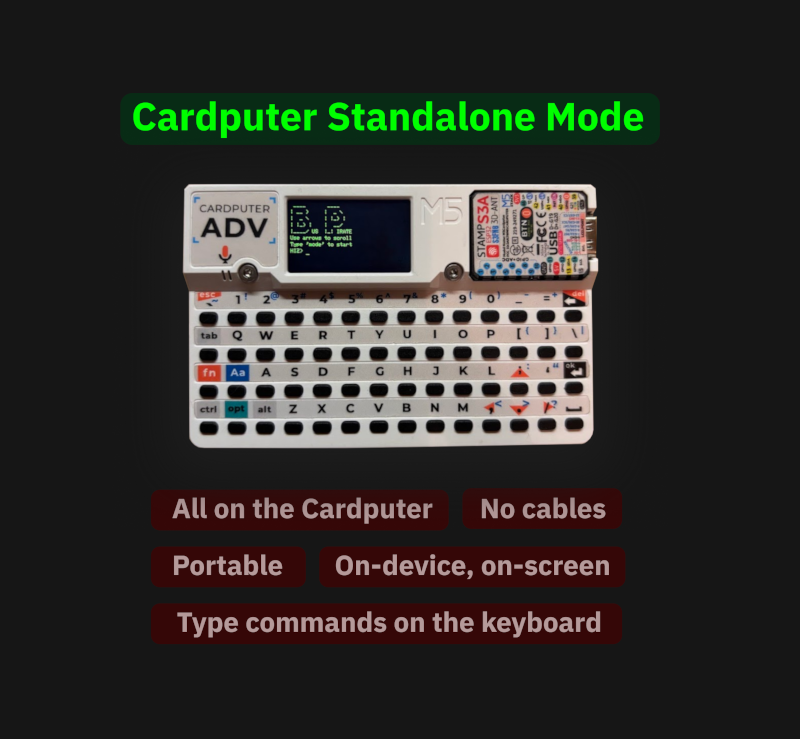
| **M5 Cardputer** | 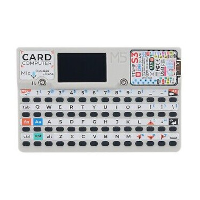 | 2 GPIO (Grove), screen, keyboard, mic, speaker, IR TX, SD card, battery, [standalone mode](#standalone-mode-for-the-cardputer) |
| [**M5 Cardputer ADV**](https://shop.m5stack.com/products/m5stack-cardputer-adv-version-esp32-s3?ref=pvosfmid) | [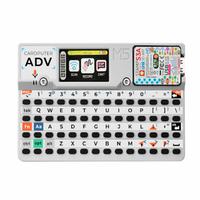](https://shop.m5stack.com/products/m5stack-cardputer-adv-version-esp32-s3?ref=pvosfmid) | 12 GPIO (Grove, Header), screen, keyboard, mic, speaker, IR TX, SD card, IMU, battery, [Lora](https://shop.m5stack.com/products/cap-lora-1262-for-cardputer-adv-sx1262-atgm336h?ref=pvosfmid), [CC1101](https://shop.m5stack.com/products/cap-cc1101-nfc-for-cardputer?ref=pvosfmid), [standalone mode](#standalone-mode-for-the-cardputer) |
| [**M5 StampS3**](https://shop.m5stack.com/products/m5stamps3a-with-2-54-header-pin?ref=pvosfmid) | [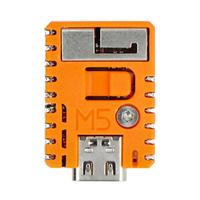](https://shop.m5stack.com/products/m5stamps3a-with-2-54-header-pin?ref=pvosfmid) | 9 GPIO (exposed pins), 1 button |
| [**M5 Stick S3**](https://shop.m5stack.com/products/m5sticks3-esp32s3-mini-iot-dev-kit?ref=pvosfmid) | [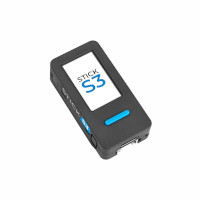](https://shop.m5stack.com/products/m5sticks3-esp32s3-mini-iot-dev-kit?ref=pvosfmid) | 13 GPIO (Grove, Header), screen, mic, speaker, IR TX, IR RX, IMU, 3 buttons, battery |
| **LILYGO T-Display** | 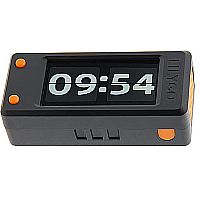 | 13 GPIO (1 Qwicc), screen, 2 buttons |
| **LILYGO T-Embed** | 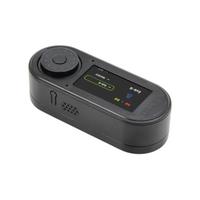 | 9 GPIO (Grove, Header), screen, encoder, speaker, mic, SD card |
| **LILYGO T-Embed CC1101** | 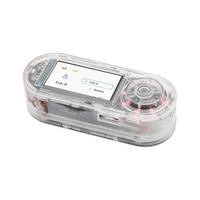 | 4 GPIO (2x Qwiic), screen, encoder, speaker, mic, SD Card, CC1101, PN532, IR TX, IR RX , battery |
| **LILYGO T-Embed CC1101 Plus** |  | 4 GPIO (2x Qwiic), screen, encoder, speaker, mic, SD Card, CC1101, NRF24, PN532, IR TX, IR RX , battery |
| **Heltec WiFi LoRa 32 V4** | 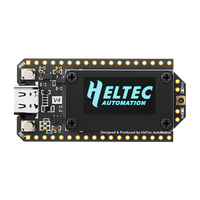 | 15 GPIO (Header), SX1262 LoRa, 2 buttons, **screen not supported** |
| **Heltec Vision Master T190** | 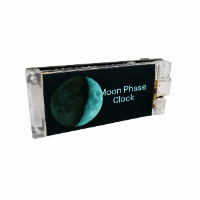 | 15 GPIO (Header, Qwiiic), screen, 2 buttons, SX1262 LoRa |
| **Seeed Studio Xiao S3** | 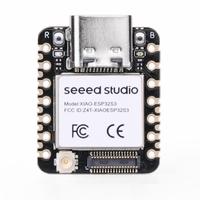 | 9 GPIO (exposed pins), 1 button |
| **Waveshare ESP32-S3-GEEK** | 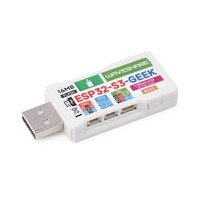 | 7 GPIO (Dupont header), screen, 1 button, SD card |
| **Unexpected Maker ProS3**| [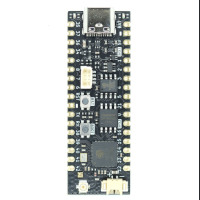](https://www.adafruit.com/product/5401) | More than 20 available GPIO (Header, STEMMA QT), 1 button|
- **Other ESP32-S3-based Boards**
- All boards based on the **ESP32-S3 can be supported**, provided they have at least **4 MB of flash.**
- You can **flash the s3 dev-kit (8MB flash) or supermini (4MB flash) firmware onto any ESP32-S3 board.**
- Keep in mind that the **default pin mapping in the firmware may not match** your specific board.
## Getting Started
[](https://geo-tp.github.io/ESP32-Bit-Pirate/webflasher/)
1. 🔧 Flash the firmware
- Use the [ESP32 Bit Pirate Web Flasher](https://geo-tp.github.io/ESP32-Bit-Pirate/webflasher/) to burn the firmware directly from a web browser.
- You can also burn it on [M5Burner](https://docs.m5stack.com/en/download), in the StickS3, AtomS3, M5StampS3 or Cardputer category.
2. 🔌 Connect via Serial or Web
- Serial: any terminal app, or the [free browser-based Web Serial terminal](https://geo-tp.github.io/ESP32-Bit-Pirate/web-tools/web-serial-terminal/) (see [Connect via Serial](https://github.com/geo-tp/ESP32-Bit-Pirate/wiki/99-Serial))
- Web: configure Wi-Fi and access the CLI via browser (see [Wi-Fi Connection](https://github.com/geo-tp/ESP32-Bit-Pirate/wiki/00-Terminal))
3. 🧪 Use commands like:
```
mode
help
scan
sniff
...
```
## Wiki
[](https://github.com/geo-tp/ESP32-Bit-Pirate/wiki/)
📚 **[Visit the Wiki](https://github.com/geo-tp/ESP32-Bit-Pirate/wiki)** for detailed documentation on every mode and command.
Includes:
- [Terminal mode](https://github.com/geo-tp/ESP32-Bit-Pirate/wiki/00-Terminal) - About serial and web terminal.
- [Mode overviews](https://github.com/geo-tp/ESP32-Bit-Pirate/wiki) - Browse supported modes.
- [Serial setup](https://github.com/geo-tp/ESP32-Bit-Pirate/wiki/99-Serial) - Serial access via USB.
The wiki is the best place to learn how everything works.
## Scripting
[](https://github.com/geo-tp/ESP32-Bit-Pirate-Scripts/)
🛠️ [**Automate interactions with the ESP32 Bit Pirate**](https://github.com/geo-tp/ESP32-Bit-Pirate/wiki/99-Python) using **Python scripts over serial.**
You can write and test scripts directly in the browser with the [ESP32 Bit Pirate Python Lab](https://geo-tp.github.io/ESP32-Bit-Pirate/web-tools/python-lab/).
**Including:** Logging data in a file, eeprom and flash dump, interracting with GPIOs, LED animation...
## Expander
[](https://github.com/geo-tp/ESP32-Bus-Expander)
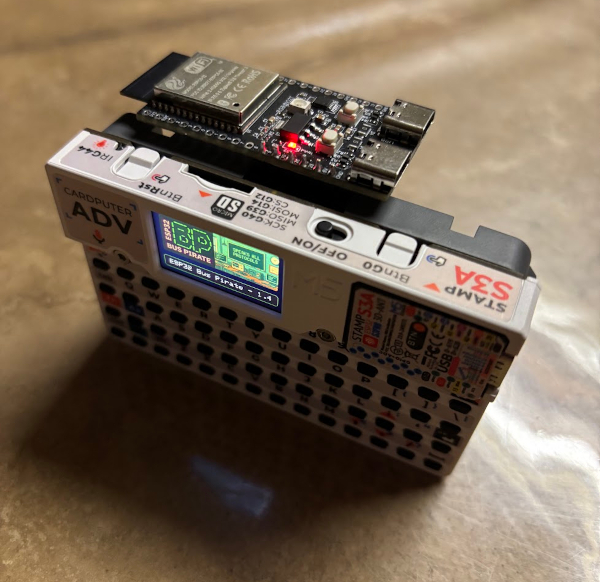
🔌 **[Expand the capabilities of the ESP32 Bit Pirate](https://github.com/geo-tp/ESP32-Bus-Expander)** with additional hardware modules.
The Expander adds support for the **WiFi 5 GhZ, Zigbee** or other radio protocols.
[](https://github.com/geo-tp/ESP32-Bus-Expander)
## Dock
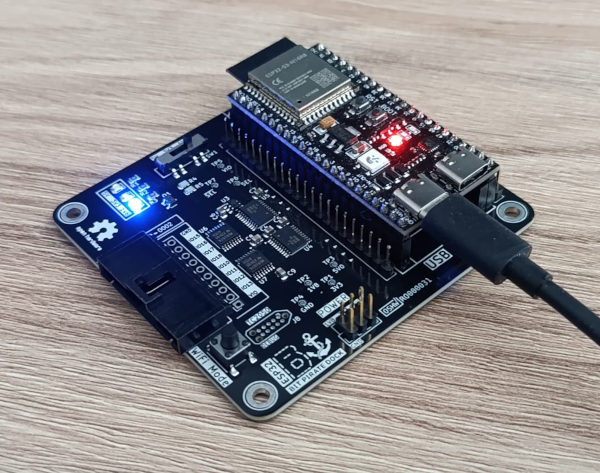
[](https://github.com/AndreiVladescu/ESP32-Bit-Pirate-Dock)
🔧 **[A docking station for the ESP32 S3 DevKit](https://github.com/AndreiVladescu/ESP32-Bit-Pirate-Dock) designed to work with original Bus Pirate adapters.**
It allows you to plug and use the original [Bus Pirate](https://buspirate.com/) ecosystem of adapters and accessories.
[](https://www.pcbway.com/project/shareproject/ESP32_Bit_Pirate_Dock_ca02ded7.html)
[**Get the ESP32 Bit Pirate Dock on PCBWay.**](https://www.pcbway.com/project/shareproject/ESP32_Bit_Pirate_Dock_ca02ded7.html)
[](https://www.pcbway.com/project/shareproject/ESP32_Bit_Pirate_Dock_ca02ded7.html)
## Command-Line Interfaces
The ESP32 Bit Pirate firmware provides three command-line interface (CLI) modes:
| Interface | Advantages | Ideal for... |
|------------------|-----------------------------------------------------------------------------|----------------------------------------|
| **Web Interface** | - Accessible from any browser<br>- PC, tablets, mobiles<br>- Works over Wi-Fi<br>- No cables needed | Quick tests, demos, headless setups |
| **Serial Interface** | - Faster performance<br>- Instant responsiveness<br>- Handles large data smoothly | Intensive sessions, frequent interactions |
| **Standalone** | - Only for the Cardputer<br>- On device keyboard<br>- On device screen | Portable sessions, Quick tests |
All interfaces share the same command structure and can be used interchangeably ([more details](https://github.com/geo-tp/ESP32-Bit-Pirate/wiki/00-Terminal)).
## Mobile Web Interface over WiFi
## Standalone Mode for the Cardputer
## Contribute
See [How To Contribute](https://github.com/geo-tp/ESP32-Bit-Pirate/wiki/99-Contribute) section, which outlines a **simple way to add a new board or a new command**.
## Visuals Assets
#### [](https://github.com/geo-tp/ESP32-Bit-Pirate/wiki/99-Visual-Assets)
See [images, logo, presentations, photo, video, illustrations](https://github.com/geo-tp/ESP32-Bit-Pirate/wiki/99-Visual-Assets). These visuals can be **freely used in blog posts, documentation, videos, or articles** to help explain and promote the firmware.
## Warning
> ⚠️ **Voltage Warning**: Devices should only operate at **3.3V** or **5V**.
> - Do **not** connect peripherals using other voltage levels — doing so may **damage your ESP32**.
> ⚠️ **Usage Warning**: This firmware is provided for **educational, diagnostic, and interoperability testing purposes only**.
> - Do not use it to interfere with, probe, or manipulate devices without proper authorization.
> - Avoid any unauthorized RF transmissions (e.g., sub-GHz) that could violate local regulations or disrupt networks and communications.
> - The authors are not responsible for any misuse of this software or hardware, including legal consequences resulting from unauthorized access or signal emission.
> - Always stay within the bounds of your country’s laws and responsible disclosure policies.