 galvnyz/m365-assess
290+ Automated checks across 14 compliance frameworks, interactive HTML report, no data leaves your machine.

Read-only Microsoft 365 security assessment for IT consultants and administrators






M365 Assess runs a single read-only command against a Microsoft 365 tenant and produces CSV data, a self-contained branded HTML report, and an XLSX compliance matrix covering identity, email, security, devices, collaboration, and compliance baselines.
292 automated security checks mapped across 15 compliance frameworks — counts generated from controls/registry.json; per-framework coverage in docs/reference/COVERAGE.md.
It is built for security administrators, compliance officers, IT consultants / vCISOs, auditors, and CI pipelines - anyone who needs a fast, evidence-backed posture snapshot mapped to CIS, NIST, SOC 2, HIPAA, ISO 27001, and more.
Install-Module M365-Assess -Scope CurrentUser
Graph and EXO dependencies are declared in the manifest and installed automatically. For install from source, the ZIP-unblock step, and full prerequisites, see the Quickstart guide.
Invoke-M365Assessment -TenantId 'contoso.onmicrosoft.com'
Results land in a timestamped folder with CSV data, an HTML report, and an XLSX compliance matrix. Run with no parameters to launch an interactive wizard that walks you through section selection, tenant, authentication, and output folder.
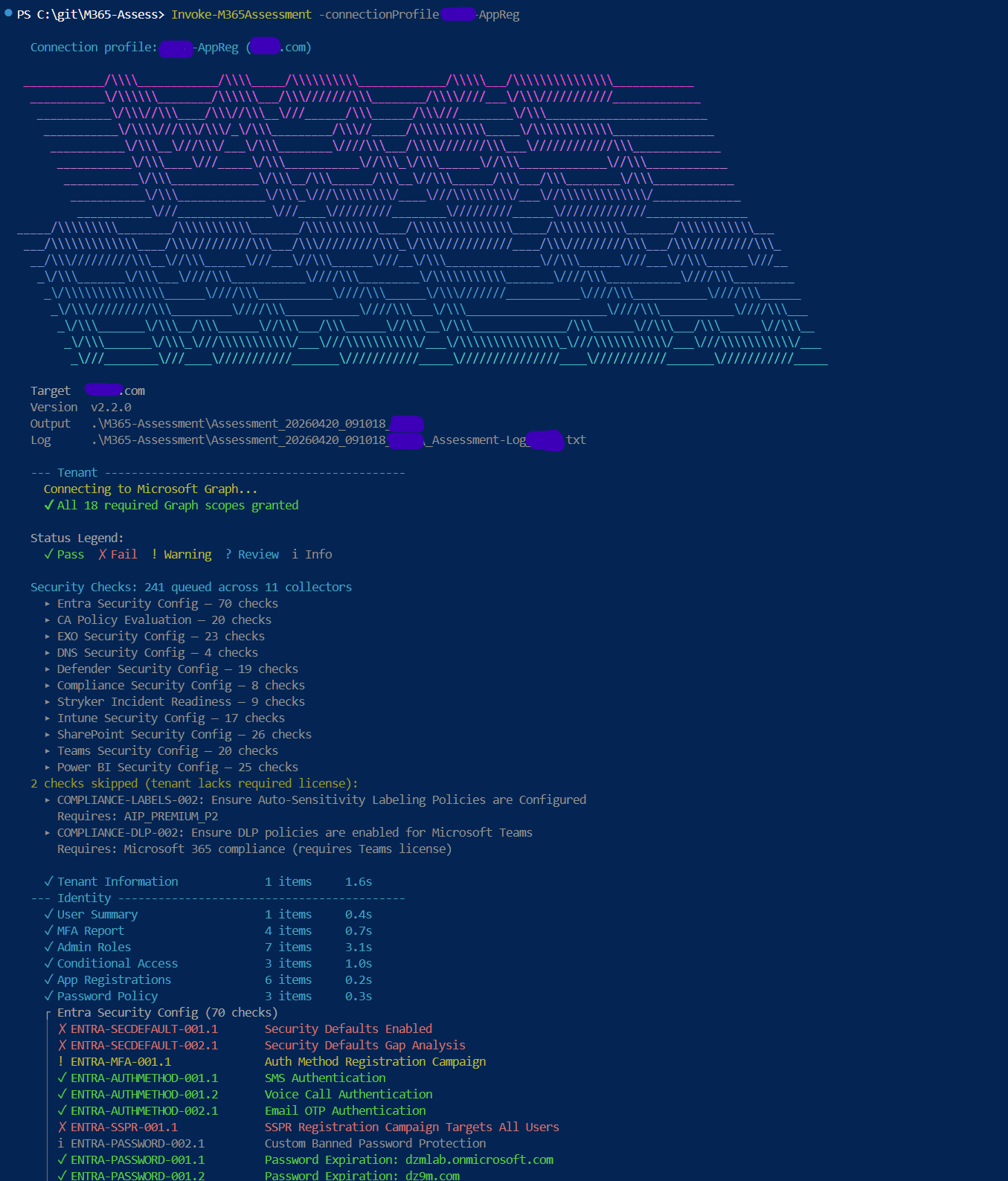
For section selection, the full parameter reference, connection profiles, cloud environments, and standalone collector usage, see the Execution guide. Running against GCC High? See the GCC High setup guide.
Thirteen assessment sections cover Tenant, Identity, Licensing, Email, Intune, Security, Collaboration, Hybrid, and PowerBI by default, plus opt-in Inventory, ActiveDirectory, SOC2, and ValueOpportunity. The full collector catalogue and per-section detail live in the Execution guide.
# Run specific sections
Invoke-M365Assessment -Section Identity,Email -TenantId 'contoso.onmicrosoft.com'
The self-contained HTML report opens in any browser with no dependencies. Click through from the executive overview to individual security domains, drill into findings, and review compliance posture across 15 frameworks - all in a single offline file.
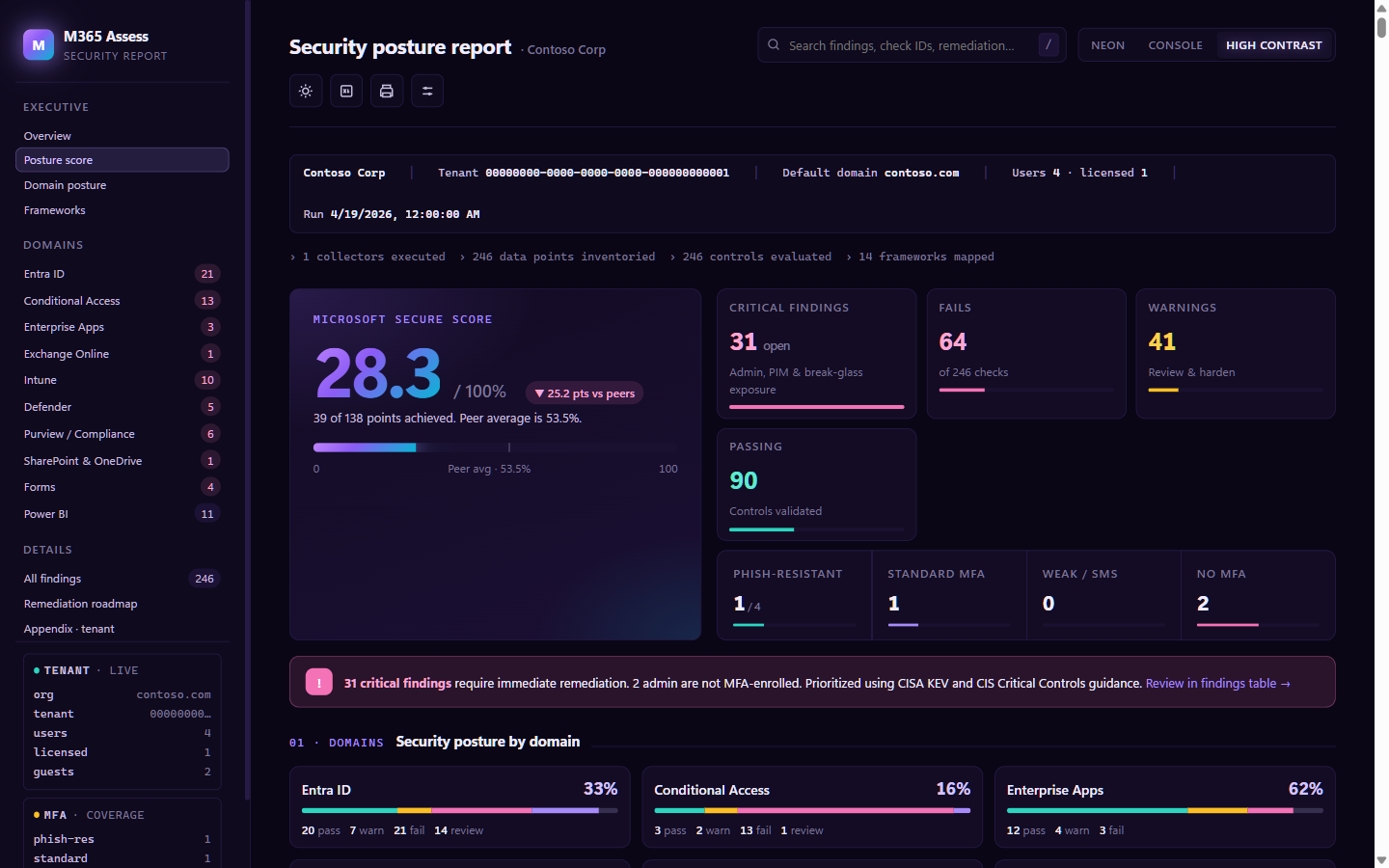
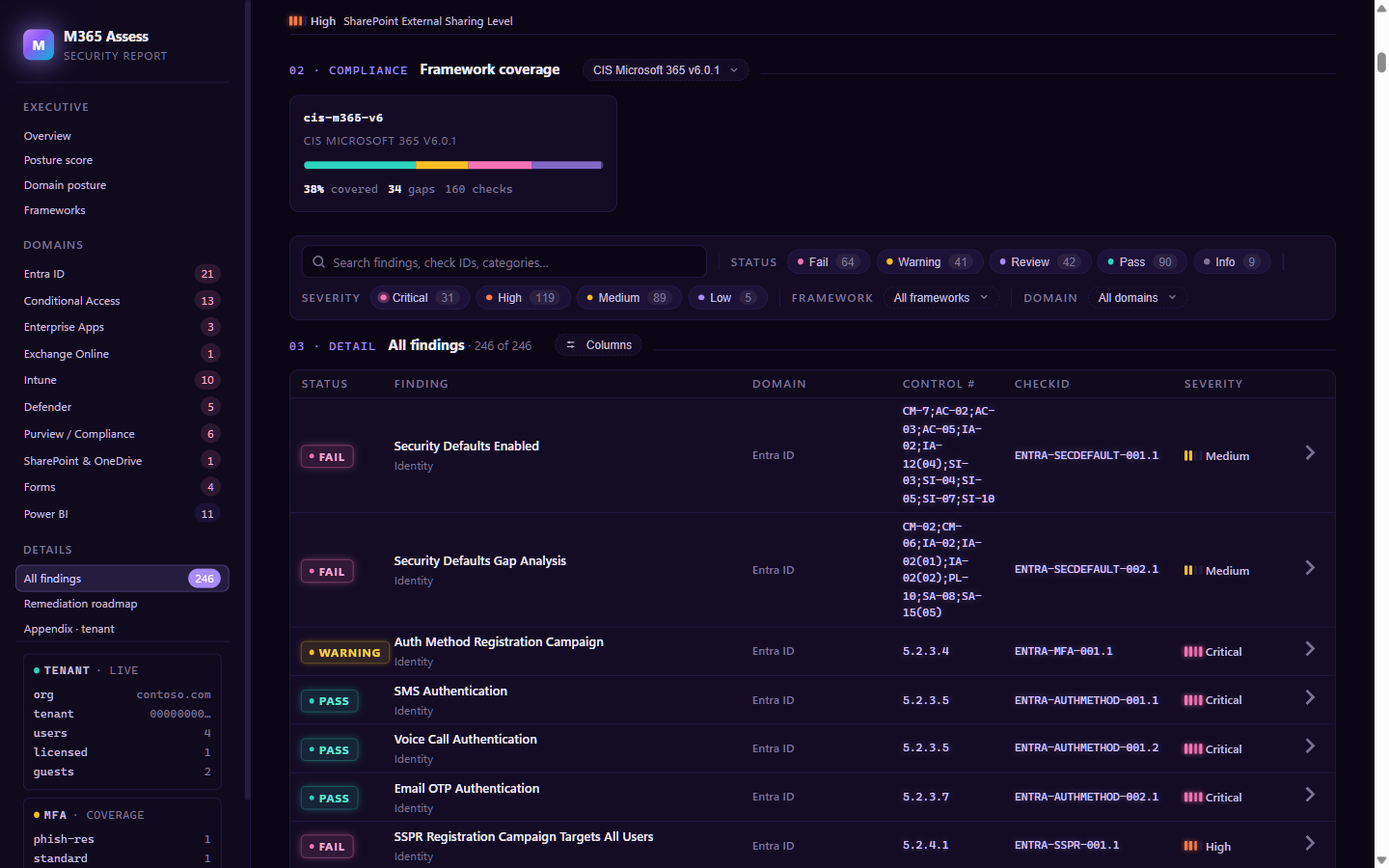
See docs/sample-report/_Example-Report.html for a full PII-scrubbed example report, and the Report user guide for the interactive walkthrough.
Handling sensitive output: assessment files contain UPNs, mailbox metadata, admin role assignments, and policy bodies - treat them as confidential. See
docs/reference/DATA-HANDLING.md.
See the Changelog for the full release history and version notes.
| Guide | Description |
|---|---|
| Quickstart | Step-by-step setup on a fresh Windows machine (PowerShell 7, install paths, prerequisites) |
| Execution guide | Sections, full parameter reference, connection profiles, environments, standalone scripts |
| Authentication | Interactive, certificate, device code, managed identity, and pre-existing connection methods |
| GCC High setup | Sovereign-cloud setup: app reg, consent, Power BI, known gaps |
| Permissions | Generated per-section matrix: delegated Graph scopes, app permissions, EXO RBAC groups, Purview directory roles |
| HTML Report | Report features, interactive walkthrough, standalone generation, white-label |
| Compliance | 15 frameworks, XLSX export, CheckId system, control registry |
| Compatibility | Module versions, dependency matrix, known incompatibilities |
| Troubleshooting | Common errors, module conflicts, permission issues |
| Changelog | Release history and version notes |
| Security | Vulnerability reporting and security policy |
The docs index is the canonical wayfinding entry for all guides.
Import-Module ./src/M365-Assess
Get-Help Invoke-M365Assessment -Full
Contributions are welcome. See CONTRIBUTING.md for guidelines.
