 gagaltotal/cve-2026-43284-cve-2026-43500-scan
Automated SSH-based scanner and patcher for Linux kernel LPE vulnerabilities CVE-2026-43284 and CVE-2026-43500, with multi-host discovery, privilege escalation detection, and module blacklisting mitigation.

Disclaimer: This tool is specifically designed for legitimate internal security audits. Using it without authorization against systems that are not yours is a violation. Developed by Gagaltotal666 - GhostGTR666.
This tool identifies and mitigates two Local Privilege Escalation (LPE) vulnerabilities in the Linux kernel:
f4c50a4034e6 from 2026-05-05)/etc/modprobe.d/| Feature | Description |
|---|---|
| Multi-Host Scanner | Scan entire subnets (CIDR) or specific IP lists in parallel |
| TCP Ping Discovery | Automatic detection of active hosts before SSH (can be skipped with --skip-discovery) |
| Deep Audit | Analysis of kernel version, module status, upstream patch, privilege level |
| Vulnerability Assessment | Automatic status classification: VULNERABLE, MITIGATED, LIKELY_PATCHED, POSSIBLY_SAFE, MODULE_NOT_LOADED |
| Automated Mitigation | Blacklist modules, unload, and flush page-cache with a single --patch |
| Zero-Touch Sudo Injection | Auto-inject password via sudo -S — no NOPASSWD configuration needed |
| Smart Auth Detection | Automatic detection of privilege escalation (root, sudo NOPASSWD, sudo with password) |
| CLI Validation | Pre-check for typos, SSH key file validation (prevents fake known_hosts) |
| Parallel Execution | Thread pool for scanning and SSH operations (default 20 workers) |
| JSON Reporting | Export complete audit results to JSON format |
| Pretty Output | Colored output + PrettyTable summary (auto-fallback if library is missing) |
| Signal Handling | Graceful shutdown via SIGINT/SIGTERM |
Python 3.8 or higher
Libraries: paramiko, colorama, prettytable
python3 -m venv .venv
source .venv/bin/activate
# Clone repository
git clone https://github.com/gagaltotal/dirtyfrag-scanner.git
cd dirtyfrag-scanner

# Install dependencies
pip install -r requirements.txt
# or
pip install paramiko colorama prettytable
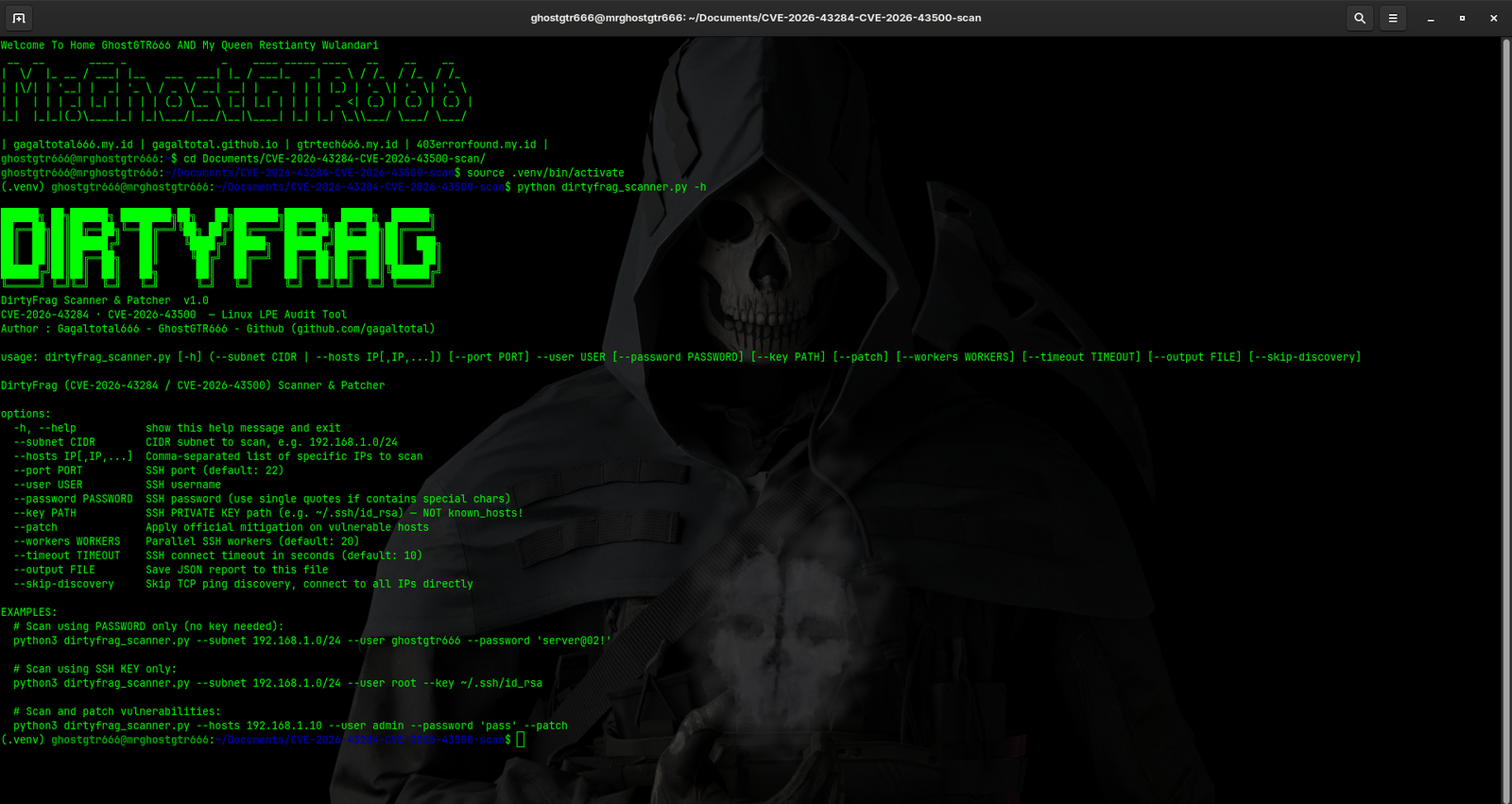
Detects vulnerabilities without changing anything on the target server.
# Using Password
python3 dirtyfrag_scanner.py --subnet 192.168.1.0/24 --user ghostgtr666 --password 'server@02!'

# Using SSH Key
python3 dirtyfrag_scanner.py --subnet 10.134.205.0/24 --user root --key ~/.ssh/id_rsa

# Using both (password fallback if key fails)
python3 dirtyfrag_scanner.py --subnet 192.168.1.0/24 --user admin --password 'pass' --key ~/.ssh/id_rsa

# Scan Specific IPs (without discovery)
python3 dirtyfrag_scanner.py --hosts 192.168.1.10,192.168.1.20 --user admin --password 'pass'
Runs the audit and immediately applies mitigation on vulnerable servers.
# Patch using Password (AUTO-INJECT SUDO, NO NOPASSWD NEEDED)
python3 dirtyfrag_scanner.py --subnet 192.168.1.0/24 --user ghostgtr666 --password 'server@02!' --patch

# Patch using Root Login
python3 dirtyfrag_scanner.py --subnet 192.168.1.0/24 --user root --key ~/.ssh/id_rsa --patch

# Patch with custom workers (faster scanning)
python3 dirtyfrag_scanner.py --subnet 192.168.0.0/16 --user admin --password 'pass' --patch --workers 50
--subnet CIDR              Scan CIDR subnet (e.g., 192.168.1.0/24)
--hosts IP[,IP,...]       Scan specific IPs (comma-separated, no spaces)
--user USERNAME            SSH username (required)
--password PASSWORD        SSH password (use quotes if special chars present)
--key PATH                 Path to SSH private key (e.g., ~/.ssh/id_rsa, NOT known_hosts!)
--port PORT                Custom SSH port (default: 22)
--timeout SECONDS          SSH connect timeout (default: 10, max: 300)
--skip-discovery          Skip TCP ping discovery, SSH directly to all IPs
--workers NUM              Number of parallel SSH workers (default: 20, min: 1, max: 100)
--patch                    Apply mitigation on vulnerable hosts
--output FILE              Save audit results to JSON file
This tool is designed to work across various SSH server environments without needing sudoers modifications:
Root Direct (recommended)
--user root --key ~/.ssh/id_rsa --patch
Sudo NOPASSWD
--user ubuntu --key ~/.ssh/id_rsa --patch
/etc/sudoers already configured with NOPASSWDsudo -nSudo with Password Injection (Zero-Touch) ⭐
--user ubuntu --password 'mypass' --patch
/etc/sudoers: ALL=(ALL) ALLsudo -S -p ''Hybrid (Key + Password)
--user ubuntu --key ~/.ssh/id_rsa --password 'mypass' --patch
When the --patch flag is used, the tool executes the following steps sequentially:
/etc/modprobe.d/dirtyfrag.conf (if present)/etc/modprobe.d/dirtyfrag.conf:
install esp4 /bin/false
install esp6 /bin/false
install rxrpc /bin/false
chmod 644 on the config filermmod esp4 (skip if not loaded)rmmod esp6 (skip if not loaded)rmmod rxrpc (skip if not loaded)echo 3 > /proc/sys/vm/drop_cachesNote: If modules are still loaded after rmmod, the user will be notified that a reboot may be required.
