
 fazmin/cve-intel
Local security intelligence for CVE triage — 31 tools, 25 sources, risk scores and an MCP server for AI agents, all in native Rust. Private by default.
Local security intelligence in native Rust — a Tauri desktop app, a one-click built-in small AI model (llama.cpp), an MCP server for any harness, a REST API, and a plain CLI. 31 tools, 25 data sources. Private on-device AI by default; OpenAI, Anthropic or Gemini are an opt-in setting.



Security teams get a constant stream of new vulnerabilities (CVEs) and have to answer one question over and over: "Do we need to fix this now, or can it wait?" Answering it normally means opening NVD, EPSS, CISA KEV, GitHub, Shodan and a dozen other tabs and piecing the story together by hand.
CVE Intel does that for you. Give it a CVE, an IP address, a file hash, a domain or a list of dependencies. It asks every relevant public source at the same time and gives back one prioritised, evidence-backed answer: what it is, how risky it is, and whether to act now. A risk score (0–100) is computed from severity, the chance of exploitation, and whether attackers are already using it — anything on the CISA KEV list is always CRITICAL.
You can use it as a desktop app, from the command line, over a REST API, or plug it into an AI coding tool through MCP. You can also just ask in plain English ("Should we patch CVE-2021-44228 this weekend?"), and a small AI model explains the findings. By default that model runs on your own machine; if you prefer a stronger one you can switch to OpenAI, Anthropic (Claude) or Google Gemini in Settings.
It helps you decide what to patch. It does not scan your network or fix anything for you, and results are only as current as the public sources.
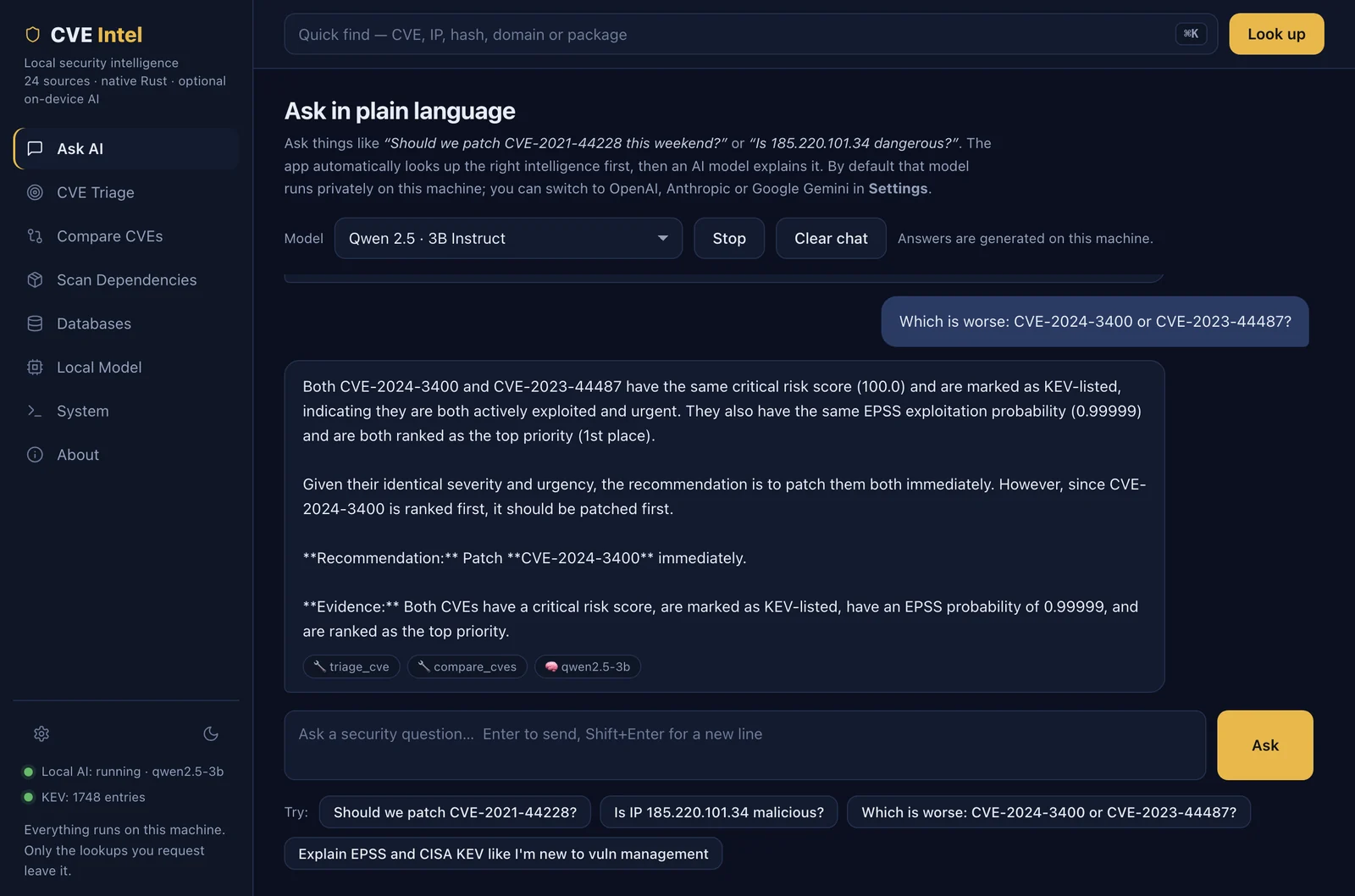
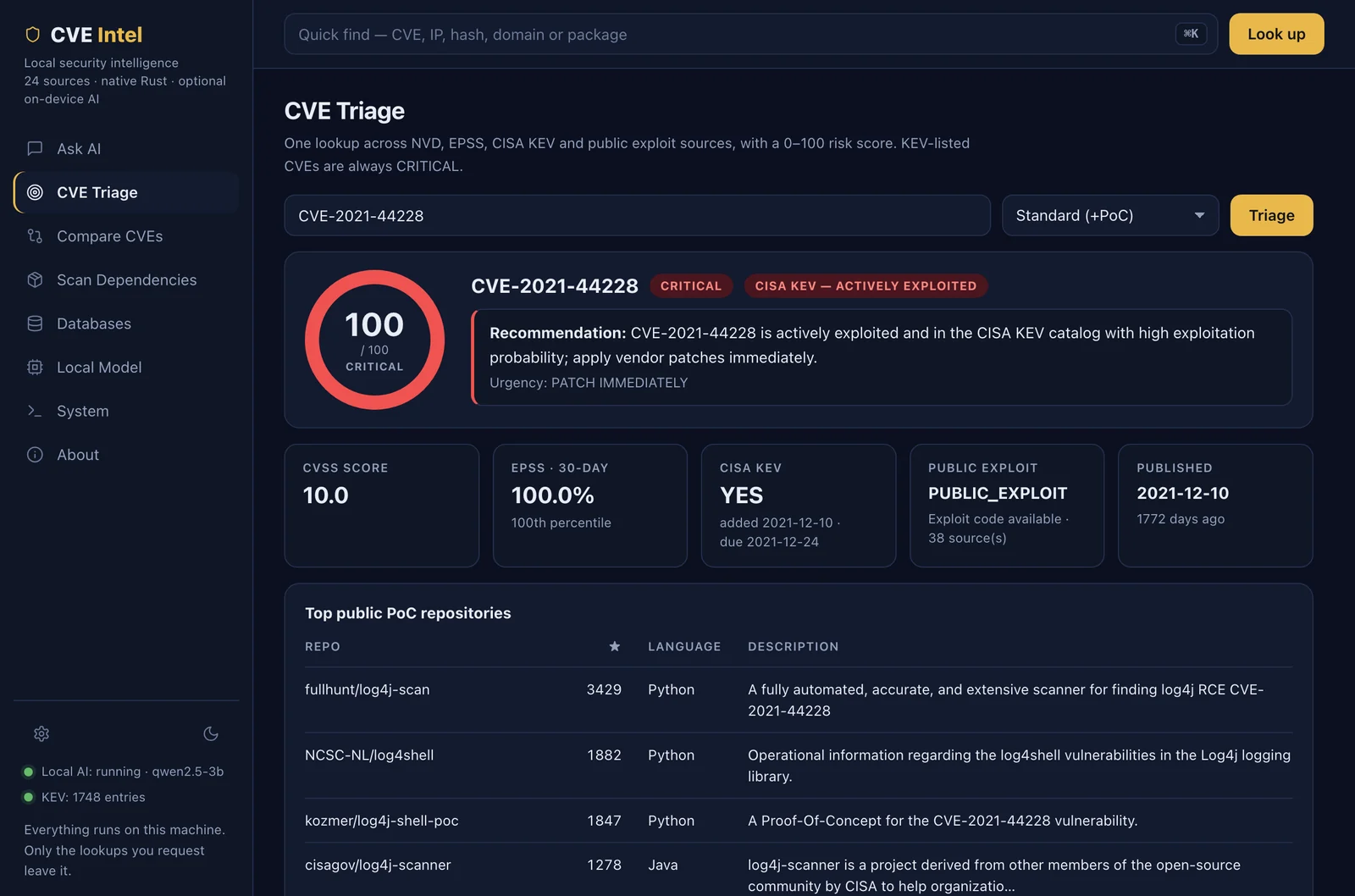
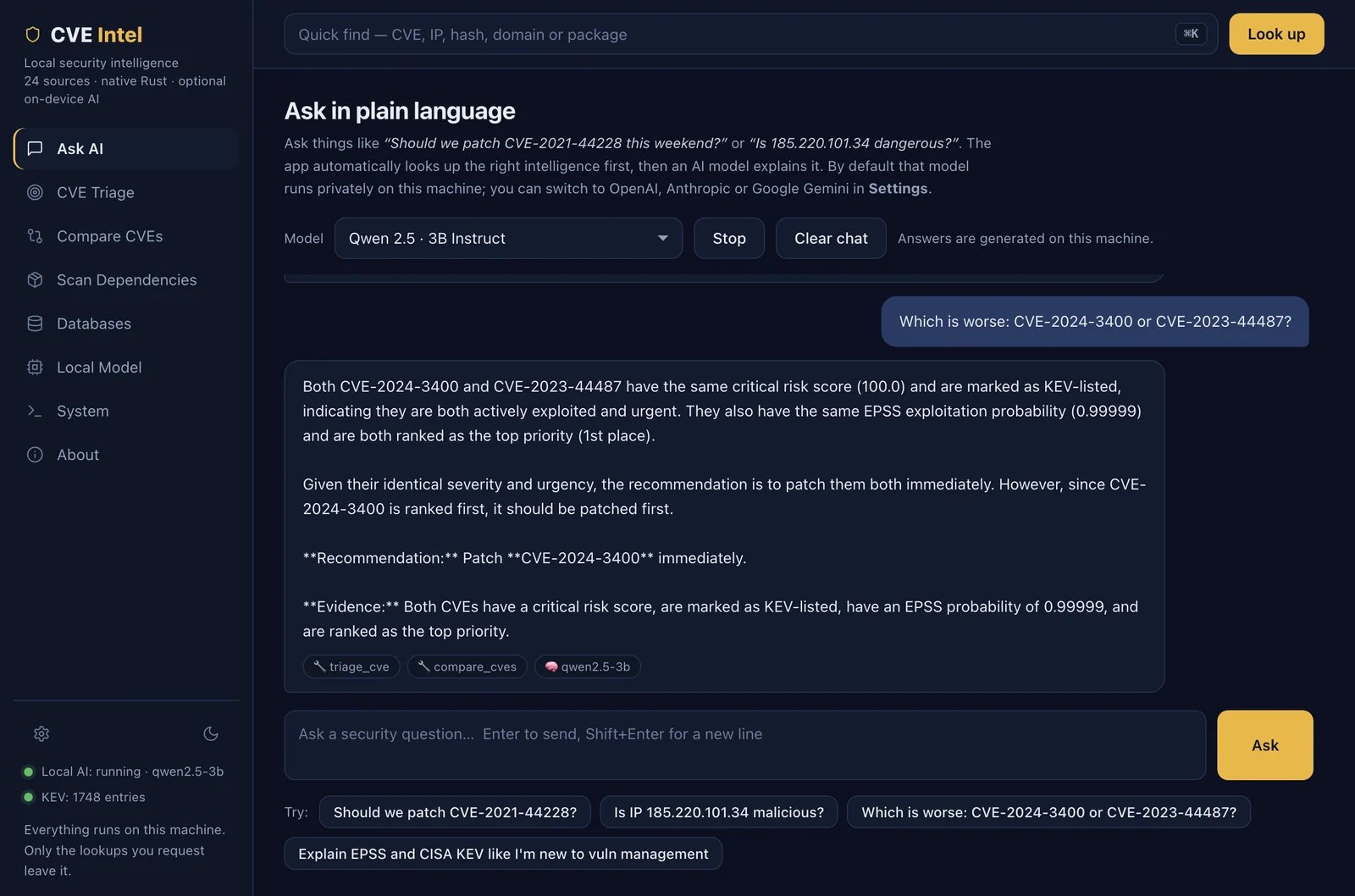
The desktop app, showing live results from the real data sources (log4j, CISA KEV, EPSS, OSV.dev). Dark and light themes follow your system setting.
CVE Triage (above): one lookup, one 0–100 risk score, and the evidence behind it.
Ask AI: ask in plain English. The facts are looked up first, then a small model running on your machine explains them.
Compare CVEs — a patch-priority ranking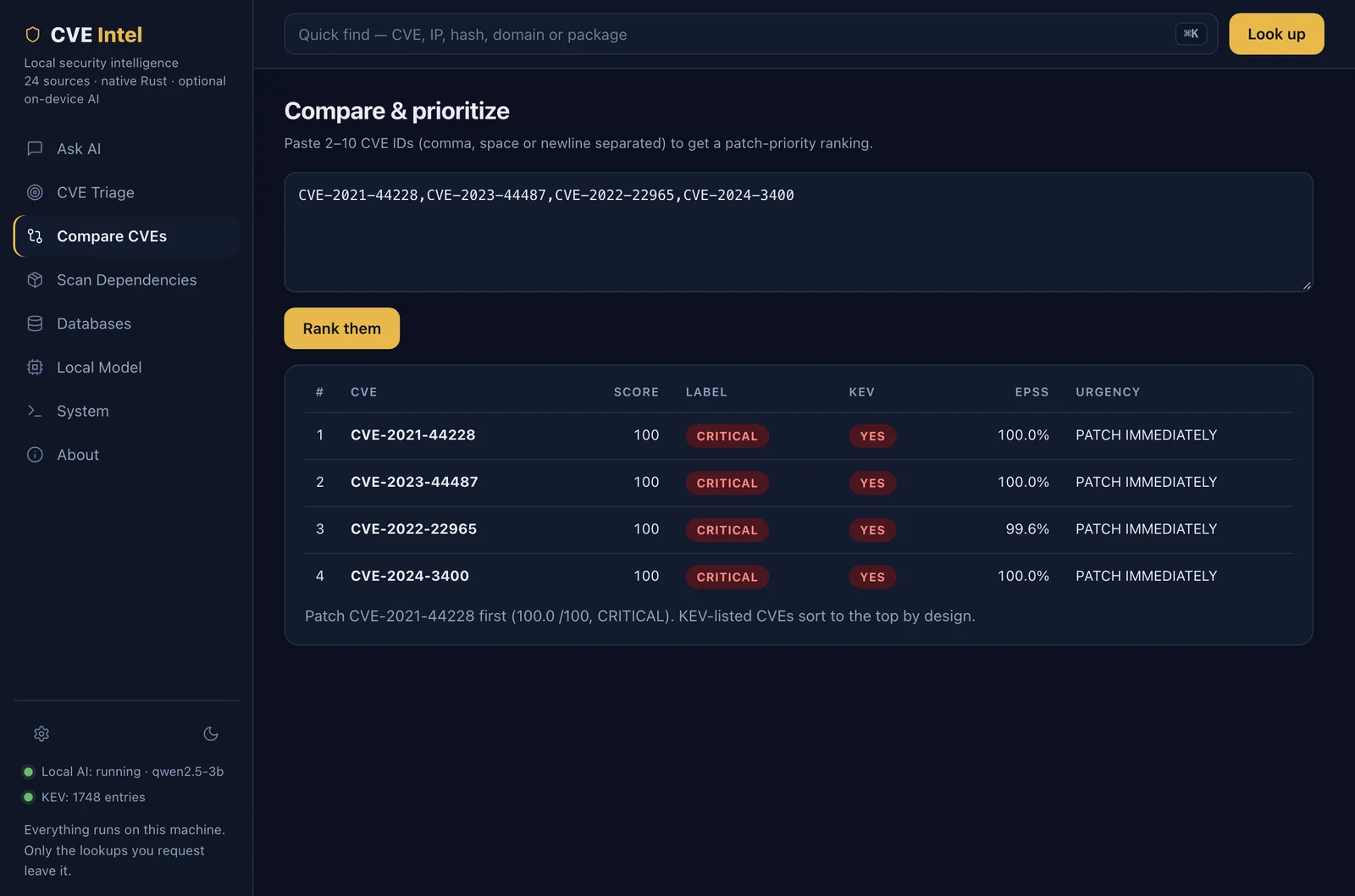 |
Scan Dependencies — known vulnerabilities from OSV.dev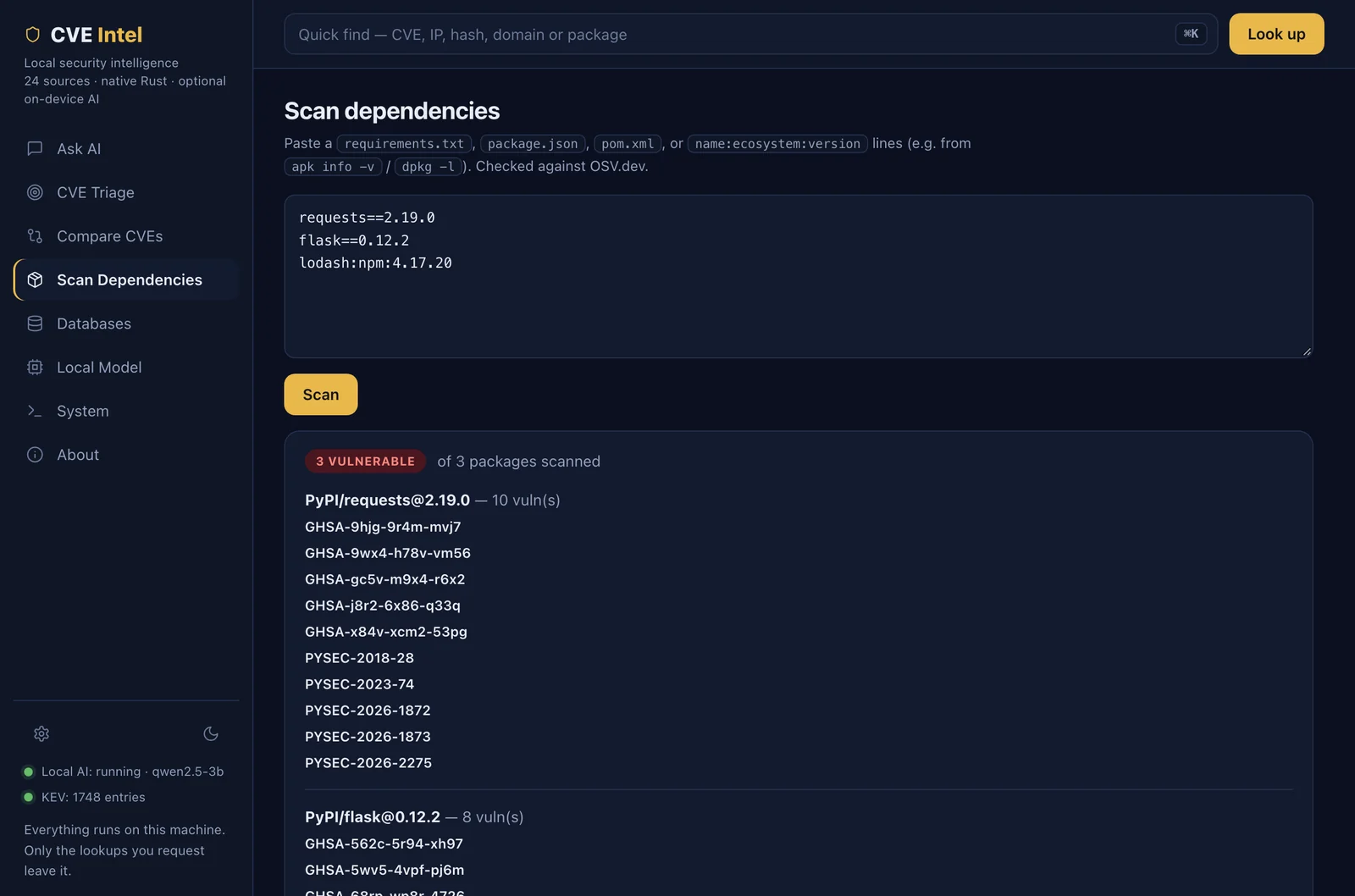 |
Databases — every data source, its key status and cache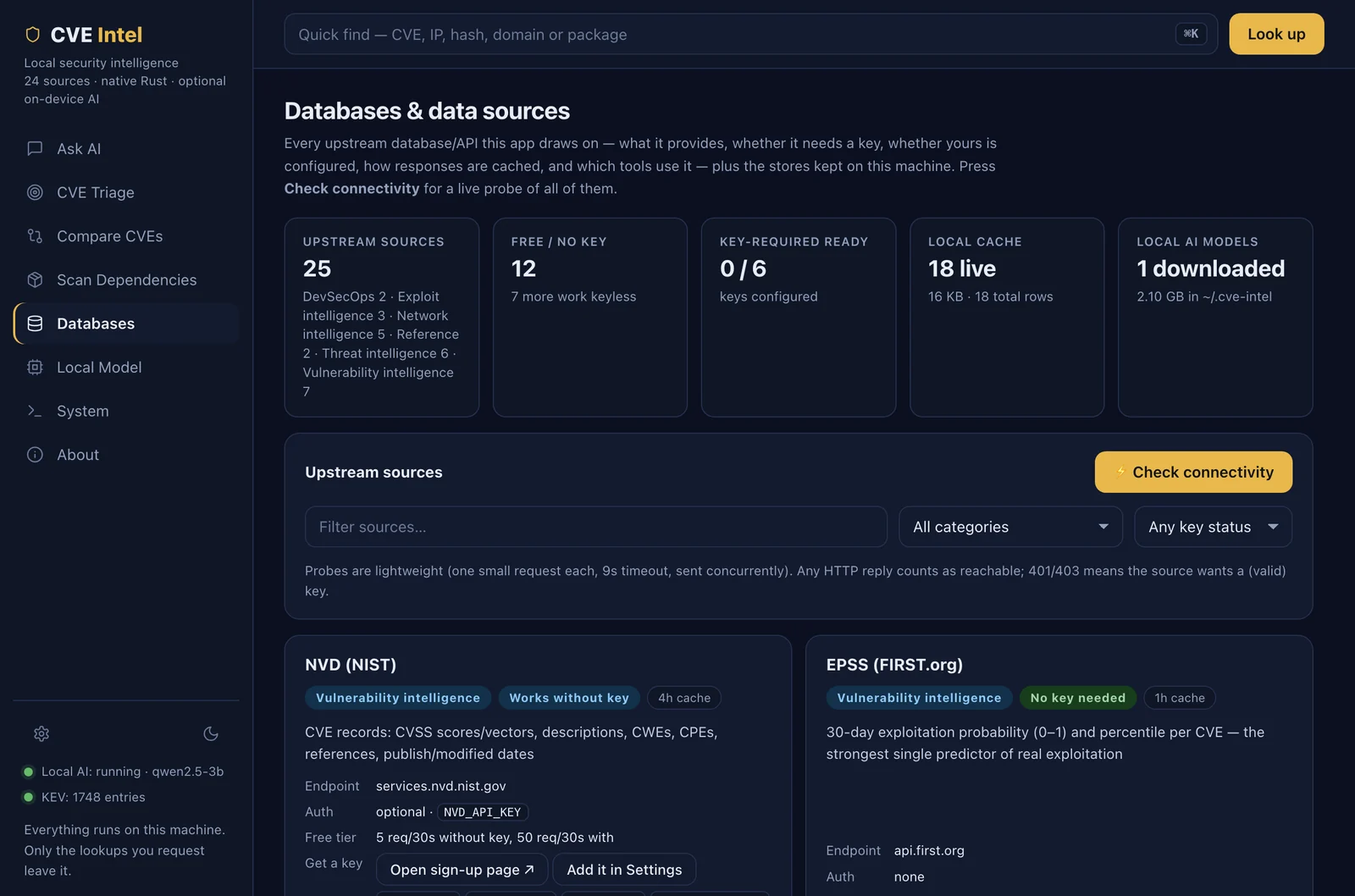 |
Light theme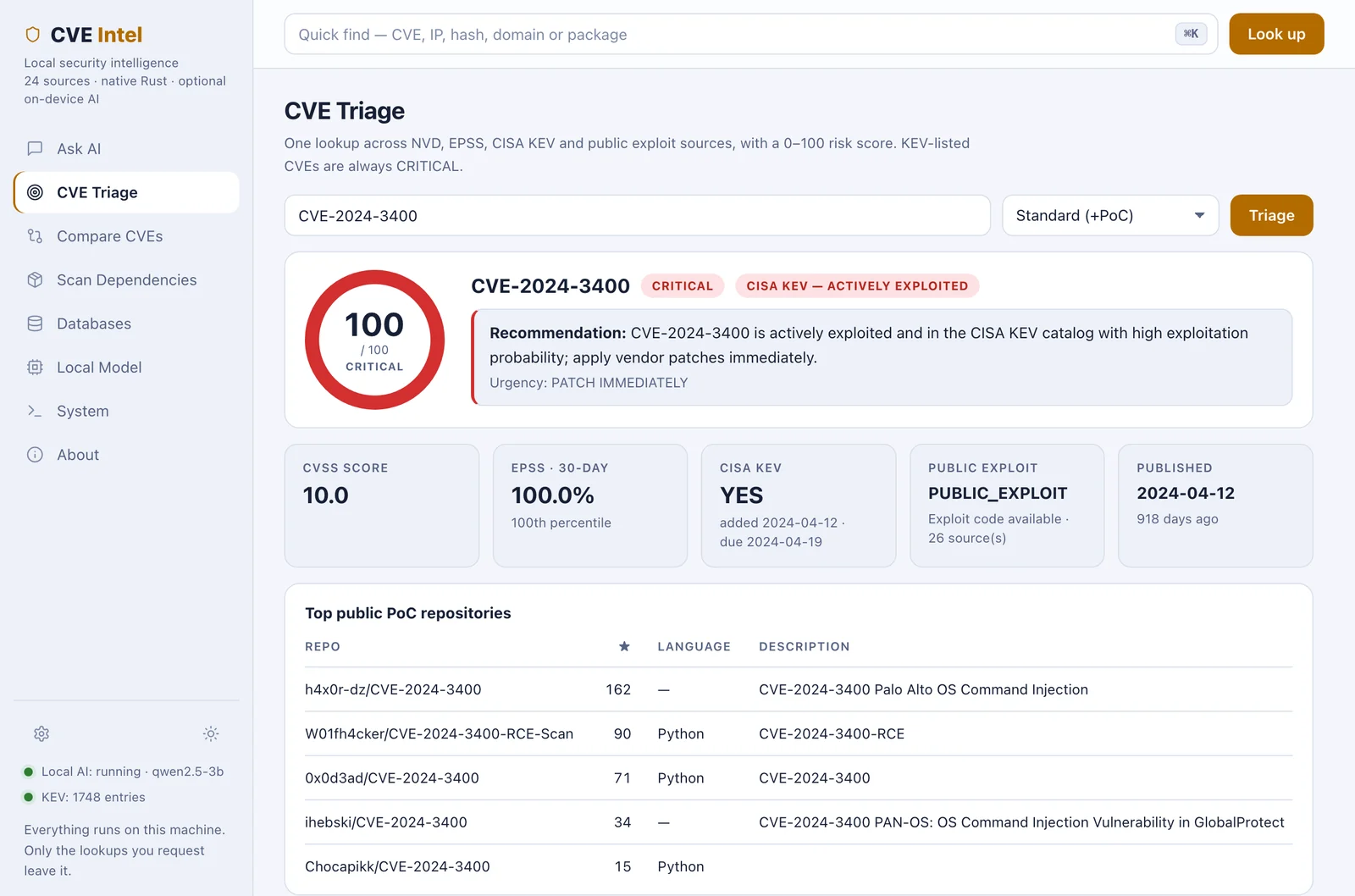 |
| Situation | What you do |
|---|---|
| A new CVE is all over the news on a Friday. Do we drop everything? | Ask "Should we patch CVE-2024-3400 this weekend?" or run cve-intel triage CVE-2024-3400 --depth deep. You get a score, whether it is in CISA KEV, the EPSS exploit probability, any public exploit code, and a clear urgency. |
| The vulnerability scanner just reported 40 findings. Which first? | Paste the CVE IDs into Compare CVEs (or cve-intel compare CVE-… CVE-…) to get a ranked patch order instead of sorting by CVSS alone. |
| A strange IP shows up in your firewall or login logs. | Paste it into Quick Find (⌘K) or run cve-intel ip 185.220.101.34 for reputation from AbuseIPDB, GreyNoise, Shodan and more. Private/internal IPs are refused, never sent out. |
| Your EDR flags an unknown file. | cve-intel hash <sha256> checks MalwareBazaar, VirusTotal and CIRCL hashlookup in one go. |
| Before a release: are our dependencies safe? | Paste a requirements.txt / package.json / pom.xml into Scan Dependencies, or run it in CI (below). |
| You live in an AI coding tool (Claude Code, Cursor, VS Code). | Add CVE Intel as an MCP server and ask your assistant about CVEs while it works in your repo. See examples/mcp/. |
| You are new to vulnerability management. | Ask "Explain EPSS and CISA KEV like I'm new." The Ask tab explains the evidence in plain language. |
Fail a CI build when a dependency has a known vulnerability:
cve-intel scan-deps requirements.txt | jq -e '.vulnerable_count == 0'
Get a machine-readable verdict for a ticket or dashboard:
cve-intel triage CVE-2024-3400 --depth deep --json | jq '.risk | {risk_score, risk_label, urgency}'
Small models are bad at raw tool-calling, so Ask is built in three layers:
One-click setup (desktop Ask tab, or the CLI below) installs the official
llama.cpp runtime for your OS/arch into ~/.cve-intel/bin/, downloads a
small GGUF model into ~/.cve-intel/models/, and starts it on
127.0.0.1 only:
| Model | Download | Min RAM | Notes |
|---|---|---|---|
| Qwen 2.5 1.5B Instruct (Q4_K_M) | ~1.0 GB | 4 GB | Fastest |
| Qwen 2.5 3B Instruct (Q4_K_M) ★ | ~1.9 GB | 6 GB | Recommended default |
| Llama 3.2 1B Instruct (Q4_K_M) | ~0.8 GB | 4 GB | Smallest |
| Llama 3.2 3B Instruct (Q4_K_M) | ~2.0 GB | 6 GB | Strong chat |
| Qwen 2.5 7B Instruct (Q4_K_M) | ~4.7 GB | 10 GB | Optional upgrade |
Already have Ollama / LM Studio / your own llama-server? Point
CVE_LLM_BASE_URL at any OpenAI-compatible endpoint instead.

