
Skip to content
KitploitKITPLOIT
ToolsBlog
Submit
ToolsBlog
Submit

Hacking, PenTest, and Cybersecurity Tools for Your Security Arsenal!

Kitploit is a directory of hacking, cybersecurity, and pentesting tools. Discover the latest project updates to find vulnerabilities, analyze systems, automate testing, and strengthen your security.

··Feeds·Contact·Privacy·© 2026 Kitploit

Tool Directory

Categories

View all categories
Loading categories
efiSeek — Ghidra plugin that automates UEFI firmware analysis by identifying known GUIDs, protocols, SMI handlers, and interrupt functions, with headless module sorting. | Kitploit
Tools/GitHubGitHub/dsecurity/efiseek
Embedded Systems SecurityReverse EngineeringHardware SecurityHardware & IoT SecurityBinary AnalysisFirmware Analysis
GitHubdsecurity/efiseek

efiSeek

Ghidra plugin that automates UEFI firmware analysis by identifying known GUIDs, protocols, SMI handlers, and interrupt functions, with headless module sorting.

View Repository
40640392 years agoReviewed by Kitploit

Most Popular

View all →

Discover the most used tools by our community.

Explore all tools

Browse our collection of tools

View all tools →
Share

efiSeek for Ghidra

About

The analyzer automates the process of researching EFI files, helps to discover and analyze well-known protocols, smi handlers, etc.
Features

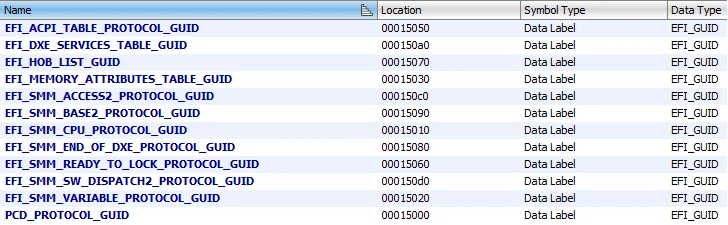
Finds known EFI GUID's

guids

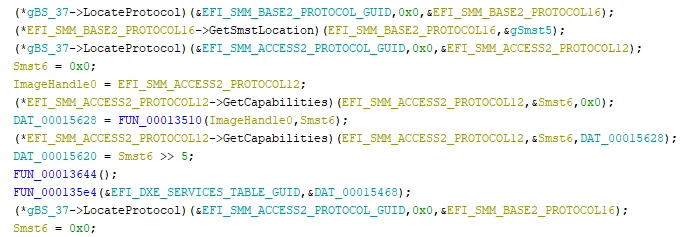
Identifies protocols located with LOCATE_PROTOCOL function

locateProtocols

Identifies functions used as the NOTIFY function

notify

Identifies protocols installed in the module through INSTALL_PROTOCOL_INTERFACE

install

Identifies functions used as an interrupt function (like some hardware, software/child interrupt)

ioTrap

sx

child

sw

Script for loading efi modules to relevant directories in Headless mode

Sorting smm modules relying on meta information into next folders:
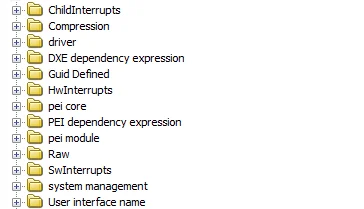
  • SwInterrupts
  • ChildInterrupts
  • HwInterrupts
  • UnknownInterrupts

sort

Installation

Set GHIDRA_INSTALL_DIR environment variable to ghidra path.

Start gradlew.bat, after the completion of building a copy archive from the dist directory to GHIDRA_HOME_DIR/Extensions/Ghidra/. And turn on this extention in your ghidra.

Usage

After installation you are free to use this analyzer. If you open a EFI file, the analyzer appears selected automatically. To start the analyzer, press A or Analysis/Auto Analyze and press Analyze.

References

  • https://github.com/al3xtjames/ghidra-firmware-utils
  • https://github.com/danse-macabre/ida-efitools/
Download Tool