 douglas-042/douglas-042-hq
Central console for Douglas-042 HEADQUARTERS collectors. Sweeps a fleet, correlates results across hosts, and manages IOC feeds and SIEM delivery from one place.


Sweep a fleet of Windows and Linux hosts for signs of compromise, decide what actually matters, and act on it — from one console, with one command per host.




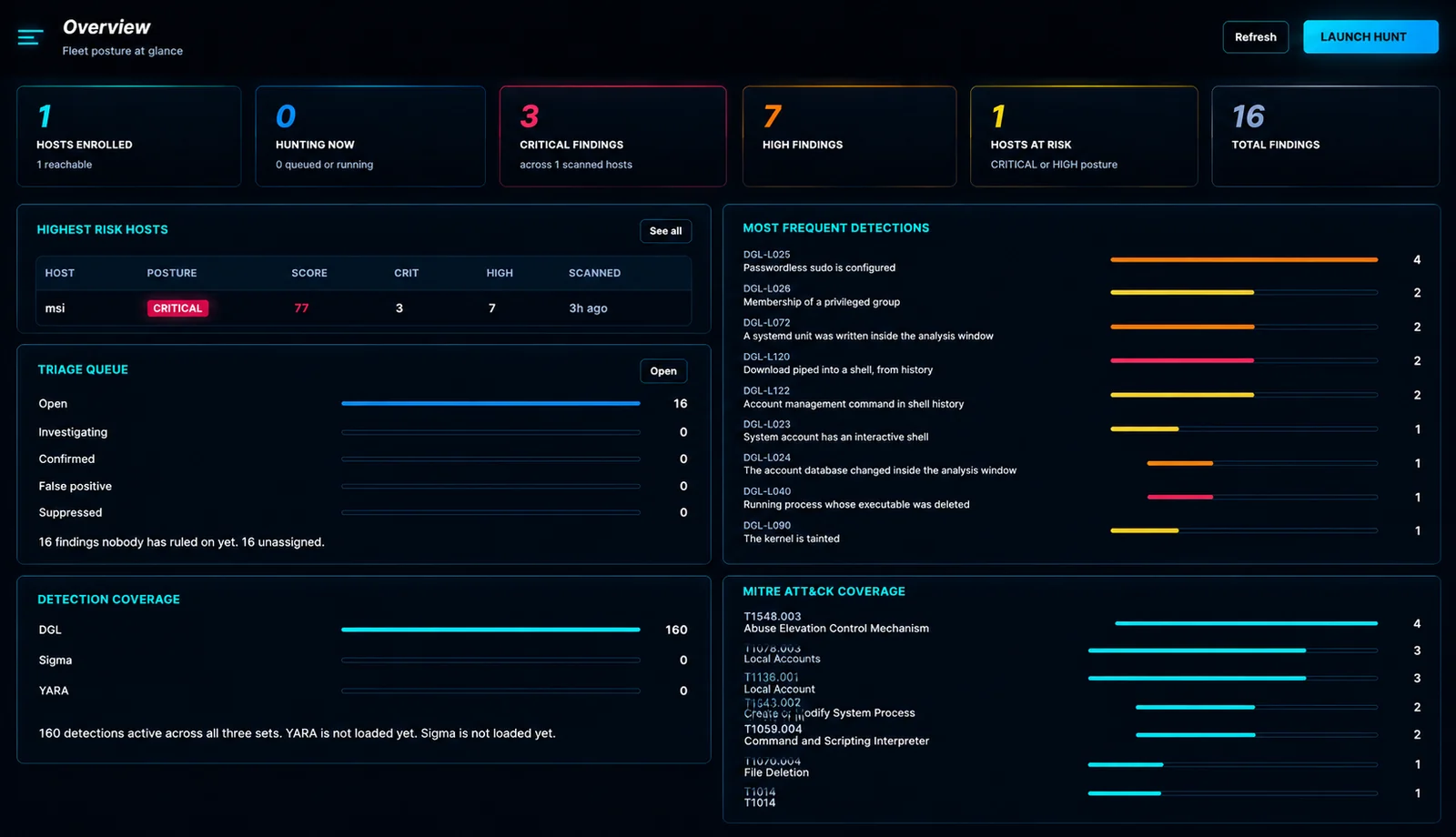
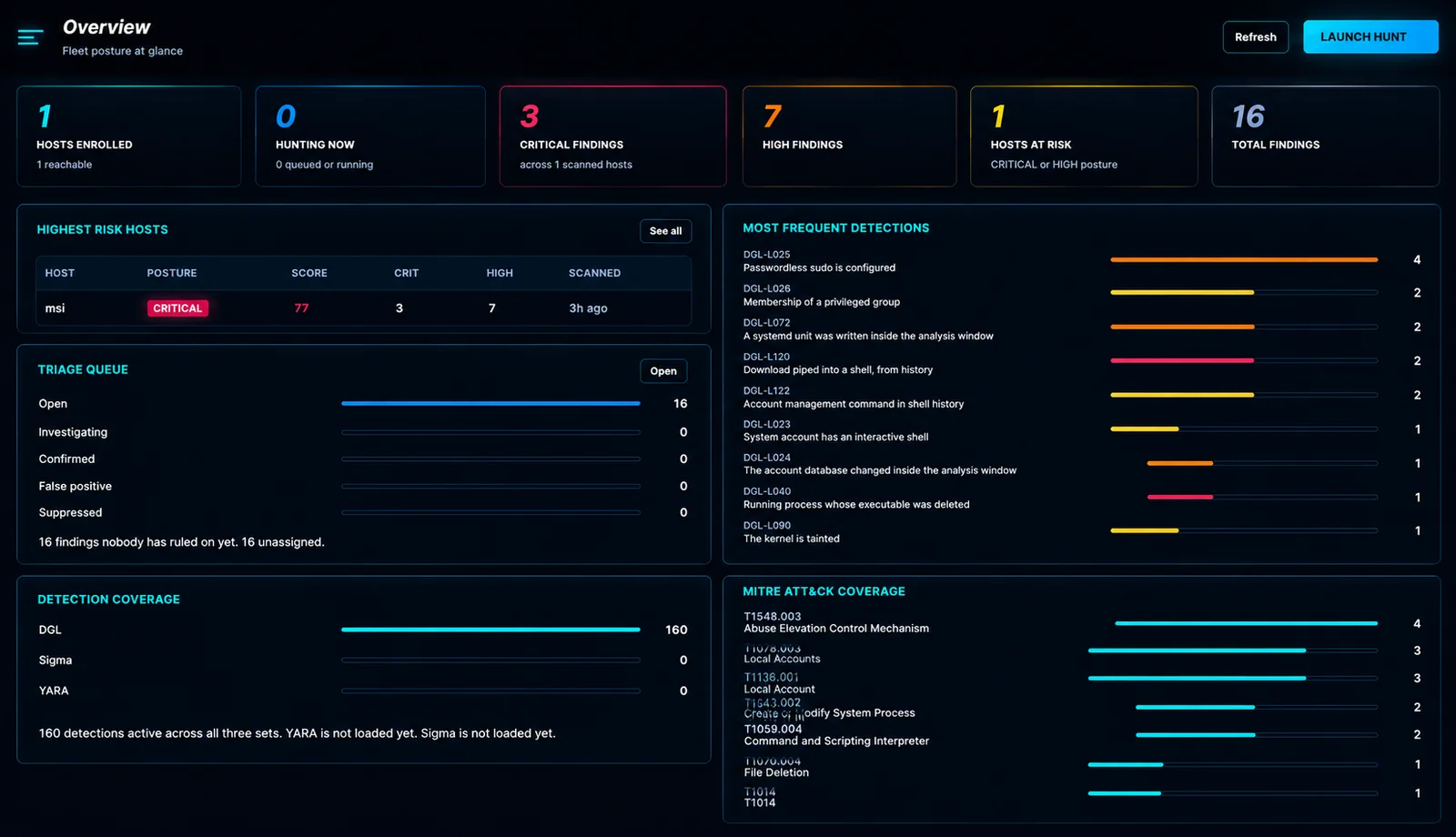
A hunt is not a scan. Douglas collects the artifacts an analyst would collect by hand — processes, services, scheduled tasks, autoruns, connections, accounts, drivers, event logs, cron, systemd, shell history, web roots — and runs 201 built-in detections over them, plus your own Sigma, YARA and custom rules.
Then it does the parts most tools leave to you: it says which findings still need a decision, which of the sixty external addresses to look at first, and lets you do something about it without opening an RDP session.
   deploy one command  ──▶  hunt  ──▶  findings appear live
                                            │
                     ┌──────────────────────┼──────────────────────┐
                     ▼                      ▼                      ▼
              IOC feed match          reputation score        response actions
              "this is a known C2"    "92/100, 340 reports"   isolate · kill · collect
The estates that need hunting most are often the ones without an EDR: a few dozen servers, no agent budget, and an incident that started three days ago. The choice is usually between a commercial platform nobody signed off on and a folder of PowerShell scripts somebody runs by hand.
Douglas sits between them. Nothing is installed on the host you are investigating — the collector runs once and exits — and every result lands in one console you can hand to whoever picks up the incident next.
Findings are easy to produce and expensive to read. This screen exists to keep the queue short enough that somebody is still reading it on the third pass.
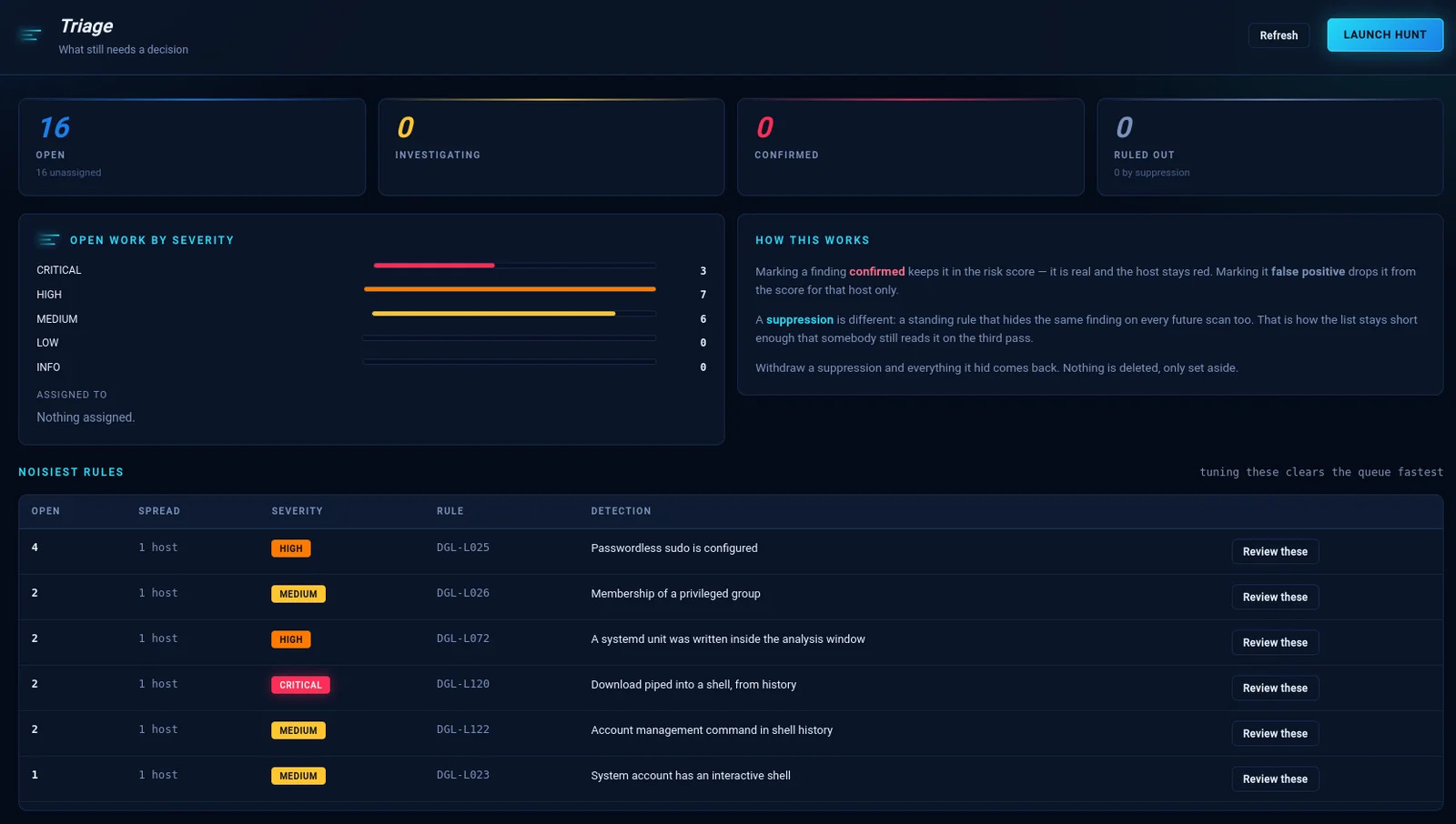
Three outcomes, and the difference between them matters six months later:
| Decision | What it does |
|---|---|
| Confirmed | Real. Stays in the risk score, host stays red. |
| False positive | Drops from the score for that host only. |
| Suppression | A standing rule that hides the same finding on every future scan. |
Nothing is ever deleted. Withdraw a suppression and everything it hid comes back. Noisiest rules sits at the bottom because tuning those clears the queue faster than working through it finding by finding.
All 201 detections are grouped into 15 categories — switchable one at a time or a whole family at once. Click any rule to read what it checks, how it fires legitimately, and what to do next.
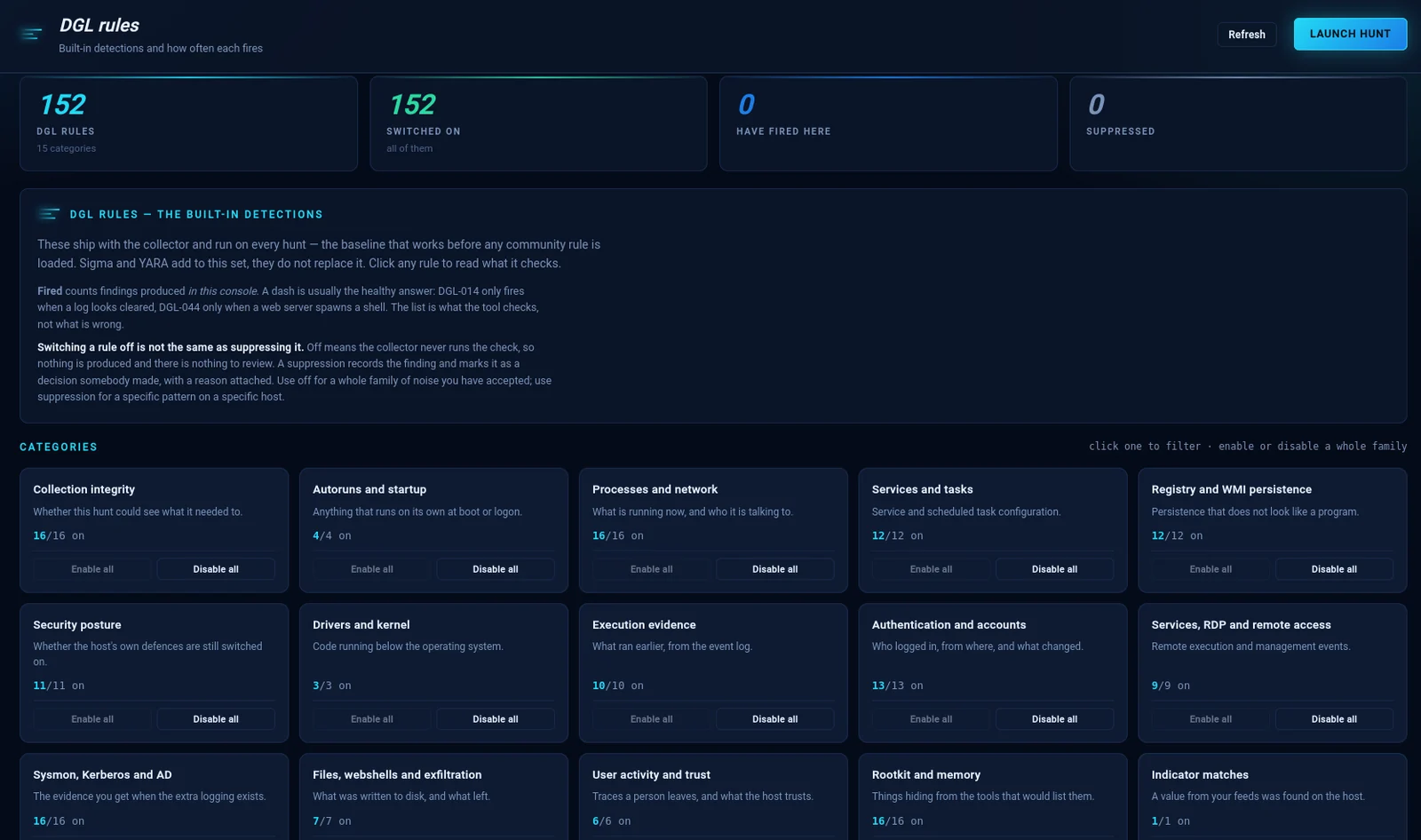
The distinction the screen spells out, because getting it wrong is common:
Switching a rule off is not the same as suppressing it. Off means the collector never runs the check — nothing is produced and there is nothing to review. A suppression records the finding and marks it as a decision somebody made, with a reason attached.
Use off for a family of noise you have accepted. Use suppression for a specific pattern on a specific host.
A dash under Fired is usually the healthy answer: DGL-014 only fires when a log looks cleared. The list is what the tool checks, not what is wrong.
The form is faster for your first rule and slower for your twentieth. So rules can also be written as text — checked as you type, against 11 artifact tables and 13 operators.
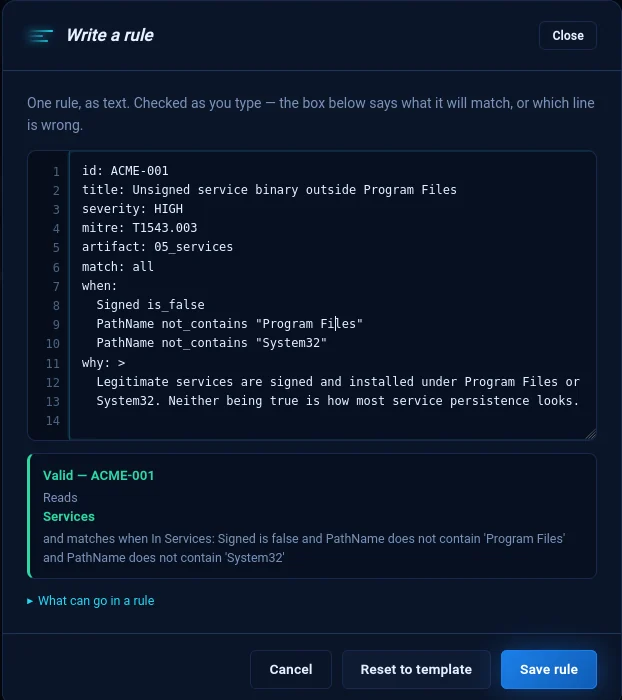
The box underneath does two jobs. When the rule is wrong it names the line, not the rule:
line 7: Condition 1: 'is_maybe' is not an operator.
When it is right, it says what the rule will actually match — because a rule that validates and then matches something other than what its author meant is the failure worth catching:
Valid — ACME-001 Reads Services and matches when Signed is false and PathName does not contain 'Program Files' and PathName does not contain 'System32'
Import and export in JSON, YAML or CSV. Round-trip is guaranteed — our own export passes our own validator in all three formats.
| Question | When | Result | |
|---|---|---|---|
| IOC feed | Is anything from this C2 list on my hosts? | During the hunt | DGL-IOC — a confirmed match, not a score |
| Enrichment | This host talked to 60 addresses — which first? | After the hunt | 92/100, 340 reports, known Cobalt Strike C2 |
Fifteen feed sources ship ready to use — Feodo, ThreatFox, URLhaus, TweetFeed, USOM, SSL Blacklist, Emerging Threats, OpenPhish, MISP — plus a Custom feed that reads any URL returning indicator-shaped data.
Four reputation providers: AbuseIPDB, VirusTotal, ThreatFox (free tiers) and GreyNoise (paid, off by default). Verdicts are never blended into one number — AbuseIPDB counts complaints, VirusTotal counts engines, ThreatFox knows infrastructure, and an average of those is a figure none of them would defend. The badge shows the worst verdict with the provider that gave it.
Free tiers are protected: results cached 12 hours, 40 addresses per run, and a daily counter that stops before the provider does. Private addresses are never sent.
Eleven actions in three groups — look, act, contain. The five read-only ones are marked differently from the six that change the host, and every mutating action requires a written reason.
Isolation keeps the console reachable on purpose: a host cut off from its own
agent cannot be released remotely, and somebody would have to walk to it.
Targets that would break the machine rather than contain the intrusion —
lsass.exe, systemd, pid 1, Administrator, /bin/bash — are refused, not
warned about, because the moment this gets used is the moment nobody is reading
warnings.

