
SOC335-CVE-2024-49138-Exploitation-Detected — Documented incident response case for CVE-2024-49138 exploitation, featuring log analysis, hash validation, C2 detection, and containment procedures for SOC training. | Kitploit
Tools / GitHub / deividasterechovas / soc335-cve-2024-49138-exploitation-detected
deividasterechovas/soc335-cve-2024-49138-exploitation-detected SOC335-CVE-2024-49138-Exploitation-Detected Documented incident response case for CVE-2024-49138 exploitation, featuring log analysis, hash validation, C2 detection, and containment procedures for SOC training.
2 1 year agoDiscover the most used tools by our community.
Last 7 Days Last 30 Days
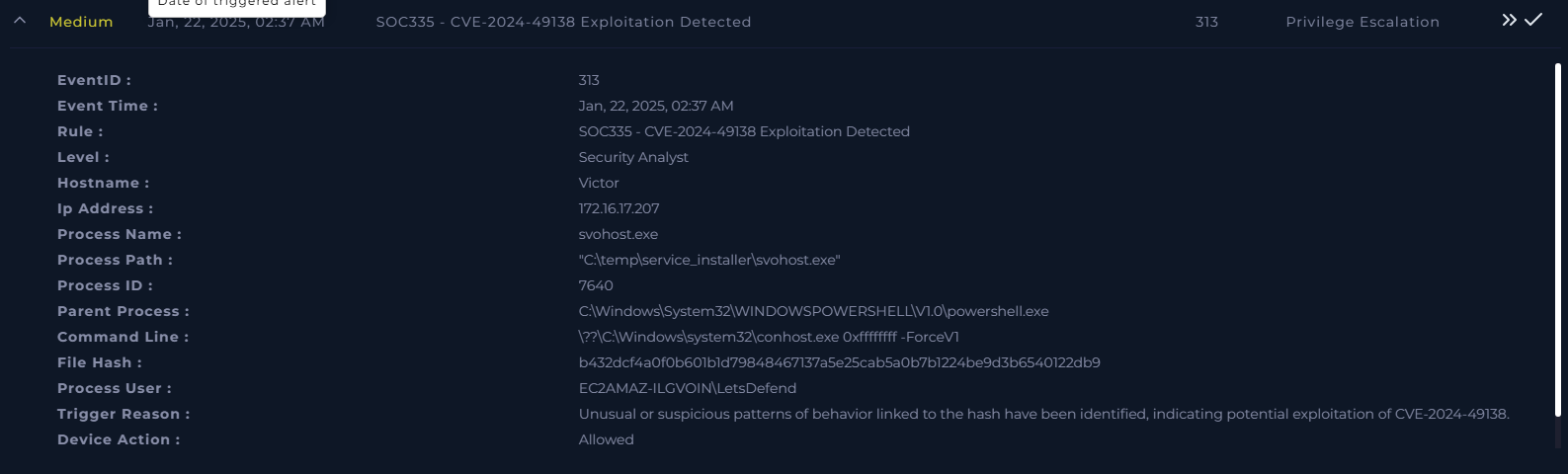
Privilege Escalation Case - SOC335-CVE-2024-49138-Exploitation-Detected
Alert Overview
Affected Hostname:
Triggering Process:
Parent Process:
C:\Windows\System32\WINDOWSPOWERSHELL\V1.0\powershell.exe
File Hash:
b432dcf4a0f0b601b1d79848467137a5e25cab5a0b7b1224be9d3b6540122db9
Trigger Reason:
Unusual or suspicious patterns of behavior linked to the hash have been identified, indicating potential exploitation of CVE-2024-49138 .
Incident Response Case: Logon Failure and Malware Investigation This repository documents an incident response case involving logon failures, malicious activity detection, and containment efforts.
Investigation Overview We start by investigating the alert received and proceed to analyze logs from Log Management and Endpoint Security .
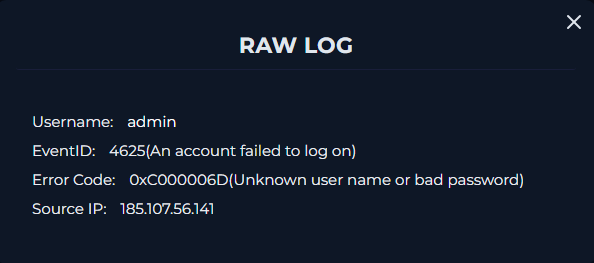
Alert and Logs
Alert Summary:
Translation:
STATUS_LOGON_FAILURE : Indicates a logon attempt failed, usually due to incorrect credentials.
Logs Observed: There are multiple OS types, with either Admin or Guest accounts showing Error Code 0xC000006D .
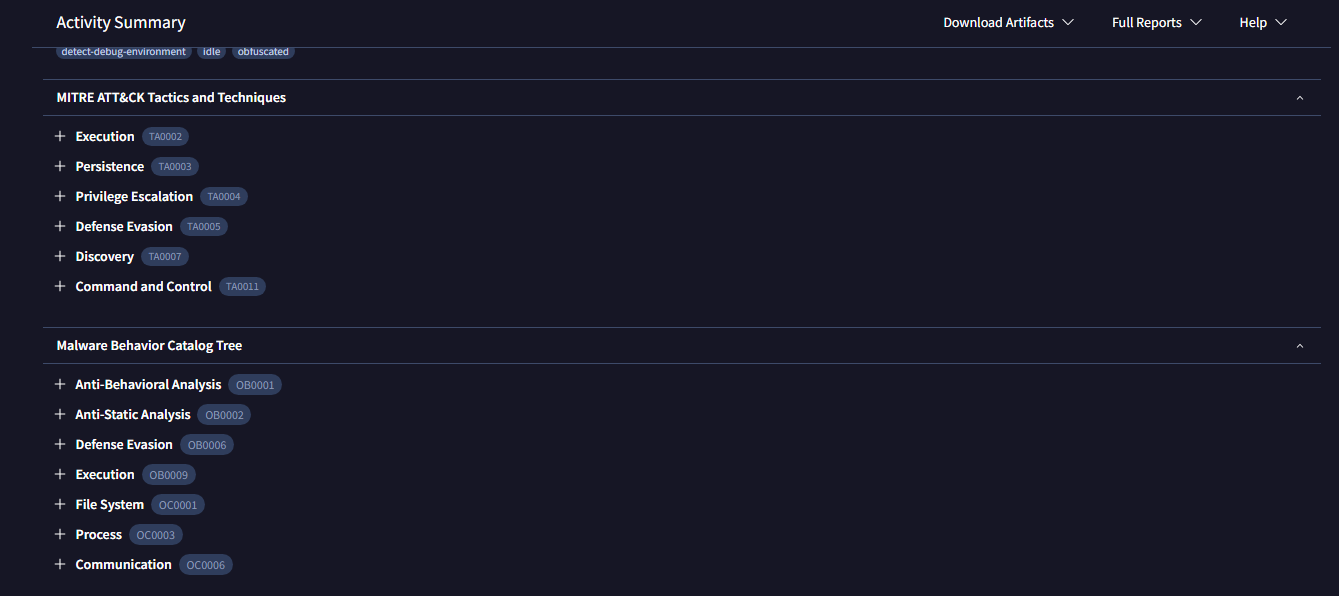
Hash Analysis We analyzed the hash provided in the alert and confirmed it as malicious. MITRE ATT&CK framework mapping and malware behavior were also validated.

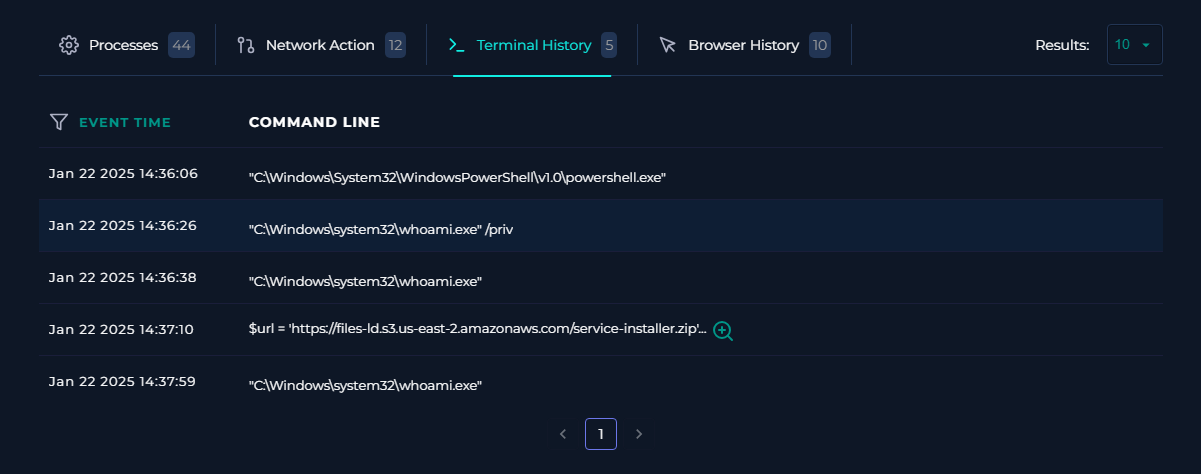
Terminal History Analysis By inspecting terminal history, we identified suspicious activity, including a $url command retrieving a potentially malicious URL.
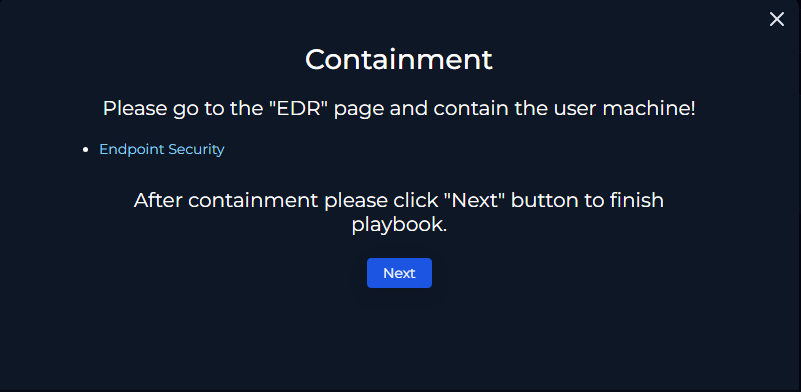
Playbook Execution Using the gathered information, we proceeded with the appropriate playbook steps for this case.
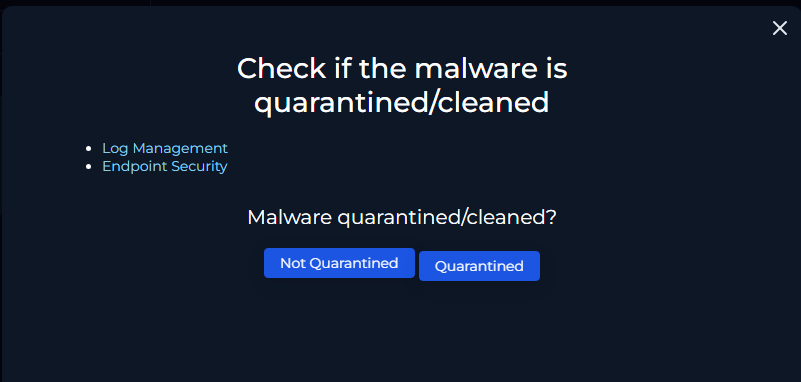
Key Findings:
Malware confirmed as malicious.
Containment status: Not achieved (at the time of log and endpoint review).
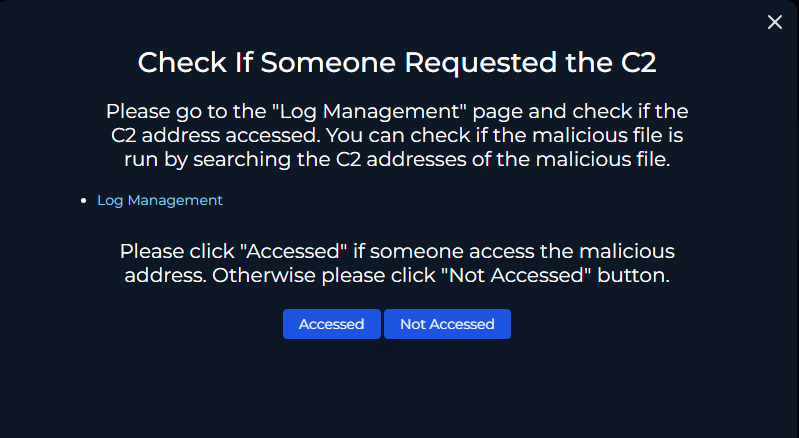
Command and Control (C2) Analysis We analyzed the malware behavior via AnyRun and identified the Command and Control (C2) address. This was confirmed through network behavior analysis.
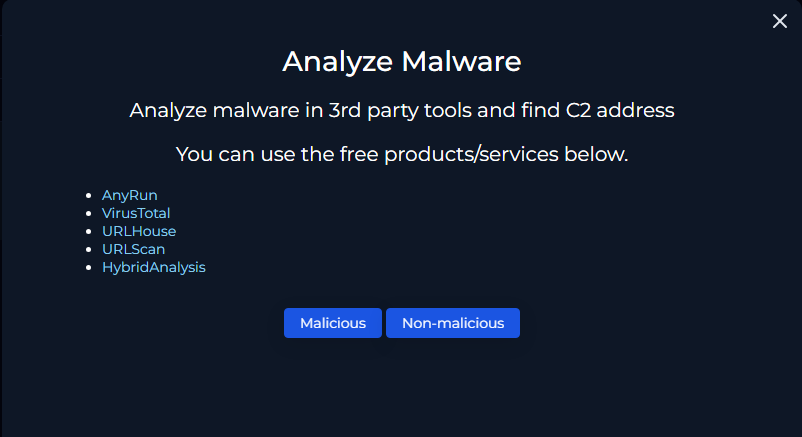
Status Update:
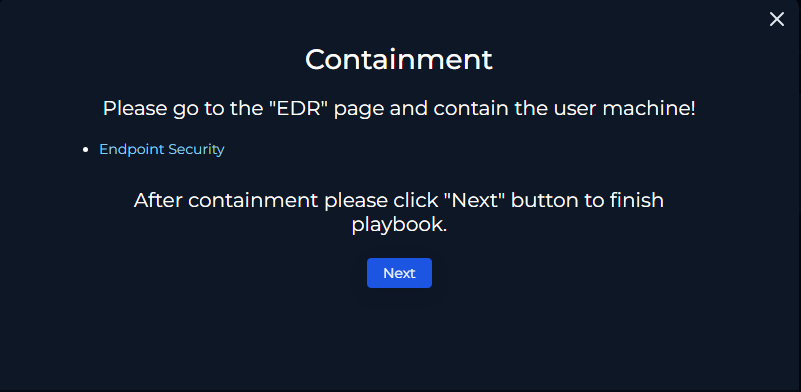
Containment and Resolution
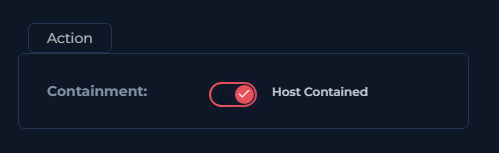
Containment: We successfully contained the affected device.
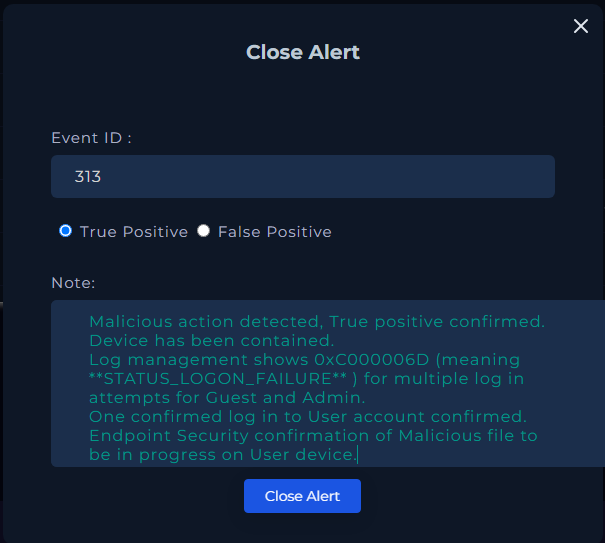
Case Closure: We finalized the case with SOC Analyst notes and playbook execution documentation.
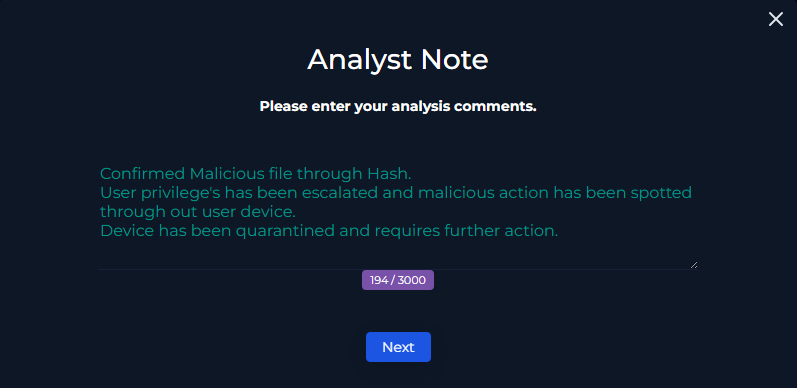
Conclusion The case was closed with a final review and scoring to assess the accuracy of actions taken during the investigation.
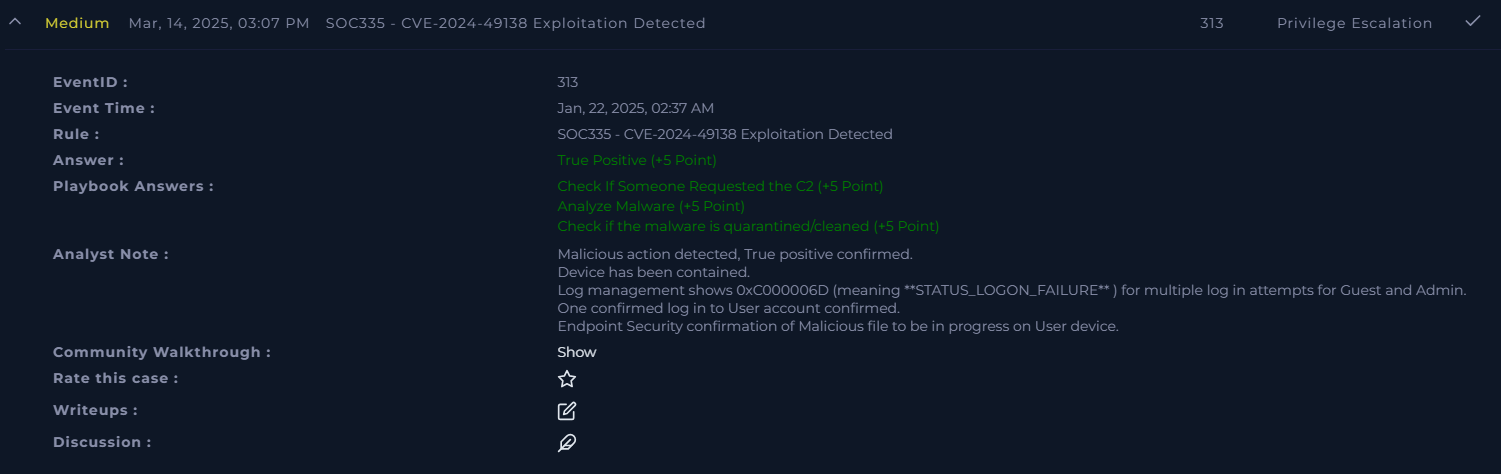
Key Takeaways
Error Code Analysis : Understanding 0xC000006D logon failures is critical for identifying suspicious activity.
Hash Validation : Always confirm alerts against known malware databases.
Terminal Analysis : Terminal history provides valuable insight into potential command execution.
C2 Detection : Tools like AnyRun can streamline identification of C2 addresses.
Containment : Timely containment prevents further compromise of the network.
Additional Resources
This repository serves as a reference for handling similar incidents. Contributions and discussions are welcome!
Command Analysis
Command 1 : C:\Windows\System32\svchost.exe -k termsvcs -s TermService
Explanation
C:\Windows\System32\svchost.exe :
Service Host Process : A core Windows system process used to host multiple Windows services implemented as dynamic-link libraries (DLLs).
Legitimately located in C:\Windows\System32\ .
-k termsvcs :
Specifies the service group (termsvcs) for this instance of svchost.exe.
The termsvcs group is specifically related to Terminal Services.
-s TermService :
Specifies the exact service to start: Remote Desktop Services (TermService) .
This service allows remote connections to the computer, enabling the Remote Desktop Protocol (RDP).
Purpose of TermService
Remote Desktop Services :
Manages remote desktop connections, including user sessions over RDP.
Essential for enabling remote administration or remote desktop features.
Command 2 : C:\Windows\system32\svchost.exe -k netsvcs -p -s Schedule
Explanation
C:\Windows\system32\svchost.exe :
Service Host Process : A critical Windows system process used to host services implemented as dynamic-link libraries (DLLs).
Always ensure this file is located in C:\Windows\system32\ .
-k netsvcs :
Specifies the service group (netsvcs) that this instance of svchost.exe is hosting.
The netsvcs group typically includes networking-related and other essential services.
-p :
Indicates the service should run in persistent mode , ensuring it stays active and is automatically restarted if needed.
-s Schedule :
Specifies a specific service within the group to load: Task Scheduler (Schedule).
The Task Scheduler service manages tasks that run at specific times or in response to certain triggers.
Process ID :
1996 is the Process ID (PID) for the instance of svchost.exe managing the Task Scheduler service.
Command 3 : C:\Windows\system32\svchost.exe -k DcomLaunch -p
Explanation
C:\Windows\system32\svchost.exe :
Service Host Process : A core Windows system process that acts as a host for running multiple services from dynamic-link libraries (DLLs).
-k DcomLaunch :
Specifies the service group the process is hosting.
DcomLaunch : Refers to the DCOM Server Process Launcher , responsible for launching Distributed Component Object Model (DCOM) services.
-p :
Indicates that the process should be persistent and restarted if terminated unexpectedly.
Purpose of DcomLaunch
System Component : Vital for many Windows operations, such as enabling communication between applications, activating processes, and handling system-level RPC requests.
Dependencies : Many core services, including Windows Update and COM-related applications, rely on this process.
Taskhostw.exe and Key Roaming
taskhostw.exe
Task Host Window : A generic host process for Windows tasks.
Location : The legitimate executable is located in C:\Windows\System32\ .
Key Roaming
A Windows feature enabling credential roaming for certificates and private keys across devices in an Active Directory environment.
Connection:
If taskhostw.exe interacts with Key Roaming , it may indicate background tasks syncing credentials in an Active Directory environment.