 coolstartnow/isms-builder
Self-hosted Information Security Management System — ISO 27001, NIS2, GDPR/DSGVO, BSI IT-Grundschutz

<!-- © 2026 Claude Hecker — ISMS Builder V 1.40.3 — AGPL-3.0 -->
# ISMS Builder
**Self-hosted Information Security Management System — open source, no cloud required**
[](https://github.com/coolstartnow/isms-builder/actions/workflows/ci.yml)
[](https://github.com/coolstartnow/isms-builder/actions)
[](LICENSE)
[](https://nodejs.org)
[](CHANGELOG.md)
📖 **[Wiki](https://github.com/coolstartnow/isms-builder/wiki)** — Docker-Image-Nutzung &
Umgebungsvariablen, Architektur & Module, FAQ, Mitwirken (DE/EN)
<!-- GDPR NOTE: The four badges above (CI, Tests, License, Node.js) load resources
from external servers (github.com, shields.io/Cloudflare, img.shields.io).
When this README is rendered in a browser, these requests transmit the viewer's
IP address to third parties (incl. US-based servers — GDPR Art. 44 ff.).
For 100% GDPR-compliant self-hosted documentation, replace these four badge
lines with their local equivalents from docs/badges/ or remove them entirely. -->
---
> ## ⚠️ Security Warning: Fake repositories and copies distributing malware
> ISMS Builder has **no packaged "releases", installers, or downloadable ZIP files** — the only
> legitimate source is this repository, cloned or downloaded directly from GitHub as plain
> source code. We are aware of at least one **malicious repository impersonating this project**
> (fake README, fake "Download" button linking to a ZIP disguised as a screenshot, containing a
> Windows malware loader — `.cmd` → `.exe` → Lua-DLL payload chain). **Do not download or run any
> "isms_builder" ZIP/installer/exe from anywhere other than this repository.**
> If you find a suspicious repo or site impersonating this project, please open an
> [issue](https://github.com/coolstartnow/isms-builder/issues) or a
> [discussion](https://github.com/coolstartnow/isms-builder/discussions) so we can flag it.
---
> **Status: Active development — not yet a finished product.**
> The core modules are functional and in use, but some features are incomplete
> and the platform is still growing. Contributions, feedback and real-world
> testing are very welcome — that is exactly why this was open-sourced.
---
> 🛡️ **Related project: [NIS2 Quick-Check](https://github.com/coolstartnow/nis2-quickcheck)** —
> a free, standalone NIS2 self-check (10 domains × 5 questions, all 27 EU member states, all 24
> EU official languages). Runs entirely in the browser, no backend, no install. Not part of
> ISMS Builder and not required to use it — just a companion tool for a quick first orientation.
---
## What is ISMS Builder?
ISMS Builder is a **self-hosted web platform** for managing an Information Security Management System (ISMS).
It covers the full compliance lifecycle — from policy authoring to audit evidence — for ISO 27001:2022, NIS2, GDPR/DSGVO, BSI IT-Grundschutz and other frameworks.
**No cloud. No SaaS fees. Your data stays on your server.**
> Designed for SMEs, IT teams, and consultants who need a real ISMS tool without a five-figure vendor contract.
---
## Intended Use and Scope
This project began as a working tool for a single ISMS practitioner and grew from there. It is
open source because the work may be useful to others — not because it is a commercial product in
disguise. Being explicit about that helps you decide whether it fits your situation.
**What it is built for.** A small ISMS team — often one person, sometimes a handful — that
authors and maintains the documentation of a management system: policies, risks, assets,
controls, evidence. The number of people who *need an account* is expected to stay small.
Reaching a large audience works without accounts: policy acknowledgements are sent as
token-based links, so recipients read and confirm a document without ever logging in, and
without appearing in any user list.
**What it expects of you.** ISMS Builder is self-hosted, and everything that follows from that
is yours: deployment, TLS, hardening, backups, updates, access control, and the data protection
obligations for whatever you store in it. The project ships a reasonable default configuration,
not a managed service.
**What it is not.** There is no hosted SaaS offering, no commercial support contract, and no
service-level agreement. It is not a multi-tenant hosting product. It does not certify you
against any standard, and it is not legal advice — it helps you organise and evidence the work,
but the assessment remains yours and your auditor's.
**Who maintains it.** One person, alongside a full-time job. Issues and discussions are read and
answered, usually within days; security reports are prioritised. Feature requests are welcome and
genuinely shape the roadmap, but they compete for limited evenings. If your organisation depends
on a fixed timeline or guaranteed response, a commercial vendor is the honest recommendation —
and that is not a reason to avoid the project, only a reason to plan realistically.
---
## Screenshots
| Login | Dashboard |
|---|---|
| 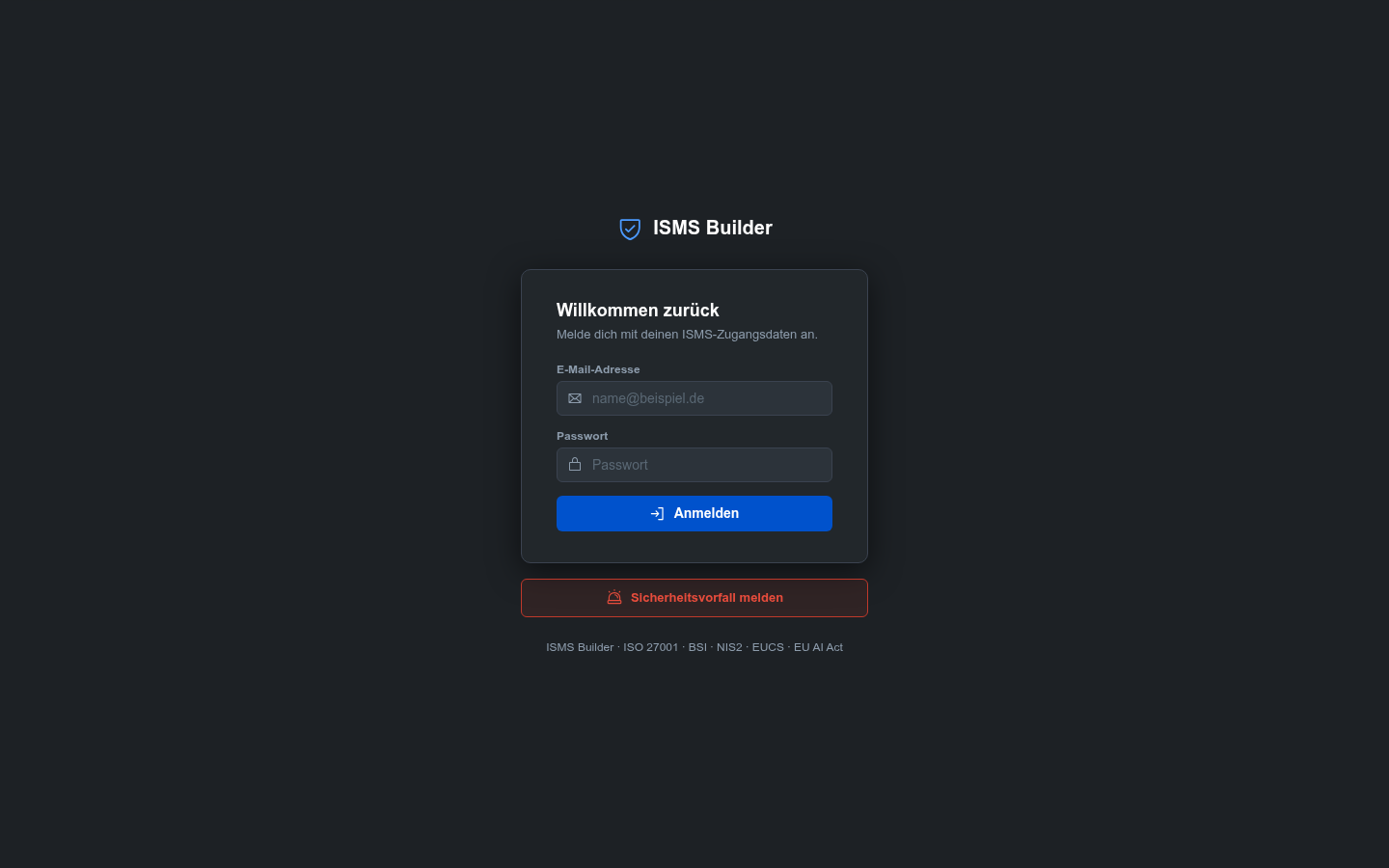 |  |
| Statement of Applicability | Risk Management |
|---|---|
| 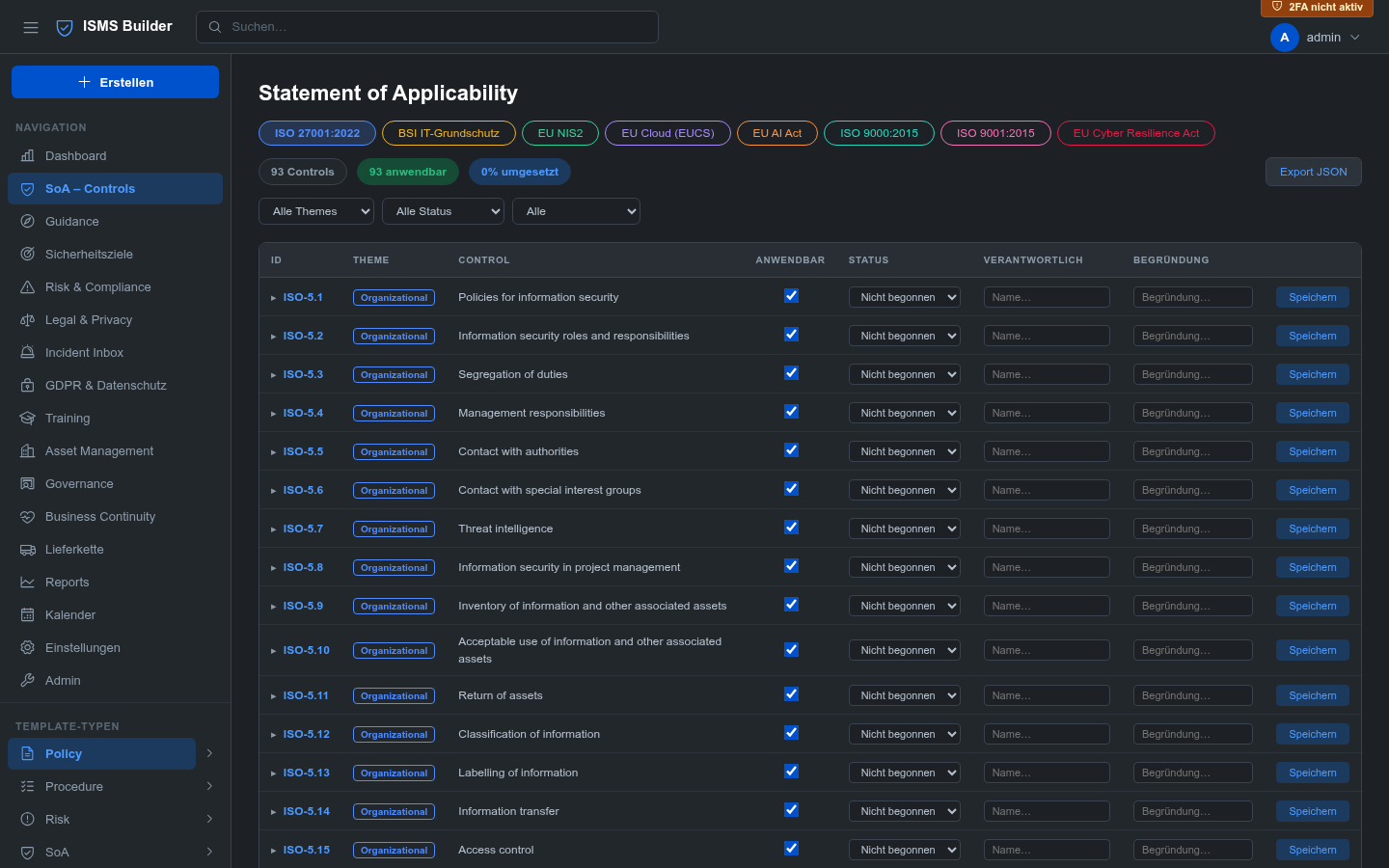 |  |
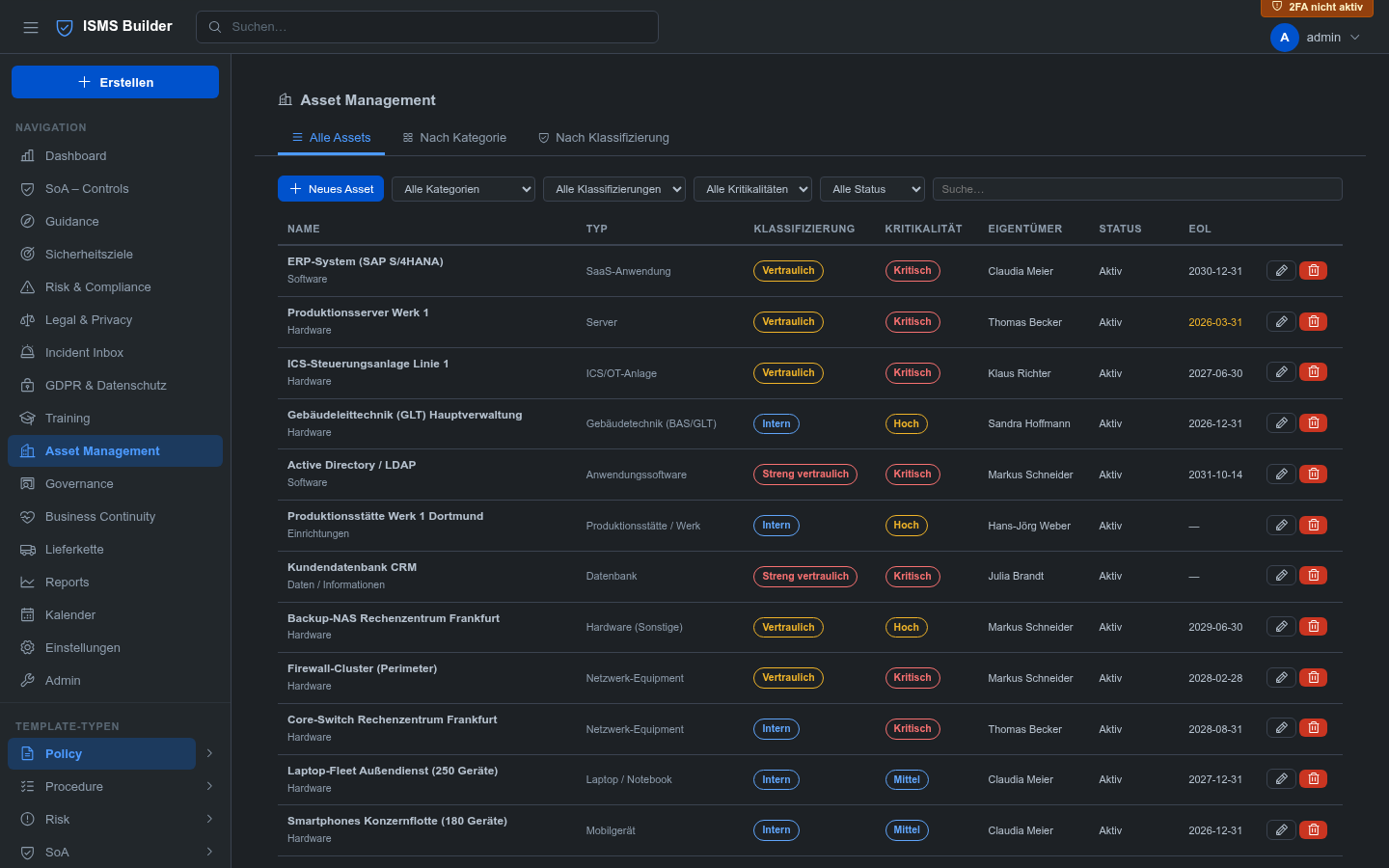
| GDPR & Datenschutz | Asset Management |
|---|---|
| 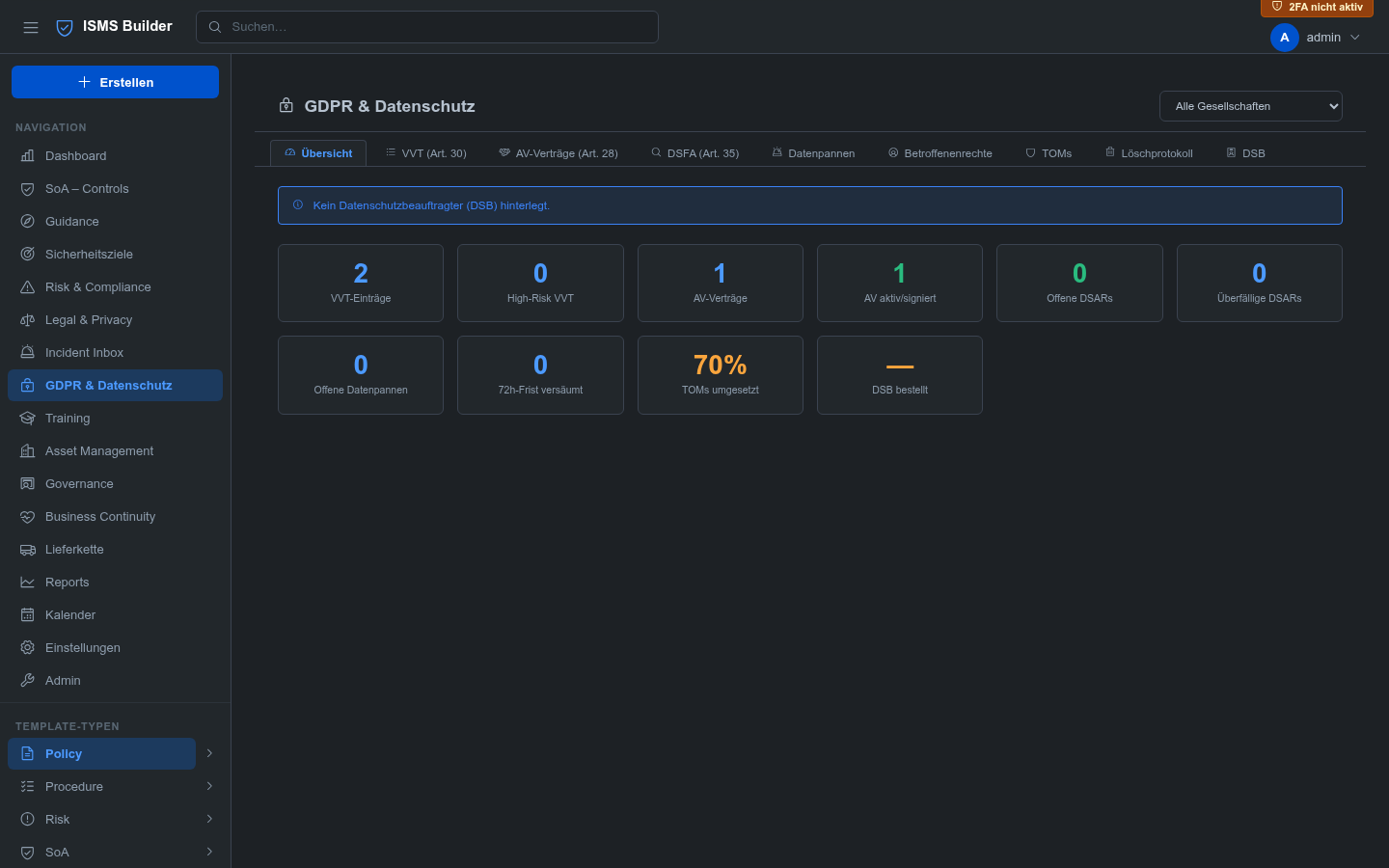 | 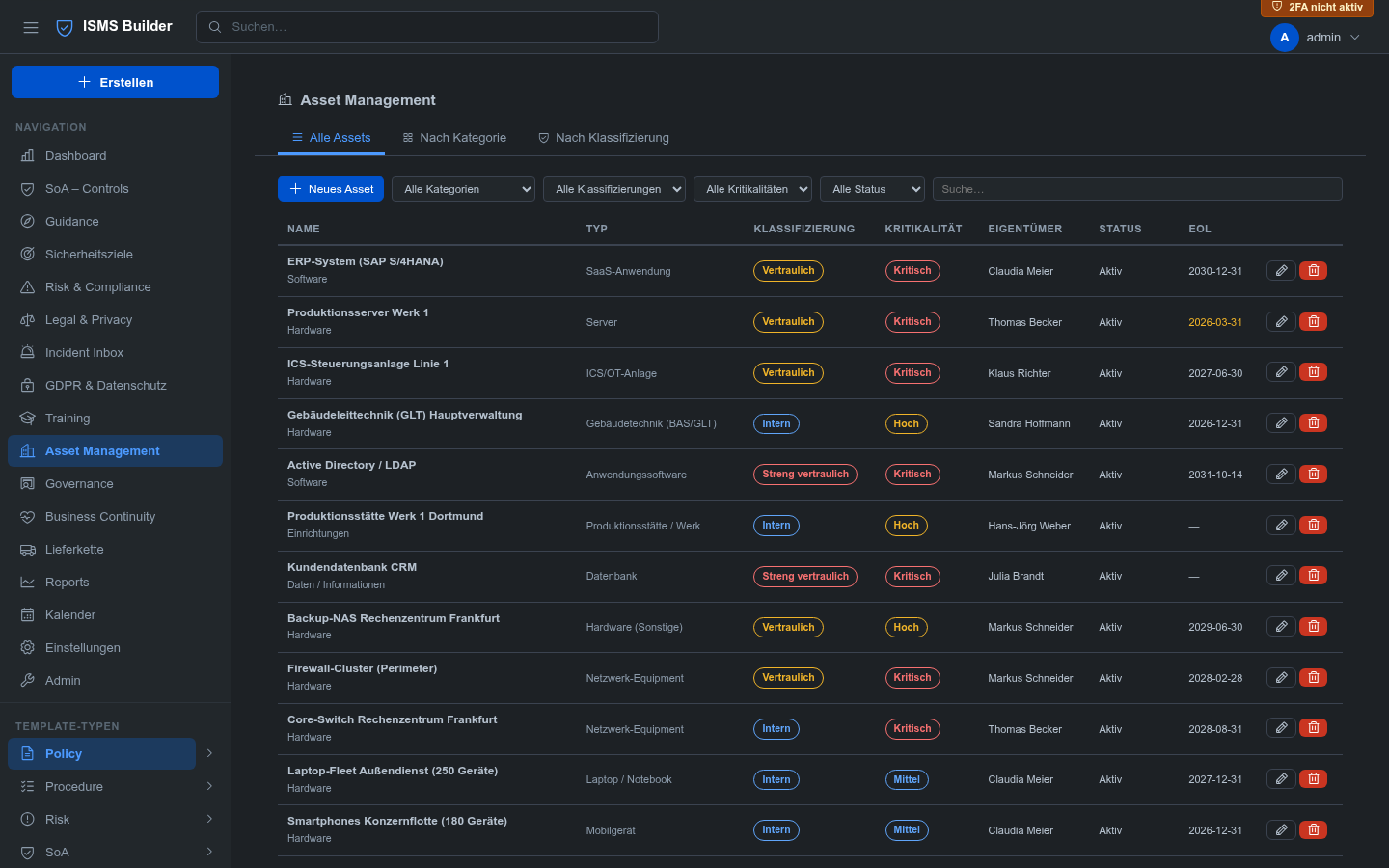 |
| Guidance & Dokumentation | Reports |
|---|---|
| 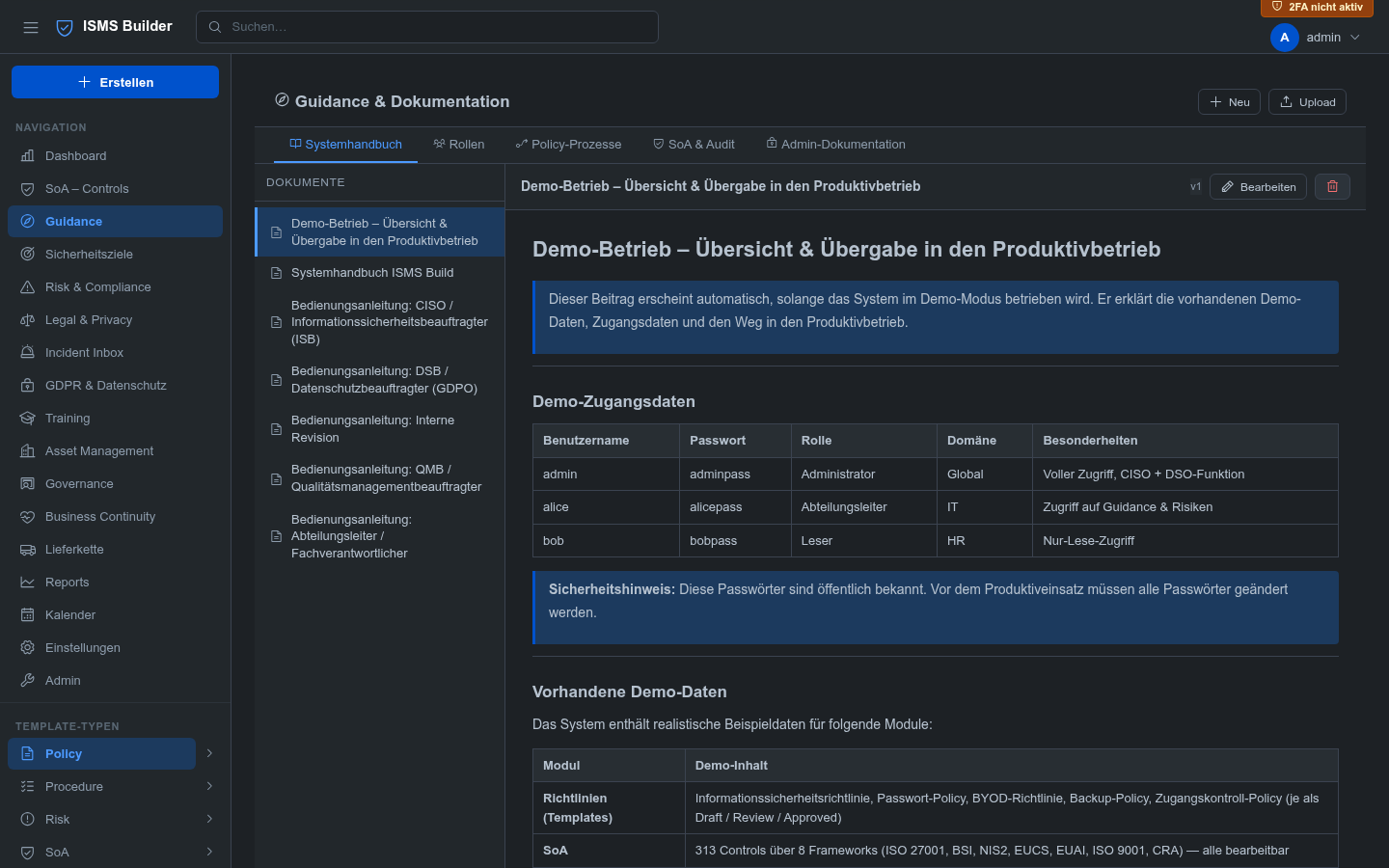 | 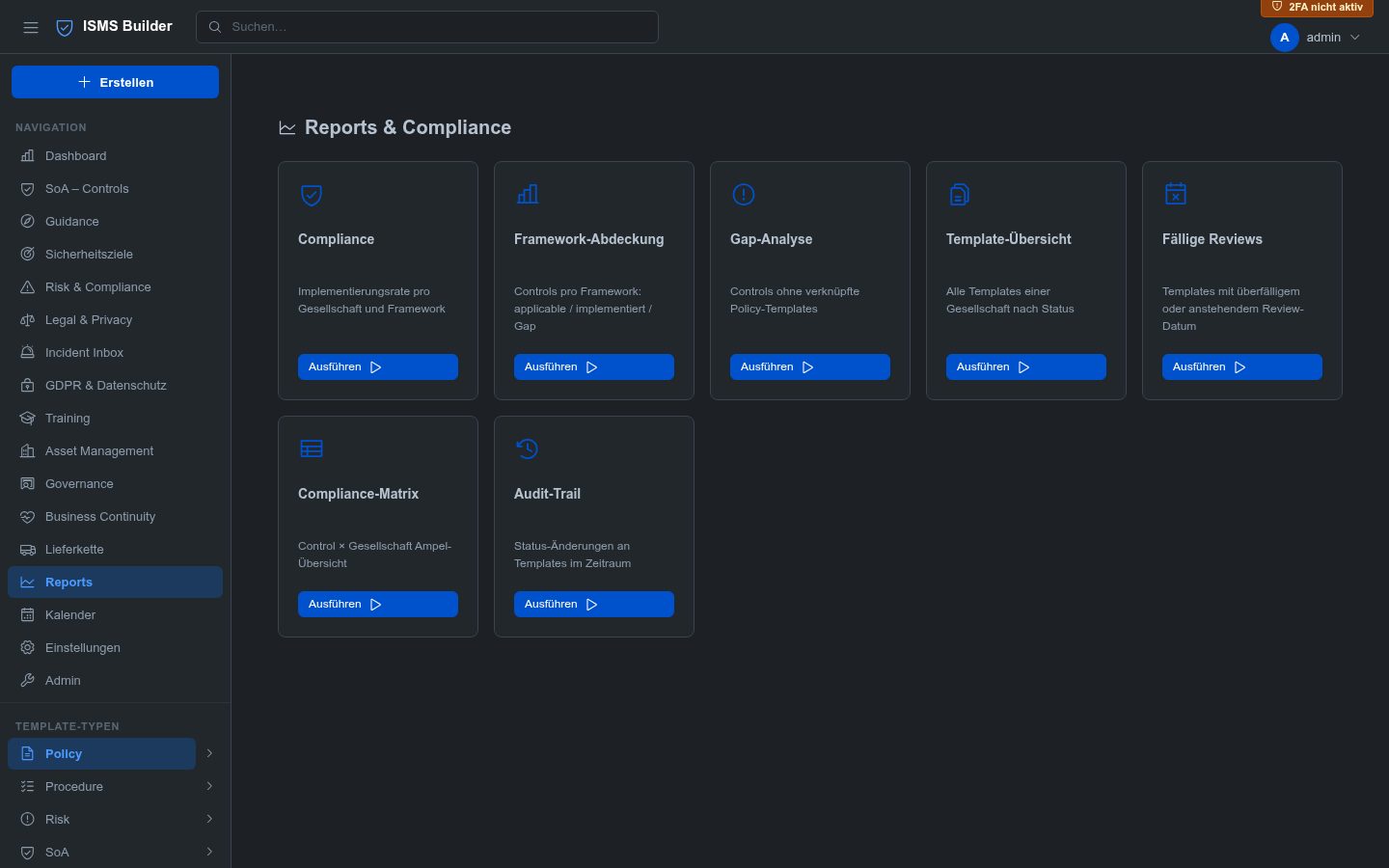 |
> Run `npm start` and open `https://localhost:3000` to explore the full demo dataset locally.
---
## Feature Overview
| Module | Description | Standards |
|---|---|---|
| **Policy Management** | Template CRUD, versioning, lifecycle (draft → review → approved → archived), space hierarchy, attachments | ISO 27001 §5 |
| **Statement of Applicability** | 313 controls across 8 frameworks, inline editing, gap analysis, cross-mapping | ISO 27001 A / BSI / NIS2 / EUCS / EUAI / ISO 9001 / CRA |
| **Risk Management** | Risk register, treatment plans, auditor role | ISO 27001 §6.1 |
| **Security Goals** | KPI tracking with progress bars, calendar integration | ISO 27001 §6.2 |
| **GDPR & Privacy** | VVT, AV-contracts, DSFA, TOMs, DSAR queue, 72h-timer, deletion log with email alerts | DSGVO Art. 13–35 |
| **Asset Management** | Asset register, editable asset types, protection goals (CIA + authenticity) with dependency inheritance, classification levels, EoL tracking | ISO 27001 A.5.9–5.12 |
| **BCM / BCP** | Business Impact Analysis, continuity plans, exercises | ISO 27001 A.5.29–5.30 / NIS2 |
| **Training Records** | Training catalogue, completion tracking, certificate upload | ISO 27001 A.6.3 |
| **Supplier Management** | Vendor register, audit scheduling, risk assessment | ISO 27001 A.5.19–5.22 |
| **Legal & Contracts** | Contracts, NDAs, privacy policies, expiry calendar | |
| **Incident Inbox** | CISO inbox + **public reporting form** (no login required) | NIS2 / BSI |
| **Governance** | Management reviews, action tracking | ISO 27001 §9.3 |
| **Reports** | Compliance matrix (Control × Entity), gap report, review cycles, CSV export | |
| **Audit Findings** | Finding register (IST→SOLL→Risk→Recommendation), action plans, severity/status tracking, FIND-YYYY-NNNN ref | ISO 27001 §9.2 |
| **Traceability** | Every record links to SoA controls + policy documents — bidirectional | |
| **Semantic Search** | Local AI search via Ollama (nomic-embed-text) with keyword fallback | |
| **Multi-Entity** | Corporate structure tree, per-entity applicability for controls and policies | |
| **Multilingual UI & Demo Data** | Full UI and demo content in 🇩🇪 DE / 🇬🇧 EN / 🇫🇷 FR / 🇳🇱 NL; admin controls available languages | |
---
### ⚠ IMPORTANT: ISO Controls Require Manual Installation by the Administrator
> **ISO 27001:2022, ISO 9000:2015, and ISO 9001:2015** are copyright-protected standards published
> by the International Organization for Standardization (ISO, © ISO). The control definitions
> (titles, descriptions, requirement text) are **not included** in this software and must **not**
> be redistributed without a valid ISO licence.
**What this means in practice:**
The SoA modules for ISO 27001, ISO 9000, and ISO 9001 ship without control content.
The administrator **must manually import** the controls before these frameworks are usable:
1. Obtain a licensed copy of the standard from [iso.org](https://www.iso.org/) or an authorised national body
2. Prepare a JSON file with your control definitions (format documented in `scripts/import-iso-controls.sh`)
3. Run the import script:
```bash
bash scripts/import-iso-controls.sh path/to/iso-controls.json
```
4. Restart the ISMS Builder server
> **Frameworks included out-of-the-box (no ISO licence required):**
> BSI IT-Grundschutz, EU NIS2, EUCS, EU AI Act, and CRA are based on publicly available
> EU legislation and German federal publications and are fully pre-installed.
Operating the ISO framework modules without a valid licence for the respective standard is the
sole responsibility of the operator. The ISMS Builder project and its contributors accept no
liability for unlicensed use of ISO-protected content.
---
## Quick Start
```bash
git clone https://github.com/coolstartnow/isms-builder.git
cd isms-builder
npm install
cp .env.example .env # set JWT_SECRET to a long random string
npm start # http://localhost:3000
```
Login with **`[email protected]` / `adminpass`**. On first login you will be prompted to choose your **demo data language** (🇩🇪 DE / 🇬🇧 EN / 🇫🇷 FR / 🇳🇱 NL) or start with an empty system. Change the admin password immediately after.
For production use with HTTPS:
```bash
# .env
JWT_SECRET=your-very-long-random-secret
STORAGE_BACKEND=json
SSL_CERT_FILE=/etc/ssl/certs/your.crt
SSL_KEY_FILE=/etc/ssl/private/your.key
```
**Going live after evaluating with demo data?** Run the interactive production-prep tool instead
of starting from a fresh install — it clears demo/test content module by module (or all at once),
so any real data you've already entered (e.g. risks, assets) doesn't have to be re-entered:
```bash
bash stop.sh
node scripts/prepare-production.js
bash start.sh
```
It always creates a backup (`data.bak.<timestamp>/`, next to your `data/` directory) before
changing anything, and never touches `STORAGE_BACKEND` — unlike the in-app "Demo Reset" admin
action, which is meant for the demo instance and still switches to `sqlite` for historical reasons
(see [Issue #42](https://github.com/coolstartnow/isms-builder/issues/42)).
---
## Docker
Every release is published as a GitHub Package in the GitHub Container Registry, for
`linux/amd64` and `linux/arm64` — tagged `:latest` and `:<version>` (e.g. `:1.37.5.2`):
```bash
docker compose up -d
# App runs at http://localhost:3000
```
Or without Compose (`data/` must be a bind mount — data is never baked into the image):
```bash
docker run -d --name isms-builder -p 3000:3000 \
-e JWT_SECRET="$(openssl rand -hex 32)" \
-v "$PWD/data:/app/data" \
ghcr.io/coolstartnow/isms-builder:latest
```
This is the default, storing data as plain JSON files in `./data` — no database container needed
at all. It's the recommended setup for small teams and is what the two commands above use.
**Using PostgreSQL (or MariaDB) instead of JSON.** The image supports this out of the box, but —
unlike the JSON setup above — it needs a second container (the actual database) plus a handful of
environment variables telling the app how to reach it. If you only pulled the image itself
(`docker pull ghcr.io/coolstartnow/isms-builder`) without ever cloning this repository, those
variable names aren't visible anywhere by default — `docker-compose.yml` and `.env.example`, where
they're documented, are files in this Git repository, not part of the image. This section exists
so that information isn't a repo-only secret.
The `isms-builder` image itself never bundles a database server — `postgres:17` (or `mariadb:11`)
is a completely generic, empty database engine from Docker Hub with zero knowledge of this
project's tables. Those tables (risks, assets, SoA controls, and so on) are created automatically
by the application itself the moment it starts up and finds an empty database — no manual SQL
import, no separate migration step you have to run. See "How does the database schema get
created?" below if you want the full mechanics.
Two containers, one shared Docker network, then the app is told where to find the database:
```bash
# 1) An isolated network so the two containers can reach each other by name
docker network create isms-net
# 2) The database — empty until the app first connects and creates its tables
docker run -d --name isms-postgres --network isms-net \
-e POSTGRES_DB=isms_builder \
-e POSTGRES_USER=isms \
-e POSTGRES_PASSWORD="$(openssl rand -hex 16)" \
-v isms-postgres-data:/var/lib/postgresql/data \
postgres:17-alpine
# 3) The app, pointed at that database by container name (isms-postgres) via
# Docker's built-in DNS on the shared network — no host/port juggling needed
docker run -d --name isms-builder --network isms-net -p 3000:3000 \
-e JWT_SECRET="$(openssl rand -hex 32)" \
-e STORAGE_BACKEND=postgres \
-e DB_HOST=isms-postgres \
-e DB_PORT=5432 \
-e DB_USER=isms \
-e DB_PASS="<same password as POSTGRES_PASSWORD above>" \
-e DB_NAME=isms_builder \
ghcr.io/coolstartnow/isms-builder:latest
```
What each variable means:
| Variable | Purpose |
|---|---|
| `STORAGE_BACKEND` | `postgres` (or `pg`) for PostgreSQL, `mariadb` for MariaDB/MySQL. Leave unset (or `json`) for the default JSON setup. |
| `DB_HOST` | Hostname of the database container. On a shared Docker network, this is just the container's `--name` — Docker resolves it automatically. |
| `DB_PORT` | `5432` for PostgreSQL, `3306` for MariaDB. |
| `DB_USER` / `DB_PASS` / `DB_NAME` | Must match whatever you set on the database container (`POSTGRES_USER`/`POSTGRES_PASSWORD`/`POSTGRES_DB` above, or the MariaDB equivalents). |
For MariaDB, swap `postgres:17-alpine` for `mariadb:11`, use its `MARIADB_DATABASE` /
`MARIADB_USER` / `MARIADB_PASSWORD` variables in step 2, and `STORAGE_BACKEND=mariadb` /
`DB_PORT=3306` in step 3. The full, cross-referenced list of every environment variable this
project understands — including the ones not covered here (SSL, reverse-proxy trust, SMTP,
2FA, …) — lives in [`.env.example`](https://github.com/coolstartnow/isms-builder/blob/main/.env.example) in this repository.
Compose users get this for free: `docker-compose.yml` already ships `mariadb` and `postgres`
service profiles (commented out by default, alongside the equivalent env-var explanations) —
`docker compose --profile postgres up -d` starts both containers wired together automatically,
no manual networking or copy-pasting of passwords required.
**How does the database schema get created?** Neither the `postgres:17` nor the `mariadb:11`
image knows anything about this project — they're generic, empty database engines straight from
Docker Hub. There's no SQL dump file to import and no separate migration command to run by hand.
Instead, the moment the `isms-builder` container starts up and connects to an empty database, its
own application code (not the database image) creates every table it needs on the spot — see
[`server/db/knexDatabase.js`](https://github.com/coolstartnow/isms-builder/blob/main/server/db/knexDatabase.js): a list of table definitions, each
checked with `hasTable()` and created with `createTable()` if missing, all before the app starts
accepting HTTP requests. That makes it idempotent — the very first start builds the full schema
from nothing, and every later restart against the same database is a silent no-op because the
tables already exist. This is the same mechanism, unmodified, that was live-verified against
SQLite, MariaDB 11, and PostgreSQL 17 (see [#70](https://github.com/coolstartnow/isms-builder/issues/70)).
To build from source instead, uncomment the `build:` block in `docker-compose.yml` and run
`docker compose up -d --build`.
Images carry a signed build provenance attestation:
```bash
gh attestation verify oci://ghcr.io/coolstartnow/isms-builder:latest --owner coolstartnow
```
---
## Requirements
- **Node.js 18+** (tested: 18, 20, 22)
- npm 9+
- (Optional) Docker + Docker Compose
- (Optional) [Ollama](https://ollama.ai) for local AI semantic search
---
## Configuration (`.env`)
| Variable | Default | Description |
|---|---|---|
| `JWT_SECRET` | *(required)* | Secret for JWT signing — use 32+ random characters |
| `PORT` | `3000` | HTTP/HTTPS listen port |
| `STORAGE_BACKEND` | `json` | `json` (dev/demo) or `sqlite` (production) |
| `SSL_CERT_FILE` | — | Path to TLS certificate → enables HTTPS |
| `SSL_KEY_FILE` | — | Path to TLS private key |
| `DATA_DIR` | `./data` | Override data directory (Docker volumes) |
| `SMTP_HOST` | — | SMTP server for email alerts |
| `SMTP_PORT` | `587` | SMTP port |
| `SMTP_USER` | — | SMTP username |
| `SMTP_PASS` | — | SMTP password |
| `SMTP_FROM` | — | Sender address for notifications |
---
## Architecture
```
server/
index.js — Express app setup, router mounts
auth.js — JWT auth, RBAC ranks, session
routes/ — 17 Express route modules (one per domain)
db/ — Data stores (jsonStore / sqliteStore / orgSettingsStore / …)
ai/ — Semantic search (embedder, embeddingStore, lexicalSearch)
reports.js — Report generation logic
ui/
index.html — SPA shell (Atlassian Dark Theme)
app.js — All render functions, ~6000 lines vanilla JS
style.css — CSS variables, dark theme
data/ — JSON files / SQLite DB (gitignored)
docs/
ISMS-build-documentation.md — Full architecture reference
architecture/ — C4 diagrams, data model, OpenAPI 3.0.3 spec
tests/ — Jest + Supertest (176 tests, --runInBand)
```
- **Auth:** JWT cookie (`sm_session`), bcrypt passwords, TOTP 2FA (enforceable org-wide)
- **RBAC:** `reader` → `editor` / `dept_head` → `contentowner` / `auditor` → `admin`
- **Persistence:** JSON files (default/demo) or SQLite via `better-sqlite3`
- **AI:** Optional local Ollama (nomic-embed-text); keyword search always available as fallback
- **Audit Log:** Every create/update/delete/login action recorded, filterable, exportable
See [`docs/architecture/`](https://github.com/coolstartnow/isms-builder/blob/main/docs/architecture) for C4 diagrams, full data model, and OpenAPI 3.0.3 spec (80+ endpoints).
---
## Running Tests
> **Note:** The test suite under `tests/` is the author's personal development tests and is
> shipped alongside the project for transparency. It is **not** part of the application itself
> and is **not required** to run the app. The tests cover internal API behaviour and use
> hardcoded test credentials that only exist in the isolated test environment — they have no
> relation to any production or demo data.
```bash
npm test # runs all 423 tests
npm run preflight # exactly what CI gates on (tests + pinning + audit)
npm test -- --verbose # with test names
```
Tests use an isolated temp directory — no production data is touched.
---
## Contributing
Contributions are very welcome! See [CONTRIBUTING.md](https://github.com/coolstartnow/isms-builder/blob/main/CONTRIBUTING.md) for:
- Development setup (5 minutes to first test run)
- Code style and conventions
- How to open a good issue or PR
**Found a security issue?** Please do not open a public issue — use
[private vulnerability reporting](https://github.com/coolstartnow/isms-builder/security/advisories/new).
[SECURITY.md](https://github.com/coolstartnow/isms-builder/blob/main/SECURITY.md) describes the scope, the safe harbour, and what to realistically expect.
**Good first issues** are labelled [`good first issue`](https://github.com/coolstartnow/isms-builder/issues?q=label%3A%22good+first+issue%22) in the issue tracker.
---
## Roadmap
| Status | Feature |
|---|---|
| ✅ Done | Semantic search (Ollama / nomic-embed-text) |
| ✅ Done | SQLite backend, Docker, CI/CD |
| ✅ Done | GDPR deletion log email alerts |
| ✅ Done | Multilingual demo bundles (DE / EN / FR / NL) |
| ✅ Done | Audit Findings module with action plans (V 1.37.2.0) |
| ✅ Done | FR/NL Guidance translations + admin language configuration (V 1.37.2.0) |
| ✅ Done | MariaDB/MySQL backend (`STORAGE_BACKEND=mariadb`, V 1.37.2.1) |
| ✅ Done | Scanner → Risk draft (Greenbone/OpenVAS XML + PDF import, V 1.37.2.0) |
| ✅ Done | Policy Acknowledgement — staff confirm policies digitally with audit trail (V 1.37.2.0) |
| ✅ Done | Guidance CRUD — create, edit and upload own documentation (V 1.37.2.0) |
| ✅ Done | Guidance Search — cross-category full-text search with excerpt (V 1.37.2.0) |
| ✅ Done | Asset protection goals — CIA + authenticity (1–4), dependencies and BSI maximum-principle inheritance (V 1.37.2.0) |
| ✅ Done | NIS2 Art. 21 governance checklist (30 items) and Art. 23 reporting deadlines with automatic alerts (V 1.37.2.0) |
| ✅ Done | PostgreSQL backend (`STORAGE_BACKEND=pg`) — same Knex store layer as MariaDB, verified against a real PostgreSQL 17 instance incl. full `docker compose` path (V 1.37.5) |
| ✅ Done | ownCloud / Nextcloud integration — approved policies auto-published as PDF via WebDAV, optional favorite/public-link visibility, live-verified against a real NextcloudPi instance (#66, V 1.37.5.1) |
| ✅ Done | Docker image published to GitHub Container Registry after every release (`ghcr.io/coolstartnow/isms-builder`, `linux/amd64` + `linux/arm64`, signed build provenance) — contributed by @bucherfa (#71, V 1.40.0). Maintenance-effort trial: dropped again if it turns out to be more upkeep than expected. |
| 🔜 Next | AI Policy Assistant — Ollama drafts policy content from title + framework |
| 🔜 Next | Scheduled Reports — weekly/monthly compliance report delivered by email |
| 🔜 Next | Audit-log anomaly detection (LLM batch) |
| 🚀 Later | Quantitative risk scoring (€-values, FAIR-inspired) |
| 🚀 Later | Auditor collaboration portal — external read-only access for auditors |
| 🚀 Later | Policy gap analysis (LLM) |
| 🏁 V 2.x | Configurable Guidance categories — admins define custom categories (e.g. workflows, org documents) |
---
## About the Author
**Claude Hecker** has been working in IT for over 35 years. After roughly 15 years as CIO,
he transitioned into the roles of CISO and Data Protection Officer (DSO/DSB). During his career
he has designed and implemented enterprise-wide IT infrastructure and wide-area network connectivity
(VPN, MPLS) for a major European corporation — responsible for reliable, secure operations across
multiple sites and jurisdictions.
ISMS Builder grew directly out of that experience: building and maintaining a compliant ISMS in the
real world, across real audits, with real regulatory pressure. The tool reflects what practitioners
actually need — not what a product manager thinks they need.
**Why open source?**
SMEs deserve access to a proper ISMS platform without five-figure licence fees. The onboarding effort
is real regardless of which tool you choose — but that cost should not be compounded by vendor
lock-in or data leaving your own infrastructure. This project stands for software freedom and the
principle that your compliance data belongs to you.
---
## Standards Reference Notice
This software references control identifiers and short titles from published
standards for interoperability and compliance management purposes only.
- **ISO/IEC 27001, ISO 9000, ISO 9001** are standards published by the
International Organization for Standardization (ISO). Control definitions
for these standards are **not included** in this software distribution —
ISO copyright does not permit redistribution of control text. Users must
supply their own JSON file (see section above and `scripts/import-iso-controls.sh`).
The standards must be obtained from [ISO](https://www.iso.org/) or an
authorised national distributor.
- **BSI IT-Grundschutz** material is published by the German Federal Office
for Information Security (BSI) and is freely available at
[bsi.bund.de](https://www.bsi.bund.de).
- **NIS2, CRA, EUCS, EU AI Act** are EU legislative acts and are publicly
available via [eur-lex.europa.eu](https://eur-lex.europa.eu).
---
## License
Copyright (C) 2026 Claude Hecker
This program is free software licensed under the
[GNU Affero General Public License v3.0](https://github.com/coolstartnow/isms-builder/blob/main/LICENSE).
If you run a modified version as a network service, you must make the
complete source code available to users of that service (AGPL §13).
This project includes third-party components under MIT, BSD-2-Clause and
Apache-2.0 licenses. See [THIRD-PARTY-LICENSES.md](https://github.com/coolstartnow/isms-builder/blob/main/THIRD-PARTY-LICENSES.md)
for full attribution and license texts.