
Skip to content
KitploitKITPLOIT
ToolsExploitsBlog
Log in
Submit
ToolsExploitsBlog
Submit

Hacking, PenTest, and Cybersecurity Tools for Your Security Arsenal!

Kitploit is a directory of hacking, cybersecurity, and pentesting tools. Discover the latest project updates to find vulnerabilities, analyze systems, automate testing, and strengthen your security.

··Feeds·Contact·Privacy·© 2026 Kitploit

Tool Directory

Categories

View all categories
Loading categories
Krawl — Krawl is a customizable, lightweight, cloud-native web deception server and anti-crawler that creates fake web applications with low-hanging vulnerabilities using realistic, randomly generated decoy data and AI-generated HTML templates. | Kitploit
Tools/GitHubGitHub/blessedrebus/krawl
Container SecurityInformation GatheringWeb SecurityNetwork SecurityCloud SecurityThreat IntelligenceIncident ResponseAnti-BotAI Security
GitHubblessedrebus/krawl

Krawl

Krawl is a customizable, lightweight, cloud-native web deception server and anti-crawler that creates fake web applications with low-hanging vulnerabilities using realistic, randomly generated decoy data and AI-generated HTML templates.


55845353 days agoReviewed by Kitploit

Most Popular

View all →

Discover the most used tools by our community.

Explore all tools

Browse our collection of tools

View all tools →
Share
View RepositoryWebsite

Krawl

A modern, customizable web honeypot server designed to detect and track malicious activity from attackers and web crawlers through deceptive web pages, fake credentials, and canary tokens.

License Release
GitHub Container Registry Kubernetes Helm Chart

Table of Contents

  • Demo
  • What is Krawl?
  • Krawl Dashboard
  • Deployment Modes
  • Krawl Banlist
  • Quickstart
    • Docker Run
    • Docker Compose
    • Kubernetes
    • Uvicorn (Python)
  • Configuration
    • config.yaml
    • Environment Variables
  • Ban Malicious IPs
  • IP Reputation
  • Running Behind a Reverse Proxy or CDN
  • Metrics & Monitoring
  • Additional Documentation
  • Deception using AI
  • Contributing

Demo

Tip: crawl the robots.txt paths for additional fun

Krawl URL: http://demo.krawlme.com

View the dashboard http://demo.krawlme.com/das_dashboard

What is Krawl?

Krawl is a cloud‑native deception server designed to detect, delay, and analyze malicious attackers, web crawlers and automated scanners.

It creates realistic fake web applications filled with low‑hanging fruit such as admin panels, configuration files, and exposed fake credentials to attract and identify suspicious activity.
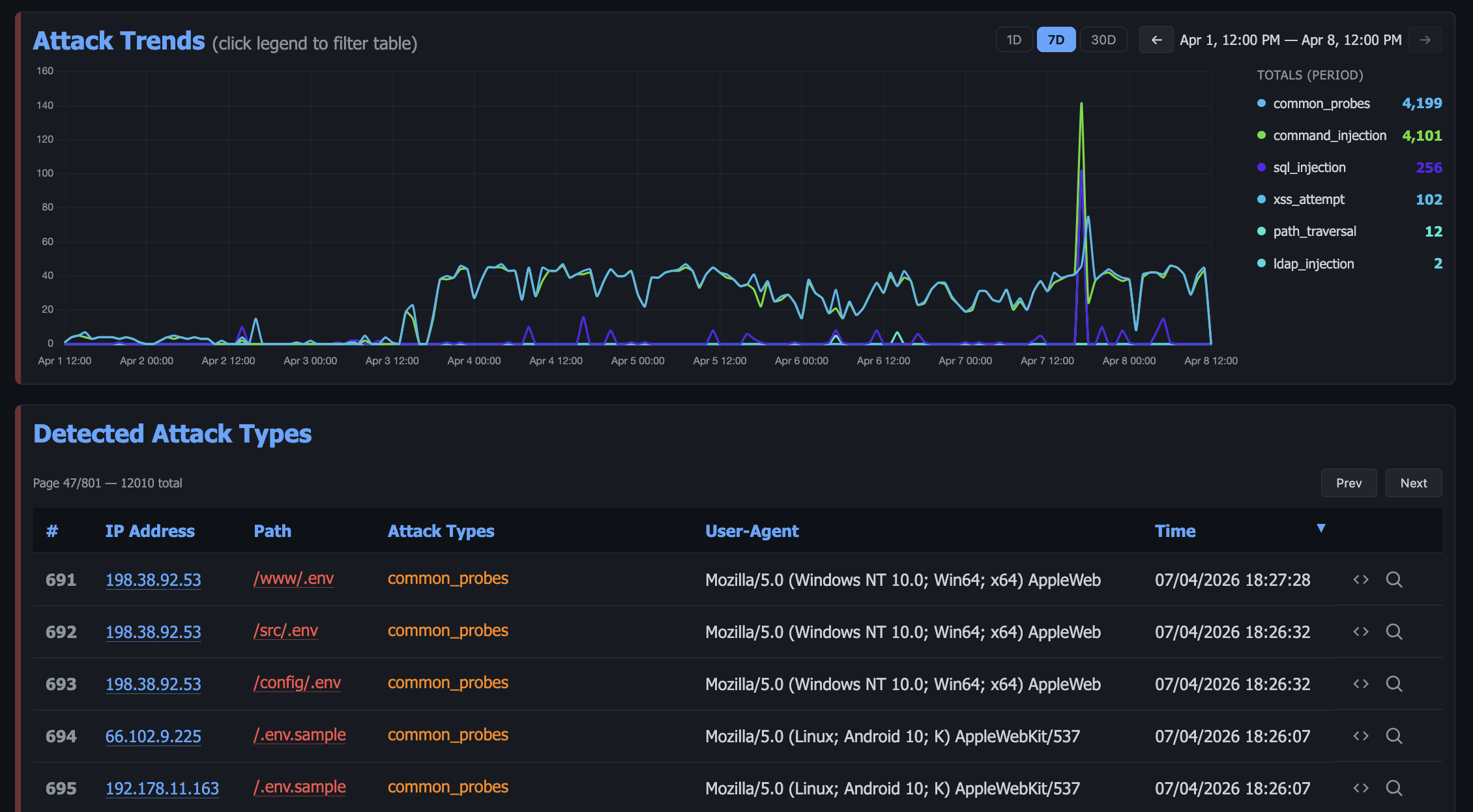
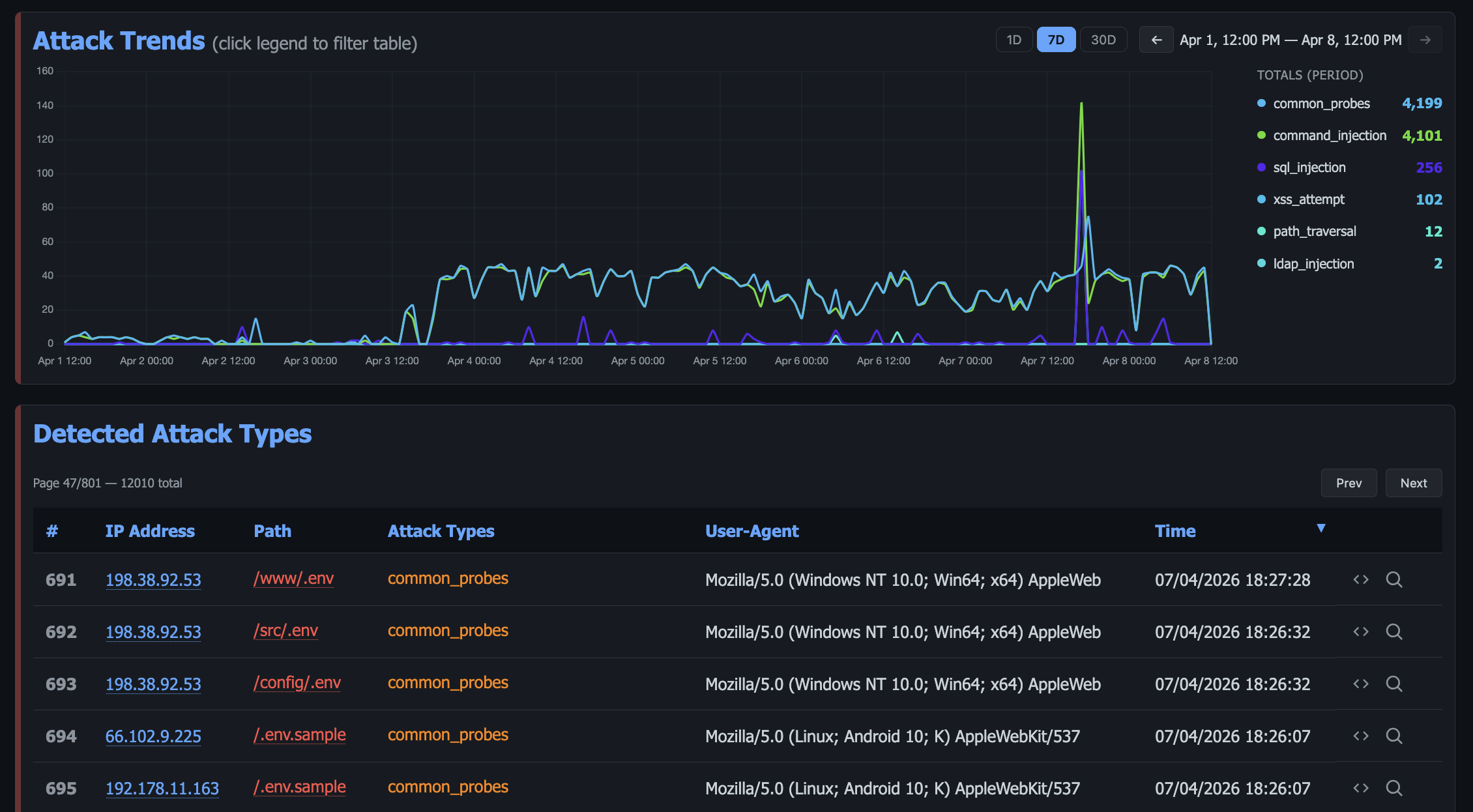
dashboard

By wasting attacker resources, Krawl helps clearly distinguish malicious behavior from legitimate crawlers.

It features:

  • AI Generated Deception Pages: Let attackers help generate your fake vulnerable attack surface
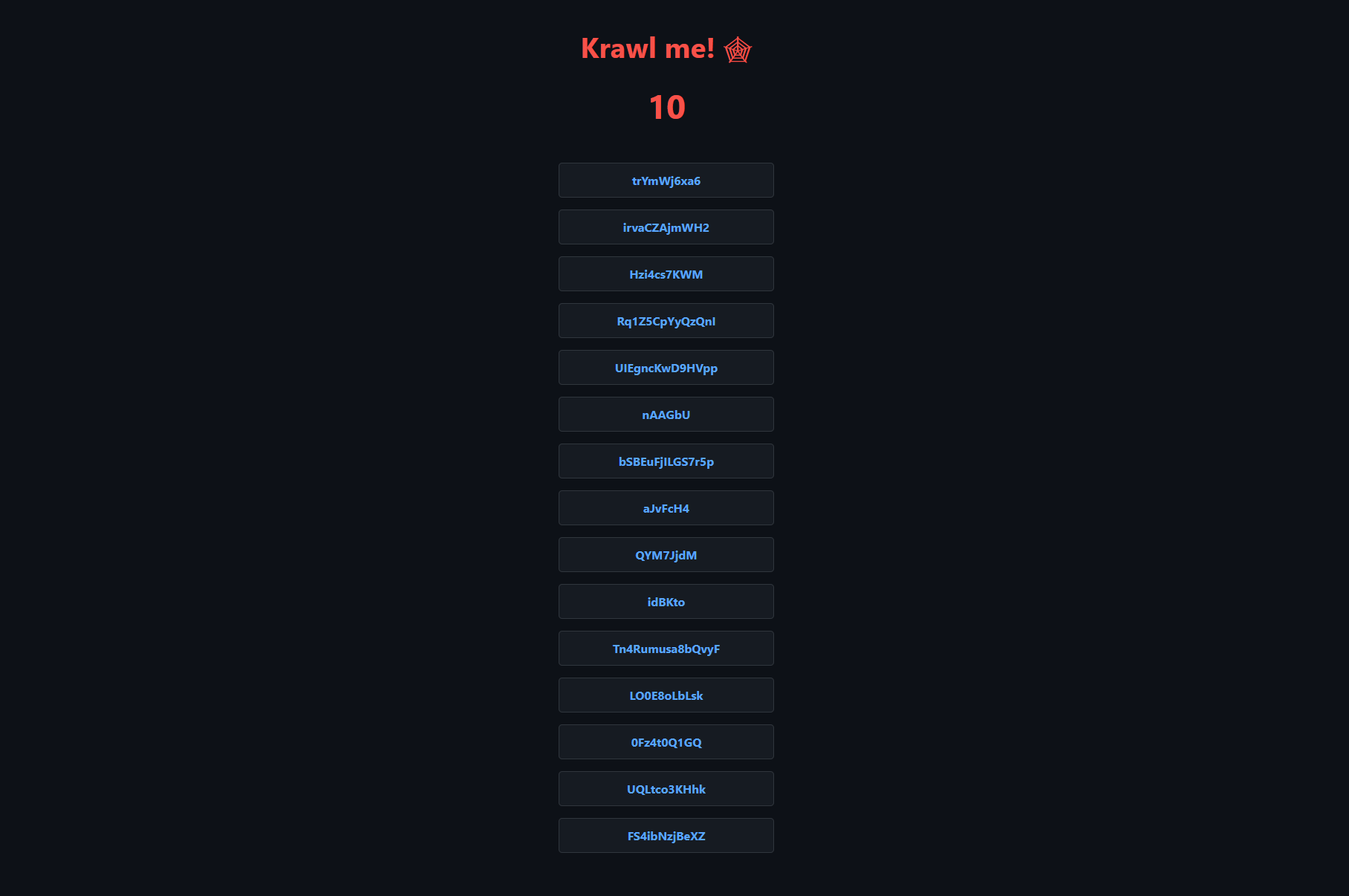
  • Spider Trap Pages: Infinite random links to waste crawler resources based on the spidertrap project
  • Fake Login Pages: WordPress, phpMyAdmin, admin panels
  • Honeypot Paths: Advertised in robots.txt to catch scanners
  • Fake Credentials: Realistic-looking usernames, passwords, API keys
  • Canary Token Integration: External alert triggering
  • Random server headers: Confuse attacks based on server header and version
  • Real-time Dashboard: Monitor suspicious activity
  • Customizable Wordlists: Easy JSON-based configuration
  • Random Error Injection: Mimic real server behavior

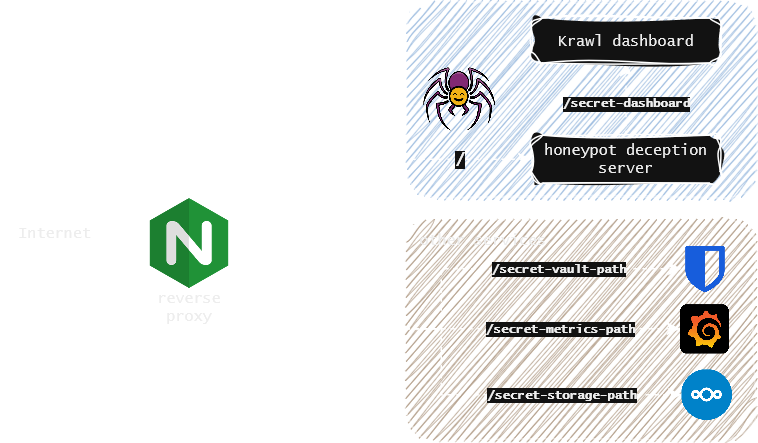
You can easily expose Krawl alongside your other services to shield them from web crawlers and malicious users using a reverse proxy. For more details, see the Reverse Proxy documentation.
use case

Krawl Dashboard

Krawl provides a comprehensive dashboard, accessible at a random secret path generated at startup or at a custom path configured via KRAWL_DASHBOARD_SECRET_PATH. This keeps the dashboard hidden from attackers scanning your honeypot.

The dashboard is organized in six tabs:
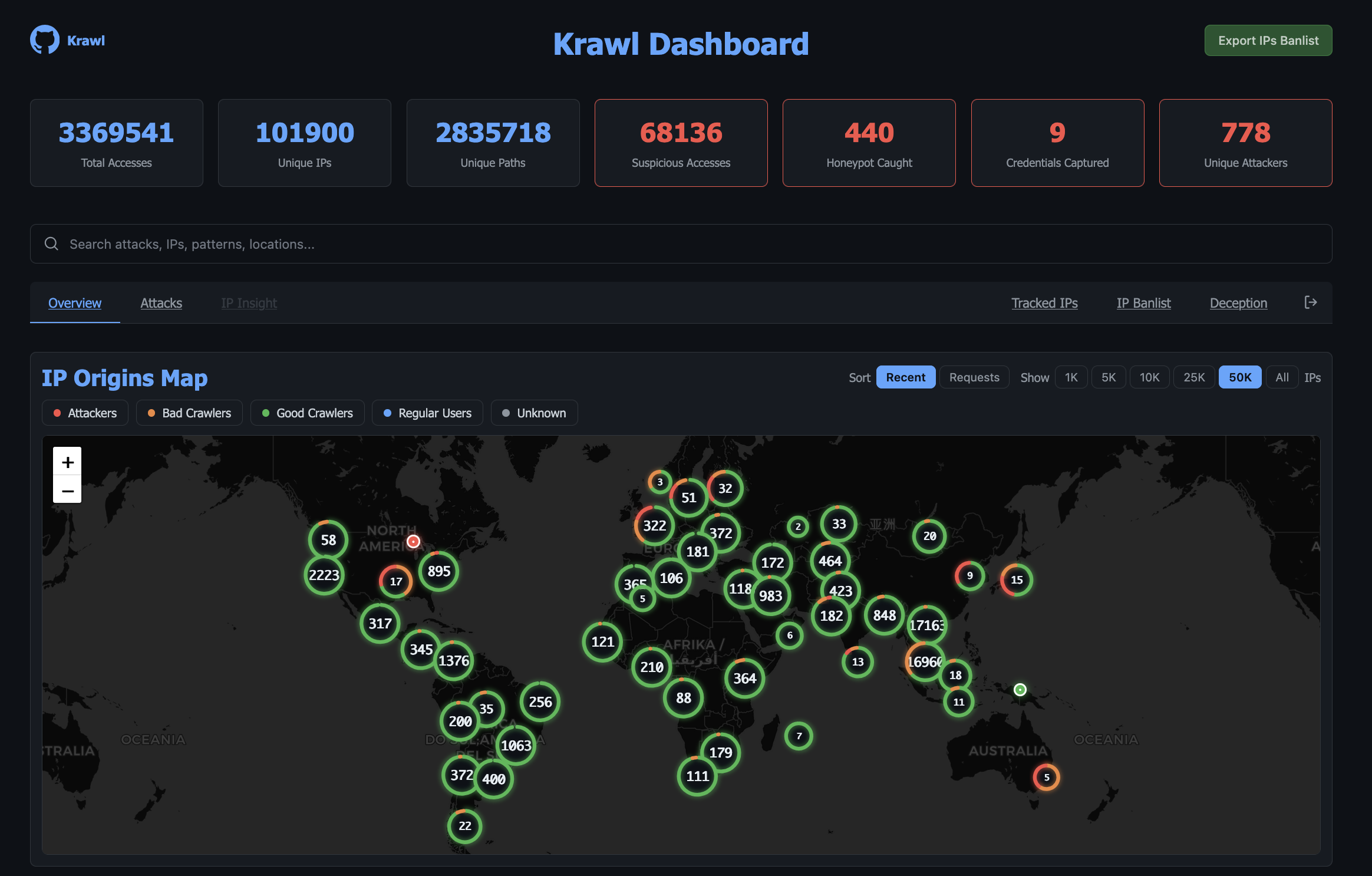
  • Overview: high-level view of attack activity: an interactive map of IP origins, recent suspicious requests, and top IPs, User-Agents, and paths.

geoip

  • Attacks: detailed breakdown of captured credentials, honeypot triggers, and detected attack types (SQLi, XSS, path traversal, etc.) with charts and tables.

attack_types

  • Threats: payloads grouped into campaigns by TLSH fuzzy hash, so a webshell and its edited variants read as one campaign rather than unrelated hits, with an index of every captured file.

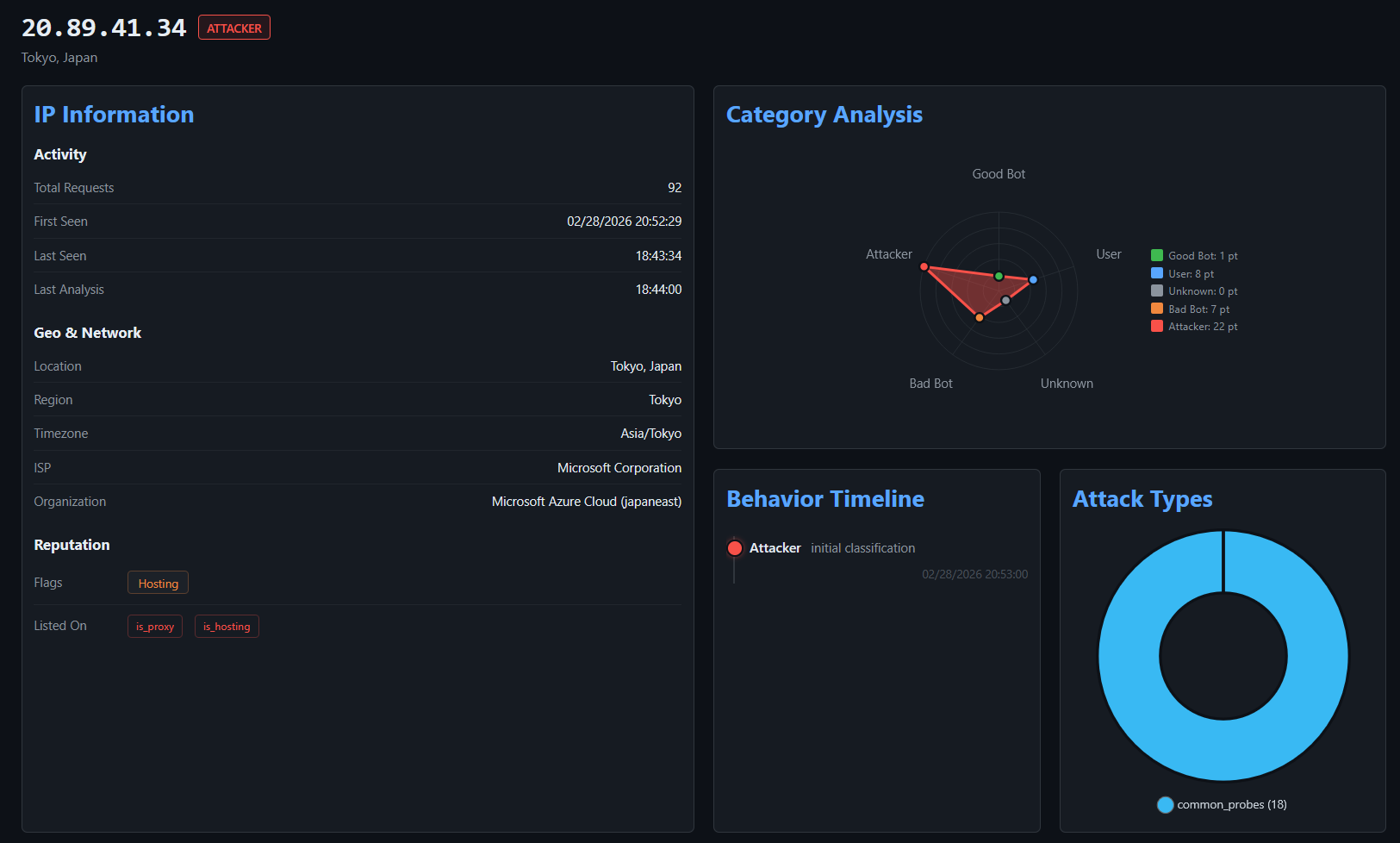
  • IP Insight: in-depth forensic view of a selected IP: geolocation, ISP/ASN info, reputation flags, behavioral timeline, attack type distribution, referer history, captured files and credentials, and full access history.
ipinsight

Additionally, after authenticating with the dashboard password, protected tabs become available:

  • Tracked IPs: maintain a watchlist of IP addresses you want to monitor over time.
  • IP Banlist: manage IP bans, view detected attackers, and export the banlist in raw or IPTables format.
  • Timed Out IPs: review the IPs currently held in the tarpit, and exempt any that should not be.
  • Deception: manage AI generated pages, export them or import new ones.
  • Webhooks: forward bans to CloudFlare and other firewalls.

The header icons open the API docs, the banlist export, and a settings panel showing the running configuration and a maintenance page for running scheduled tasks on demand.

For more details, see the Dashboard documentation.

Deployment Modes

Krawl supports two deployment modes, controlled by the mode setting in config.yaml or the KRAWL_MODE environment variable.

StandaloneScalable
DatabaseSQLite (WAL mode)PostgreSQL
CacheIn-memory Python dictRedis (multi-tier TTL)
Replicas1 (single instance)1+ (horizontal scaling)
External depsNonePostgreSQL + Redis
Best forDev, homelabs, <500k requestsProduction, HA, >500k requests

Standalone: ideal for development environments or homelabs with low request counts. Zero additional configuration needed, just run Krawl and it works.

  • Single container deployment with no external dependencies
  • Lower RAM and resource usage

Scalable: designed for production environments or high-traffic honeypots. The Helm chart defaults to this mode.

  • Faster, more responsive dashboard thanks to Redis multi-tier caching
  • Lower disk I/O with Redis acting as a hot-path cache in front of PostgreSQL
  • Horizontal scaling increase the number of Krawl replicas behind a load balancer

For detailed configuration, Docker Compose examples, Kubernetes/Helm setup, and step-by-step migration instructions, see the Deployment Modes documentation.

Download Tool